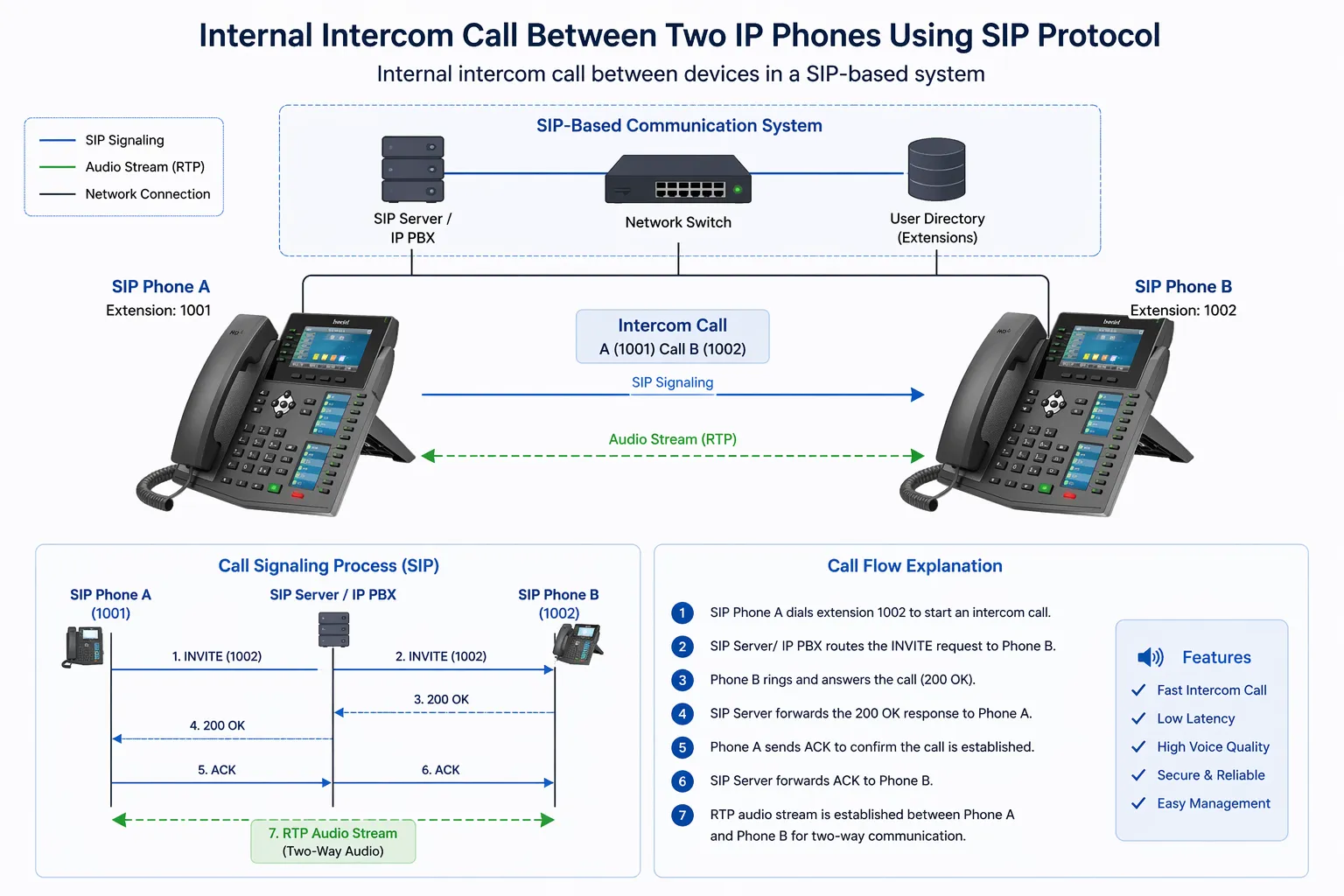
Shared Call Appearance, usually abbreviated as SCA, is a telephony feature that allows the same extension or line appearance to be presented on multiple phones at the same time. In practical terms, this means several users or endpoints can monitor, answer, place, and manage calls associated with one shared number, depending on how the system is configured. SCA is widely used in business phone systems, SIP-based telephony platforms, receptionist environments, executive-assistant workflows, department hotlines, and team-based call handling scenarios where more than one person needs visibility into the same incoming and active calls.
The feature is especially valuable in IP telephony because organizations often need flexible call coverage without forcing every interaction through a single device. A main office number may need to ring at several desks. An assistant may need to answer calls for an executive. A customer service team may need shared access to a published extension. In these cases, Shared Call Appearance creates a practical operational model in which multiple phones act as visible participants around one line identity rather than as completely separate extensions with no awareness of each other.
Although SCA sounds simple, it is more than basic simultaneous ringing. A well-implemented SCA environment typically includes line state visibility, shared alerting, coordinated call pickup, hold status awareness, and behavior rules that determine what happens when one user answers, places a call on hold, resumes a call, or starts a second conversation from the same shared line. Because of that, SCA is both a user interface feature and a call control design concept within a modern SIP or IP PBX system
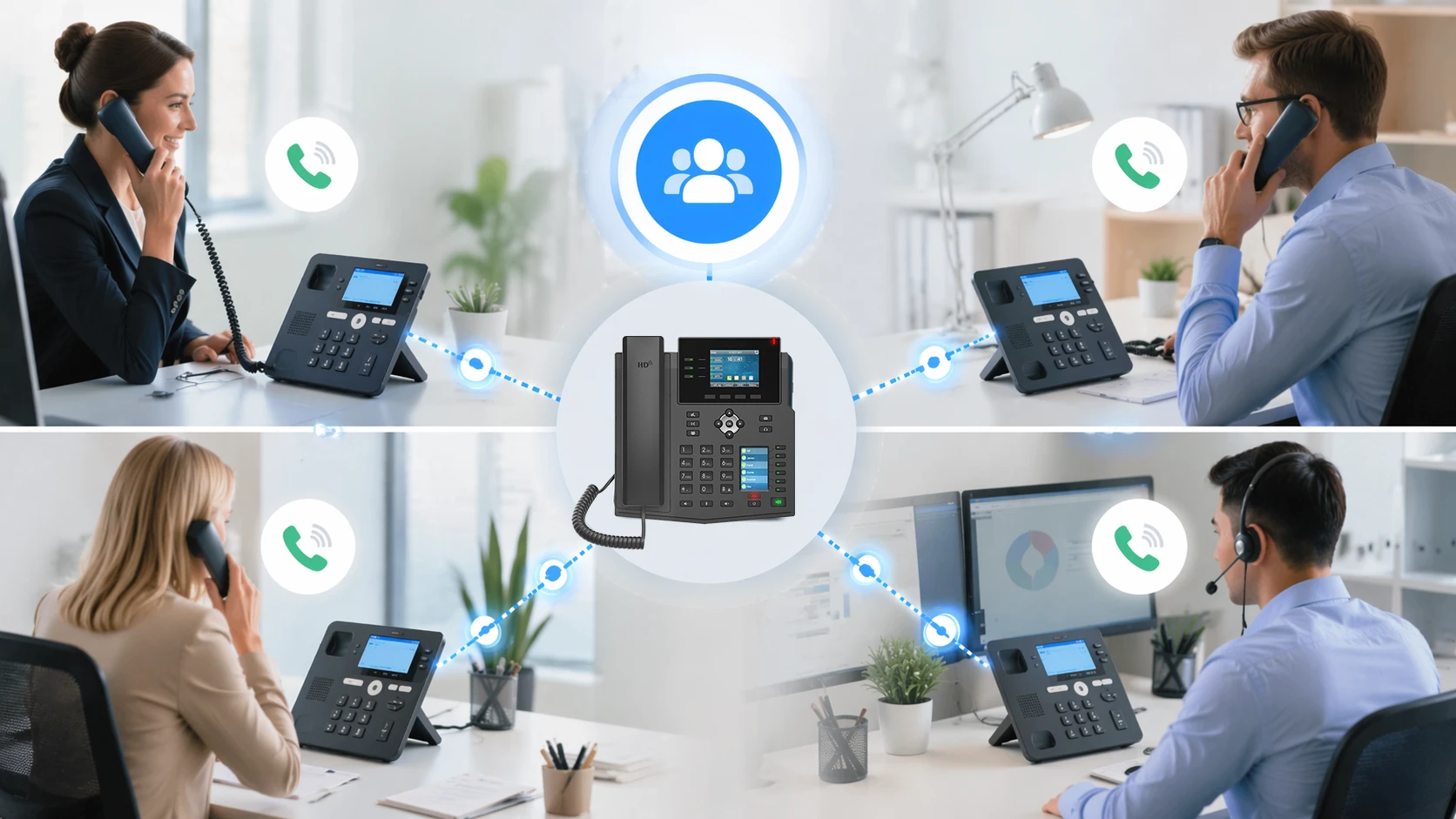
Shared Call Appearance allows one line or extension to appear on multiple phones for coordinated call handling.
What Shared Call Appearance Means in Practice
One Line Visible on Multiple Phones
The central idea behind Shared Call Appearance is that a single line identity can be registered or presented across multiple devices. Instead of one published business number being tied to only one desk phone, that same line can appear on several phones used by different people. When a call arrives, all authorized participants can see the line state, and depending on system behavior, one of them can answer the call while the others see that the call has been taken.
This creates a more collaborative way of handling voice traffic. In a traditional one-user-one-extension model, coverage often depends on call forwarding, hunt groups, or manual transfer. With SCA, the line itself becomes shared operational space. Users do not simply receive forwarded calls after a rule triggers. They can often see that the line is ringing, in use, idle, or on hold, which makes call handling more transparent and efficient.
That visibility is why SCA is often associated with receptionist and assistant workflows, but its usefulness extends further. Any environment in which responsibility for a number belongs to a team rather than an individual can benefit from this model. Shared access to line state reduces missed calls and makes it easier for users to coordinate without asking who is currently handling a conversation.
Different from Simple Ring Groups
It is easy to confuse Shared Call Appearance with ring groups or hunt groups, but the concepts are not identical. In a ring group, multiple endpoints may ring for the same incoming call, but the group members do not necessarily share full line state or active call appearance behavior. Once the call is answered, the relationship between the remaining endpoints and that call may end. They may not see hold status, active use, or line occupancy in a meaningful way.
With SCA, by contrast, the shared line itself is a persistent object across devices. If one user answers the call, the other phones may show that the line is busy. If the user places the call on hold, other authorized users may be able to see that held state and retrieve the call. This makes SCA much more interactive and operationally rich than basic distributed ringing.
For system designers, this distinction matters. A ring group solves the problem of who gets alerted. SCA helps solve the broader problem of who can see, manage, and continue handling a call associated with a shared number. That makes it more suitable for structured business communication where visibility and continuity are important.
Shared Call Appearance is not just about making multiple phones ring. It is about making one line operationally visible across multiple endpoints.
How Shared Call Appearance Works
Shared Line Registration and Line State
In SIP and IP telephony systems, Shared Call Appearance is usually implemented by allowing multiple phones to present the same directory number or line identity under controlled behavior rules. Depending on the platform, this may involve shared registration logic, line appearance mapping, bridged line behavior, or vendor-specific SCA support. The phones are then able to display and react to line status events such as idle, ringing, connected, held, or remotely in use.
This line-state awareness is one of the defining features of SCA. The phone is not merely told to ring when a matching number receives a call. It is also updated when another device interacts with that line. If one user answers, the other phones may stop ringing and show the line as active. If the call is parked or placed on hold in a shared manner, another device may display that held status and offer a way to resume the conversation.
The exact behavior depends on the PBX, SIP server, or phone system involved. Some platforms implement SCA natively with explicit feature support. Others achieve similar results through bridged appearances, shared line keys, BLF-style state monitoring, or proprietary endpoint coordination logic. Even when the user experience looks similar, the underlying signaling model may differ significantly.
Call Handling Coordination Across Endpoints
Once SCA is active, the most important question becomes how calls are controlled across the shared devices. When a new call arrives, all participating phones may alert simultaneously. When one phone answers, the system marks that line as active, which prevents confusion on the other phones. If the active user puts the call on hold, the line may become available for retrieval by another user in the shared group. This makes collaborative call coverage possible without forcing a transfer every time responsibilities shift.
Some systems also allow multiple call appearances under one shared line, which means the same shared number can support more than one simultaneous conversation depending on line key assignments and PBX policy. In those cases, users may see several instances or appearances of the same line, each with its own state. This is especially useful in front-desk and high-call-volume environments where a single public number may need parallel handling capacity.
That said, good coordination depends heavily on clear user interface behavior. If users cannot easily see which appearance is active, which is on hold, and which is available, SCA can create confusion instead of efficiency. This is why phone firmware, key labeling, lamp behavior, and user training are often just as important as the server-side configuration.
Interaction with SIP, PBX, and Endpoint Features
SCA is usually tied closely to the broader capabilities of the phone system. The PBX or SIP server controls how line state is published, how appearances are reserved, what happens on shared hold, and whether privacy rules apply. The phones themselves must support the required line key behavior, remote state updates, and display logic. Without alignment between platform and endpoints, SCA may be inconsistent or only partially functional.
In enterprise systems, SCA often works alongside other features such as voicemail, call transfer, call pickup, call park, BLF, presence indication, group ringing, and receptionist consoles. For example, a receptionist may use SCA for a shared executive line while also using BLF keys to monitor private extensions. A department phone may use a shared line for public calls and separate dedicated lines for internal staff identity.
Because of this, Shared Call Appearance should be viewed as part of a broader call control design rather than as an isolated checkbox feature. The most effective deployments are those in which SCA behavior is planned together with user roles, line ownership, failover expectations, and daily call handling patterns.
Key Benefits of Shared Call Appearance
Improved Call Coverage
One of the biggest advantages of SCA is improved call coverage for important numbers. When multiple phones share the same line, calls are less likely to be missed simply because one user stepped away, was already on another call, or could not reach the device in time. Another authorized team member can answer without waiting for forwarding logic or voicemail fallback.
This is particularly valuable for customer-facing and operational numbers that represent a role rather than a person. A front desk, support hotline, service desk, admissions office, or security contact point may need continuous availability during working hours. SCA provides a direct way to distribute responsibility without hiding line activity from the team.
Better call coverage also improves the caller experience. Instead of hearing repeated ringing or being transferred multiple times, callers are more likely to reach a live person quickly. That can make a meaningful difference in professional responsiveness and service quality.
Better Team Awareness and Continuity
Another strong benefit is visibility. Users sharing a line can often see whether it is already in use, whether a colleague answered, or whether a call is waiting on hold. This reduces internal uncertainty and helps teams coordinate naturally. People do not need to guess whether someone else is handling the conversation because the line state is already visible on the phone.
Continuity also improves when calls need to move between staff members. In a well-designed SCA environment, a user may place a call on hold and another user may resume it from another shared endpoint. This is useful in reception, healthcare administration, retail service points, and executive support environments where conversations may shift hands during the normal course of business.
That continuity gives SCA a practical advantage over simpler routing tools. It is not only about answering faster. It is also about allowing shared operational ownership of a call across the people who represent that line.
More Efficient Handling of Role-Based Numbers
Many business numbers belong to functions rather than individuals. Examples include sales desks, warehouse offices, dispatch counters, hotel service desks, school administration offices, clinic reception numbers, and emergency coordination desks. These numbers need consistent availability regardless of which individual is physically present at a phone at a given moment.
Shared Call Appearance is well suited to these situations because it makes the number accessible as a team resource. Users can work from their own sets while still participating in the same published line. This reduces dependence on one physical location and supports more resilient staffing arrangements.
In modern SIP systems, that role-based flexibility is especially important because organizations increasingly want communication to align with workflows, not just hardware placement. SCA helps voice infrastructure reflect how teams actually operate

SCA improves call coverage, team visibility, and continuity for role-based business numbers.
Common Use Cases for Shared Call Appearance
Reception and Front Desk Operations
Reception is one of the classic SCA use cases. A main business number may appear on several devices at the front desk, back office, or nearby administrative positions. When a call arrives, the first available staff member can answer. If that person needs help or must step away, another staff member may be able to resume the call depending on hold and privacy settings.
This arrangement is often more flexible than forwarding all calls to one person and then transferring them manually. It also reduces the risk of missed calls during busy periods, lunch coverage, or temporary staff absence. Because the line state is shared, staff can see whether the main number is already active and avoid unnecessary duplication or confusion.
For organizations that rely on a polished first-contact experience, this visibility and redundancy can significantly improve responsiveness.
Executive and Assistant Workflows
SCA is also very useful in executive-assistant environments. An executive’s line may appear on both the executive’s phone and the assistant’s phone, allowing the assistant to answer calls, monitor line usage, or place calls on behalf of the executive depending on system design and policy. This creates a practical support workflow without forcing all communication through separate forwarding and transfer steps.
In these scenarios, privacy settings matter. Some organizations want the assistant to have broad visibility and pickup authority. Others want more limited support, where only incoming ringing and selected hold retrieval are shared. The best configuration depends on the expected relationship between convenience, confidentiality, and workflow control.
When implemented well, SCA can make executive communications smoother and reduce the administrative friction associated with call management throughout the day.
Department Numbers and Team Hotlines
Departments often publish one number to the outside world even though multiple people are capable of answering. Sales teams, internal IT desks, medical administration units, logistics desks, and service counters are common examples. Shared Call Appearance lets several users participate directly in handling that published line while preserving awareness of what is happening in real time.
This is especially useful when the team is relatively small and wants more transparency than a traditional queue model provides. In a queue, calls are distributed by logic that may feel opaque to users. In an SCA setup, team members often see the shared line actively ring and can coordinate more organically. This can be a good fit where the call volume is moderate and staff benefit from knowing who is taking which call.
For larger or more complex environments, SCA may still be used alongside other features, but it works best when the team genuinely shares operational responsibility for one line identity.
Healthcare, Hospitality, and Service Desks
In healthcare reception, ward administration, hotel service desks, and customer-facing counters, calls often belong to a location or function rather than a single staff member. SCA supports this model effectively because it lets the shared number remain visible and actionable across multiple positions. A patient calling a clinic desk or a guest calling a service desk should not be dependent on one handset alone.
These sectors also benefit from the continuity aspect of SCA. Calls may need to be picked up by another nearby station, resumed after hold, or managed by whichever staff member is available at that moment. Because service responsiveness directly affects user experience, SCA can contribute meaningfully to operational quality.
In such deployments, configuration should be matched carefully to the pace of work. Too many shared appearances may create distraction, while too little visibility may reduce the value of the feature. Balanced design is essential.
SCA works best when a number represents a shared responsibility and the users behind that number need both visibility and flexibility.
Configuration Ideas for Shared Call Appearance
Decide Who Truly Needs the Shared Line
The first configuration decision is organizational rather than technical: who should actually share the line? Not every user who occasionally helps with calls should necessarily have a full shared appearance. Too many participants can create noise, confusion, and unnecessary ringing. In many cases, the best approach is to limit SCA to the people who have routine ownership of the number and rely on other features, such as transfer or call pickup, for occasional backup.
This decision should reflect workflow. If the line belongs to a two-person front desk team, both may need equal SCA participation. If it belongs to an executive, perhaps only the executive and assistant should share it. If it is a department number, perhaps three or four key staff should share it while the rest of the team receives overflow through other rules.
Careful participant selection is one of the simplest ways to keep SCA useful rather than disruptive.
Plan Line Keys and Appearance Count Clearly
Phones used for SCA should be configured with line keys in a way that users can understand at a glance. If the system supports multiple appearances of the same shared line, it is important to decide how many are actually needed. A receptionist position may benefit from several appearances for one public number, while a small office may need only one. More appearances increase flexibility for handling multiple calls, but they also increase visual complexity.
Labels, indicator lights, and screen layout matter here. Users should be able to tell which key corresponds to the shared line, whether that appearance is idle or busy, and whether another user currently holds the call. A technically correct configuration that looks confusing on the endpoint can still fail operationally.
For that reason, line-key planning should be treated as part of the SCA design process, not as a minor finishing step after the PBX settings are completed.
Set Clear Rules for Hold, Privacy, and Outbound Identity
Three configuration areas deserve special attention: hold behavior, privacy, and outbound calling identity. First, the organization should define whether held calls on the shared line are retrievable by all authorized users or only by the person who placed them on hold. Broad retrieval increases flexibility, but it also requires staff discipline to avoid accidental interruption.
Second, privacy rules should reflect the sensitivity of the environment. Some systems allow a shared line to be monitored for status without exposing all active call details. Others allow stronger pickup collaboration. In executive, legal, financial, or healthcare environments, privacy considerations may shape the entire SCA design.
Third, outbound calling should be planned carefully. If multiple users place outbound calls using the same shared number as caller ID, that may be useful for maintaining a consistent public identity. However, it can also affect traceability, return-call handling, and user accountability. The right approach depends on business goals and compliance needs.
Combine SCA with BLF, Pickup, or Queues When Needed
SCA does not need to solve every call handling requirement on its own. In many deployments, it works best when combined with related features. BLF keys can provide visibility into private lines. Directed call pickup can support non-SCA backup users. Call queues can handle larger volume scenarios where strict distribution logic is needed, while SCA remains available for a smaller shared team or supervisory role.
For example, a service desk may use a queue for high-volume external calls but still use SCA on the supervisor line. A medical office may share the front desk number using SCA while using BLF to monitor nurses or specialists. A school office may combine a shared administration number with pickup rules for overflow support during peak hours.
This layered approach usually produces better results than trying to force SCA into every telephony role. The feature is most effective when used where shared line ownership truly adds operational value.
Limitations and Design Considerations
Potential for User Confusion
Despite its benefits, Shared Call Appearance can create confusion if users do not understand what they are seeing. Multiple ringing devices, busy lamps, held appearances, and repeated line keys may overwhelm staff who are accustomed to simple one-line phones. Training is therefore important, especially in teams with frequent staff rotation or temporary personnel.
Confusion can also arise when users assume SCA behaves the same way on every system. Different PBX platforms and phone vendors implement shared lines differently. One environment may allow held-call retrieval from any shared phone, while another may not. One may show strong state visibility, while another may offer only limited indication. These differences should be documented during deployment.
For operational success, the user model must be as clear as the technical model.
Privacy and Compliance Concerns
Because SCA gives multiple users visibility into one line, privacy must be considered carefully. In some environments, users should not be able to pick up or resume every call on a shared number without restrictions. In others, even visibility into line activity may need to be limited. Organizations working in healthcare, legal services, finance, or executive administration should evaluate whether SCA behavior aligns with their confidentiality requirements.
Caller identity and audit expectations may also matter. If several users place calls under one shared appearance, it should still be possible to understand who initiated which communication if that matters operationally or legally. Some systems support detailed logging even when caller ID is shared publicly; others may require additional reporting practices.
Good SCA design therefore balances convenience with accountability and confidentiality.
Not Always the Best Fit for High-Volume Queued Environments
Shared Call Appearance can be excellent for small teams and visible shared numbers, but it is not always ideal for every large-scale call center or high-volume support environment. Where calls need strict queue logic, agent states, reporting, overflow rules, priority routing, and skill-based distribution, dedicated call center features usually provide better control than simple shared appearances.
That does not mean SCA has no role in those environments. It may still work well for management lines, escalation positions, reception overflow, or specialized shared roles. But when the primary goal is formal queue orchestration rather than shared line transparency, other telephony tools may be more appropriate.
The most successful deployments recognize this difference and use SCA where its strengths are most relevant.

Successful SCA design depends on endpoint layout, user roles, hold policy, privacy settings, and overall workflow planning.
Conclusion
Why SCA Remains Valuable in Modern IP Telephony
Shared Call Appearance remains valuable because many business numbers are shared responsibilities rather than personal endpoints. A front desk number, department line, support desk identity, or executive office contact point often needs to be visible and actionable across more than one phone. SCA supports that need by combining alerting, shared visibility, and collaborative call handling into one practical telephony model.
Its value is greatest when the number belongs to a role, a location, or a small team that genuinely needs shared operational control. In these situations, SCA can improve coverage, reduce missed calls, support continuity, and make team coordination more natural. At the same time, it should be configured thoughtfully with attention to privacy, line-key clarity, user training, and the limits of the feature in more complex queue-driven environments.
In modern SIP and IP PBX systems, Shared Call Appearance is best understood not as a narrow phone option but as a workflow tool. When aligned correctly with how people actually answer and manage calls, it can make business voice communication much more effective.
FAQ
Is Shared Call Appearance the same as a ring group?
No. A ring group mainly controls which phones ring for an incoming call, while SCA also provides shared line visibility and often supports coordinated handling of active and held calls across multiple endpoints.
Who usually uses SCA?
It is commonly used by reception teams, executive assistants, department desks, healthcare administration, hospitality service desks, and other small teams that share responsibility for one published number.
Can multiple users make calls from the same shared line?
In many systems, yes, depending on configuration. However, the exact behavior depends on the PBX, the number of line appearances assigned, and the outbound identity policy for that shared number.
What should be configured carefully in an SCA deployment?
The most important items are participant selection, line-key layout, hold retrieval behavior, privacy settings, and how SCA interacts with other features such as BLF, call pickup, and queues.