touchpoint

In addition to terminal devices, all personnel, places, and things connected to the network should also be considered.

View Details

resource

Understand best practices, explore innovative solutions, and establish connections with other partners throughout the Baker community.


×

touchpoint

touchpoint

In addition to terminal devices, all personnel, places, and things connected to the network should also be considered.

Learn more

resource

resource

Understand best practices, explore innovative solutions, and establish connections with other partners throughout the Baker community.

Contact Us

Features & Benefits

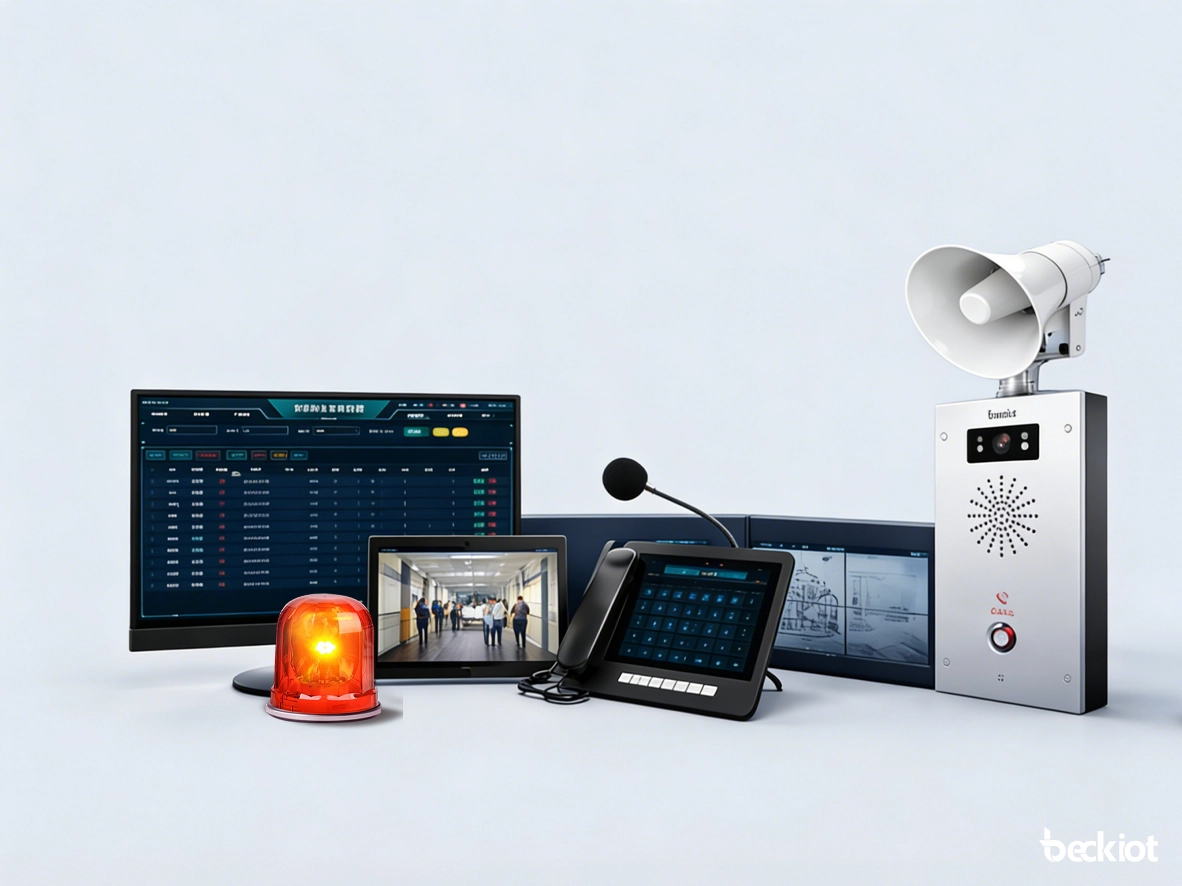
Becke’s Campus PAGA System supports zoned and campus-wide broadcasting, emergency alarm priority, two-way intercom, one-touch assistance, video verification, and multi-terminal dispatch. Built on an IP/SIP architecture, it can connect speakers, help points, video phones, wireless handsets, and management consoles into one unified platform. The system also supports remote management, flexible expansion, and efficient coordination for both routine operations and emergency response.

Integrated Broadcasting, Alarm, and Intercom

Integrated Broadcasting, Alarm, and Intercom

The school PAGA system is more than a standalone broadcasting system. It brings together public address, emergency alarm, two-way intercom, telephony linkage, video linkage, and wireless dispatch on one unified platform. From a single interface, the management center can handle routine announcements, zoned paging, emergency evacuation broadcasts, help requests, and security coordination. This eliminates the traditional separation between broadcasting, intercom, access control, and surveillance systems, improving management efficiency and creating a more connected response process during emergencies.

Zoned and Campus-Wide Broadcasting

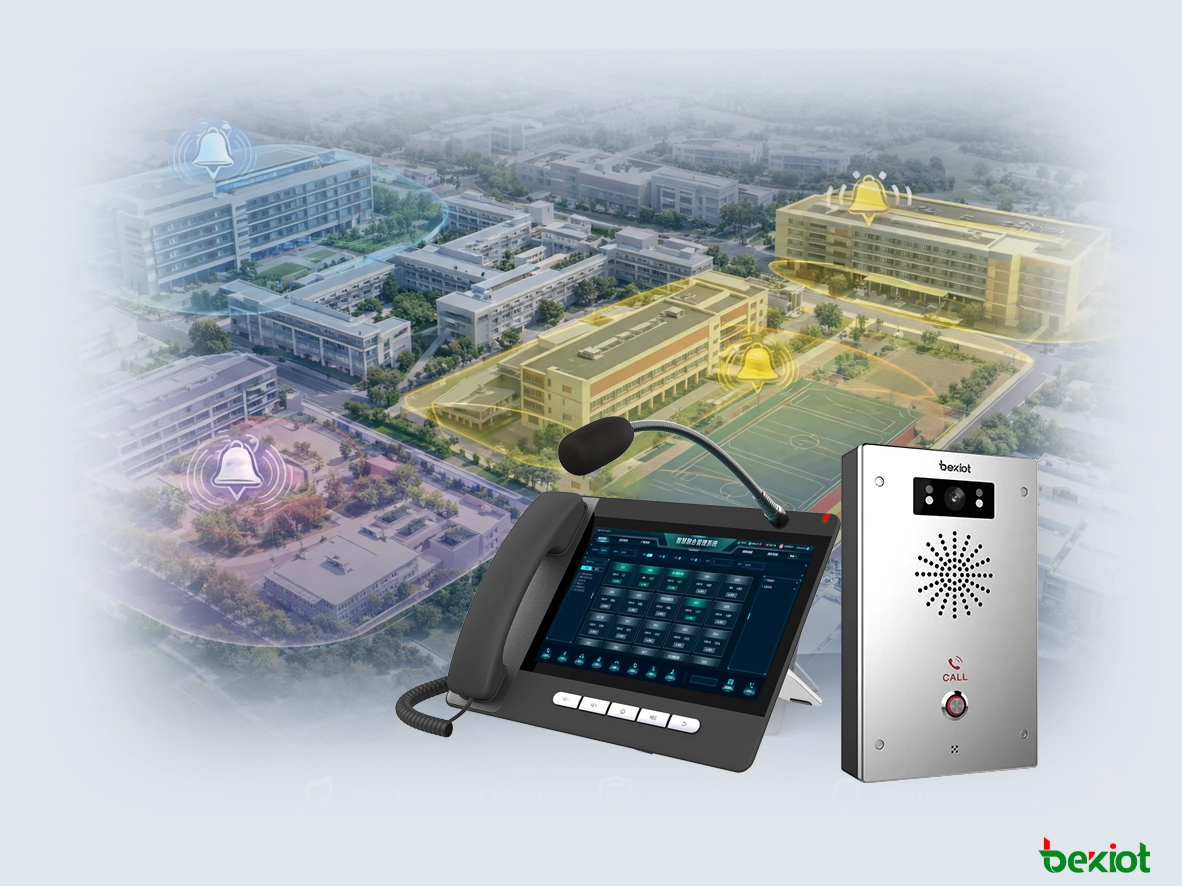
The system supports independent zoned broadcasting for classrooms, teaching buildings, playgrounds, cafeterias, libraries, corridors, and public activity areas, while also supporting unified broadcasting across the entire campus. Schools can group zones by building, floor, grade, or functional area to support scheduled bells, background music, exam notices, routine paging, and emergency broadcasts. In emergency situations, the system can quickly switch from normal broadcasting to high-priority alarm broadcasting, ensuring that critical messages reach the target area immediately.

Zoned and Campus-Wide Broadcasting
One-Touch Assistance and Hands-Free Two-Way Calling

One-Touch Assistance and Hands-Free Two-Way Calling

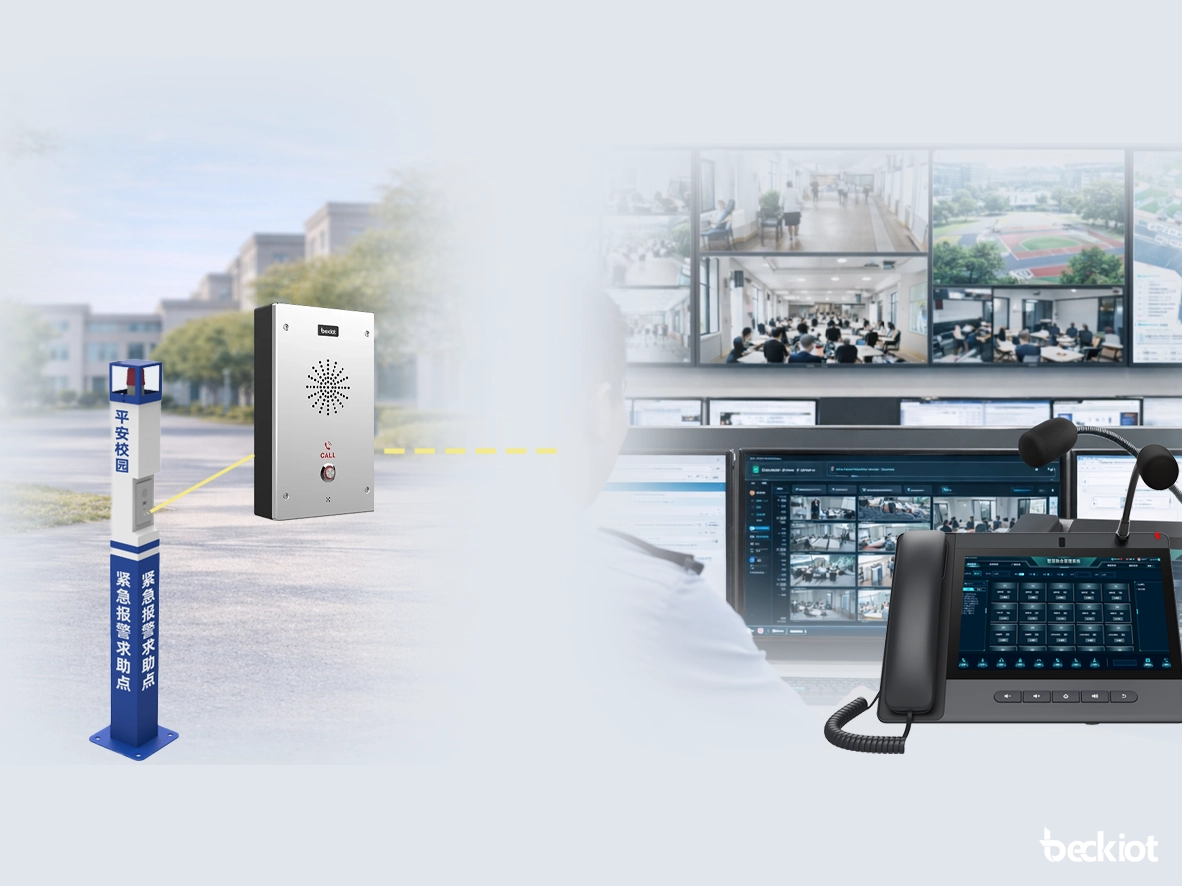
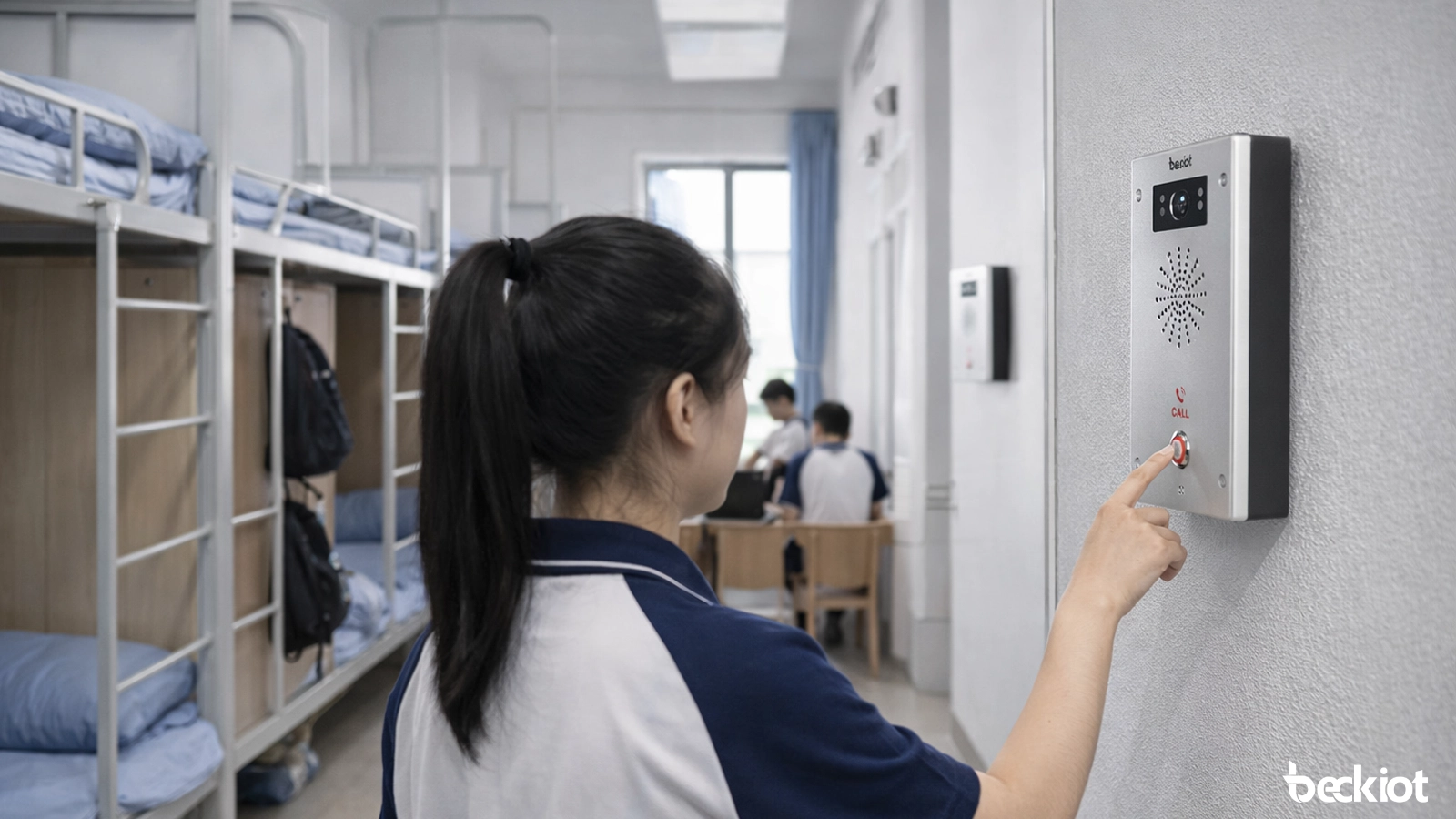
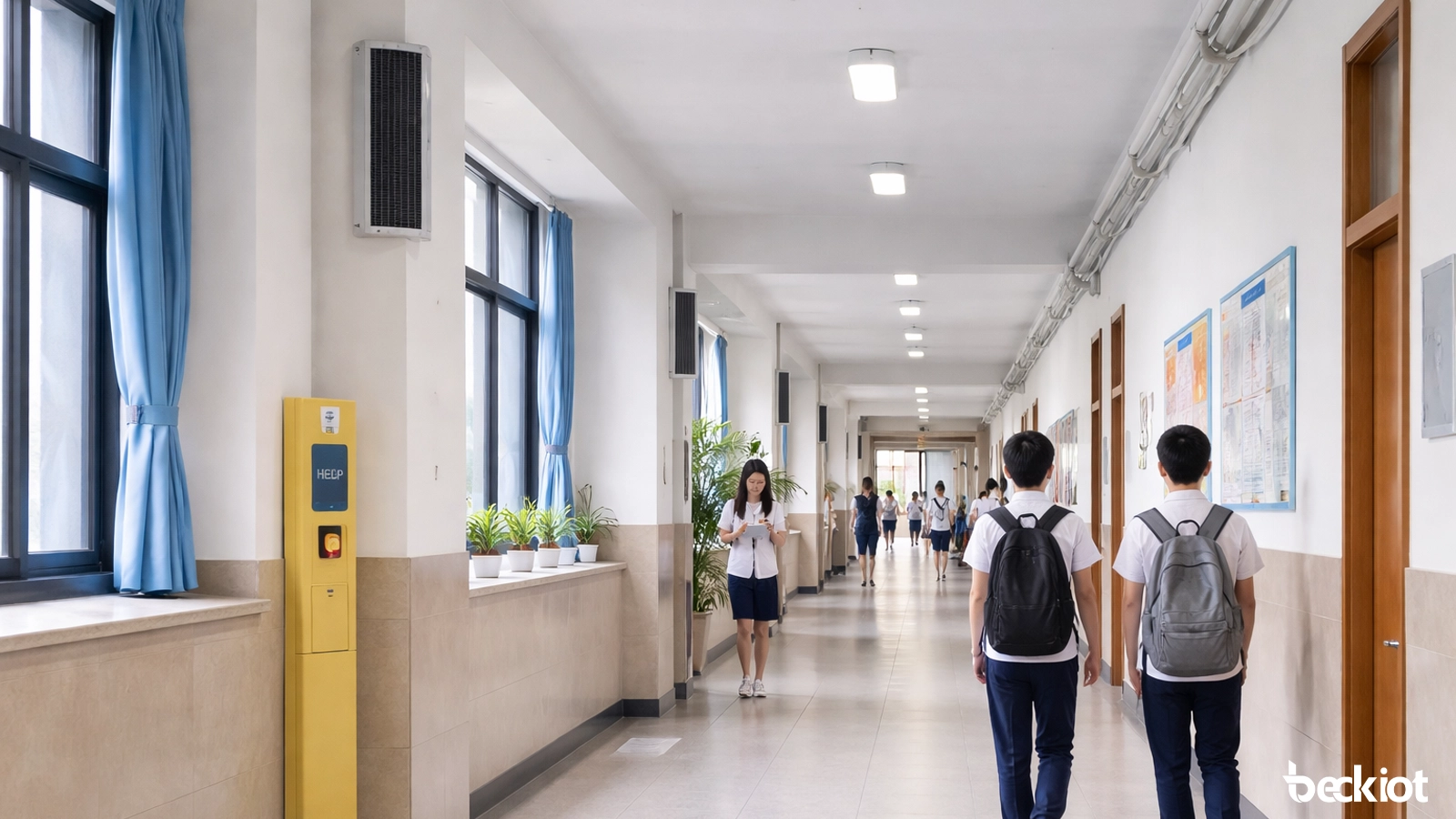
By deploying help point intercom terminals in classrooms, corridors, playgrounds, and campus entrances, teachers and students can initiate a help request with one touch during an emergency. The duty room or management center can answer immediately and establish hands-free two-way communication. The system supports call recording, status logging, and event traceability, making it useful for both daily service response and rapid emergency handling. Compared with traditional one-way alarm methods, this combination of broadcasting, calling, and system linkage is better suited to campus safety management.

Video Linkage and Visualized Response

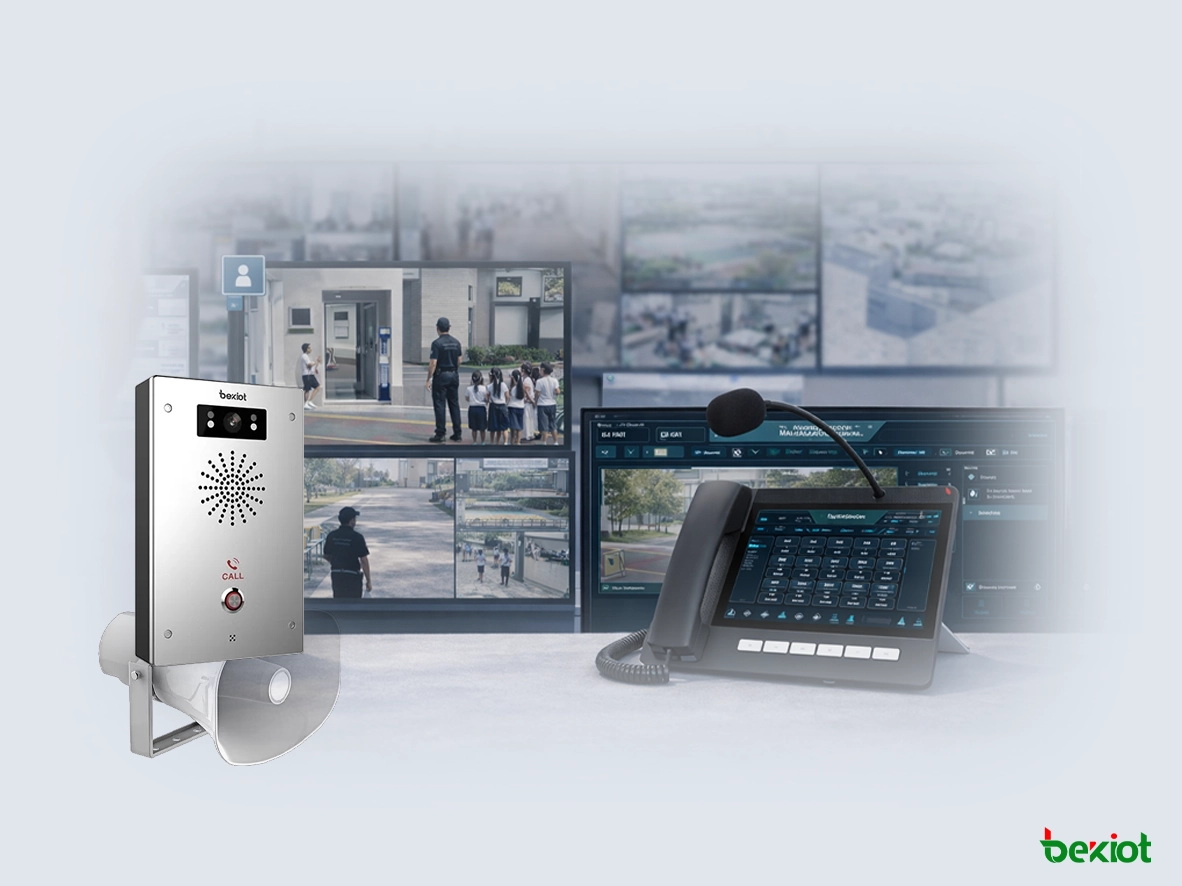
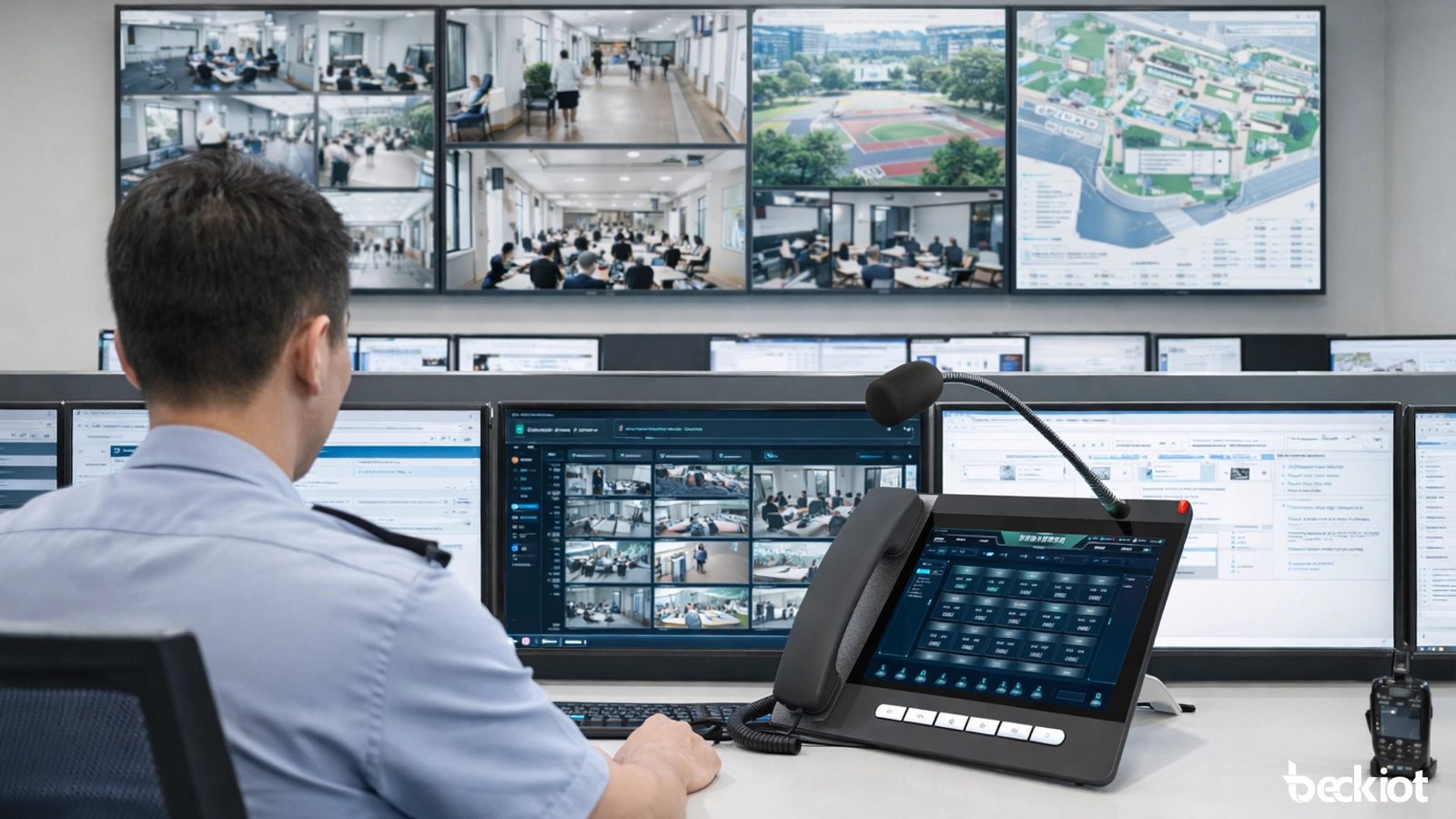
The school PAGA system can be integrated with video surveillance and video intercom terminals. When a help request, alarm, or access control event occurs, the management center can view the live scene in real time, make voice announcements, verify the situation through video, and carry out remote dispatch. For campus security teams, this greatly improves incident assessment by providing visual context instead of relying only on audio. In key areas such as teaching buildings, playgrounds, and entrances, it also supports more intuitive and effective visualized management.

Video Linkage and Visualized Response
Priority Alarm and Emergency Broadcast Linkage

Priority Alarm and Emergency Broadcast Linkage

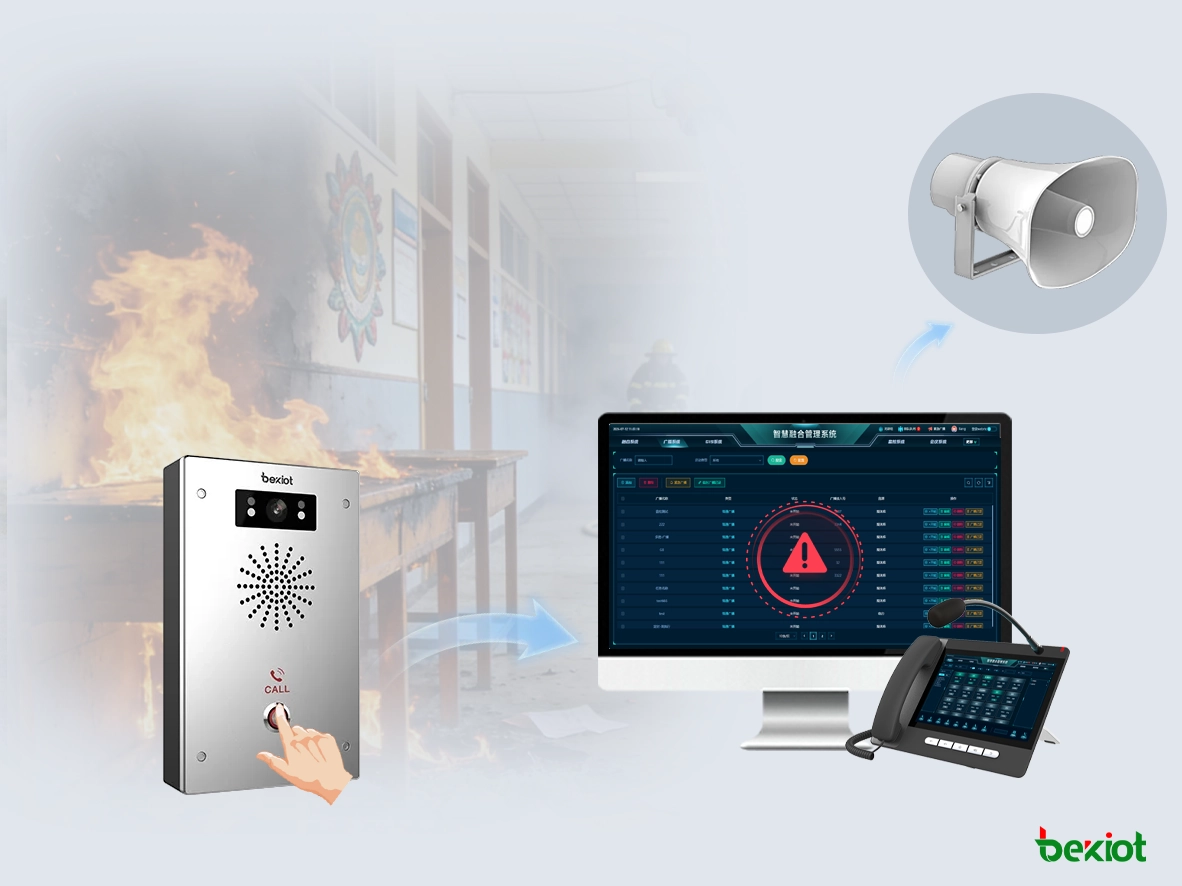
One of the core values of a PAGA system is its ability to support General Alarm functions during emergencies. In the event of a fire alarm, unauthorized intrusion, emergency help request, or other campus incident, the system can quickly trigger high-priority broadcast tasks and deliver emergency notices, evacuation instructions, area warnings, or safety guidance to designated zones. At the same time, it can link with access control, wireless radio, duty phones, and management terminals, creating a complete response loop from alarm activation and information delivery to staff coordination and on-site handling.

Unified Management, Remote Maintenance, and Easy Expansion

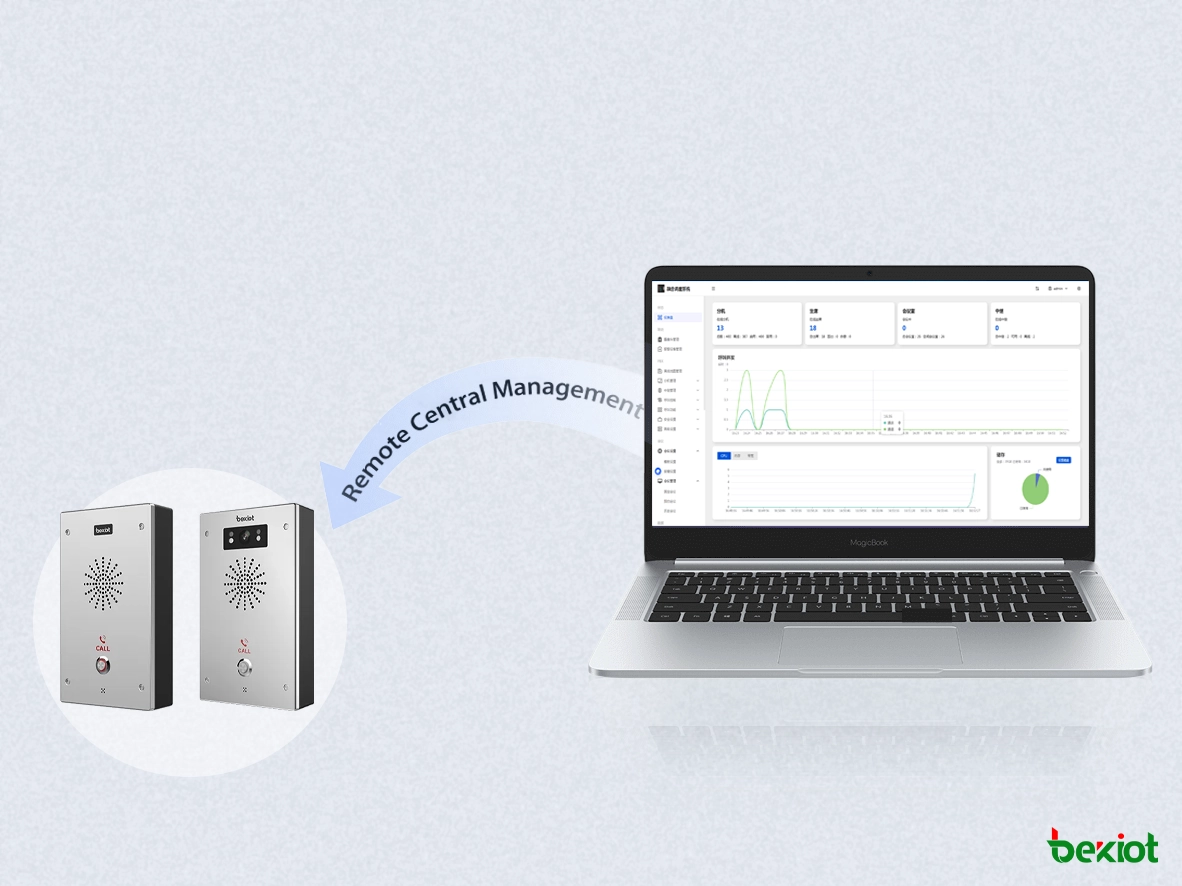
The system supports unified platform management, enabling batch terminal deployment, remote configuration, remote upgrades, and ongoing status maintenance. This makes it well suited to schools with multiple buildings, multiple campuses, or phased construction plans. For campuses with existing broadcast resources, the system also supports upgrade and reuse strategies, allowing traditional equipment to be gradually migrated to an IP-based architecture through network broadcast gateways, management platforms, and converged terminals. This helps reduce overall project costs and lowers long-term maintenance pressure.

Unified Management, Remote Maintenance, and Easy Expansion

System Composition

Paging Console
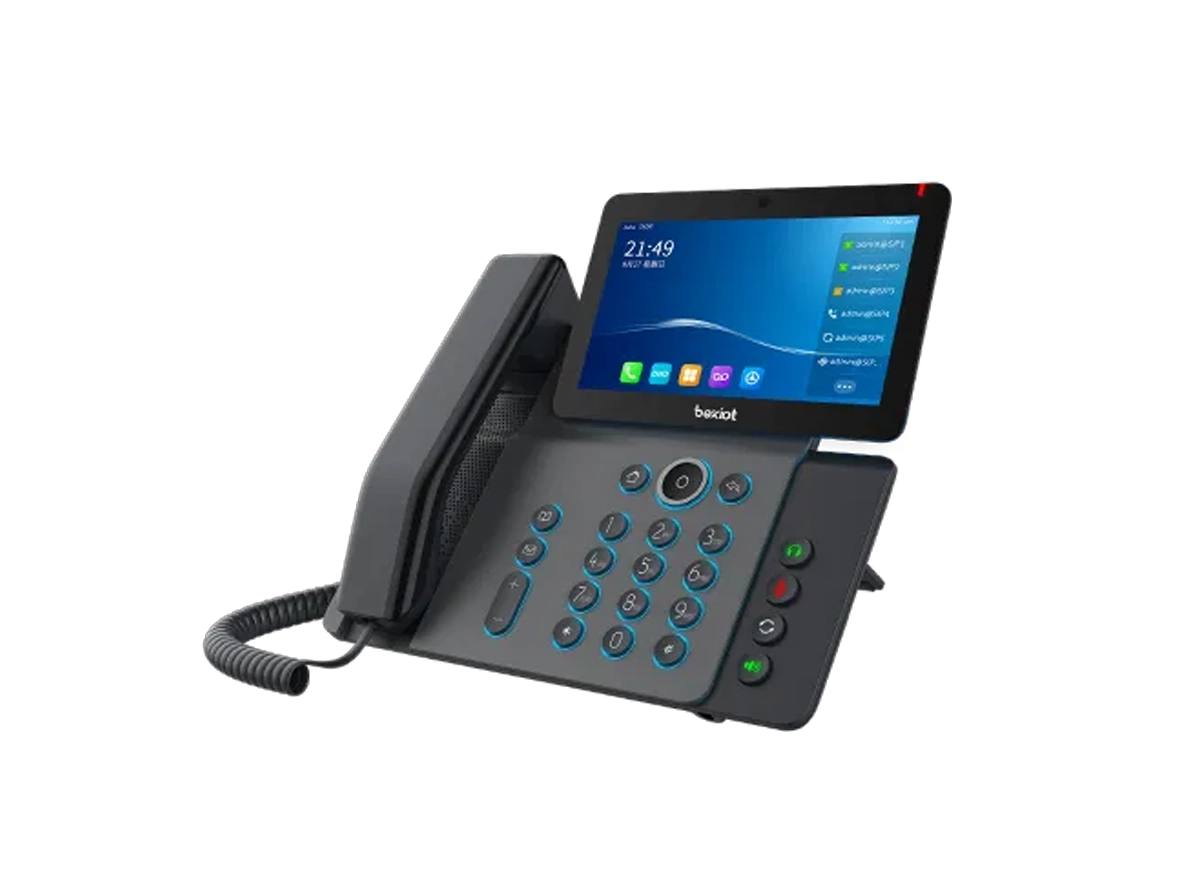
Smart Video Phone
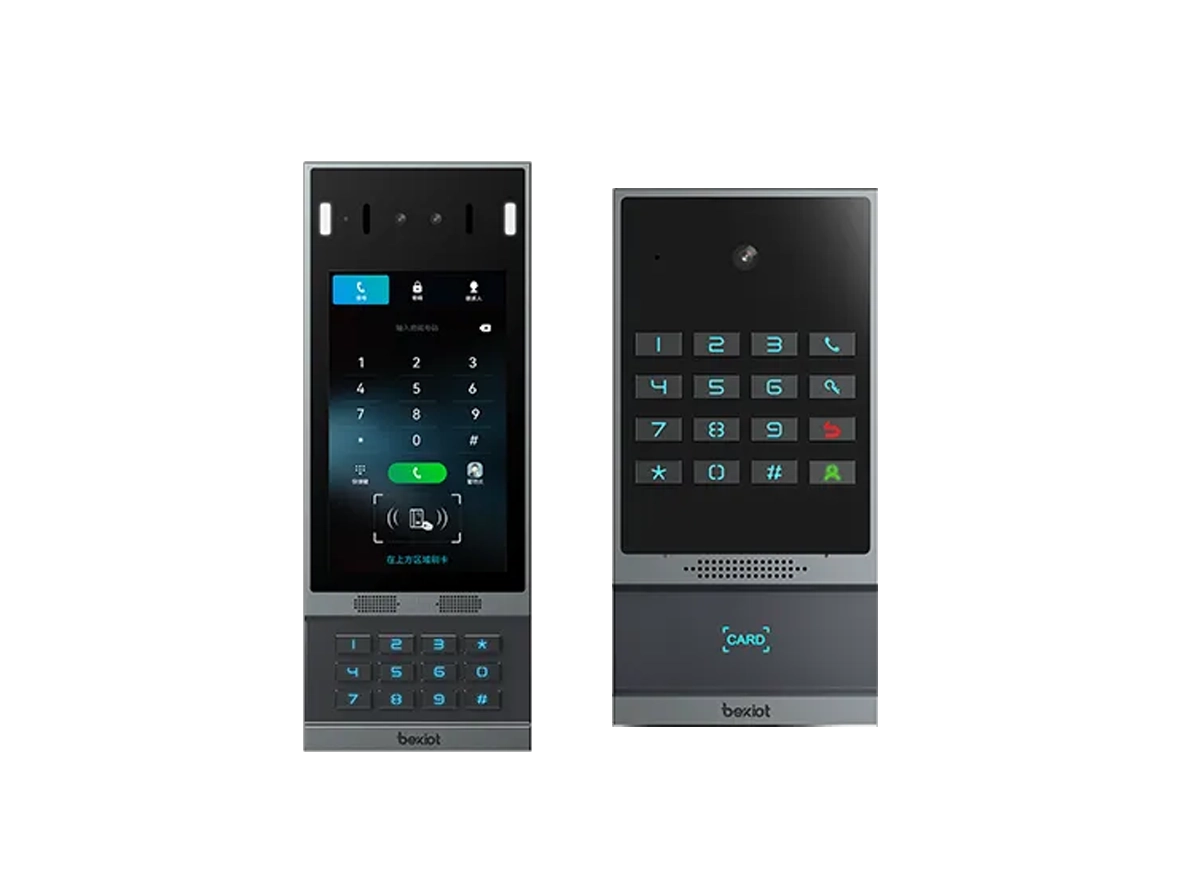
Face Recognition Access Control
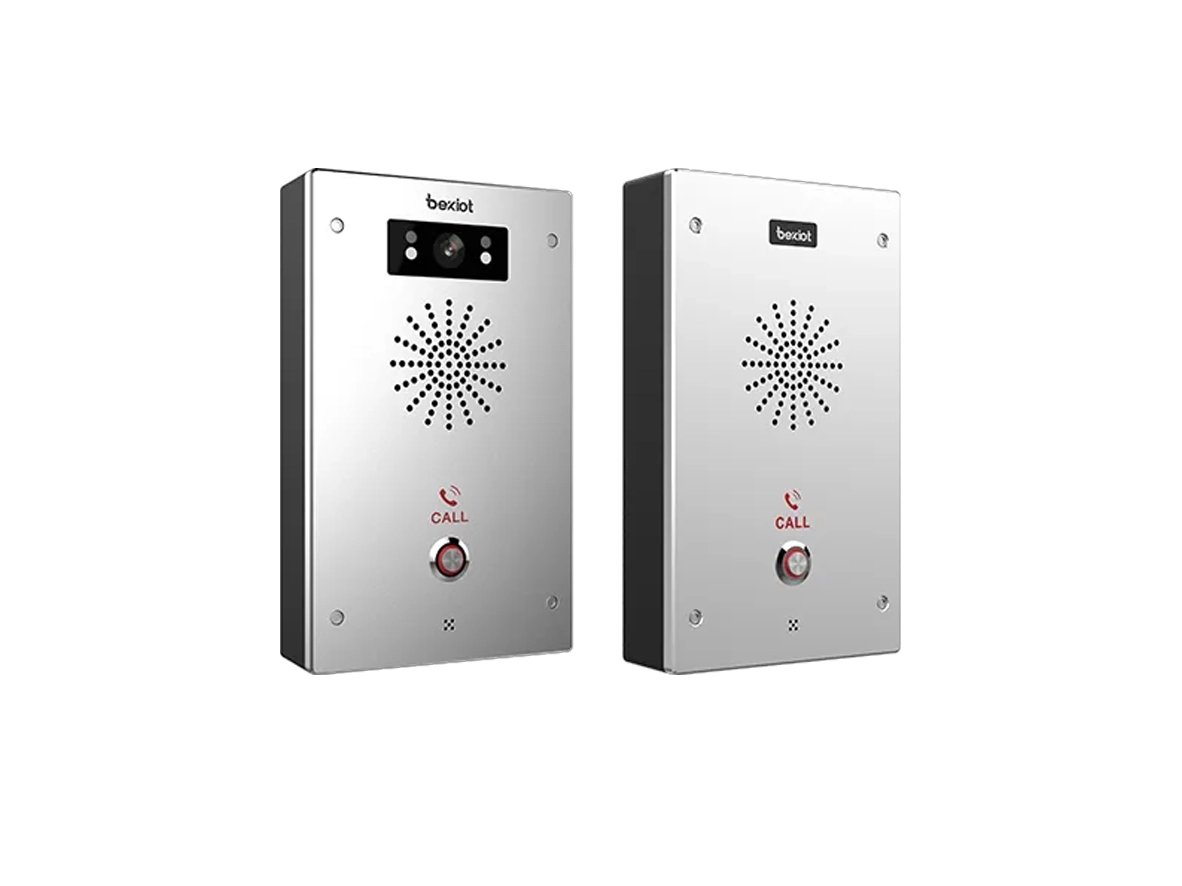
Video Intercom Terminal
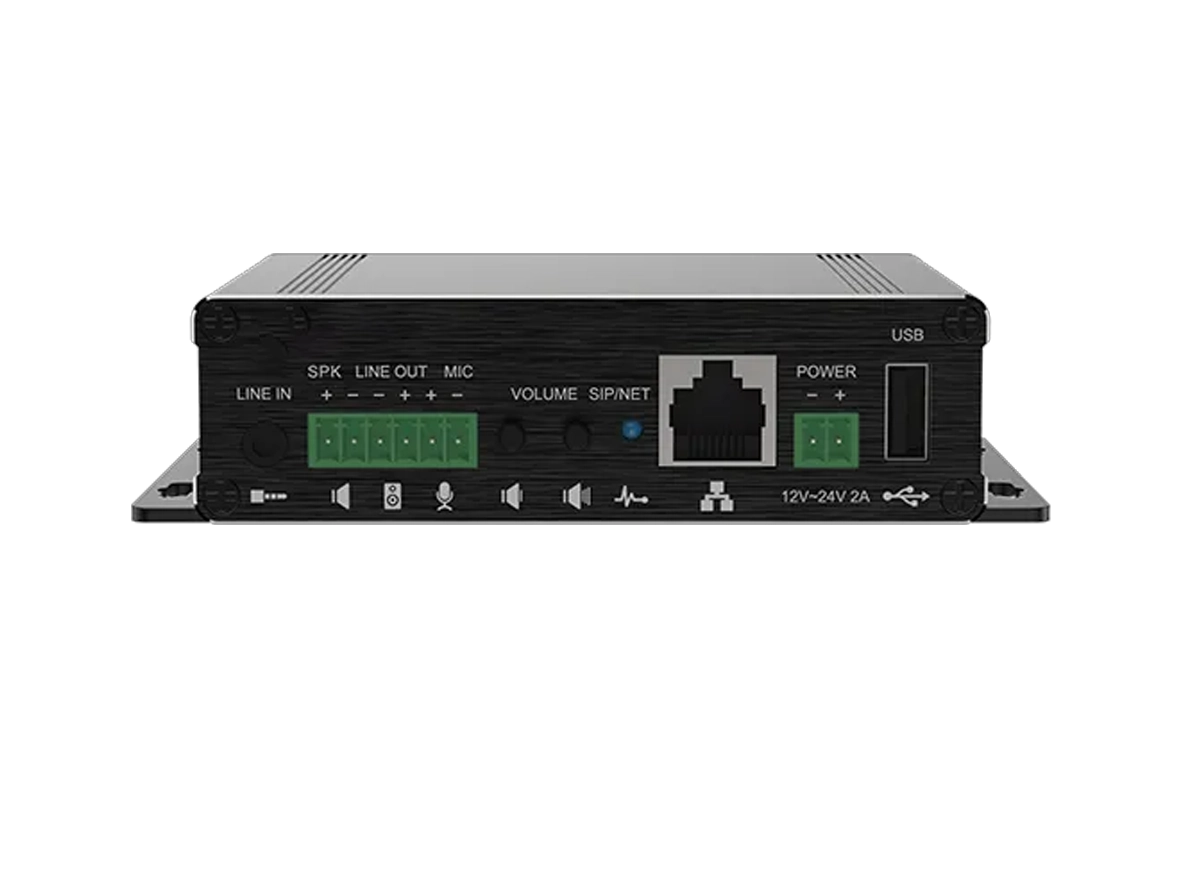
Broadcast Gateway
Wireless Wi-Fi Handheld Terminal
RoIP Gateway
Paging Console

Paging Console

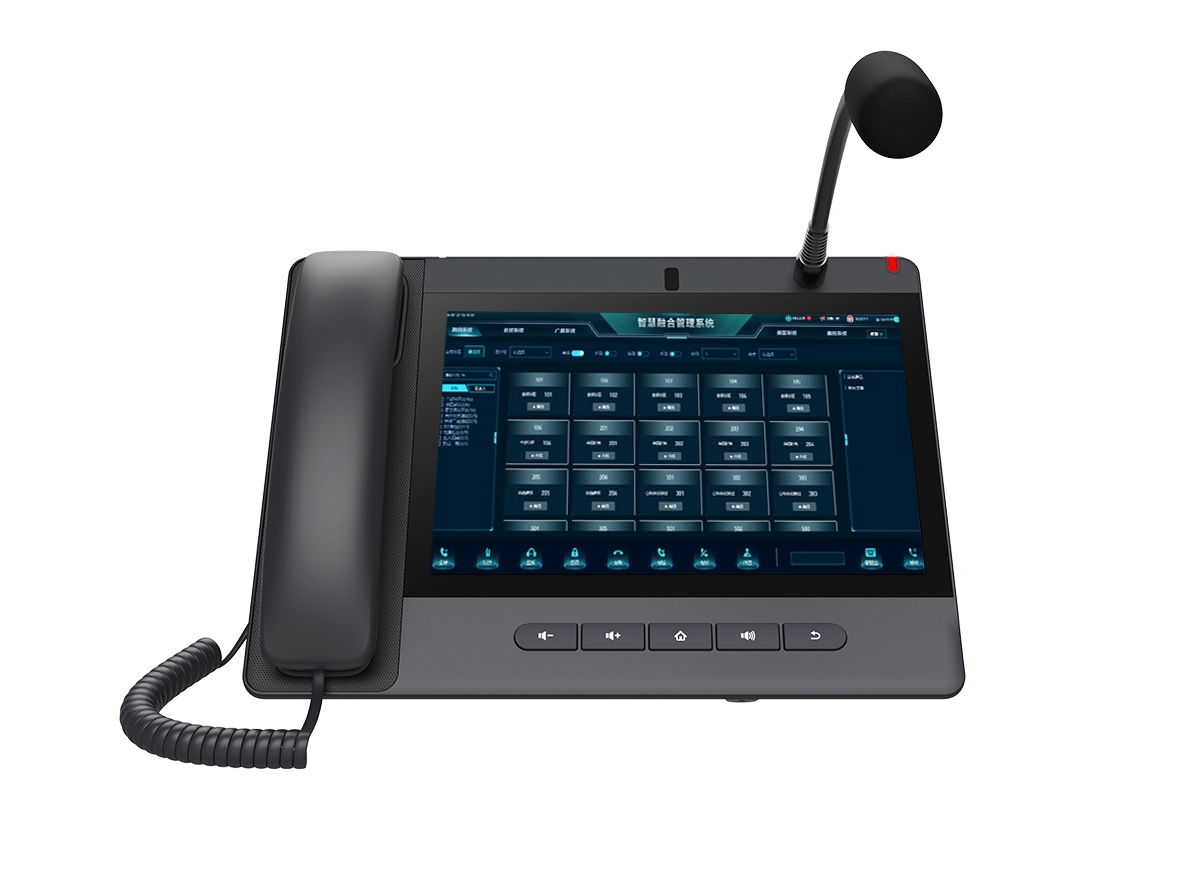
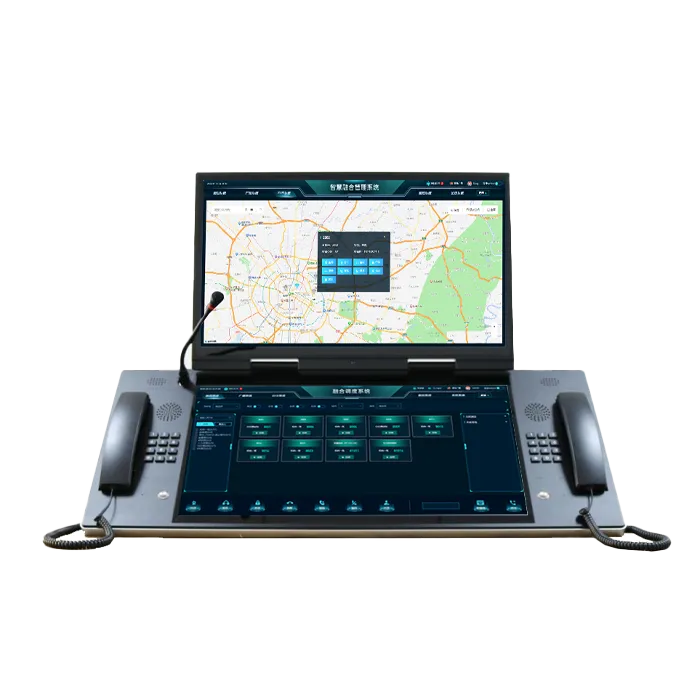
The GP320i is one of the core management terminals in a school PAGA system, ideal for deployment in monitoring centers, duty rooms, or broadcast control rooms. It supports live paging, call recording, video calling, video linkage, and unified dispatch operations. It can handle campus broadcast release, alarm response, and visualized management tasks, making it an important device for linking public address and emergency alert operations at the management center.

View More
Smart Video Phone

Smart Video Phone

With touchscreen operation, video calling, and HD voice capabilities, the smart video phone is suitable for locations such as the academic office, guard room, security office, and duty stations. As a communication terminal within the school, it can work with the broadcasting and emergency dispatch system to support call answering, visual verification, emergency linkage, and daily duty operations.

View More
Face Recognition Access Control

Face Recognition Access Control

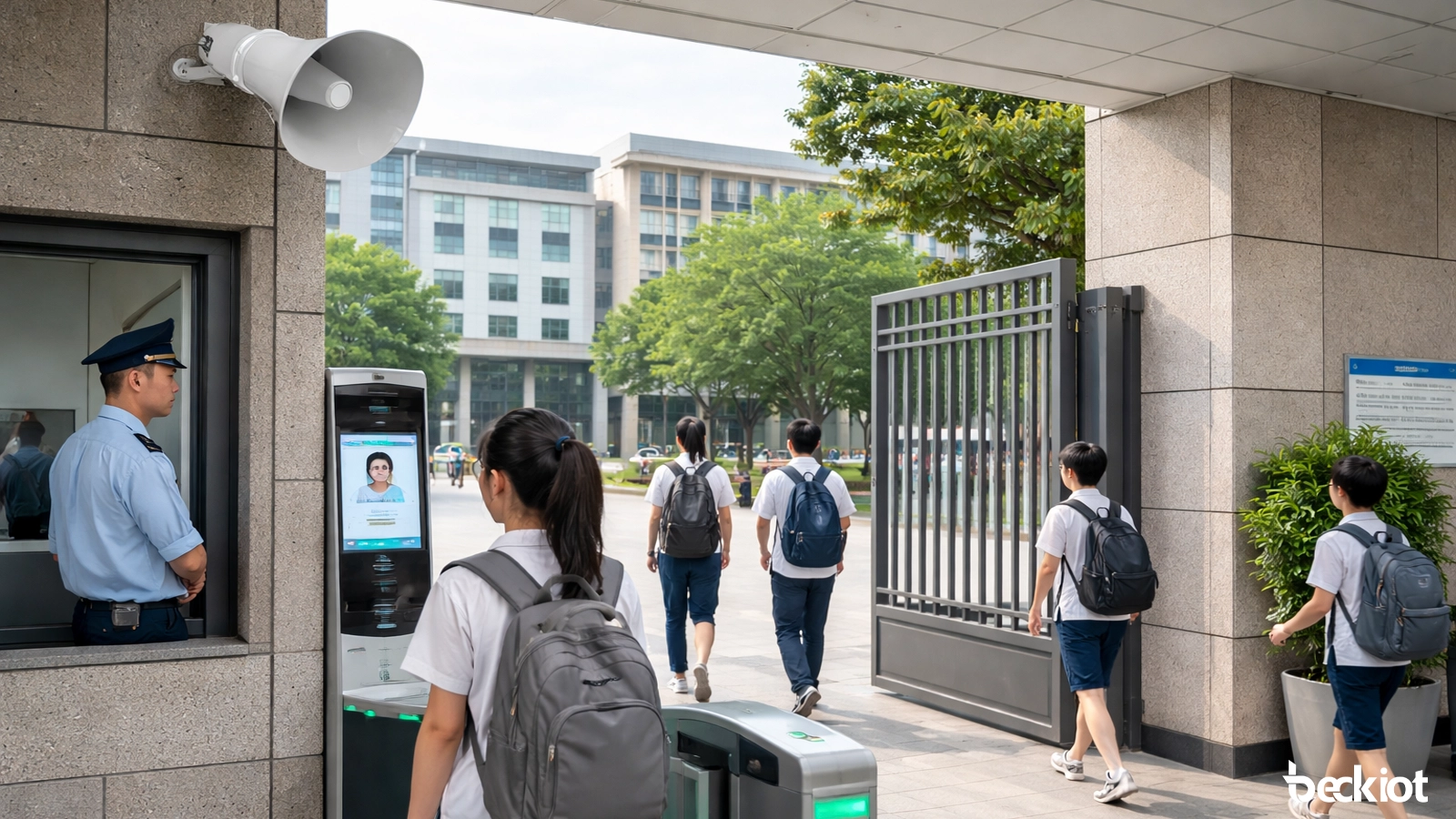
Designed mainly for school gates, key building entrances, and functional area access points, it supports face recognition, card access, video intercom, tamper detection, and barrier gate control. In the PAGA solution, it serves not only as an access control device but also as an emergency linkage entry point, working together with the broadcasting system and management center during security incidents.

View More
Video Intercom Terminal

Video Intercom Terminal

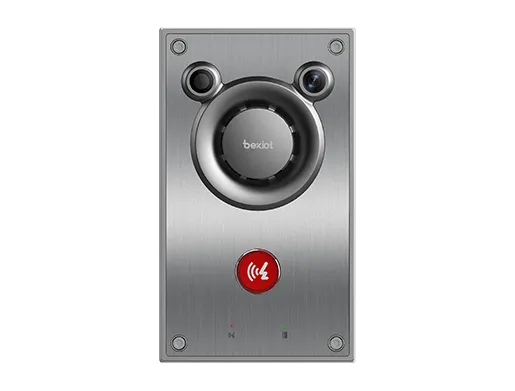
Suitable for deployment at classroom entrances, public areas, help points, and key passageways, the terminal supports video intercom, two-way calling, broadcast reception, and event linkage. In school PAGA applications, it serves both routine service communication and emergency assistance, making it an important front-end interaction terminal on campus.

View More
Broadcast Gateway

Broadcast Gateway

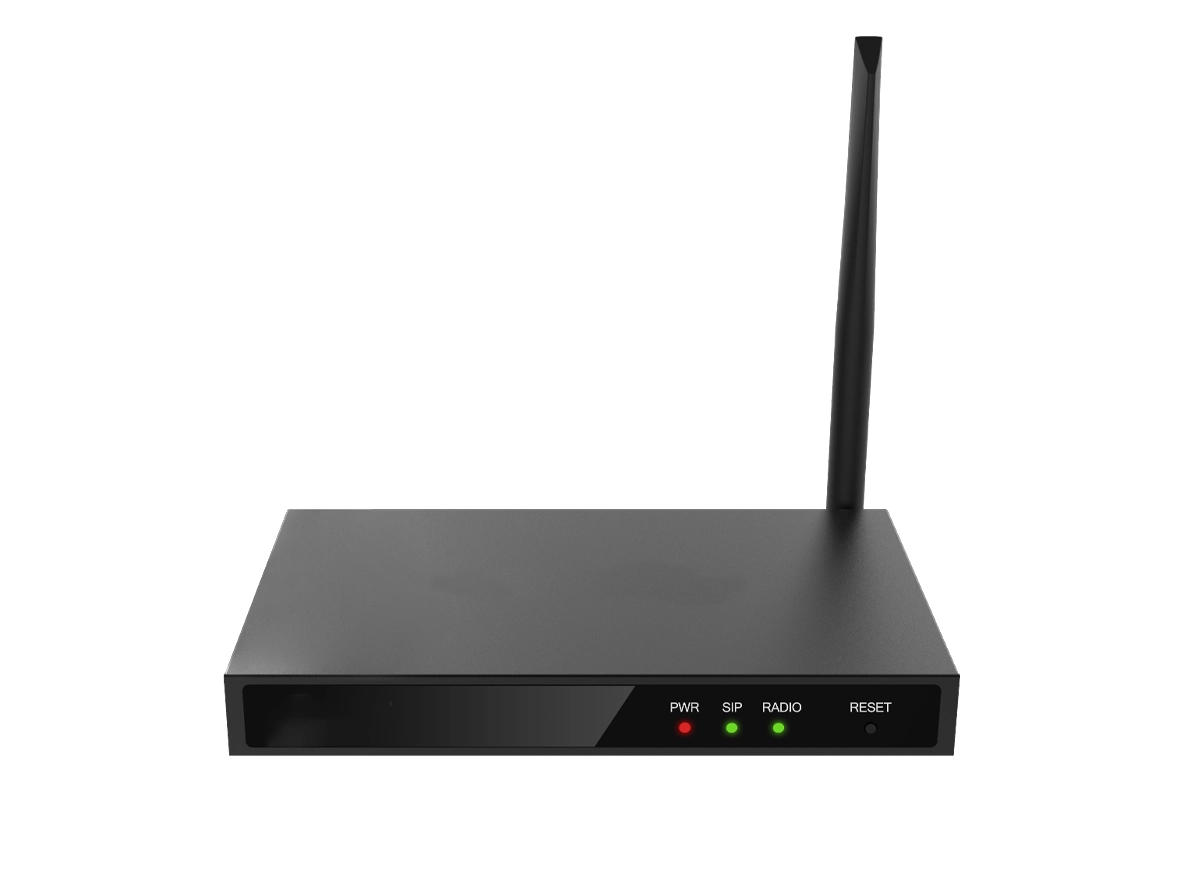
The PA3 is a key broadcasting device in the school PAGA system. It supports live paging, alarm linkage, video linkage, and multi-zone broadcast output. It is suitable for connecting speakers or broadcast terminals in classrooms, corridors, playgrounds, and cafeterias into a unified network broadcast system, making it an important node for building campus public address and general alarm capabilities.

View More
Wireless Wi-Fi Handheld Terminal

Wireless Wi-Fi Handheld Terminal

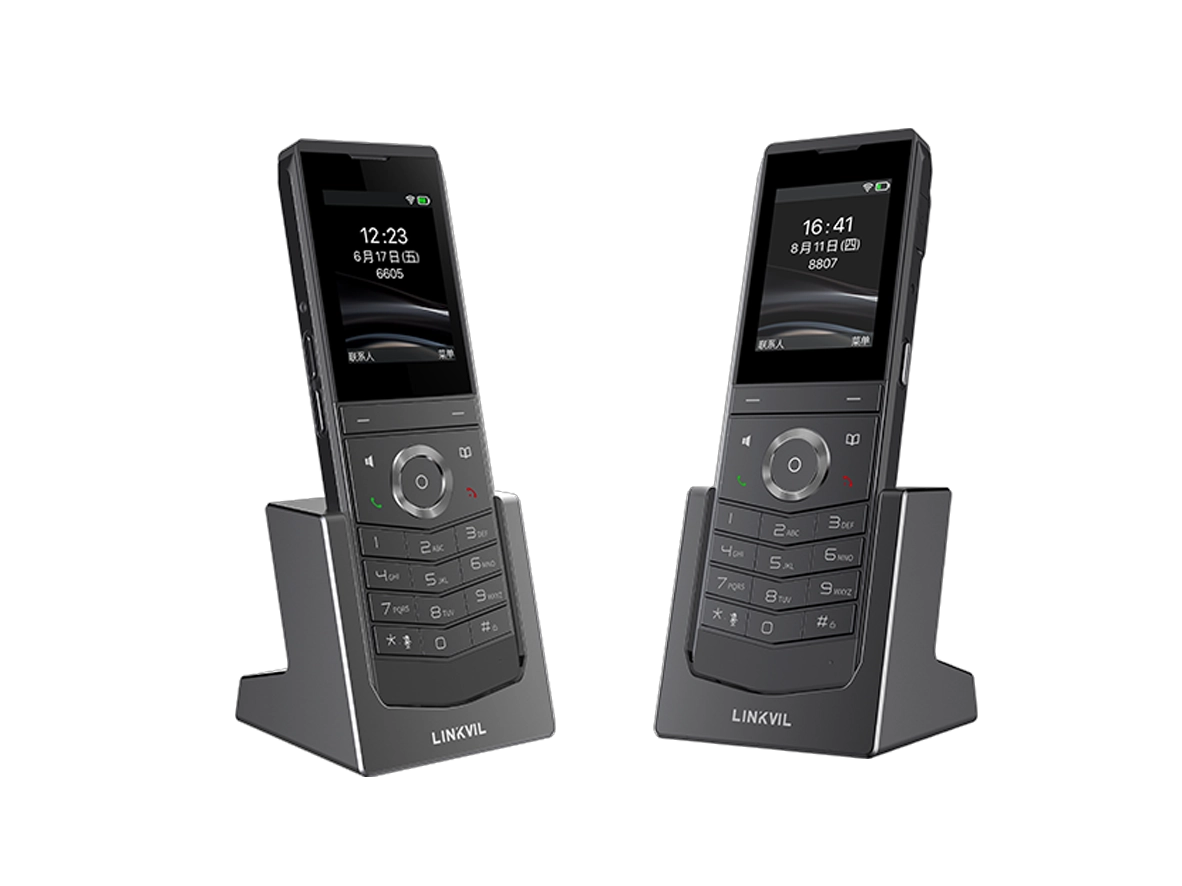
The W611W is suitable for mobile use by teachers, security staff, and duty personnel. It supports Wi-Fi roaming, PTT calling, HD voice, and multi-party voice conferencing. In school PAGA scenarios, it enables mobile call answering, broadcast reception, and area-based coordination, helping staff remain continuously connected while patrolling, on duty, or handling incidents.

View More
RoIP Gateway

RoIP Gateway

The RoIP intercom gateway connects the school management platform with analog and digital two-way radio systems, enabling mobile staff such as guards, security personnel, cleaners, and maintenance teams to communicate in coordination with the management center and broadcasting system. Through this gateway, the school can integrate fixed public address infrastructure with mobile radio communications, improving coordination and organizational efficiency during emergency response.

Application Scenarios

Dormitories & Offices
Classrooms
Corridors
Entrances
Public Areas
Control Center

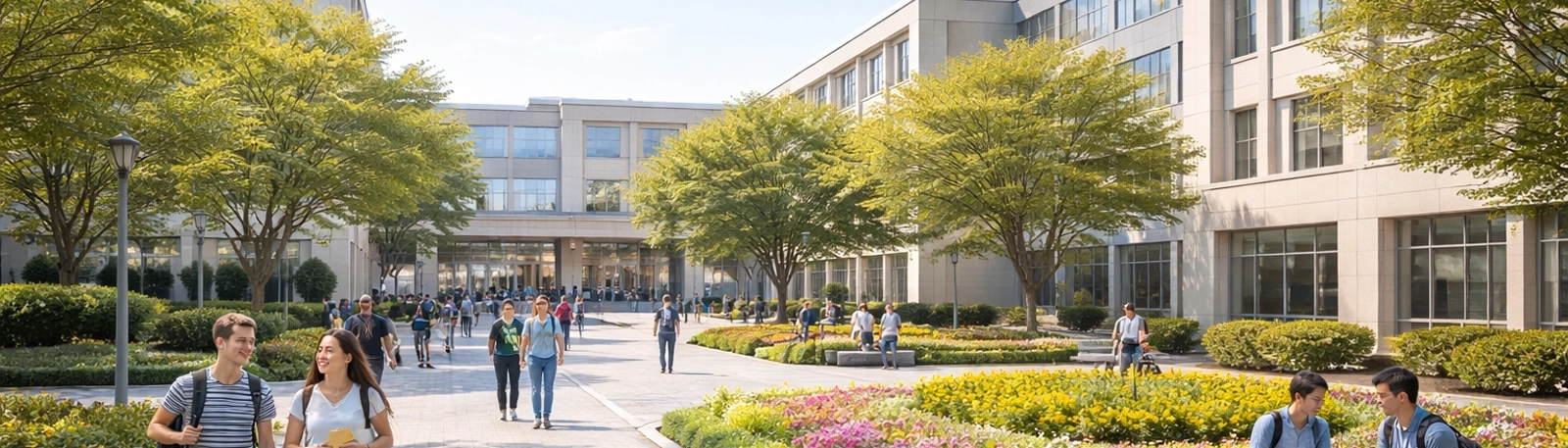
In dormitory areas and faculty office zones, the system can be used for broadcast notifications, mobile answering, emergency assistance response, and incident coordination. Teachers or administrators can receive notices and join multi-party communication through video phones, wireless handheld terminals, and similar devices. In dormitory areas, the system can also work with access control and broadcasting for visitor management, building-wide announcements, and nighttime emergency alerts. This deployment model extends the school PAGA system beyond teaching areas into residential and administrative zones, creating complete campus-wide coverage.

Dormitories & Offices

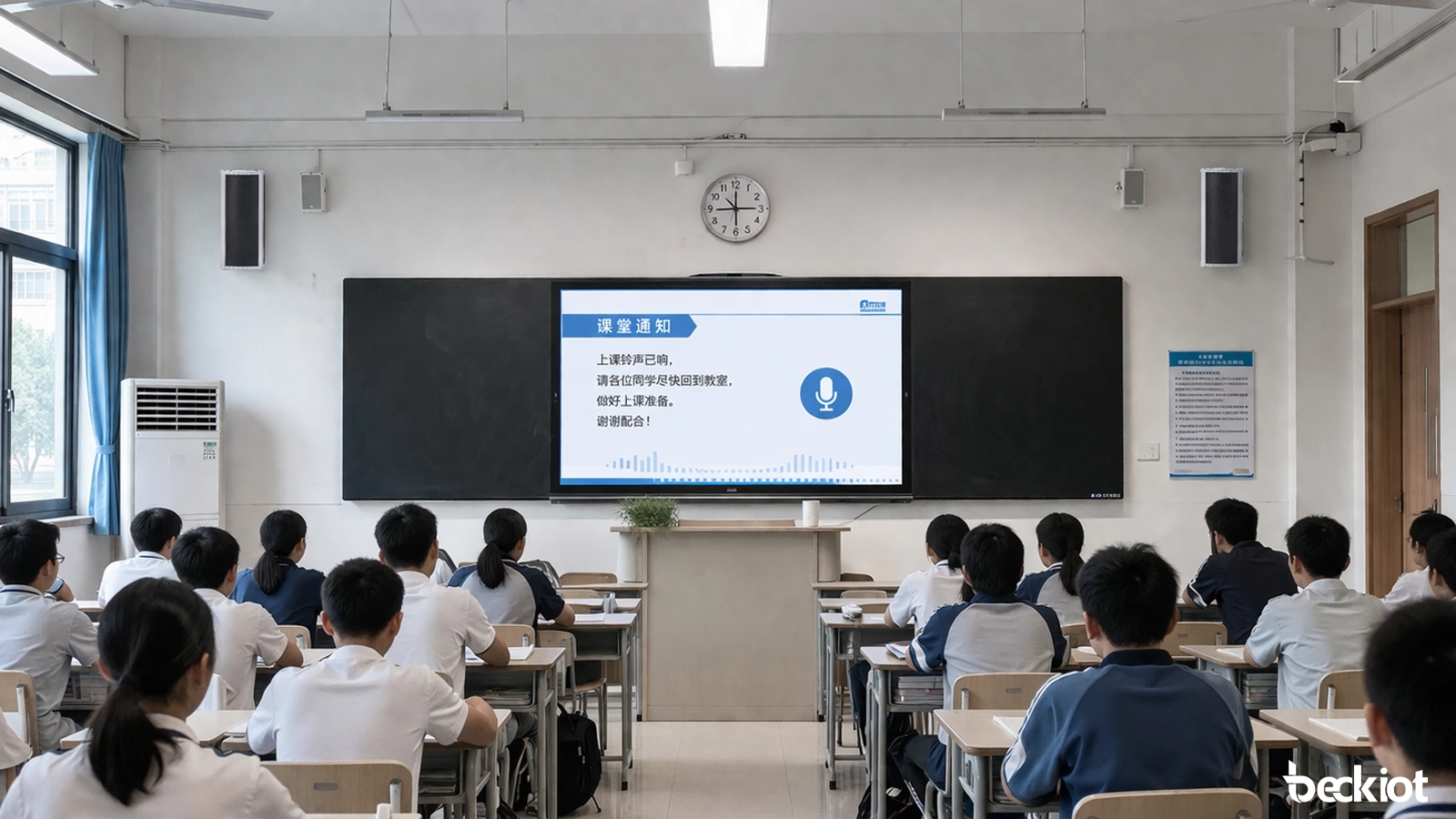
In multimedia classrooms, the PAGA system can support teaching broadcasts, classroom announcements, listening test audio distribution, emergency assistance, emergency intercom, and alarm linkage. During normal operations, it can be used for teaching support and unified announcements. In abnormal situations, classroom terminals can quickly call the management center, allowing immediate switching between broadcasting and intercom. This approach supports both teaching needs and campus safety management.

Classrooms

Deployed in corridors and public areas, the system enables zoned paging, routine announcements, evacuation guidance, and emergency broadcasts. In incidents, the control center can target specific floors or zones, improving clarity and response efficiency while avoiding campus-wide disruption.

Corridors

At campus gates and entrances, the solution can be integrated with facial recognition access control, video intercom, and public address systems. The guard room or management center can remotely verify visitors, conduct video calls, and unlock doors remotely. During peak periods or special situations, the system can also broadcast entry guidance, safety reminders, and emergency notices. For campus security, this area functions both as a frontline control point and as an important node for emergency communication.

Entrances

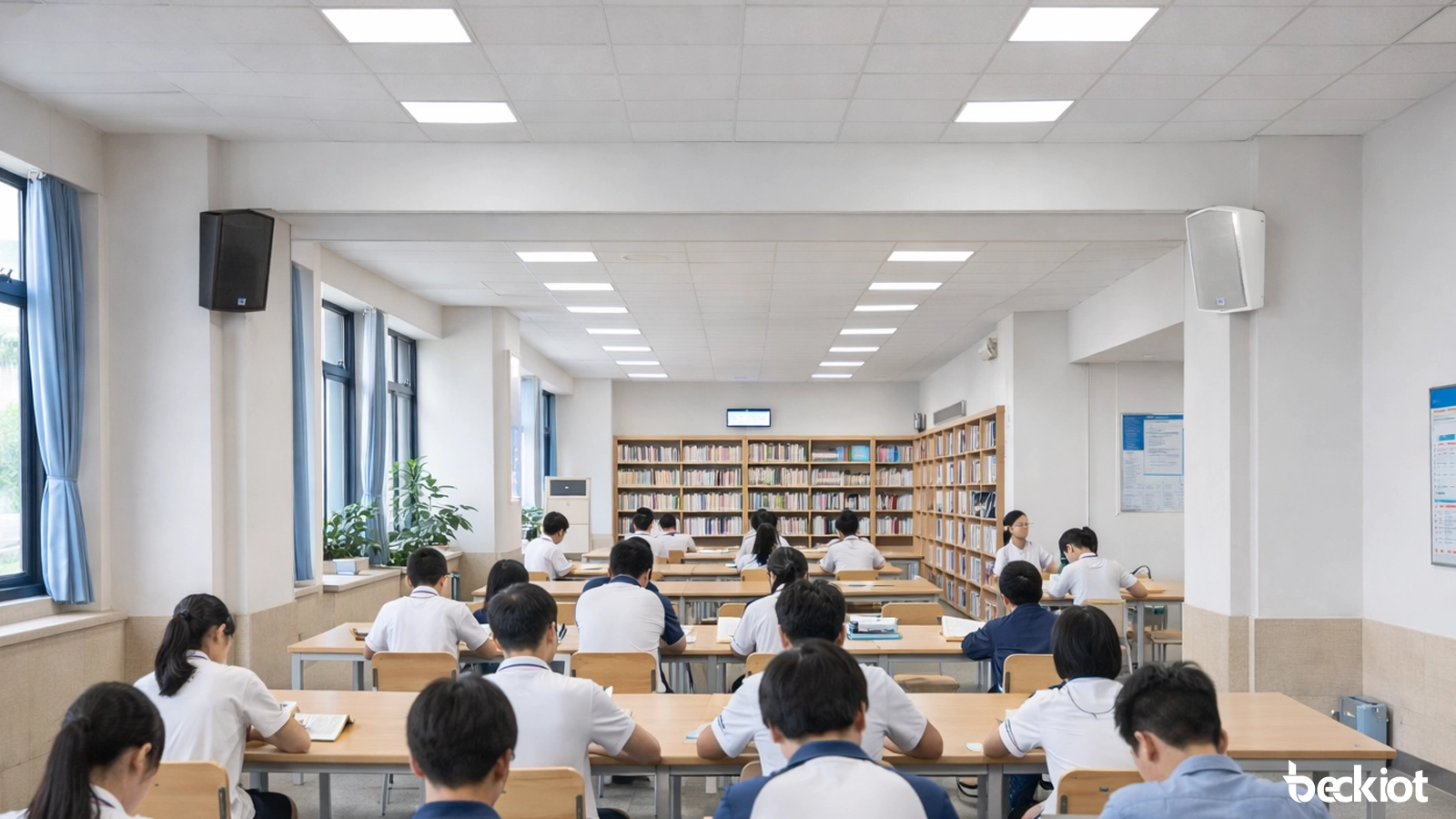
Playgrounds, cafeterias, libraries, and campus squares are high-density areas where public announcements and emergency broadcasts are frequently needed. The system can provide background music, event notifications, scheduled broadcasts, and emergency evacuation alerts in these spaces. When a help request or unexpected incident occurs, broadcasting and intercom functions can be activated at the same time, helping staff deliver live instructions and maintain order more effectively.

Public Areas

Playgrounds, cafeterias, libraries, and campus squares are high-density areas where public announcements and emergency broadcasts are frequently needed. The system can provide background music, event notifications, scheduled broadcasts, and emergency evacuation alerts in these spaces. When a help request or unexpected incident occurs, broadcasting and intercom functions can be activated at the same time, helping staff deliver live instructions and maintain order more effectively.

Control Center

Professional industrial communication manufacturer, providing high reliability communication guarantee!
Cooperation Consultation
customer service Phone
We use cookie to improve your online experience. By continuing to browse this website, you agree to our use of cookie.

Cookies

This Cookie Policy explains how we use cookies and similar technologies when you access or use our website and related services. Please read this Policy together with our Terms and Conditions and Privacy Policy so that you understand how we collect, use, and protect information.

By continuing to access or use our Services, you acknowledge that cookies and similar technologies may be used as described in this Policy, subject to applicable law and your available choices.

Updates to This Cookie Policy

We may revise this Cookie Policy from time to time to reflect changes in legal requirements, technology, or our business practices. When we make updates, the revised version will be posted on this page and will become effective from the date of publication unless otherwise required by law.

Where required, we will provide additional notice or request your consent before applying material changes that affect your rights or choices.

What Are Cookies?

Cookies are small text files placed on your device when you visit a website or interact with certain online content. They help websites recognize your browser or device, remember your preferences, support essential functionality, and improve the overall user experience.

In this Cookie Policy, the term “cookies” also includes similar technologies such as pixels, tags, web beacons, and other tracking tools that perform comparable functions.

Why We Use Cookies

We use cookies to help our website function properly, remember user preferences, enhance website performance, understand how visitors interact with our pages, and support security, analytics, and marketing activities where permitted by law.

We use cookies to keep our website functional, secure, efficient, and more relevant to your browsing experience.

Categories of Cookies We Use

Strictly Necessary Cookies

These cookies are essential for the operation of the website and cannot be disabled in our systems where they are required to provide the service you request. They are typically set in response to actions such as setting privacy preferences, signing in, or submitting forms.

Without these cookies, certain parts of the website may not function correctly.

Functional Cookies

Functional cookies enable enhanced features and personalization, such as remembering your preferences, language settings, or previously selected options. These cookies may be set by us or by third-party providers whose services are integrated into our website.

If you disable these cookies, some services or features may not work as intended.

Performance and Analytics Cookies

These cookies help us understand how visitors use our website by collecting information such as traffic sources, page visits, navigation behavior, and general interaction patterns. In many cases, this information is aggregated and does not directly identify individual users.

We use this information to improve website performance, usability, and content relevance.

Targeting and Advertising Cookies

These cookies may be placed by our advertising or marketing partners to help deliver more relevant ads and measure the effectiveness of campaigns. They may use information about your browsing activity across different websites and services to build a profile of your interests.

These cookies generally do not store directly identifying personal information, but they may identify your browser or device.

First-Party and Third-Party Cookies

Some cookies are set directly by our website and are referred to as first-party cookies. Other cookies are set by third-party services, such as analytics providers, embedded content providers, or advertising partners, and are referred to as third-party cookies.

Third-party providers may use their own cookies in accordance with their own privacy and cookie policies.

Information Collected Through Cookies

Depending on the type of cookie used, the information collected may include browser type, device type, IP address, referring website, pages viewed, time spent on pages, clickstream behavior, and general usage patterns.

This information helps us maintain the website, improve performance, enhance security, and provide a better user experience.

Your Cookie Choices

You can control or disable cookies through your browser settings and, where available, through our cookie consent or preference management tools. Depending on your location, you may also have the right to accept or reject certain categories of cookies, especially those used for analytics, personalization, or advertising purposes.

Please note that blocking or deleting certain cookies may affect the availability, functionality, or performance of some parts of the website.

Restricting cookies may limit certain features and reduce the quality of your experience on the website.

Cookies in Mobile Applications

Where our mobile applications use cookie-like technologies, they are generally limited to those required for core functionality, security, and service delivery. Disabling these essential technologies may affect the normal operation of the application.

We do not use essential mobile application cookies to store unnecessary personal information.

How to Manage Cookies

Most web browsers allow you to manage cookies through browser settings. You can usually choose to block, delete, or receive alerts before cookies are stored. Because browser controls vary, please refer to your browser provider’s support documentation for details on how to manage cookie settings.

Contact Us

If you have any questions about this Cookie Policy or our use of cookies and similar technologies, please contact us at support@becke.cc .