Introduction
Overview
This article applies to factory reset and firmware upgrade operations for BHP-SOS10 series devices via POST mode.
Applicable Models
BHP-SOS10, BHP-SOS10V, BHP-SOS10D, BHP-SOS16, BHP-SOS16V.
Prerequisite Preparation Tools
① One BHP-SOS10 series device, one PoE switch (or DC power supply). Connect the device to the switch to obtain an IP address automatically.
② One debugging computer connected to the same switch to ensure network connectivity between the computer and the device.
Device Connection Diagram
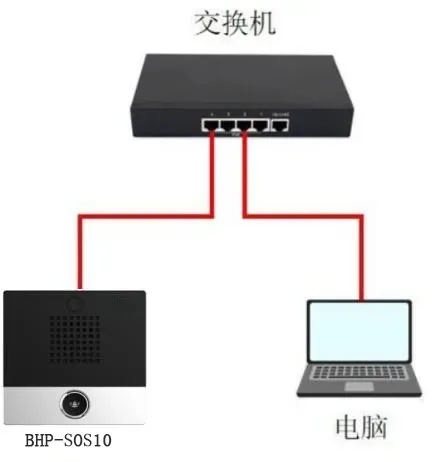
Factory Reset and Upgrade for BHP-SOS10 Series in POST Mode
How to Enter POST Mode
(1) Power off the BHP-SOS10 and power it on again. During startup, while the DSS key indicator flashes rapidly, press the DSS key once to enter POST mode. If you are unsure of the timing, long press the DSS key during startup until the indicator flashes slowly.
(2) When the device successfully enters POST mode, the DSS key indicator changes from fast flashing to slow flashing.
(3) For BHP-SOS10D devices, perform the above operation on the first DSS key.
How to Upgrade in POST Mode
(1) Connect the device and computer to the same switch.
(2) Switch the device to POST mode.
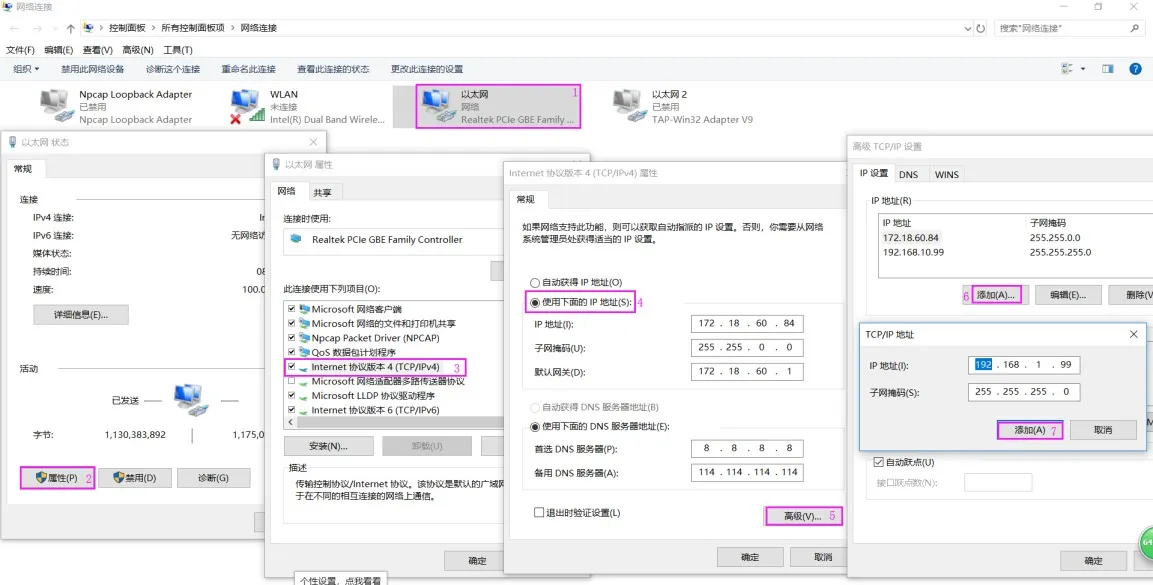
(3) Add a 192.168.1.xxx IP address to the computer.
Go to the computer's network settings, set a static IP, add 192.168.1.xxx with the correct subnet mask. (Skip this step if the computer is already on the 192.168.1.xxx subnet.)
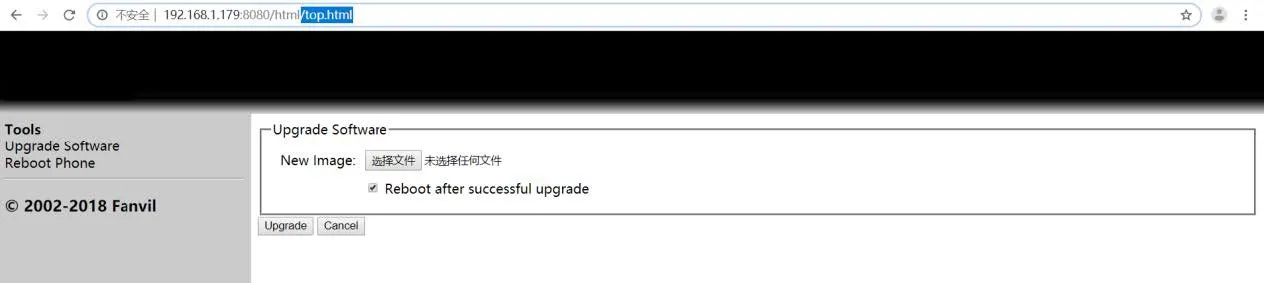
 (4) Access the upgrade page: Open a browser and enter http://192.168.1.179:8080/ to open the upgrade interface.
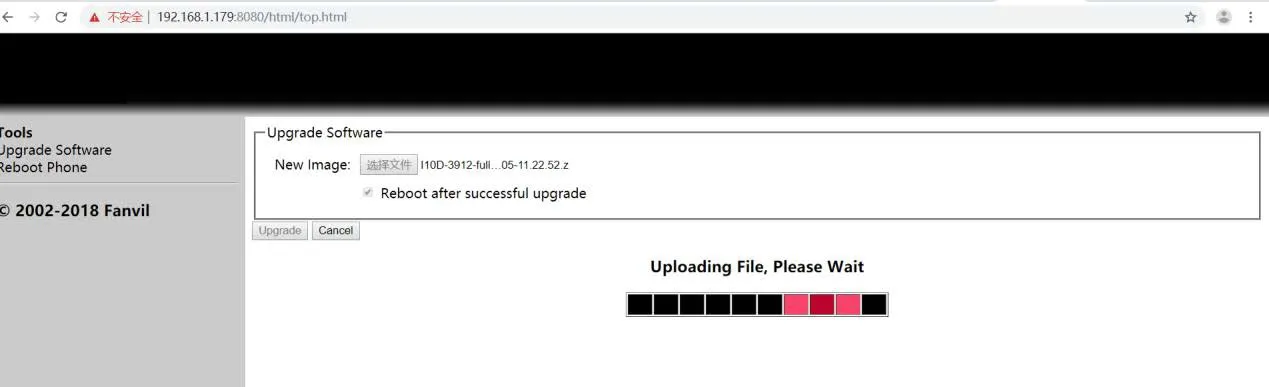
 (5) Start upgrading: Click "Choose File", select the firmware, then click "Upgrade". The device will upload and update firmware, then reboot automatically.
Notes: 1. Do not disconnect power or network during upgrade. 2. i10/i10D/i10V use different firmware. 3. Download firmware from http://www.fanvil.com/Support/download.html
How to Factory Reset in POST Mode
(1) Connect the device and computer to the same switch.
(2) Switch the device to POST mode.
(3) Perform factory reset.
When in POST mode, quickly press the DSS key 3 times continuously. The device will reset to factory defaults and reboot. For i10D devices, use the first DSS key.
(Note: Long press the DSS key for 2 seconds to exit POST mode and reboot. Use the first DSS key for i10D.)