Introduction
Overview
This document describes the video preview function for indoor monitors and SIP video phones.
The video preview feature allows the called device to display the caller’s video before answering the call. It is widely used for door phone calls, enabling users to verify visitors before answering or unlocking the door.
Applicable Models
All indoor monitors and video phones of our company.
How Video Preview Works
Two preview modes are supported:
- Preview 18x Mode: The video connection is established using SDP data carried in 18x SIP signaling during ringing, allowing video preview before the call is answered.
- Preview 2xx Mode: The first 200 OK message only establishes video (no audio call). A second 200 OK is sent when the user answers to establish full duplex call.
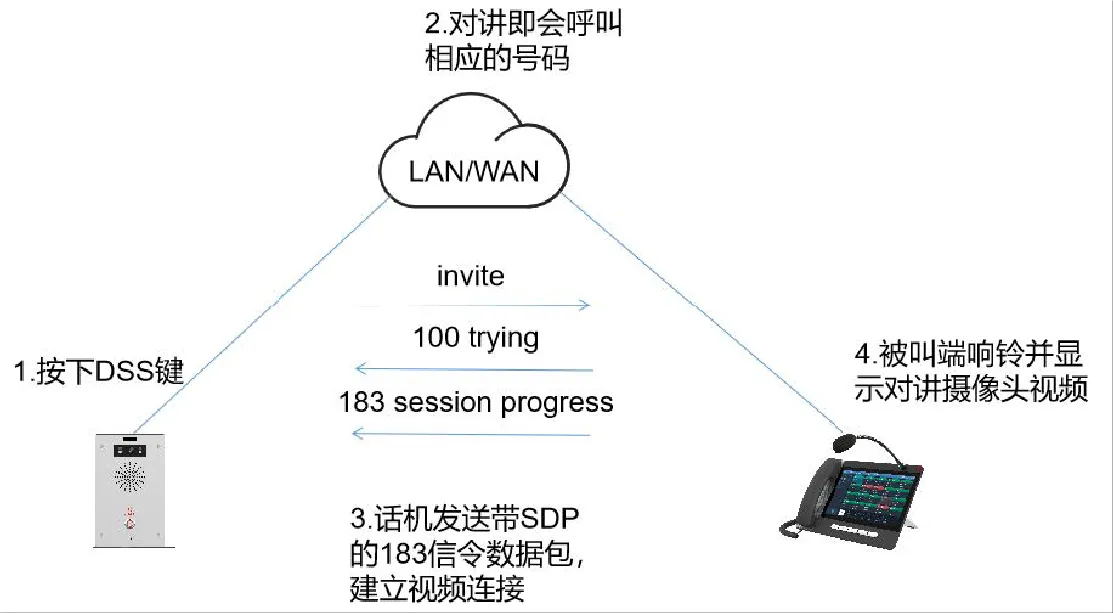
Video Preview 18x Mode
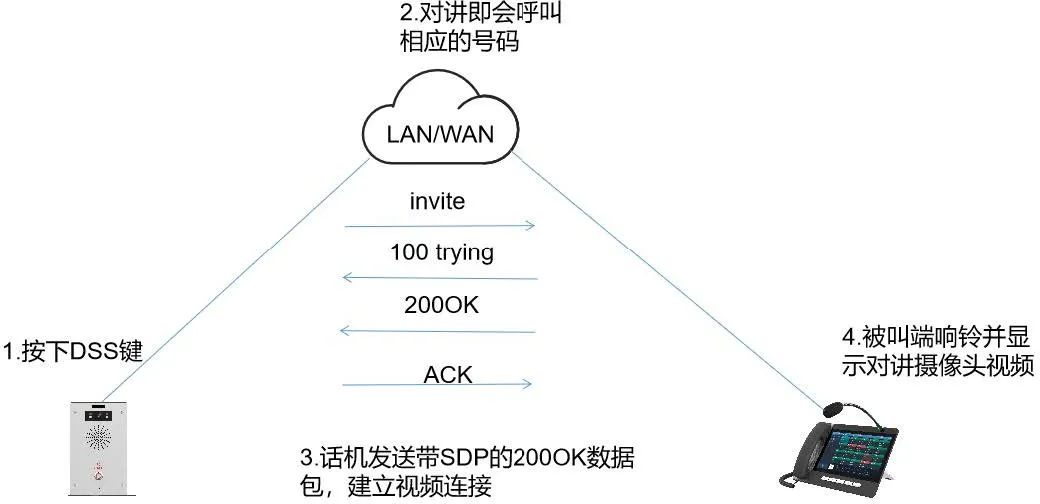
Video Preview 2xx Mode
Application Scenarios
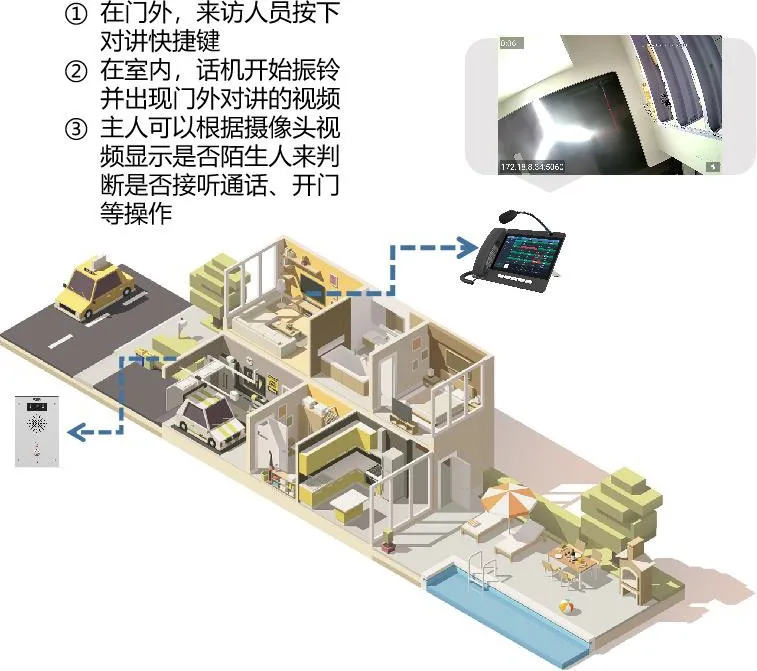
Prerequisites
- Ensure your device is a video phone or indoor monitor.
- Prepare a configuration PC connected to the same LAN as the video devices.
Connection Diagram
Network connection example (BHP-SOS16, IP Phone, PC):

Operation Guide
Two call modes are supported: Point-to-Point (P2P) and SIP Server Call.
Configuration varies by call mode. We use i16V and A32i as examples.
Point-to-Point Call Video Preview Configuration
- Log into the device web interface.
- Go to Line → Basic Settings.
- Check Enable Preview and select mode (default: Preview 18x).
- Click Apply to save settings.
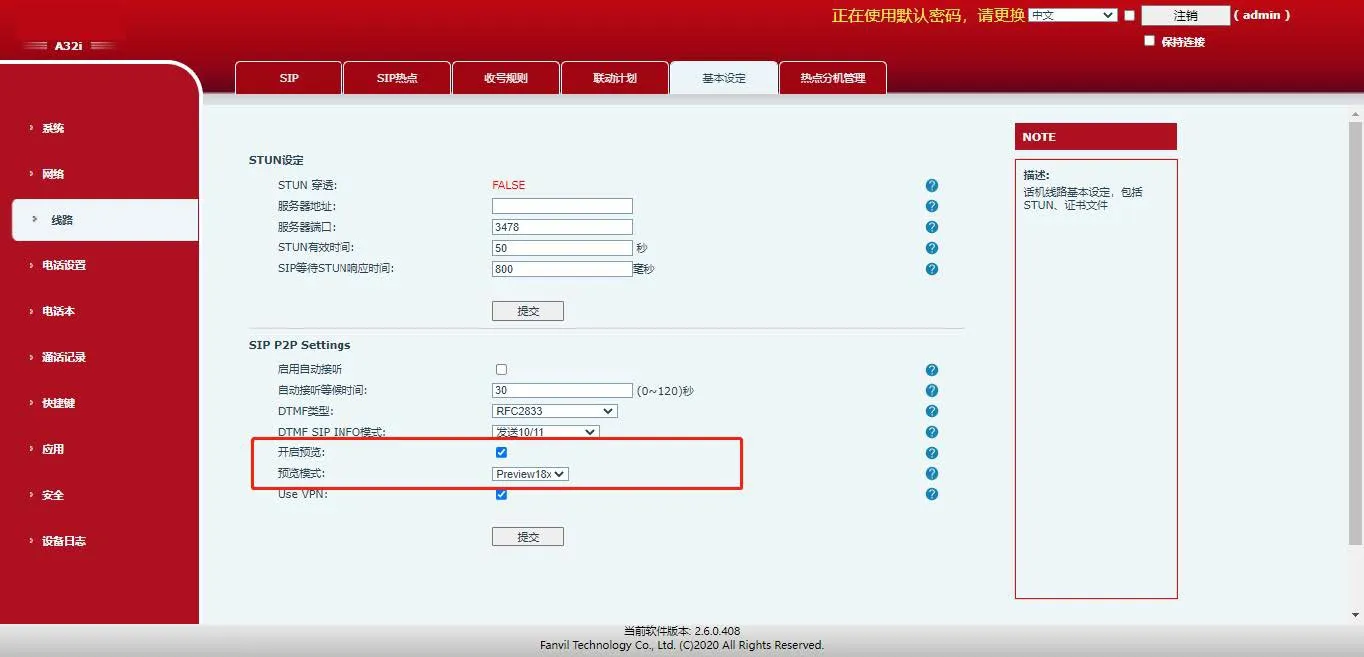
SIP Account Call Video Preview Configuration
- Log into the device web interface.
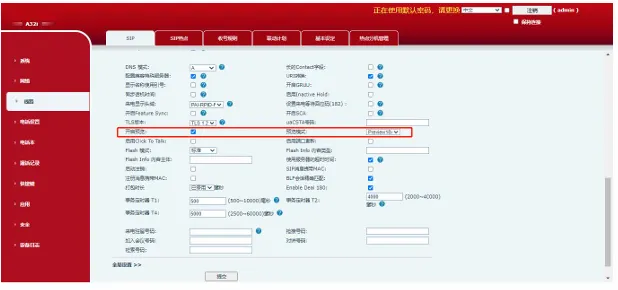
- Go to Line → SIP → Advanced Settings.
- Check Enable Preview and select mode (default: Preview 18x).
- Click Apply to save settings.
Common Issues & Solutions
- Ring group failure with some SIP servers
If video preview causes no video or auto hang-up in ring groups, disable preview. - Beke server incompatible with 18x mode
If Beke server version < 18.5.28, switch to Preview 2xx or upgrade server. - Early media disabled on server
Contact your server provider to enable Early Media.