Introduction
Overview
Automatic provisioning means the terminal obtains the server address storing configuration files and other parameters for auto-provisioning. Then it downloads the configuration file from the corresponding server, parses it, and saves it locally for further updates such as firmware updates. This supports remote batch upgrade of a large number of phones via configuration files, saving time and labor.
Application Scenarios
Mainly used for configuration and upgrade of a large number of phones.
Intended Users
This document is mainly for personnel maintaining daily phone issues.
Configure FTP Server
Download the wftpd.exe software.
Right-click and run wftpd.exe as administrator.
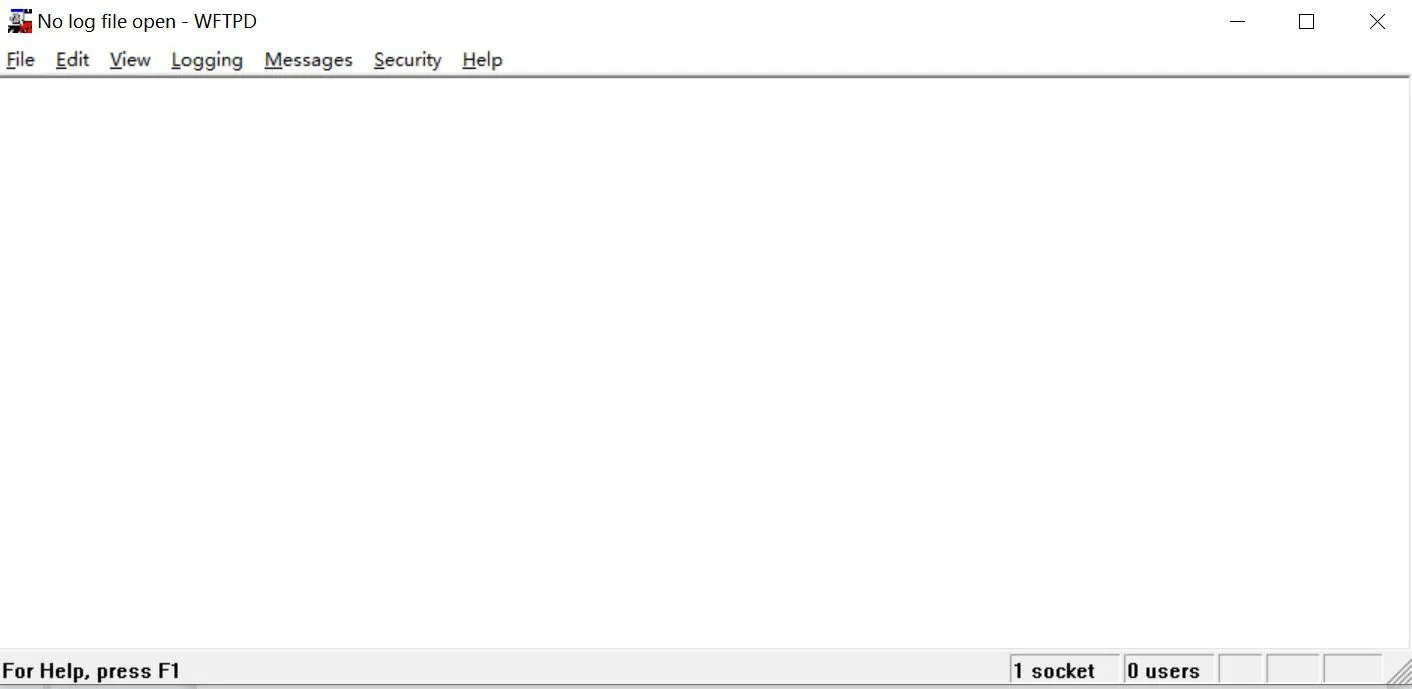
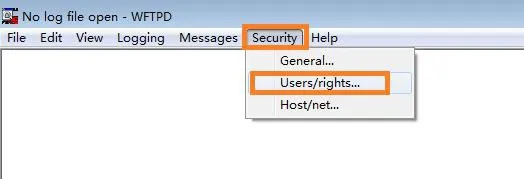
Select Security → Users/rights
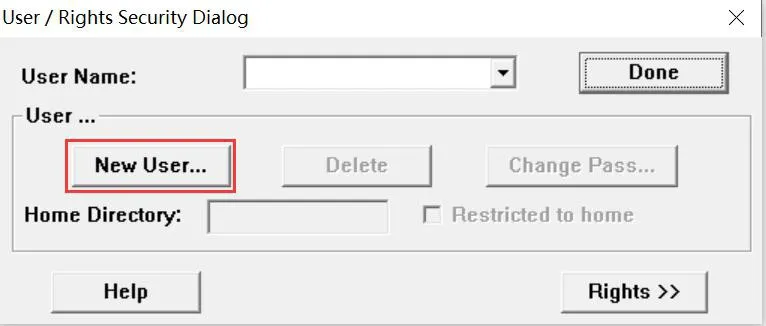
Click New User
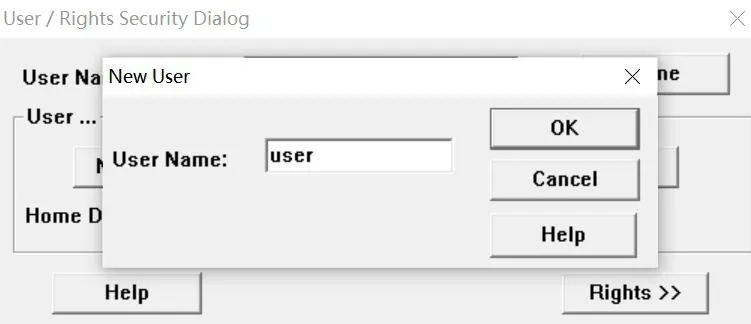
Enter username and password
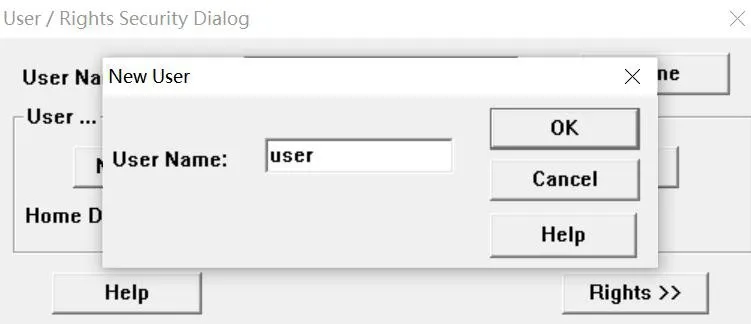
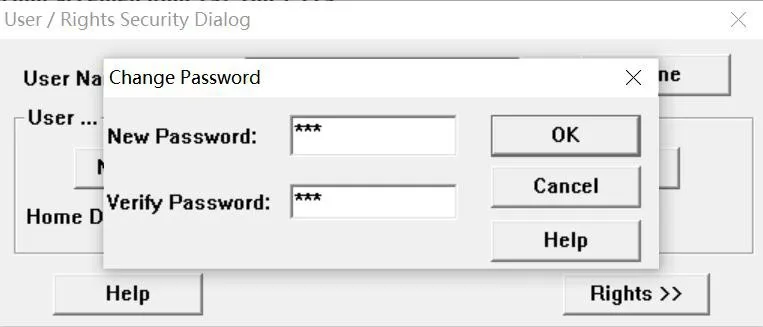
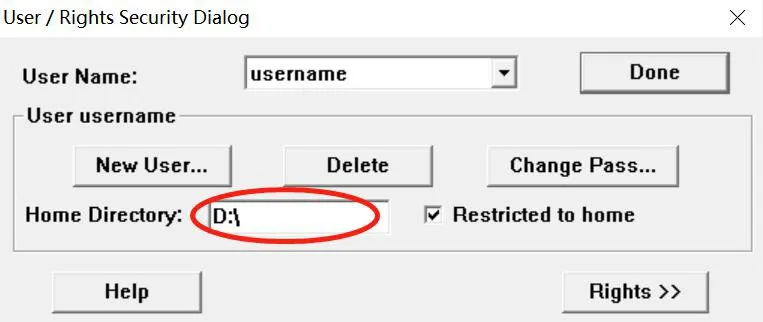
Set the FTP root directory
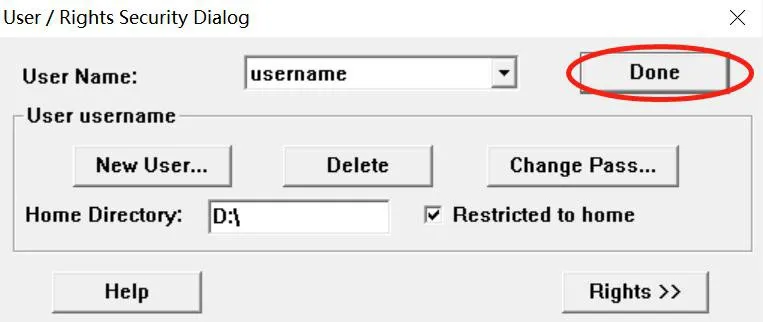
Click Done to complete configuration
Configure TFTP Server
Download the TFTPServer.exe software.
Right-click and run TFTPServer.exe as administrator.
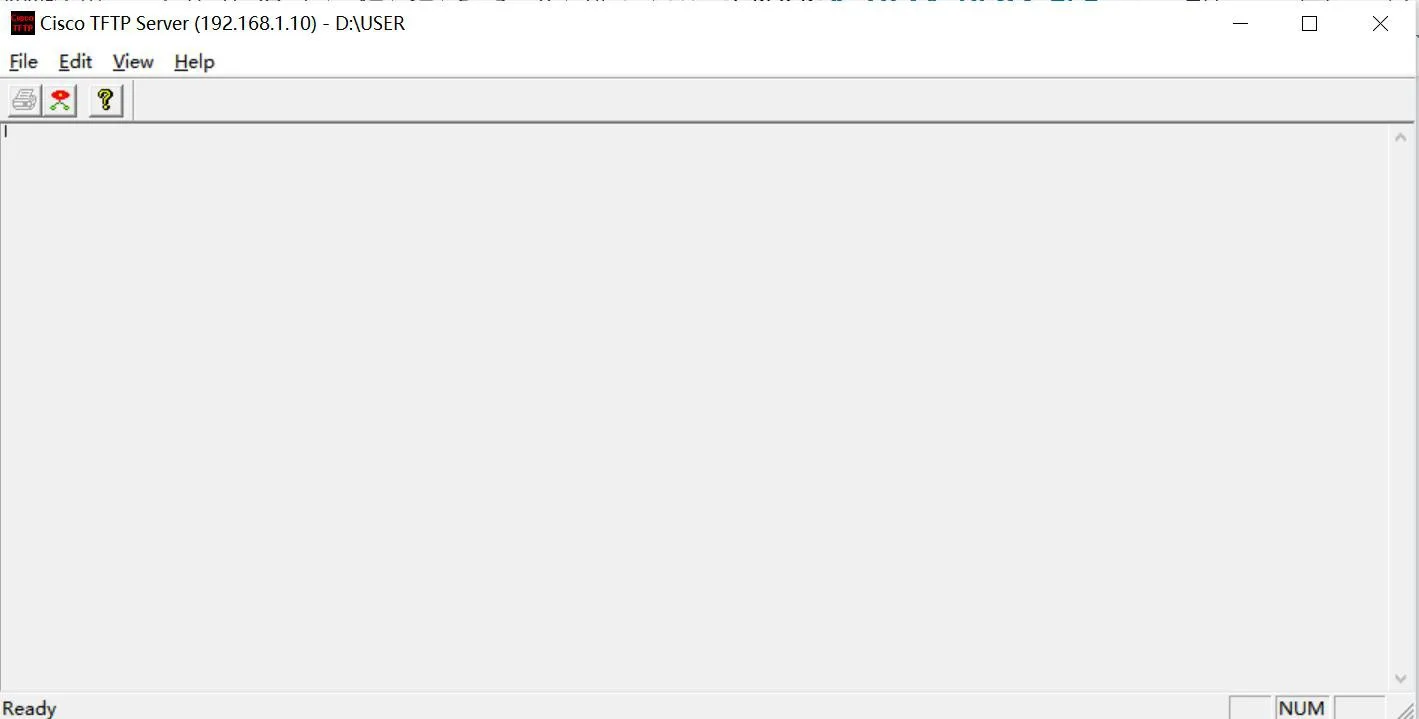
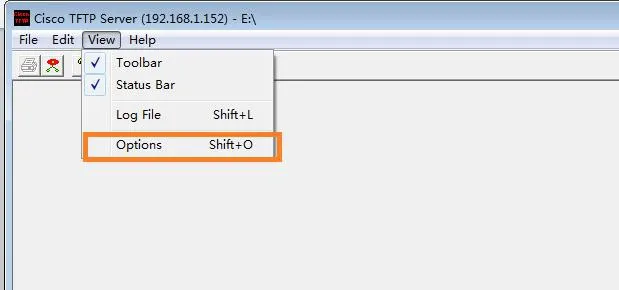
Click "View" → "Options" to set the TFTP server root directory
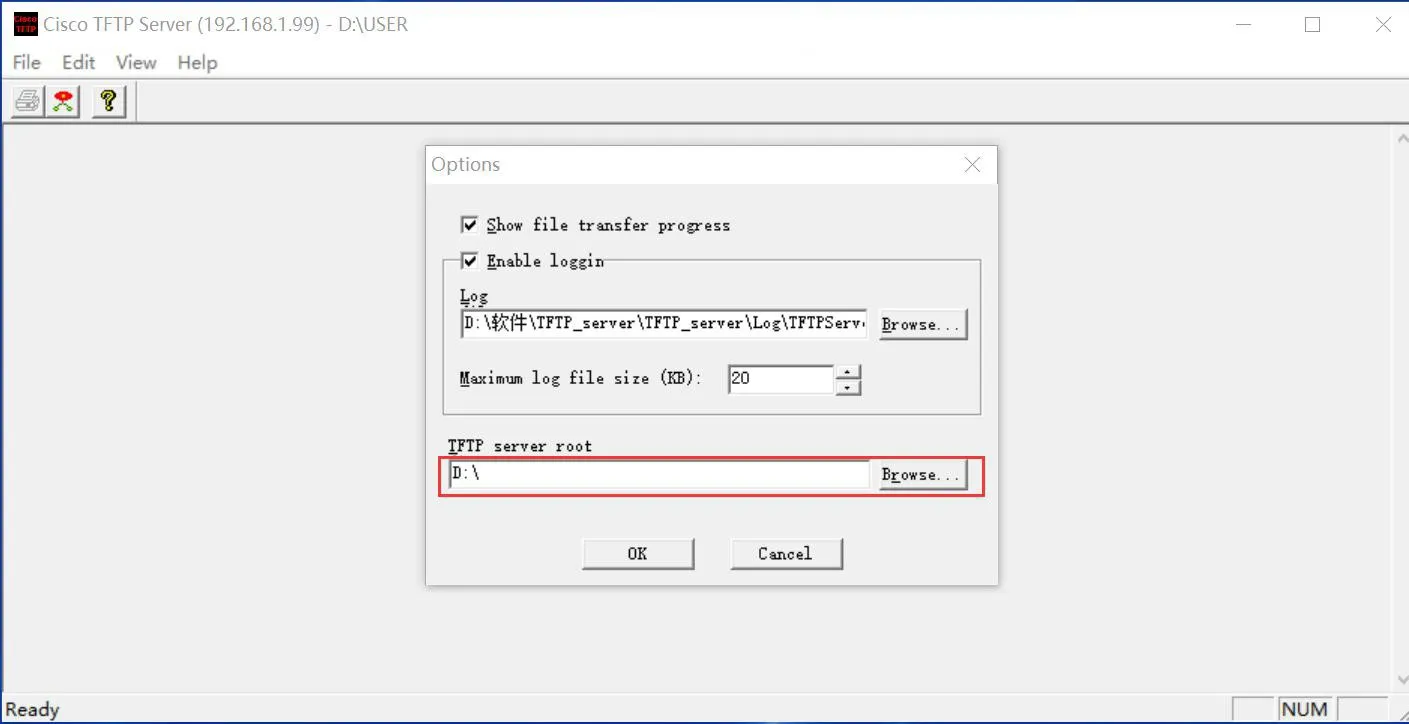
The IP displayed on the server is the server address, which is also the IP of the PC configuring the server.

Configure HTTP Server
Download the hts.exe software.
Right-click and run hts.exe as administrator.
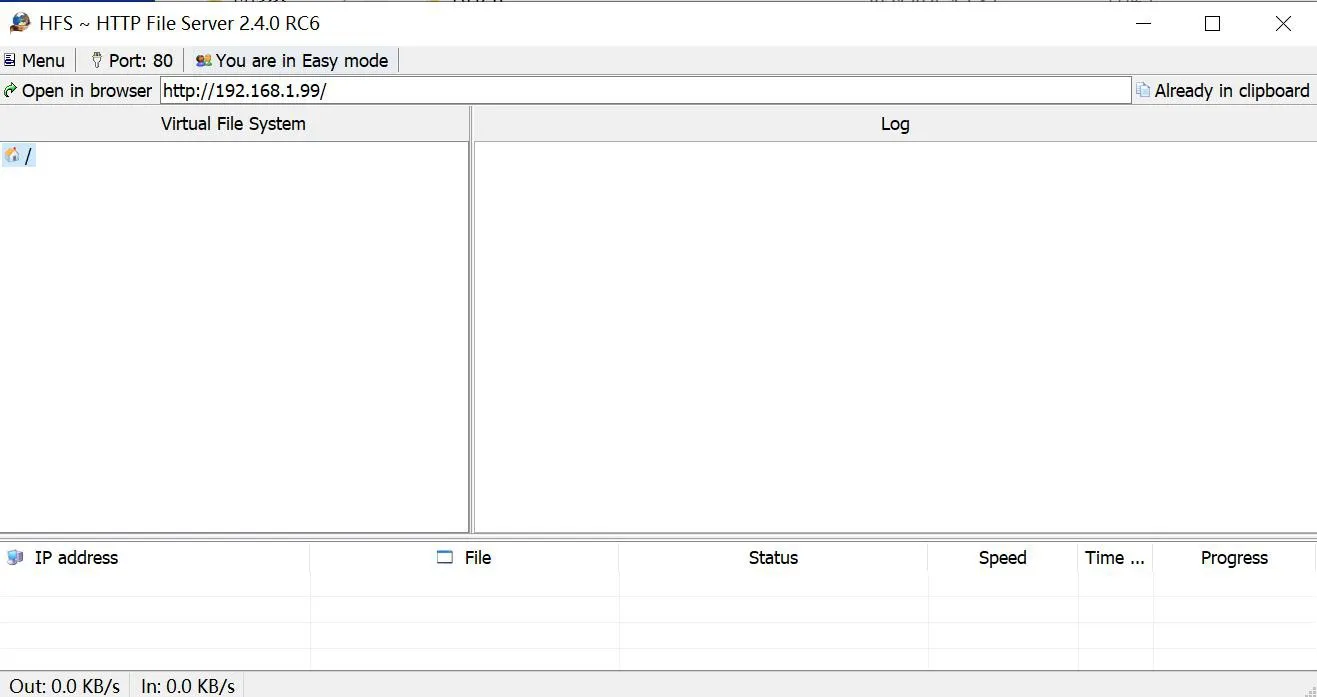
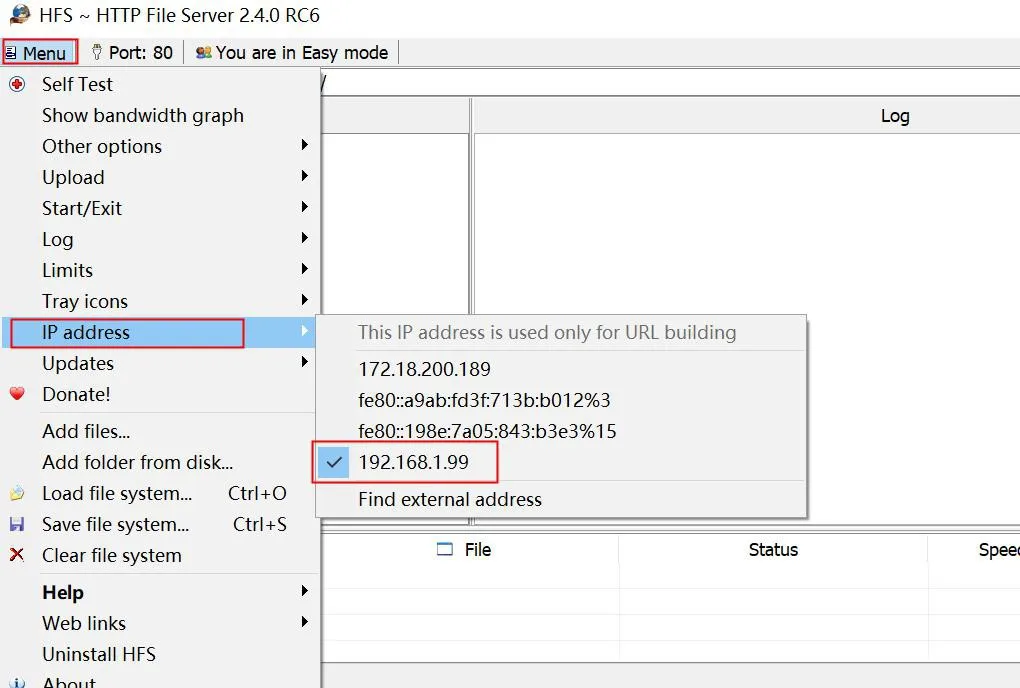
Select menu → ip address, choose the PC's IP
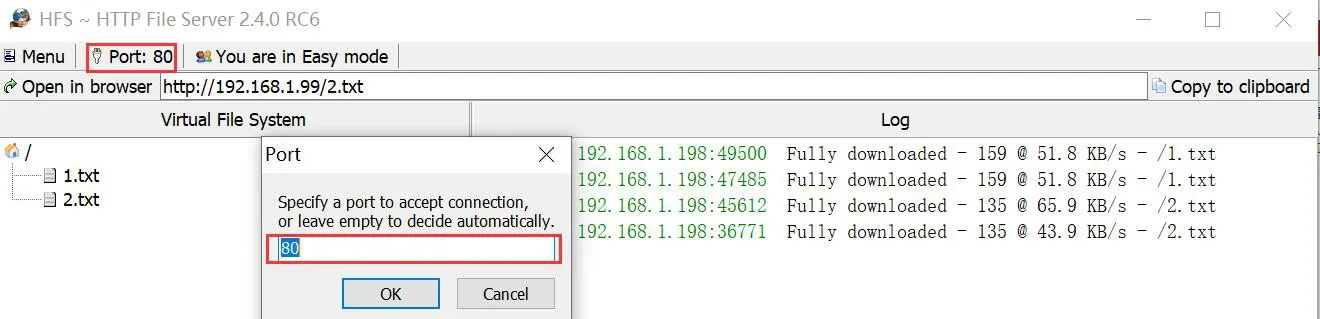
HTTP uses port 8080 by default, you can set it to another unused port such as 80.
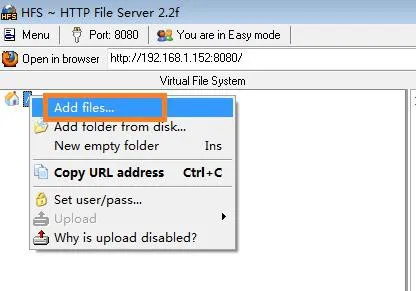
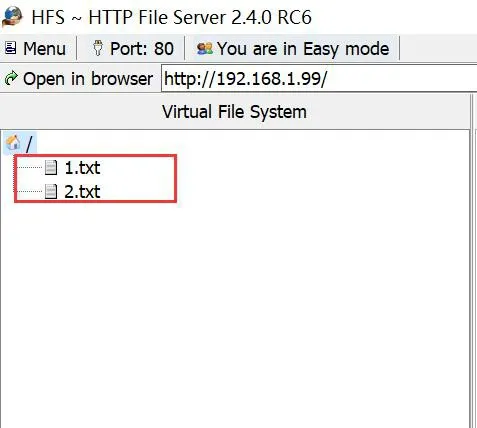
Right-click  to add files
Phone Static Provisioning Configuration
Enter the phone IP in the browser to log into the web backend. Click System → Auto Provision → Basic Settings → Static Provisioning Server for related settings.
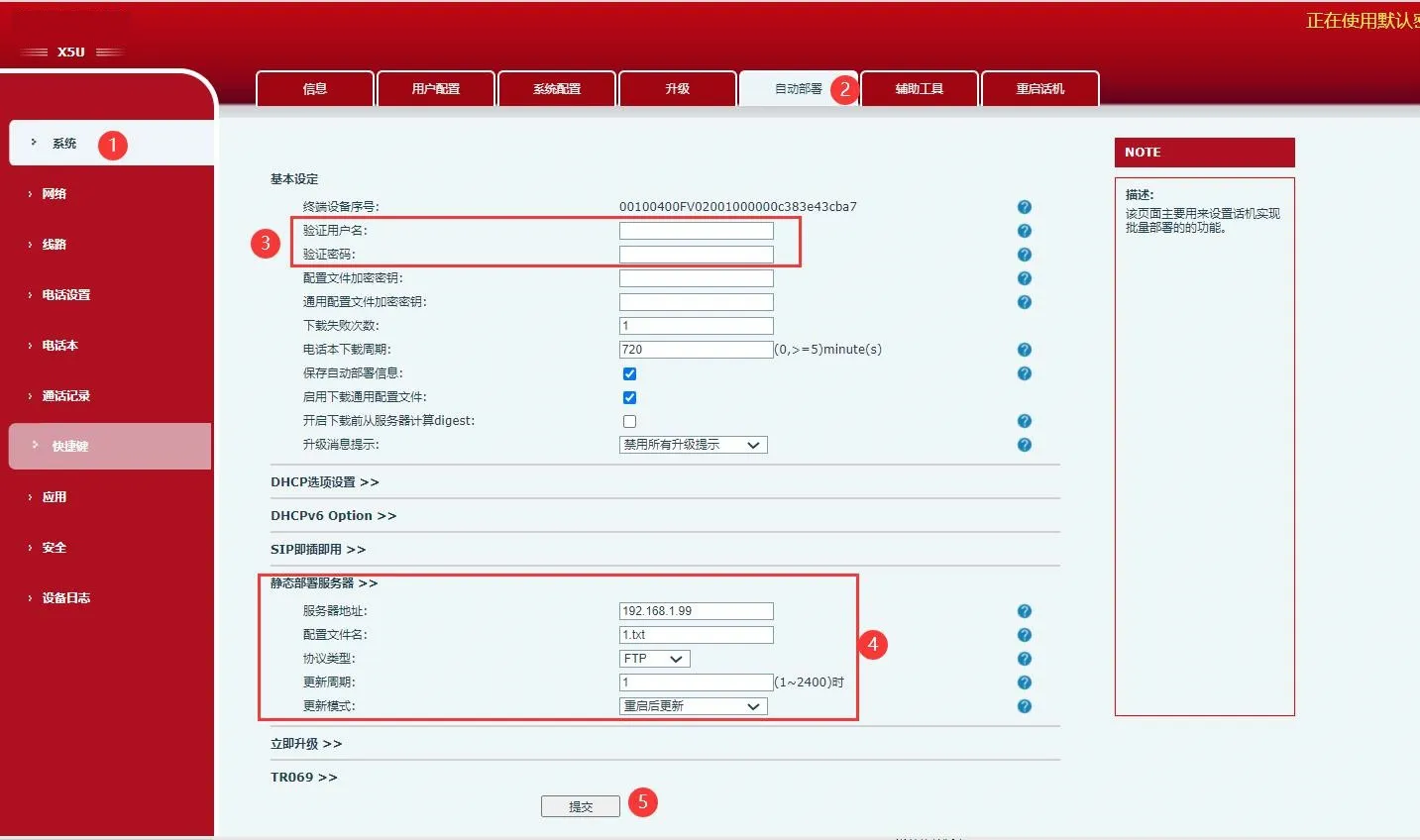
Configuration Explanation:
- Username & Password: Username and password of the configured server; leave blank if none.
- Server Address: Server IP, which is the PC's IP.
- Configuration File Name: Name of the configuration file to be obtained by the phone.
- Protocol Type: Four options: FTP, TFTP, HTTP, HTTPS. Select the one you use.
- Update Mode: Update after reboot or scheduled update.
- Update Interval: Set a value; the phone will update when the time is reached.