Introduction
Overview
The phone supports recording during active calls. Two recording methods are available:
- Save RTP stream as a formatted file to local storage (USB).
- Send RTP stream to a recording server for storage and management.
Applicable Models
This document applies to BX3S, BX4, BX5S, BX6, BX7, BX7C, GP210, GP210i, and BXU series IP phones.
Target Audience
This document is intended for internal R&D and test engineers who need to understand the implementation and improvement of the phone’s call recording feature.
Recording Framework Introduction
Call Recording Architecture
A local receive-only stream is created and mixed with the call stream. The phone binds to a local port to receive mixed RTP data, which is then written to a local file or sent to a remote server.
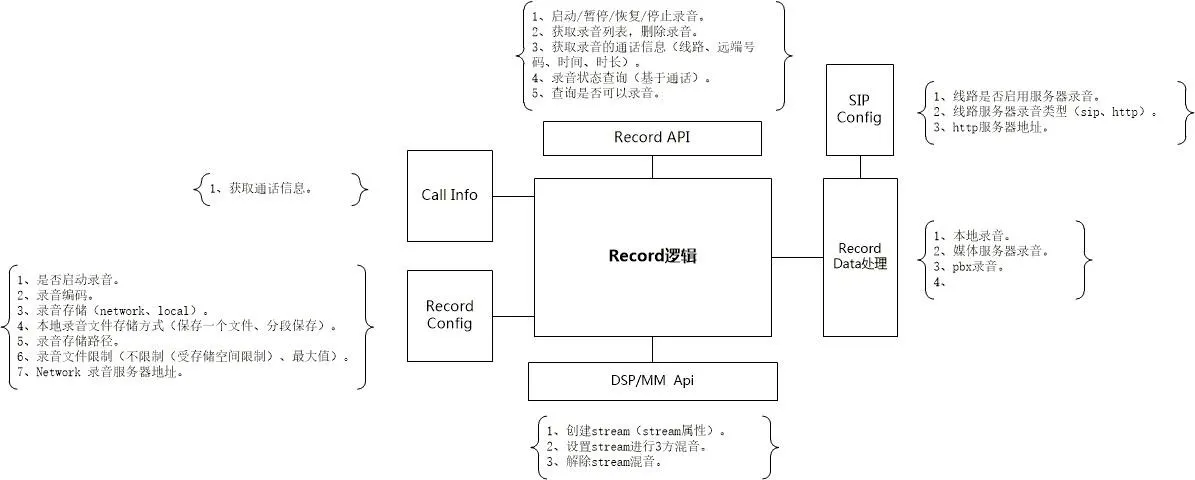
Call Recording Function Modules
Local Recording
Local recording requires a USB flash drive. The phone checks USB storage capacity, creates a file named Record_[SystemTime], and saves RTP data.
If the file size limit is reached and space remains, a new file is created automatically. Pause/resume is supported during recording.
Local Recording File Format (.wav):
| char codec[64] | int32_t rtpLen | int32_t increment | uint32_t dataSize | rtp data | rtp data | ... |
- codec: Recording audio codec
- rtpLen: Length of RTP data
- increment: Timestamp increment
- dataSize: Total RTP data length
Server Recording
Server recording requires configuring serverAddr and serverPort. Communication includes control commands (TCP) and RTP media (UDP).
Control Commands (TCP)
The phone initiates a recording session. The server allocates a dedicated UDP port for RTP streaming.
Record Start Command Format
Request: cmd=RecordStartRequest&id=xxx&device=xxx&remote_number=xxx&remote_name=xxx&local_number=xxx&local_name=xxx&dir=in|out&codec=xxx
Response: cmd=RecordStartResponse&id=xxx&result=success|failed&reason=xxx&server=xxx&port=xxx
- id: Unique session ID (random, fixed during recording)
- device: Phone MAC address
- dir: Call direction (inbound/outbound)
- codec: RTP codec (PCMA|PCMU)
- server/port: UDP address for RTP streaming
Note: If the server responds "failed", the phone will display a recording failure prompt.
Record Stop Command Format
Request: cmd=RecordStopRequest&id=xxx&remote_number=xxx&remote_name=xxx&local_number=xxx&local_name=xxx&reason=xxx
Response: cmd=RecordStopResponse&id=xxx&result=success
On socket error, both sides terminate the session and clear states.
RTP Data (UDP)
The phone sends RTP packets to the server via UDP until a Stop command is received or the connection drops.
Service Stop & Playback
The phone parses file headers (codec, timestamp, length) to calculate playback duration and control playback.
Call Recording Operation Guide
Local Recording (USB)
Local recording requires a USB drive. Supported on BX5S/BX6; NOT supported on BX3S/BX4.
- Enable recording via Apps > Recording Management, set mode to Local.
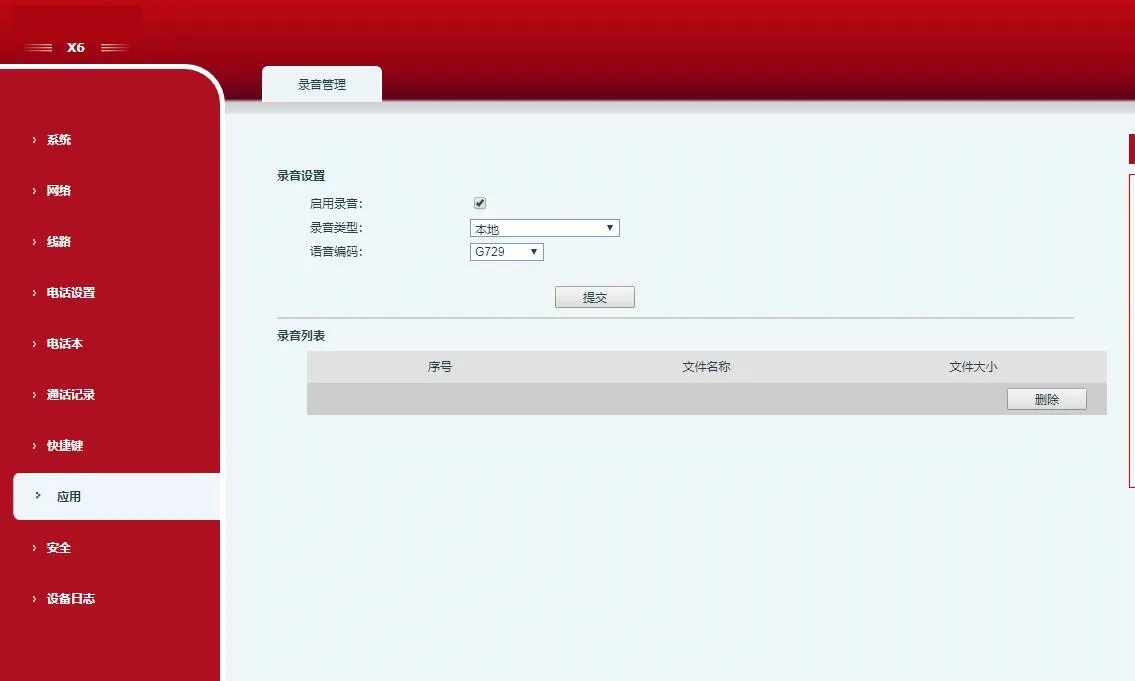
- Configure a DSS Key/Function Key as Record.
- Insert USB drive, make a call, press the Record key to start.
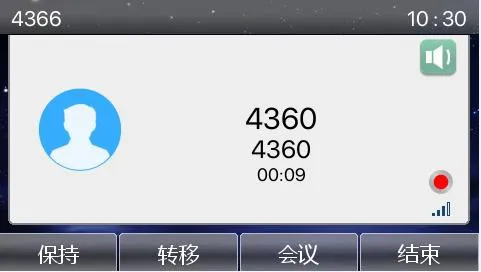
- Press again to stop recording.
- View/play recordings via Apps > USB.
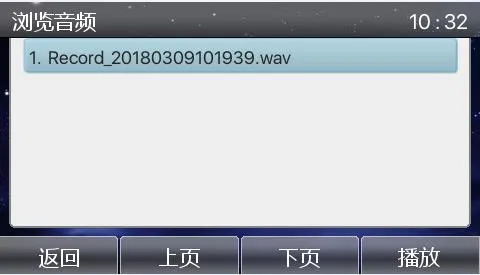
Server Recording
Local Recording Server
Install the RecordServer software (supports PCMA/PCMU/G722).
Server Path: \\172.16.1.8\firmware\Applications\RecordServer
Run RecordServer.exe to start the service.
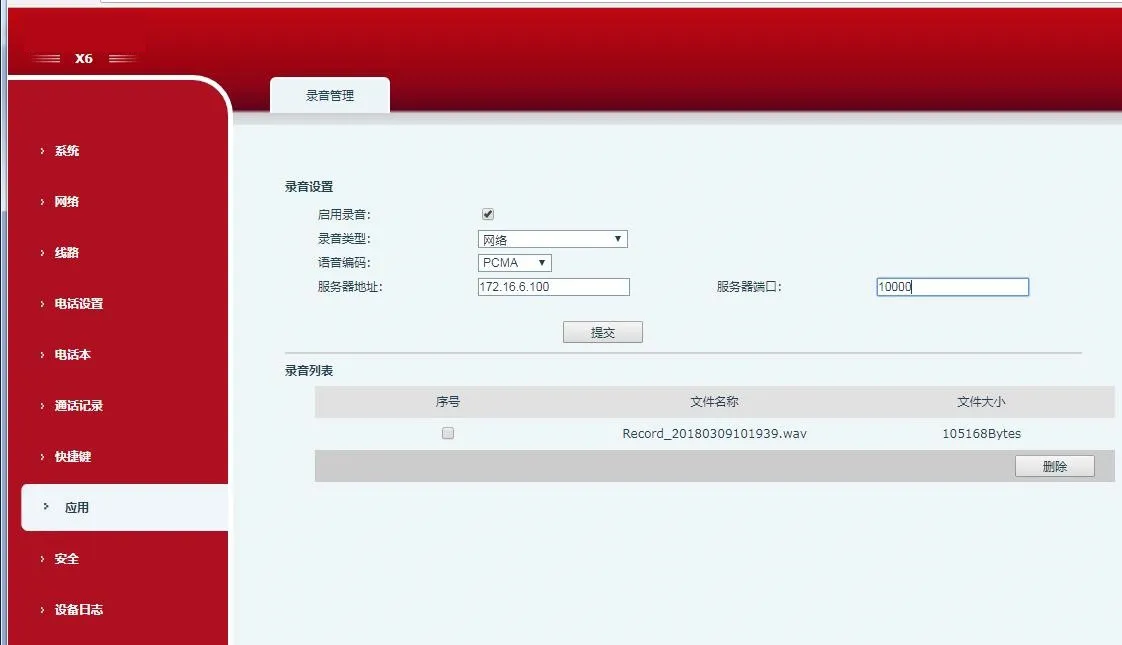
- On the phone web interface, enable recording, set type to Network, enter server IP/port, select codec.
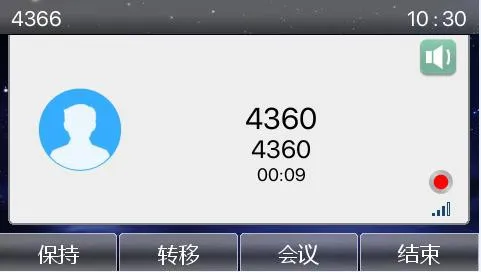
- Make a call, press the Record DSS key.
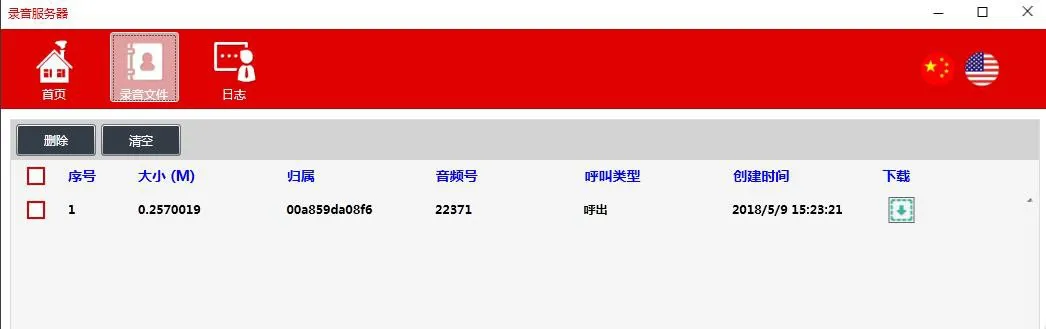
- Stop recording and download files from the server.
SIP INFO Recording
Register the phone to a SIP INFO-compatible server (e.g., 3CX).
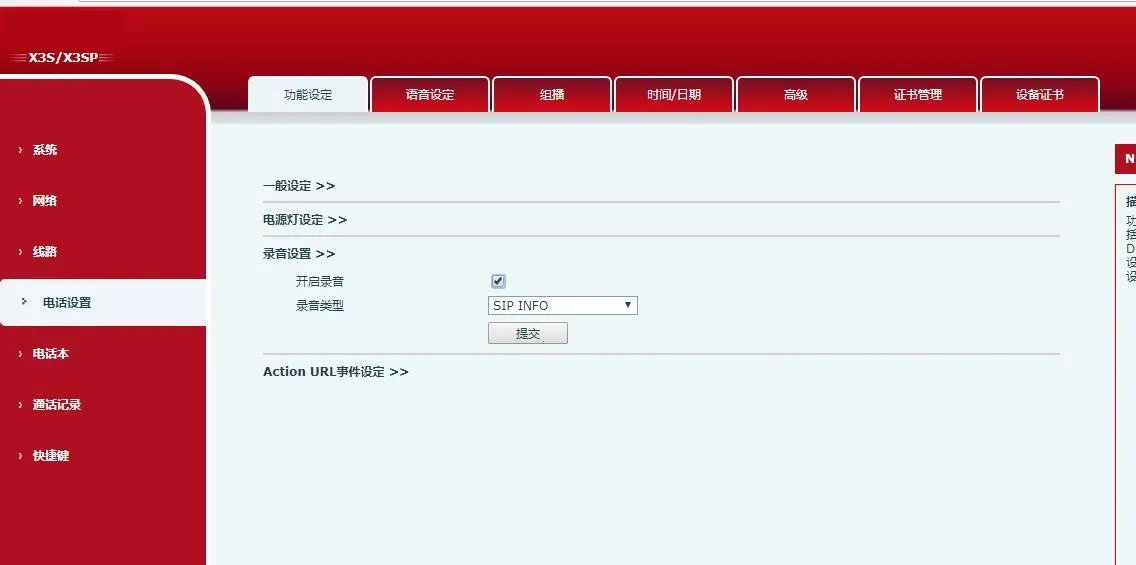
- On the web UI, enable recording and set type to SIP INFO.
- Configure a Record DSS key, start/stop recording during calls.
- View recordings on the SIP server (3CX) management portal.