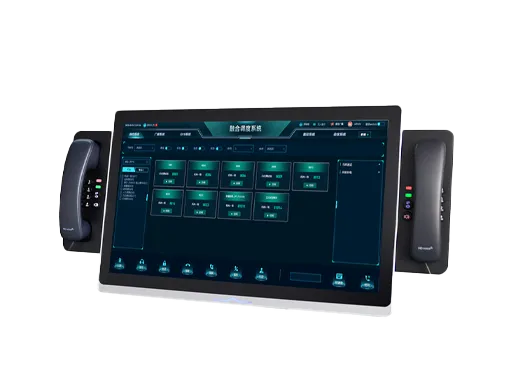
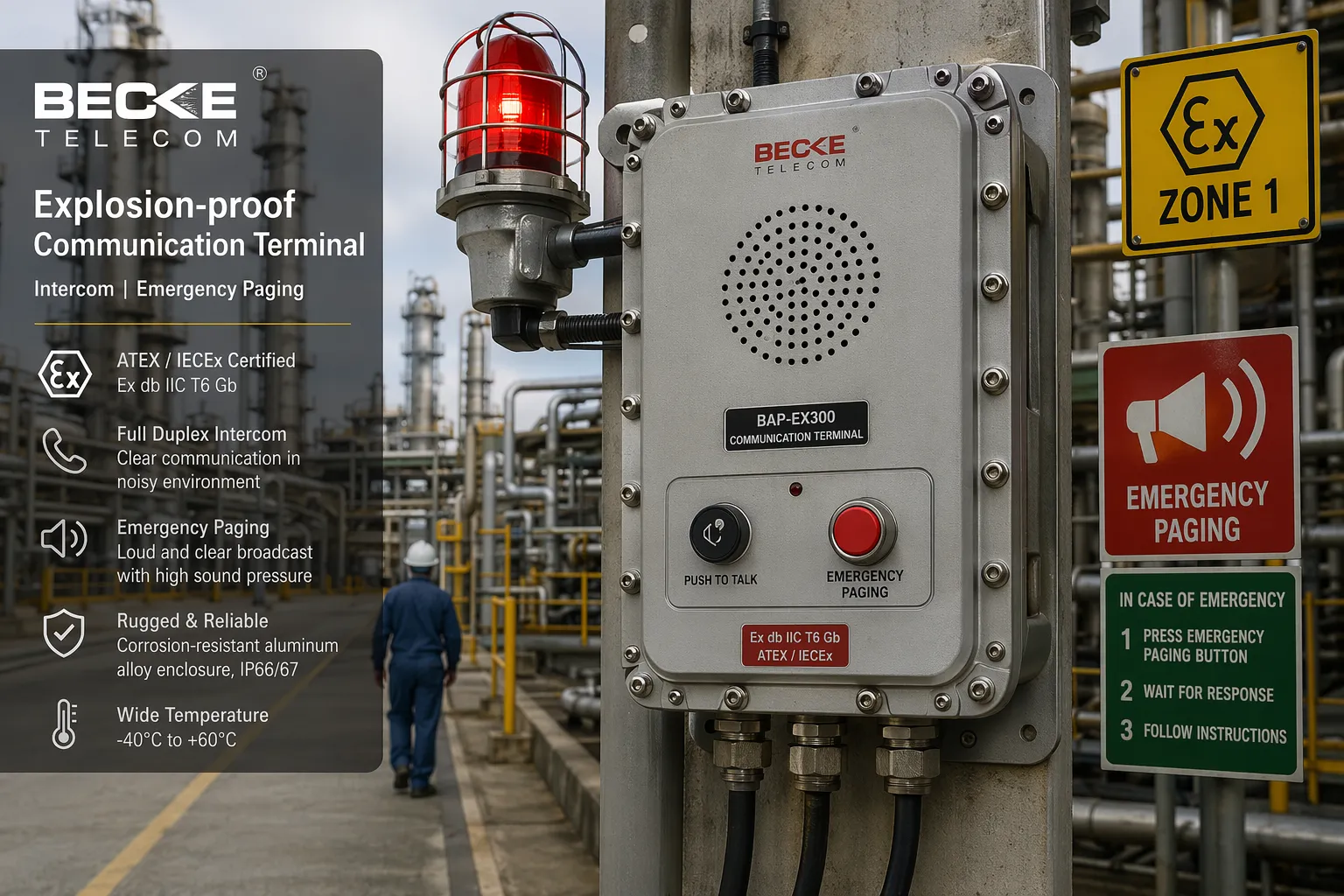
Emergency Call Box System for Campuses, Highways, and Public Facilities
Emergency Call Box System for Campuses, Highways, and Public Facilities I
Becke Telcom
In large and distributed environments, emergencies often happen far from staffed offices or control rooms. A student may need immediate help near a campus walkway, a driver may face a breakdown beside a highway, or a visitor may require urgent assistance in a parking area or public facility. In all of these situations, response time depends on one critical factor: whether the person on site can reach help quickly and clearly.
An emergency call box system is designed for exactly this purpose. It provides a fast and visible help point that allows users to request assistance with a single action. In modern deployments, however, the system is no longer just a standalone call device. It is part of a larger communication and response platform that can connect field help points with dispatch centers, security teams, public address systems, cameras, office phones, mobile staff, and even radio networks.
For campuses, highways, and public facilities, this kind of system helps close the gap between incident detection and coordinated response. It improves communication clarity, reduces response delays, and gives operators more situational awareness when every second matters.
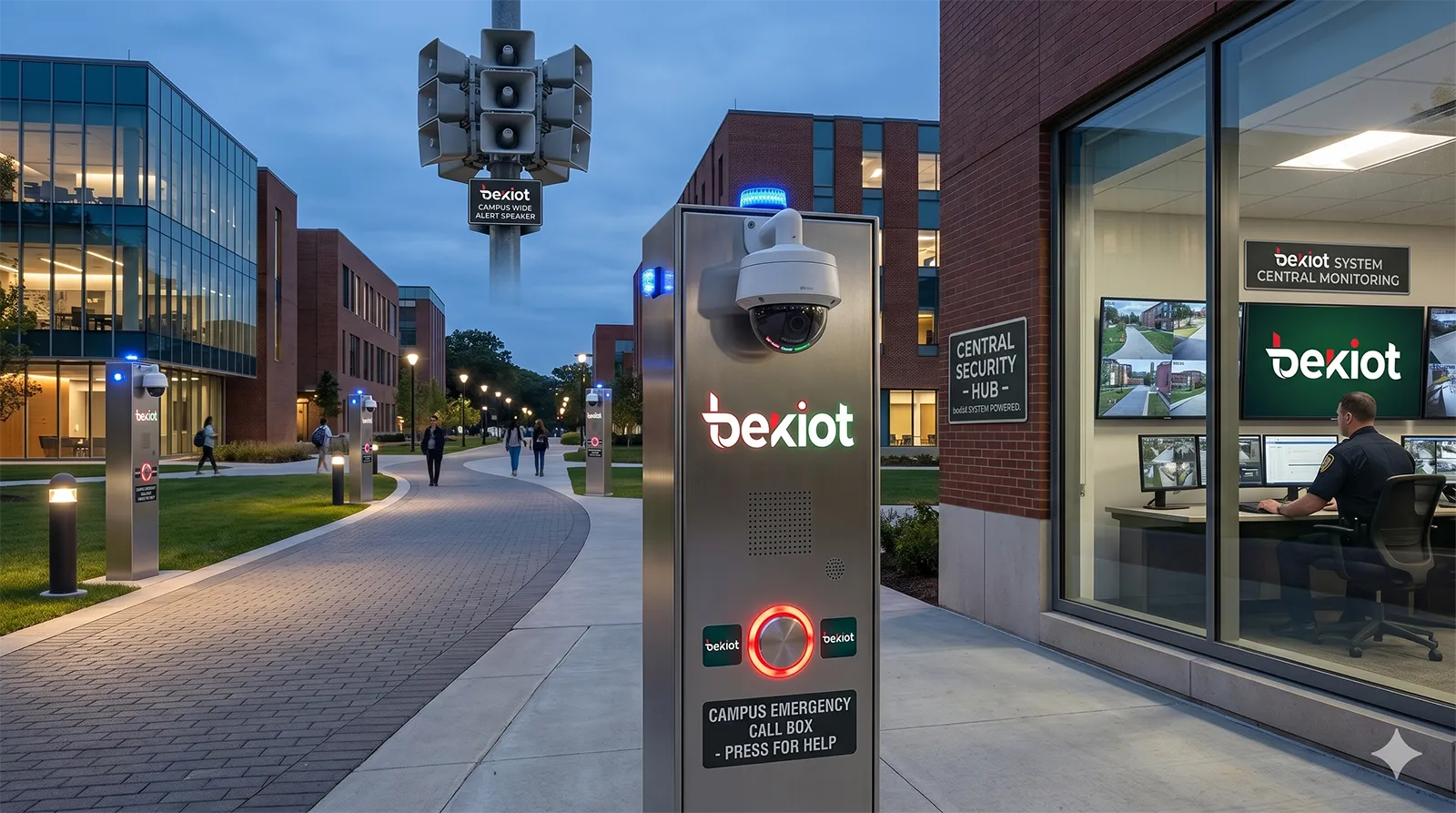
Campus emergency call box deployment linking public help points with security, video, and broadcast resources.
What Is an Emergency Call Box System
A field help point connected to a response workflow
An emergency call box system is a safety communication solution built around strategically placed help points in outdoor or semi-supervised environments. At the user side, the concept is simple: press a button, place a call, and speak to a response center through hands-free audio. But behind that simple interaction is a much broader chain of communication, monitoring, escalation, and coordination.
In practical projects, the call box is usually connected to an IP-based platform or SIP communication system. Once a help request is triggered, the system can route the call to a monitoring room, campus security desk, highway control center, or building operations team. Depending on the design, the event can also trigger video pop-up, audio recording, zone broadcast, mobile notification, radio dispatch, and incident logging.
This is why an emergency call box system should be understood as an integrated response system rather than a single endpoint. The value is not only in making a call possible, but in making that call actionable.
More than a voice station
Traditional emergency call stations mainly focused on voice communication. Modern systems go much further. They may support full-duplex hands-free talk, visual verification through linked cameras, emergency announcements through speakers, call transfer to alternate personnel, and integration with wireless handsets or administrative telephones.
In environments with multiple sub-systems already in place, the call box can also serve as a bridge between those systems. It can become part of a unified safety architecture that brings together intercom, telephony, video surveillance, public address, recording, and centralized dispatch. This model is especially suitable for campuses, transport corridors, and facilities that need both daily communication efficiency and emergency readiness.
When designed well, the system provides a familiar, easy-to-use help interface for the public while giving operators a powerful back-end tool for incident handling.
How an Emergency Call Box System Works
From help request to operator response
The basic workflow begins when a user presses the emergency button on a call box. The system then places a priority call to a control point such as a security room, dispatch center, campus operations desk, or highway monitoring station. Because the call box is usually configured for hands-free communication, the person requesting help does not need to hold a handset or understand a complicated interface.
Once the call reaches the operator, the system can display the identity or location of the device. In more advanced deployments, the event can automatically pop up the relevant camera feed, highlight the location on an electronic map, and begin recording the conversation. This lets the operator assess the situation faster and start the correct response procedure without wasting time on basic identification.
If needed, the operator can escalate the event immediately by transferring the call, starting a conference, notifying mobile personnel, or broadcasting instructions to a designated zone.
Integrated response across voice, video, and broadcast
A strong emergency call box system does not isolate voice from other response tools. It links communication with action. For example, a campus operator can answer a student help request while simultaneously viewing the nearby camera and notifying patrol staff. A highway control room can receive a roadside emergency call, verify the scene, and coordinate field responders through internal phones, radio systems, or mobile communication devices. A facility security team can respond to a parking lot help point while pushing live instructions through an area speaker.
This integrated logic makes the system much more effective than a simple alarm trigger. Operators do not just receive an alert. They receive context, location, and communication channels that support immediate handling.
An effective emergency call box system is not defined only by how quickly a person can press for help, but by how quickly that request can be understood, verified, routed, and resolved.
Core Features of a Modern Emergency Call Box System
One-touch help with clear two-way communication
The first essential feature is one-touch calling. In emergencies, users should not need to remember numbers, navigate menus, or wait through unnecessary prompts. A clearly marked call button allows immediate access to help, which is especially important for students, drivers, visitors, and staff under pressure.
Just as important is high-quality two-way audio. In noisy or exposed environments, communication clarity directly affects response accuracy. A well-designed system uses echo control, noise handling, and suitable amplification so that both the caller and the operator can hear each other clearly. This is critical in highways, public plazas, outdoor corridors, and other acoustically challenging locations.
Video linkage, recording, and location awareness
Many projects now require visual context in addition to voice. By linking the call box event to nearby cameras, the operator can immediately view the surrounding scene, assess crowd behavior, confirm threat level, or identify whether medical, security, or maintenance staff should be sent.
Recording is another important layer. Audio and video records help with incident review, evidence preservation, staff training, and compliance documentation. When location mapping is added, operators can move from passive call answering to active incident coordination. Instead of asking where the person is, the platform can already show the exact zone, point, or route segment associated with the call device.
Broadcasting, escalation, and multi-team coordination
In many scenarios, an operator needs to do more than talk to one person. They may need to warn nearby people, transfer the call to another department, or dispatch field personnel. This is where integration with PA, telephony, and radio becomes valuable. The system can support zone broadcast, emergency announcements, automatic call forwarding, or linkage with mobile handsets and two-way radios.
This multi-channel coordination is particularly useful where incidents may affect more than one team. A campus event may involve security, administration, and dorm management. A highway event may involve the control room, toll staff, patrol teams, and rescue units. A facility event may require security, maintenance, and operations management at the same time.
Emergency Call Box Systems for Campuses
Safer public spaces across the campus
Campus environments are spread out, highly active, and used by people with different levels of familiarity and confidence. Students, staff, visitors, and contractors move through teaching buildings, dormitories, sports areas, walkways, parking zones, libraries, and gates throughout the day and night. Because not every location is continuously staffed, emergency call boxes provide an important fixed point of reassurance.
On campuses, help points are commonly placed at entrances, outdoor circulation routes, public activity areas, dormitory surroundings, and security-sensitive locations. When a person presses the button, the call can be answered by the security center or duty room. The operator can open two-way communication immediately, check linked video, and coordinate a nearby patrol or administrator.
This is especially useful for medical incidents, harassment concerns, suspicious activity, access issues, or general requests for urgent assistance.
Linking campus safety with communication and management systems
A campus solution becomes much stronger when the call box is integrated into a unified communication platform. Instead of treating emergency help as a separate silo, the school can connect help points with visual dispatch, staff telephones, handheld devices, video systems, and zone broadcasting. That allows one incident to move quickly from alert to response to follow-up.
For example, if a call comes from a campus public area, the operator can answer the intercom, view the nearby camera, contact a roaming guard, and send a broadcast instruction if crowd control is needed. If the primary desk is busy, calls can be transferred or escalated automatically. This improves resilience and helps ensure that emergency requests are not missed.
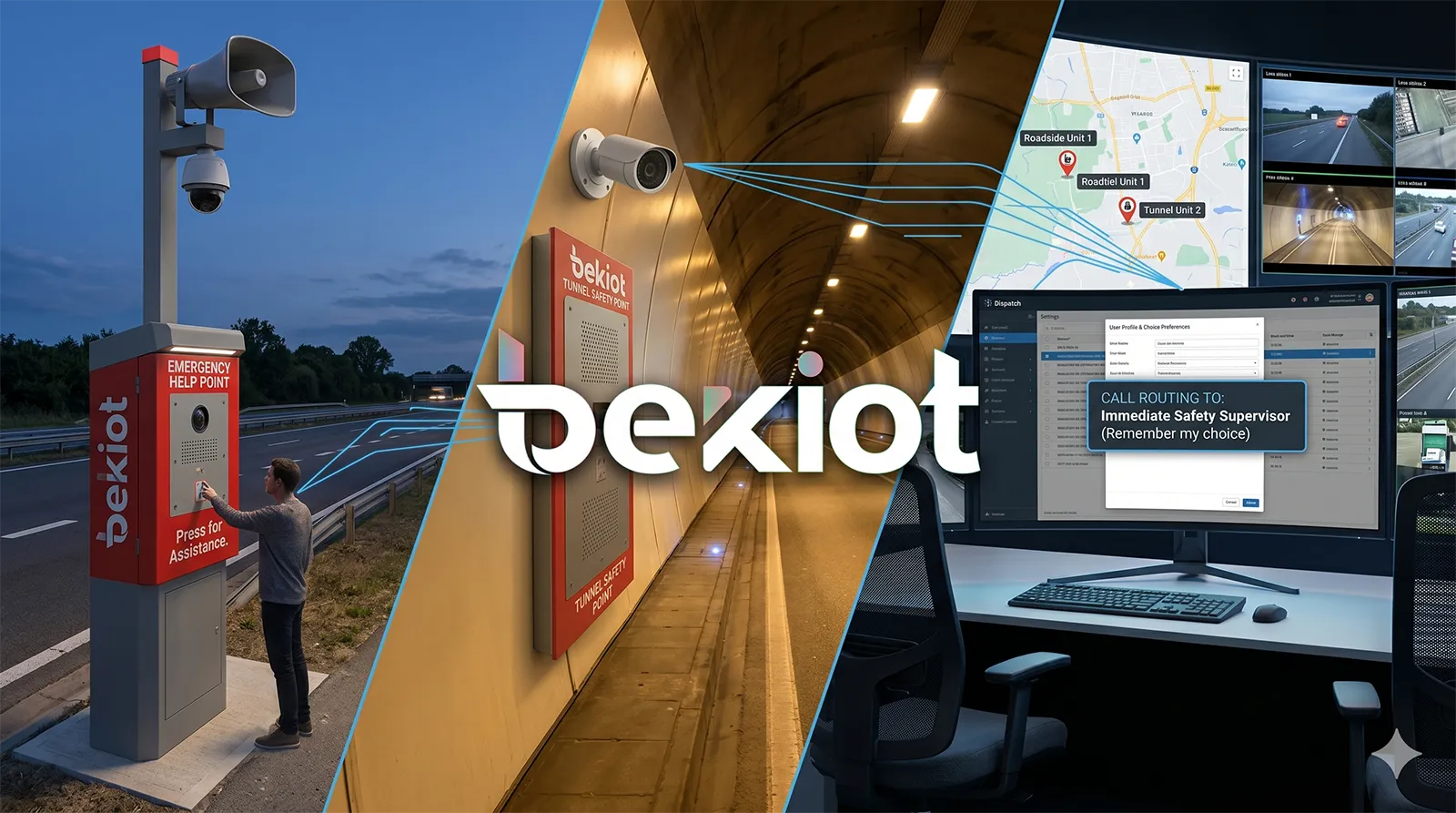
Highway emergency call box architecture supporting roadside assistance, tunnel safety, live video, and centralized control.
Emergency Call Box Systems for Highways
Fast assistance in linear and exposed environments
Highways present a different challenge. Incidents may happen across long stretches of road, often far from service desks or visible staff. Drivers dealing with accidents, vehicle failures, unsafe conditions, or medical emergencies need a direct and dependable way to reach the control center. Emergency call boxes fill this gap by creating fixed roadside or tunnel-side communication points.
Typical deployment areas include toll plazas, service areas, roadside emergency points, ramps, tunnels, and other high-risk segments. When a driver activates the device, the monitoring center can answer immediately, identify the location, and coordinate the response. Compared with relying only on personal mobile coverage, a fixed call box provides consistent visibility, known location, and integration with traffic operations.
That makes the system especially valuable where speed, location accuracy, and incident coordination matter more than general convenience.
Supporting tunnel safety, dispatch, and roadside response
On highways, emergency calls often need more than simple operator conversation. A breakdown in a tunnel may require live verification, local broadcast, patrol dispatch, and coordination with multiple stations. A roadside request may need map-based identification, camera confirmation, and transfer to the appropriate supervisory level. Because of this, highway systems benefit from linking emergency call boxes with dispatch platforms, public address, telephony, cameras, and mobile or radio communication tools.
When an incident occurs, the control room can view the associated video, initiate emergency announcements, conference additional staff, or notify patrol officers and maintenance personnel. This turns the emergency call box from a passive reporting device into an active part of highway operations and safety management.
For operators managing multiple toll stations, service areas, or road segments, centralized control also improves staffing efficiency and standardizes incident handling.
Emergency Call Box Systems for Public and Critical Facilities
Flexible deployment across diverse facility types
The word facilities covers many different environments, including office parks, industrial parks, parking structures, public plazas, building entrances, utility areas, transport nodes, and managed estates. These sites may have very different traffic patterns, but they share a common requirement: people need a visible and reliable way to request immediate assistance when something goes wrong.
In facilities, emergency call boxes are often placed in parking areas, perimeter gates, public access zones, machine rooms, isolated corridors, loading areas, or unmanned service points. These are locations where a person may feel unsafe, face an access problem, witness an abnormal event, or require rapid support from security or operations staff.
Because facility environments vary widely, the most effective systems are modular. Some use audio-only help points. Others combine intercom, camera, speaker, strobe, or access control linkage in one field terminal.
From isolated incidents to coordinated facility response
What makes the system valuable in facilities is not just the ability to place a call, but the ability to coordinate the right team. A parking lot event may require security response. A machine room event may involve maintenance and safety personnel. An entrance issue may require remote verification and door release. A public area disturbance may call for live warning broadcast and video review.
When the emergency call box system is integrated with video, telephony, intercom, broadcasting, and management software, operators can move quickly from contact to action. They can speak to the person on site, verify the environment, dispatch the nearest staff member, escalate the call, and keep a record of the full incident handling process.
This approach supports both public reassurance and operational efficiency. It also helps facility owners standardize emergency handling across multiple buildings or sites.
Key Benefits for Operators and Site Owners
Faster response and better situational awareness
The most immediate benefit of an emergency call box system is faster response. The help point is fixed, visible, and easy to use. Once the request is triggered, the operator receives not only the call but often the device identity, site context, and linked video. That reduces uncertainty and saves time during the most critical stage of incident handling.
Situational awareness also improves because the system can combine voice, live monitoring, and event history in one workflow. Operators do not need to switch between disconnected tools or depend entirely on verbal explanation from a stressed caller. The system gives them more context from the start.
Centralized management with scalable deployment
For organizations managing multiple zones or sites, centralization is a major advantage. A single operations center can supervise many help points distributed across roads, campuses, buildings, and outdoor areas. Calls can be queued, transferred, escalated, and recorded according to defined procedures. Device status can also be monitored so that maintenance teams know whether field equipment is online and working properly.
This makes the system suitable not only for one site, but for long-term expansion. New call boxes, speakers, cameras, and communication endpoints can be added as the site grows, while keeping a consistent management structure and user experience.
The best emergency call box deployments are built as communication infrastructure, not as isolated devices. They connect people, locations, operators, and response teams into one coordinated safety workflow.
Deployment Considerations
Choose the right endpoint for the environment
Not every site needs the same type of field terminal. Campuses may prioritize approachable public-facing help points. Highways may require more rugged roadside or tunnel equipment with stronger acoustic performance. Public facilities may need vandal-resistant units, visible indicators, or combined intercom and speaker functions depending on the risk profile and traffic level.
The endpoint should also match the use case. Audio-only models may be enough for some areas, while other locations benefit from integrated video or stronger linkage with local PA, alarms, or access control devices.
Plan integration, escalation logic, and maintenance
The success of the system depends heavily on workflow design. Before deployment, it is important to decide who answers calls, how escalation is handled, what happens if the first desk is unavailable, whether video should pop up automatically, and which staff or departments must be notified for different event types.
Long-term maintenance matters as well. A field help point that is offline or poorly monitored creates false confidence. A good deployment should support remote management, status supervision, event logs, and practical maintenance planning so that operators always know the system is ready when needed.
Why Becke Telcom for Emergency Call Box Solutions
Built around integrated safety communication
Becke Telcom focuses on industrial and emergency communication solutions that go beyond basic endpoint supply. For emergency call box projects, the value lies in building a complete response system that can combine intercom, SIP communication, dispatch, broadcasting, video linkage, recording, and multi-terminal coordination into one architecture.
This approach is particularly suitable for projects that need more than a simple help station, including campuses, highways, public facilities, and other distributed sites where visibility, response speed, and system integration all matter.
Flexible architecture for real deployment needs
Because emergency communication environments vary widely, the solution should be open enough to support different deployment models, expansion stages, and subsystem integrations. A practical platform can connect call points with monitoring centers, radios, office telephones, mobile staff devices, and video resources while still keeping operation straightforward for daily use.
Becke Telcom can support projects that require a combination of field intercom endpoints, centralized response, broadcasting, and cross-system communication for both daily operations and emergency handling.
Conclusion
An emergency call box system is no longer just a button on a pole or a speaker on a wall. In modern campuses, highways, and public facilities, it is part of a broader safety communication framework that connects help requests with real-time operator response, video awareness, broadcast control, call escalation, and coordinated field action.
When the system is designed as an integrated solution, it can improve public confidence, speed up response, reduce communication gaps, and help operators manage incidents with more clarity and control. For organizations responsible for large, distributed, or safety-sensitive environments, that makes the emergency call box system a practical and high-value investment.
Becke Telcom supports emergency communication projects with integrated solutions that help connect people, field devices, operators, and response workflows into one reliable platform.
We use cookie to improve your online experience. By continuing to browse this website, you agree to our use of cookie.
Cookies
This Cookie Policy explains how we use cookies and similar technologies when you access or use our website and related services. Please read this Policy together with our Terms and Conditions and Privacy Policy so that you understand how we collect, use, and protect information.
By continuing to access or use our Services, you acknowledge that cookies and similar technologies may be used as described in this Policy, subject to applicable law and your available choices.
Updates to This Cookie Policy
We may revise this Cookie Policy from time to time to reflect changes in legal requirements, technology, or our business practices. When we make updates, the revised version will be posted on this page and will become effective from the date of publication unless otherwise required by law.
Where required, we will provide additional notice or request your consent before applying material changes that affect your rights or choices.
What Are Cookies?
Cookies are small text files placed on your device when you visit a website or interact with certain online content. They help websites recognize your browser or device, remember your preferences, support essential functionality, and improve the overall user experience.
In this Cookie Policy, the term “cookies” also includes similar technologies such as pixels, tags, web beacons, and other tracking tools that perform comparable functions.
Why We Use Cookies
We use cookies to help our website function properly, remember user preferences, enhance website performance, understand how visitors interact with our pages, and support security, analytics, and marketing activities where permitted by law.
We use cookies to keep our website functional, secure, efficient, and more relevant to your browsing experience.
Categories of Cookies We Use
Strictly Necessary Cookies
These cookies are essential for the operation of the website and cannot be disabled in our systems where they are required to provide the service you request. They are typically set in response to actions such as setting privacy preferences, signing in, or submitting forms.
Without these cookies, certain parts of the website may not function correctly.
Functional Cookies
Functional cookies enable enhanced features and personalization, such as remembering your preferences, language settings, or previously selected options. These cookies may be set by us or by third-party providers whose services are integrated into our website.
If you disable these cookies, some services or features may not work as intended.
Performance and Analytics Cookies
These cookies help us understand how visitors use our website by collecting information such as traffic sources, page visits, navigation behavior, and general interaction patterns. In many cases, this information is aggregated and does not directly identify individual users.
We use this information to improve website performance, usability, and content relevance.
Targeting and Advertising Cookies
These cookies may be placed by our advertising or marketing partners to help deliver more relevant ads and measure the effectiveness of campaigns. They may use information about your browsing activity across different websites and services to build a profile of your interests.
These cookies generally do not store directly identifying personal information, but they may identify your browser or device.
First-Party and Third-Party Cookies
Some cookies are set directly by our website and are referred to as first-party cookies. Other cookies are set by third-party services, such as analytics providers, embedded content providers, or advertising partners, and are referred to as third-party cookies.
Third-party providers may use their own cookies in accordance with their own privacy and cookie policies.
Information Collected Through Cookies
Depending on the type of cookie used, the information collected may include browser type, device type, IP address, referring website, pages viewed, time spent on pages, clickstream behavior, and general usage patterns.
This information helps us maintain the website, improve performance, enhance security, and provide a better user experience.
Your Cookie Choices
You can control or disable cookies through your browser settings and, where available, through our cookie consent or preference management tools. Depending on your location, you may also have the right to accept or reject certain categories of cookies, especially those used for analytics, personalization, or advertising purposes.
Please note that blocking or deleting certain cookies may affect the availability, functionality, or performance of some parts of the website.
Restricting cookies may limit certain features and reduce the quality of your experience on the website.
Cookies in Mobile Applications
Where our mobile applications use cookie-like technologies, they are generally limited to those required for core functionality, security, and service delivery. Disabling these essential technologies may affect the normal operation of the application.
We do not use essential mobile application cookies to store unnecessary personal information.
How to Manage Cookies
Most web browsers allow you to manage cookies through browser settings. You can usually choose to block, delete, or receive alerts before cookies are stored. Because browser controls vary, please refer to your browser provider’s support documentation for details on how to manage cookie settings.
Contact Us
If you have any questions about this Cookie Policy or our use of cookies and similar technologies, please contact us at support@becke.cc .