IP PBX vs Traditional PBX: What Is the Difference?
Learn the difference between IP PBX and traditional PBX systems, including architecture, cost, scalability, remote access, maintenance, and which solution fits modern business communications best.
Becke Telcom
Businesses still need reliable voice communication, but the way phone systems are built has changed significantly. For many companies, the comparison is no longer just about having a PBX. It is about choosing between a traditional PBX built around legacy telephony hardware and an IP PBX built around modern IP networks.
At first glance, both systems do the same job. They route internal calls, connect users to external lines, and support business telephony functions such as extensions, transfers, call groups, and voicemail. The real difference lies in how they transport calls, how they are deployed, how easily they scale, and how well they fit modern business environments.
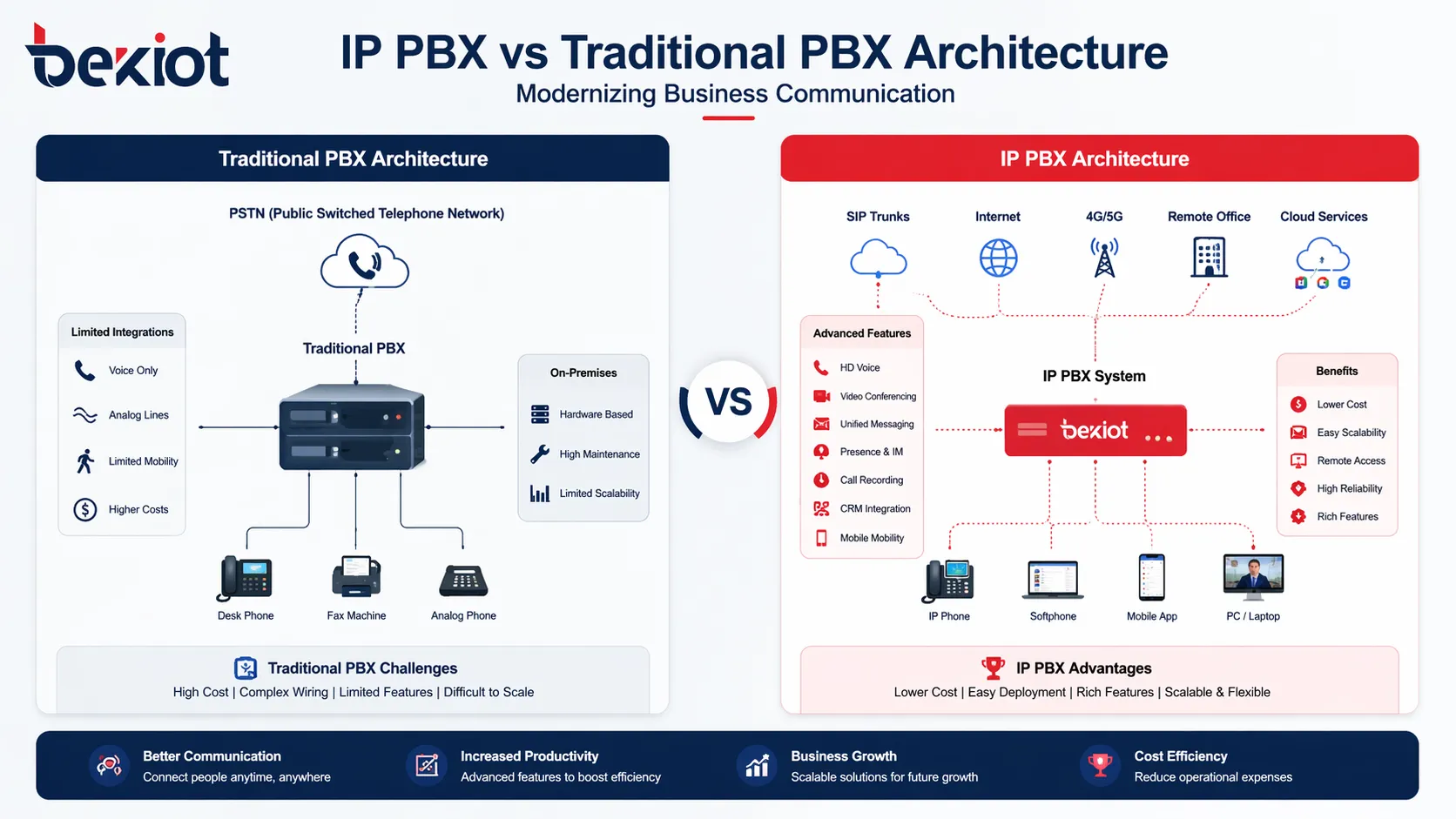
IP PBX and traditional PBX systems differ most in network architecture, connectivity, and expansion model.
Why This Comparison Still Matters
Many organizations still operate older PBX systems connected to analog, digital, or PRI lines. These systems may continue to work reliably, especially in facilities that have used the same telephony infrastructure for years. At the same time, newer businesses and growing enterprises often prefer IP-based communication platforms because they align better with today’s networked and distributed working model.
The decision affects more than telephony alone. It can influence installation cost, branch office connectivity, remote worker support, integration with CRM or unified communications platforms, and future migration flexibility. That is why understanding the real difference between IP PBX and traditional PBX remains highly relevant.
A traditional PBX is mainly built around dedicated telephony hardware and circuit-based connectivity, while an IP PBX uses an IP network to carry voice traffic and manage business calling more flexibly.
What Is a Traditional PBX?
Traditional PBX Basics
A traditional PBX, or Private Branch Exchange, is a business telephone system that typically uses dedicated switching hardware to connect internal extensions and route calls through public telephone networks. Depending on the generation and design, it may rely on analog lines, digital trunks, T1/E1 circuits, or PRI connections.
In this model, desk phones are usually connected through dedicated phone cabling rather than standard data network connections. The system is often deployed fully on premises and depends on specialized telephony cards, cabinets, and vendor-specific hardware. For many years, this was the standard design for office telephony.
Where Traditional PBX Still Fits
Traditional PBX systems can still make sense in environments where existing wiring and telephony infrastructure are already in place, where the organization prefers a closed and familiar system, or where migration pressure is low. Some businesses value their predictable setup and long-term operational familiarity.
However, these systems are usually less flexible when a company wants to add remote users, connect multiple sites more easily, or integrate telephony with software applications, IP video, mobile devices, or collaboration platforms.
What Is an IP PBX?
IP PBX Basics
An IP PBX is a business phone system that routes voice communications over an IP network rather than relying only on legacy circuit-switched telephony infrastructure. In most deployments, it uses SIP and related VoIP technologies to connect IP phones, softphones, gateways, and SIP trunks.
Instead of requiring every endpoint to use traditional phone wiring, an IP PBX can use the same local area network that already supports computers and other connected devices. That makes deployment more flexible and often more efficient, especially in modern offices, multi-site environments, and hybrid work scenarios.
Why IP PBX Has Become Popular
IP PBX platforms are popular because they are easier to scale, easier to integrate, and generally better suited to distributed communication. A user can be in the main office, a branch office, or working remotely and still appear as part of the same business phone system when the network and configuration are set up correctly.
They also support a broader range of modern business functions more naturally, including softphone access, mobile extensions, video calling, SIP intercom integration, call recording, centralized management, API-based workflows, and unified communications features.
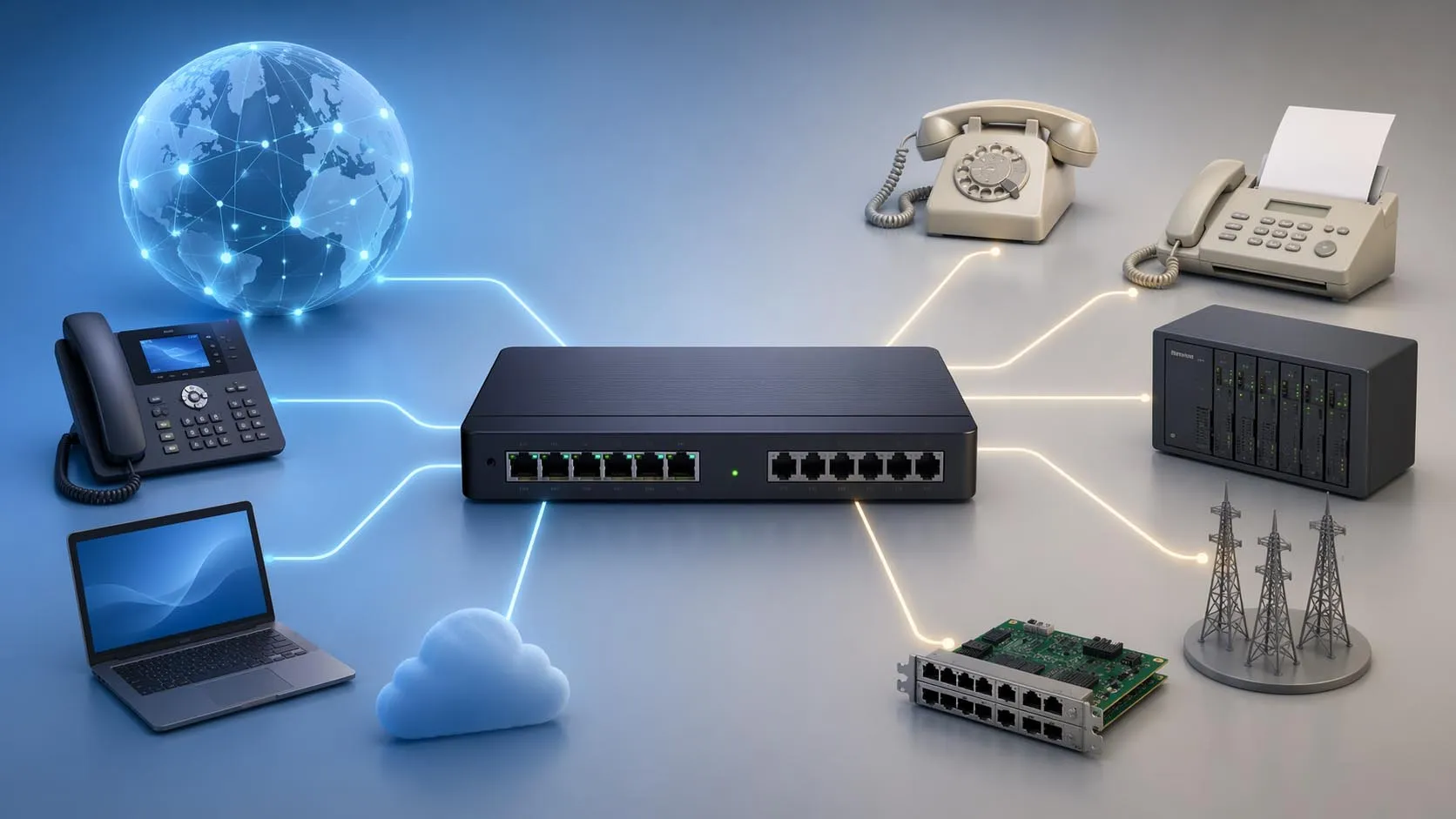
An IP PBX can connect desk phones, softphones, branch offices, and mobile users through the same IP-based communication framework.
IP PBX vs Traditional PBX: Key Differences
1. Call Transport and Core Architecture
The most important difference is the transport layer. A traditional PBX is typically based on circuit-oriented telephony infrastructure and dedicated switching hardware. An IP PBX carries voice as data packets over an IP network. This architectural shift changes how calls are connected, how sites interoperate, and how easily the system expands.
In practical terms, a traditional PBX is usually more tied to physical telephony ports and line cards, while an IP PBX is more tied to network capacity, SIP connectivity, and software-based configuration. This is one reason IP PBX systems are often described as more flexible and future-ready.
2. Cabling and Deployment Model
A traditional PBX usually requires separate phone infrastructure, dedicated telephony interfaces, and more specialized installation work. An IP PBX can often share the existing Ethernet network, which simplifies deployment in many modern buildings and reduces the need for separate voice wiring in new projects.
This does not mean IP PBX deployment is always simple. Network design, QoS planning, PoE switching, security, and SIP interoperability still matter. But in many business environments, the installation model is more adaptable than that of a legacy PBX platform.
3. Scalability and Expansion
Expanding a traditional PBX often means adding physical cards, cabinets, licensed modules, or vendor-specific hardware resources. Expansion can become costly or restrictive, especially when the existing chassis is near capacity or when older hardware is no longer supported.
With an IP PBX, adding users, remote extensions, or branch connectivity is often more straightforward. Software-based provisioning, SIP endpoints, and network-based deployment models make scaling more practical for growing companies, temporary offices, and multi-location operations.
4. Remote Work and Multi-Site Support
This is one of the biggest differences for modern businesses. Traditional PBX systems were primarily built for users physically located in the same office or campus. Remote access is possible in some cases, but it is often more limited, more complex, or less natural.
An IP PBX is generally much better suited to remote work, home offices, mobile clients, and branch office extension sharing. This matters greatly for organizations that need business continuity, flexible staffing, or centralized calling across multiple locations.
5. Features and Software Integration
Both systems can support standard business telephony functions such as extension dialing, call forwarding, transfers, hunt groups, and voicemail. The difference appears when businesses want more advanced software-driven capabilities.
IP PBX systems usually offer stronger integration potential with CRM tools, help desk workflows, SIP intercoms, paging systems, call analytics, recording platforms, APIs, and unified communications applications. Traditional PBX systems can support some of these features too, but usually with more constraints or extra integration layers.
6. Maintenance and Long-Term Flexibility
Traditional PBX systems often depend on older hardware, specialized maintenance knowledge, and vendor-specific spare parts. If the platform is aging, repairs and changes may become slower or more expensive over time.
IP PBX systems are generally easier to manage in software-centric environments. Administrators can often provision users, change routing rules, update endpoints, and manage SIP services more efficiently. Long-term flexibility is one of the strongest reasons many businesses migrate away from legacy PBX infrastructure.
7. Cost Structure
Traditional PBX and IP PBX do not always differ in the same way for every project, so cost should be evaluated carefully. A business with an already-installed legacy PBX and stable user count may see little short-term urgency to replace it. In that case, keeping the existing platform may appear cost-effective in the near term.
But for expansion, relocation, remote staff support, or new site deployment, IP PBX often delivers better long-term value. Lower dependency on legacy line infrastructure, easier endpoint rollout, SIP trunk adoption, and more efficient management can make the overall cost profile more attractive over time.
Aspect
Traditional PBX
IP PBX
Call transport
Circuit-based telephony
IP network and SIP/VoIP
Wiring model
Dedicated phone wiring is common
Often uses existing Ethernet network
Scalability
Often hardware-dependent
More flexible and software-driven
Remote users
Usually limited or more complex
Strong support for remote and branch users
Software integration
More limited
Better integration with modern applications
Maintenance
Legacy hardware support may be harder
Usually easier in network-based environments
Best fit
Stable legacy environments
Modern, growing, or distributed businesses
In simple terms, traditional PBX is usually stronger in legacy continuity, while IP PBX is usually stronger in flexibility, scalability, and integration.
Which One Is Better for Modern Businesses?
When Traditional PBX May Still Be Enough
A traditional PBX may still be suitable for organizations with a fixed user base, limited need for remote communication, and an existing investment that still performs reliably. If the business does not need advanced integration, softphones, or multi-site flexibility, there may be no immediate operational pressure to replace it.
That said, businesses should also consider lifecycle risk. A phone system that works today may become harder to maintain tomorrow if hardware ages, support contracts change, or integration demands increase.
When IP PBX Is the Better Choice
An IP PBX is usually the better choice for businesses that want flexible growth, easier branch networking, mobile or remote user access, SIP trunk connectivity, and better integration with modern communication tools. It is especially attractive for companies planning infrastructure upgrades, office expansion, digital transformation, or unified communications deployment.
For many organizations, the question is no longer whether IP PBX is technically capable enough. The real question is whether staying on legacy telephony still matches the company’s operational direction.
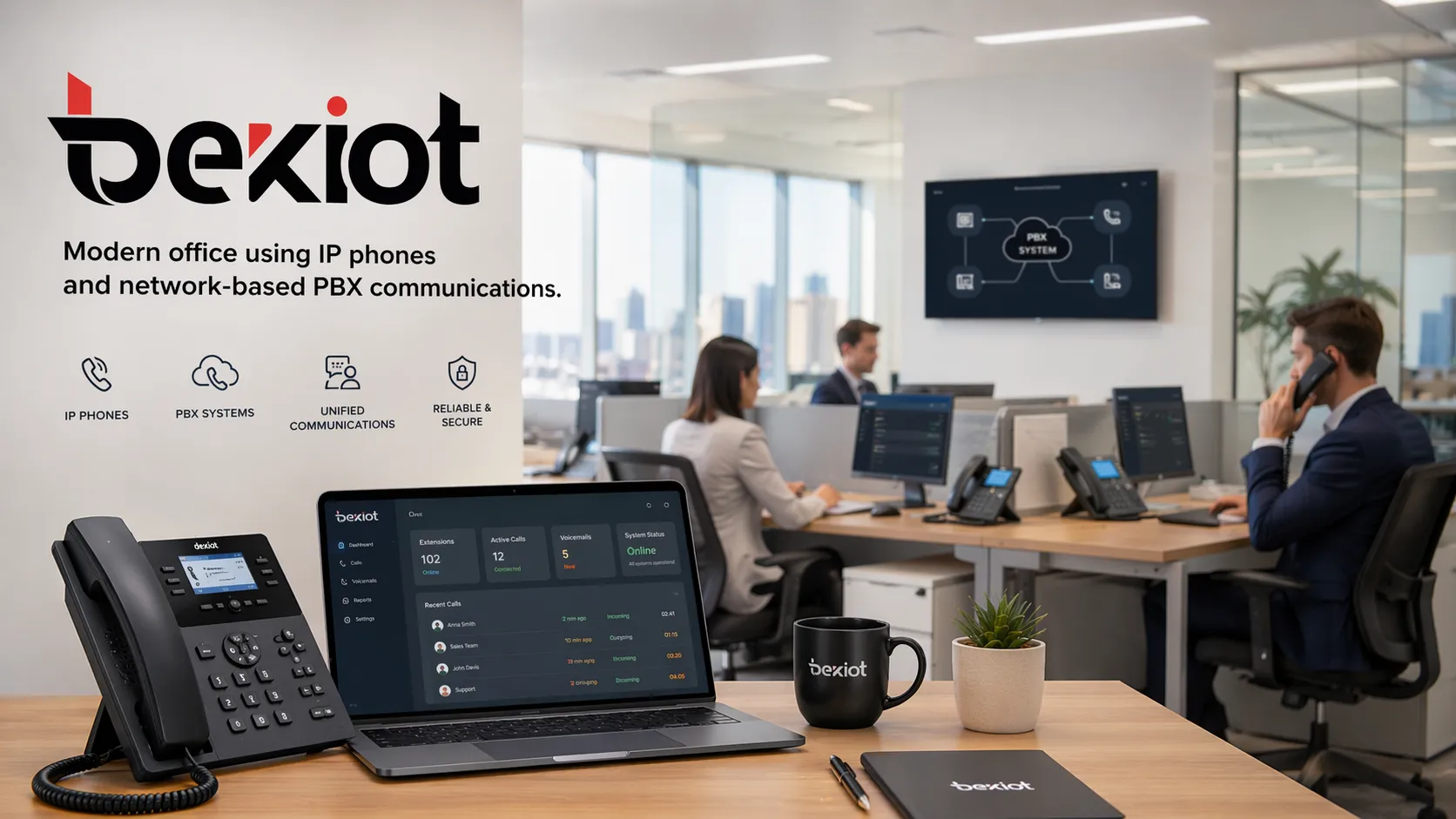
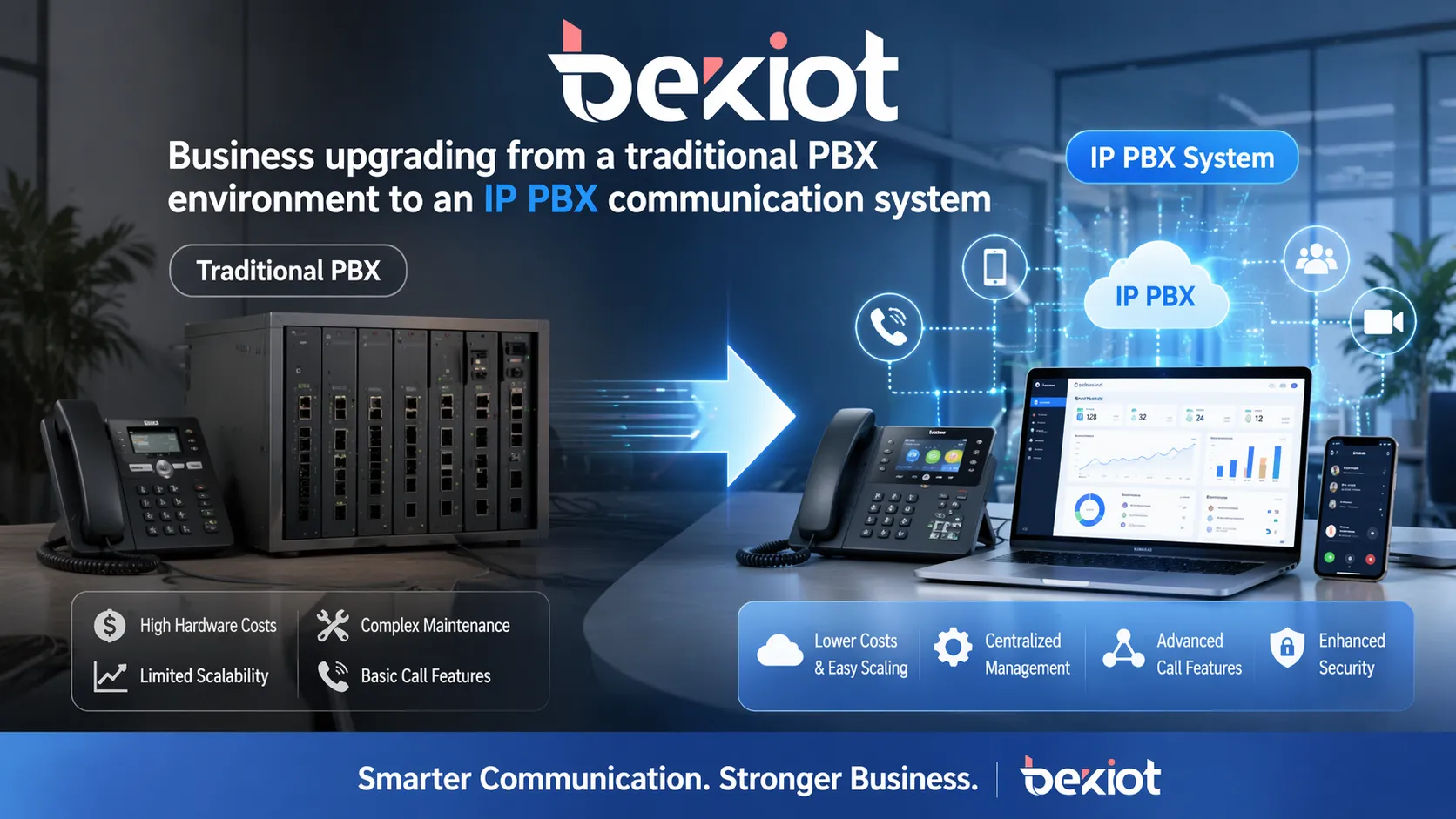
Many businesses move to IP PBX not only for calling, but for easier growth, remote access, and long-term communication flexibility.
Should You Replace a Traditional PBX Right Away?
Not always. Some organizations take a phased approach instead of a full replacement. They may connect legacy equipment through gateways, migrate departments in stages, or adopt SIP trunks first before fully moving to an IP PBX environment. A hybrid transition can reduce disruption while still modernizing the communication framework.
The right path depends on current infrastructure, business growth plans, network readiness, and how important features such as mobility, centralized management, call analytics, paging integration, or SIP interoperability are to the organization.
Conclusion
The difference between IP PBX and traditional PBX is not just a technical detail. It reflects two different ways of building business communications. Traditional PBX is rooted in legacy telephony hardware and fixed infrastructure. IP PBX is built around network-based communication, software flexibility, and easier integration with modern business systems.
If your organization values simple continuity in a stable legacy environment, a traditional PBX may still serve its purpose. If you need scalability, remote connectivity, simpler expansion, and a more future-oriented communication platform, IP PBX is usually the stronger option.
For businesses evaluating PBX replacement, SIP migration, or hybrid voice architecture, Becke Telcom can help design a more flexible business communication solution based on your current environment and future expansion needs.
FAQ
Is IP PBX the same as hosted PBX?
No. IP PBX refers to a PBX system that uses IP networks for voice communication. It can be deployed on premises or in a private environment. Hosted PBX usually means the service is operated by a provider in the cloud.
Does IP PBX completely replace traditional phone lines?
Not in every case. Many IP PBX systems use SIP trunks, but they can also work with gateways that connect analog or digital lines when needed. Migration does not always have to happen all at once.
Is traditional PBX more reliable than IP PBX?
Reliability depends on design, hardware quality, network planning, power protection, and redundancy. A well-designed IP PBX can be highly reliable, but it requires proper network and system planning.
Can I keep my old phones when moving to IP PBX?
Sometimes yes. In some projects, analog gateways or hybrid approaches allow partial reuse of existing devices. In other cases, businesses choose to move directly to IP phones for better functionality and easier management.
Which system is better for a growing company?
In most cases, IP PBX is the better fit for a growing company because it is easier to expand, easier to integrate, and better aligned with remote users, branch offices, and modern software-driven communication workflows.
We use cookie to improve your online experience. By continuing to browse this website, you agree to our use of cookie.
Cookies
This Cookie Policy explains how we use cookies and similar technologies when you access or use our website and related services. Please read this Policy together with our Terms and Conditions and Privacy Policy so that you understand how we collect, use, and protect information.
By continuing to access or use our Services, you acknowledge that cookies and similar technologies may be used as described in this Policy, subject to applicable law and your available choices.
Updates to This Cookie Policy
We may revise this Cookie Policy from time to time to reflect changes in legal requirements, technology, or our business practices. When we make updates, the revised version will be posted on this page and will become effective from the date of publication unless otherwise required by law.
Where required, we will provide additional notice or request your consent before applying material changes that affect your rights or choices.
What Are Cookies?
Cookies are small text files placed on your device when you visit a website or interact with certain online content. They help websites recognize your browser or device, remember your preferences, support essential functionality, and improve the overall user experience.
In this Cookie Policy, the term “cookies” also includes similar technologies such as pixels, tags, web beacons, and other tracking tools that perform comparable functions.
Why We Use Cookies
We use cookies to help our website function properly, remember user preferences, enhance website performance, understand how visitors interact with our pages, and support security, analytics, and marketing activities where permitted by law.
We use cookies to keep our website functional, secure, efficient, and more relevant to your browsing experience.
Categories of Cookies We Use
Strictly Necessary Cookies
These cookies are essential for the operation of the website and cannot be disabled in our systems where they are required to provide the service you request. They are typically set in response to actions such as setting privacy preferences, signing in, or submitting forms.
Without these cookies, certain parts of the website may not function correctly.
Functional Cookies
Functional cookies enable enhanced features and personalization, such as remembering your preferences, language settings, or previously selected options. These cookies may be set by us or by third-party providers whose services are integrated into our website.
If you disable these cookies, some services or features may not work as intended.
Performance and Analytics Cookies
These cookies help us understand how visitors use our website by collecting information such as traffic sources, page visits, navigation behavior, and general interaction patterns. In many cases, this information is aggregated and does not directly identify individual users.
We use this information to improve website performance, usability, and content relevance.
Targeting and Advertising Cookies
These cookies may be placed by our advertising or marketing partners to help deliver more relevant ads and measure the effectiveness of campaigns. They may use information about your browsing activity across different websites and services to build a profile of your interests.
These cookies generally do not store directly identifying personal information, but they may identify your browser or device.
First-Party and Third-Party Cookies
Some cookies are set directly by our website and are referred to as first-party cookies. Other cookies are set by third-party services, such as analytics providers, embedded content providers, or advertising partners, and are referred to as third-party cookies.
Third-party providers may use their own cookies in accordance with their own privacy and cookie policies.
Information Collected Through Cookies
Depending on the type of cookie used, the information collected may include browser type, device type, IP address, referring website, pages viewed, time spent on pages, clickstream behavior, and general usage patterns.
This information helps us maintain the website, improve performance, enhance security, and provide a better user experience.
Your Cookie Choices
You can control or disable cookies through your browser settings and, where available, through our cookie consent or preference management tools. Depending on your location, you may also have the right to accept or reject certain categories of cookies, especially those used for analytics, personalization, or advertising purposes.
Please note that blocking or deleting certain cookies may affect the availability, functionality, or performance of some parts of the website.
Restricting cookies may limit certain features and reduce the quality of your experience on the website.
Cookies in Mobile Applications
Where our mobile applications use cookie-like technologies, they are generally limited to those required for core functionality, security, and service delivery. Disabling these essential technologies may affect the normal operation of the application.
We do not use essential mobile application cookies to store unnecessary personal information.
How to Manage Cookies
Most web browsers allow you to manage cookies through browser settings. You can usually choose to block, delete, or receive alerts before cookies are stored. Because browser controls vary, please refer to your browser provider’s support documentation for details on how to manage cookie settings.
Contact Us
If you have any questions about this Cookie Policy or our use of cookies and similar technologies, please contact us at support@becke.cc .