Learn what a SIP server is, how SIP signaling works, and why SIP servers matter in VoIP, IP PBX, intercom, paging, and unified communications. Explore components, call flow, benefits, and real-world applications.
Becke Telcom
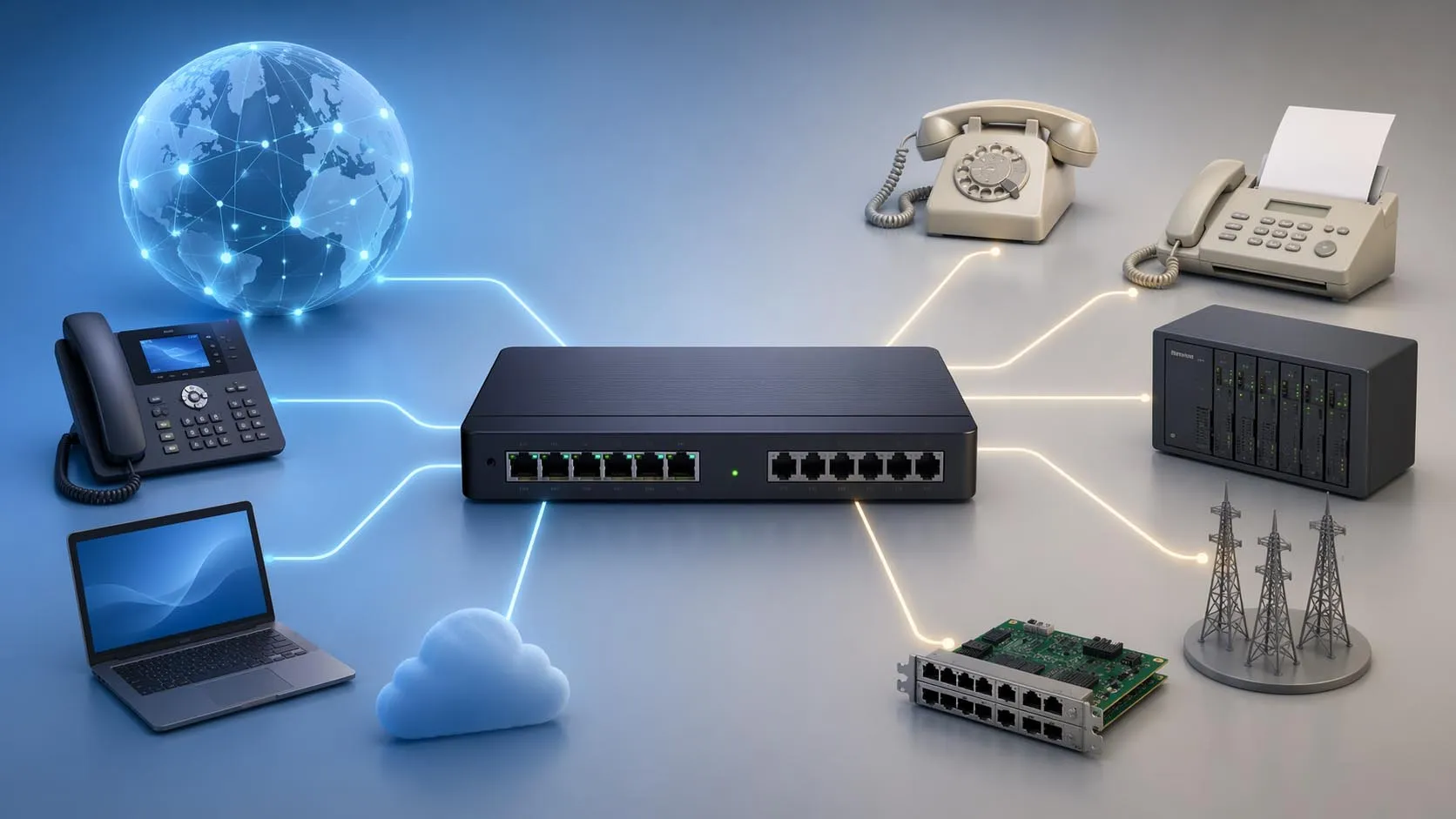
A SIP server is a network-based control system that manages the signaling used to establish, maintain, modify, and terminate real-time communication sessions over IP networks. In practical deployment, it acts as the logical core that allows IP phones, softphones, video endpoints, SIP intercoms, paging devices, gateways, and application platforms to find each other, register, exchange session information, and complete calls or multimedia sessions.
SIP stands for Session Initiation Protocol. It does not carry the actual voice media by itself. Instead, it coordinates the call setup process so that endpoints know where to send audio or video streams. For this reason, a SIP server is often described as the signaling brain of a VoIP or unified communications system. Whether the deployment is a small office phone system, a campus paging network, a hospital intercom platform, or a multi-site industrial communication architecture, the SIP server is usually the component that organizes how sessions begin and how users, devices, and services interact.
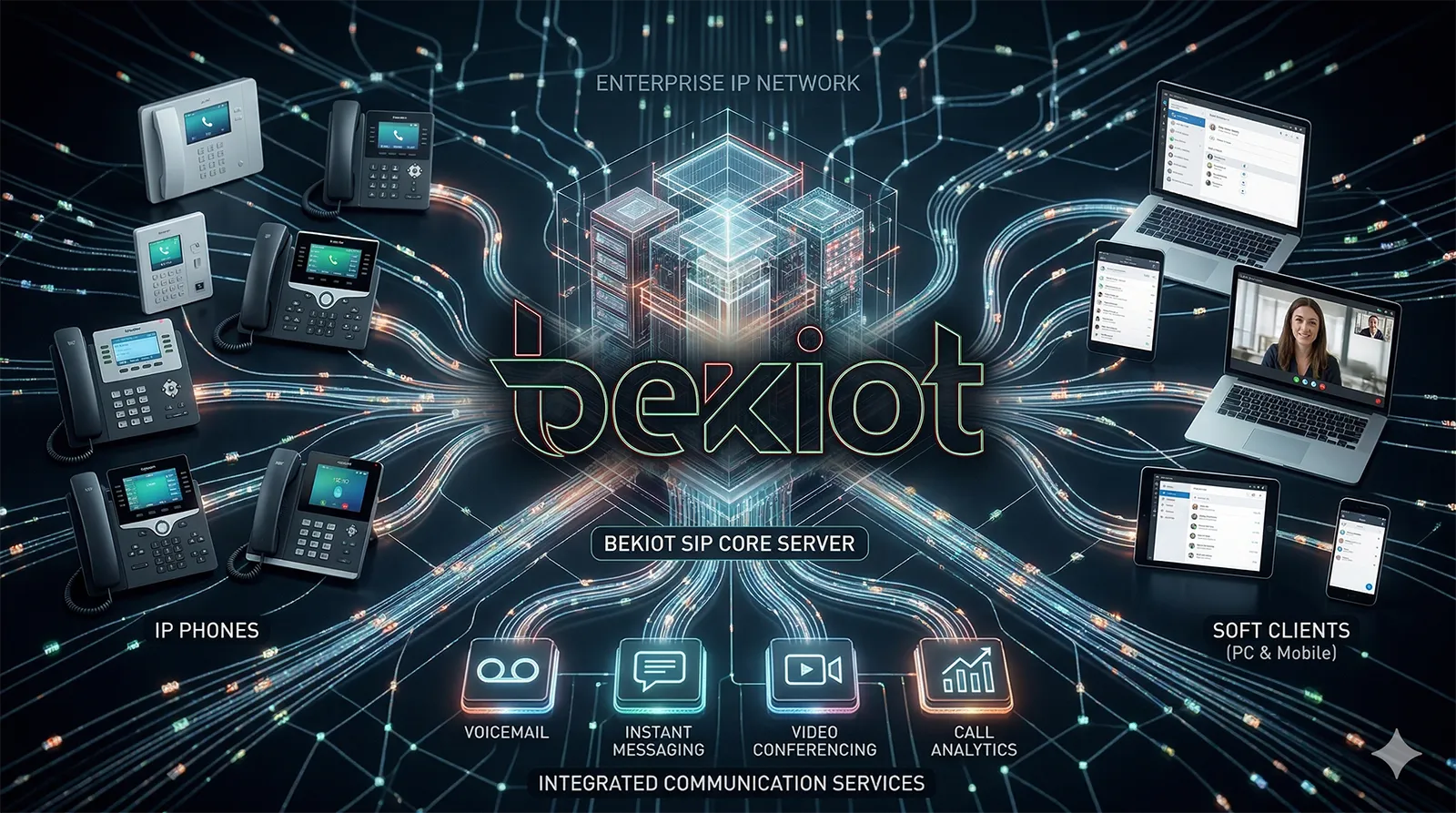
SIP servers coordinate session signaling between endpoints, applications, and communication services across an IP network.
Understanding the Role of a SIP Server
Why SIP servers exist in modern communication systems
In traditional telephony, dedicated switching equipment handled call routing and line control inside the telephone network. In IP communications, those control functions are performed through software and network services. A SIP server provides the logic that allows a distributed set of endpoints to operate like one coherent communication system.
Without a SIP server, every device would need to know the exact address and status of every other device before starting a session. That approach is difficult to scale, difficult to manage, and unsuitable for environments where users move between terminals, devices go online or offline, and communication policies must be centrally controlled. The SIP server solves this problem by creating a structured signaling layer that keeps track of identities, device registrations, routing rules, and service relationships.
As a result, the SIP server becomes a foundational element for IP PBX systems, hosted telephony platforms, SIP trunking environments, emergency communication systems, SIP paging, video intercom platforms, and many forms of converged voice and video communication.
What a SIP server actually controls
A SIP server primarily handles signaling rather than media transport. Its responsibility is to process requests such as registration, call invitation, authentication, routing, redirection, and session termination. When a user dials an extension or starts a video call, the SIP server decides how the signaling request should be processed and where it should be delivered.
That means the SIP server may authenticate the device, check whether the destination is registered, apply dialing rules, evaluate permissions, select the correct route, invoke additional applications such as voicemail or IVR, and then instruct endpoints how to connect. Once the signaling exchange is complete, the actual media stream often travels directly between endpoints or through a media relay, SBC, conference bridge, or gateway depending on the network design.
This division between signaling and media is one of the reasons SIP architecture is flexible. A SIP server can control a simple point-to-point voice call, but it can also support video sessions, paging broadcasts, conference participation, emergency assistance calls, door intercom actions, and communication workflows integrated with other business or industrial systems.
A SIP server does not usually “carry the conversation” itself. Its main job is to organize how the conversation starts, where it should go, and how the participating devices understand the session.
Core Functions of a SIP Server
User and device registration
Before a SIP endpoint can receive calls reliably, it typically registers with the SIP server. During registration, the endpoint sends its SIP identity and current IP contact address to the server. The server records that information in a location database so incoming sessions can be routed to the correct device or user.
This is especially important in real-world deployments where the same user identity may move across desk phones, mobile clients, softphones, or shared terminals. Registration allows the SIP server to maintain an up-to-date view of where a user or service is reachable. It also helps support dynamic addressing, remote workers, and devices operating behind changing IP networks.
In a multi-device environment, a SIP server may store multiple simultaneous registrations for one user. That makes ring groups, parallel ringing, and multi-terminal reachability possible.
Authentication and access control
A SIP server usually enforces authentication before allowing endpoints to register or place calls. This helps prevent unauthorized devices from joining the system or misusing communication resources. Common controls include username and password verification, transport security, IP-based trust policies, and integration with centralized directories or enterprise identity systems.
Authentication is not only about protecting the system from abuse. It also supports operational governance. Different users or devices may be assigned different permissions for dialing, paging, external access, conference creation, or intercom priority functions. The SIP server becomes the policy enforcement point that ensures communication behavior follows the organization’s rules.
In higher-security environments, SIP server policy may work together with TLS, SRTP, SBC functions, network segmentation, VPN connectivity, and device certificates to strengthen end-to-end signaling trust.
Call routing and session control
One of the most visible roles of a SIP server is routing. When a SIP INVITE request is received, the server determines where the request should go next. The route could be another internal extension, a SIP trunk provider, a conference resource, a paging group, a voicemail platform, a door station, or an application server.
Routing logic can be simple or highly sophisticated. Small deployments may use short extension dialing and a small ruleset. Large enterprise or industrial networks may use location-aware routing, least-cost routing, time-based policies, failover logic, emergency routing, or service-specific workflows. In all of these cases, the SIP server serves as the decision engine that interprets dialing intent and translates it into an actual communication path.
Because SIP is session-oriented rather than limited to basic telephone calls, routing can also trigger workflows beyond voice. The same signaling principles may support video preview, intercom answer control, paging activation, group ring logic, or application integration with alarm and dispatch systems.
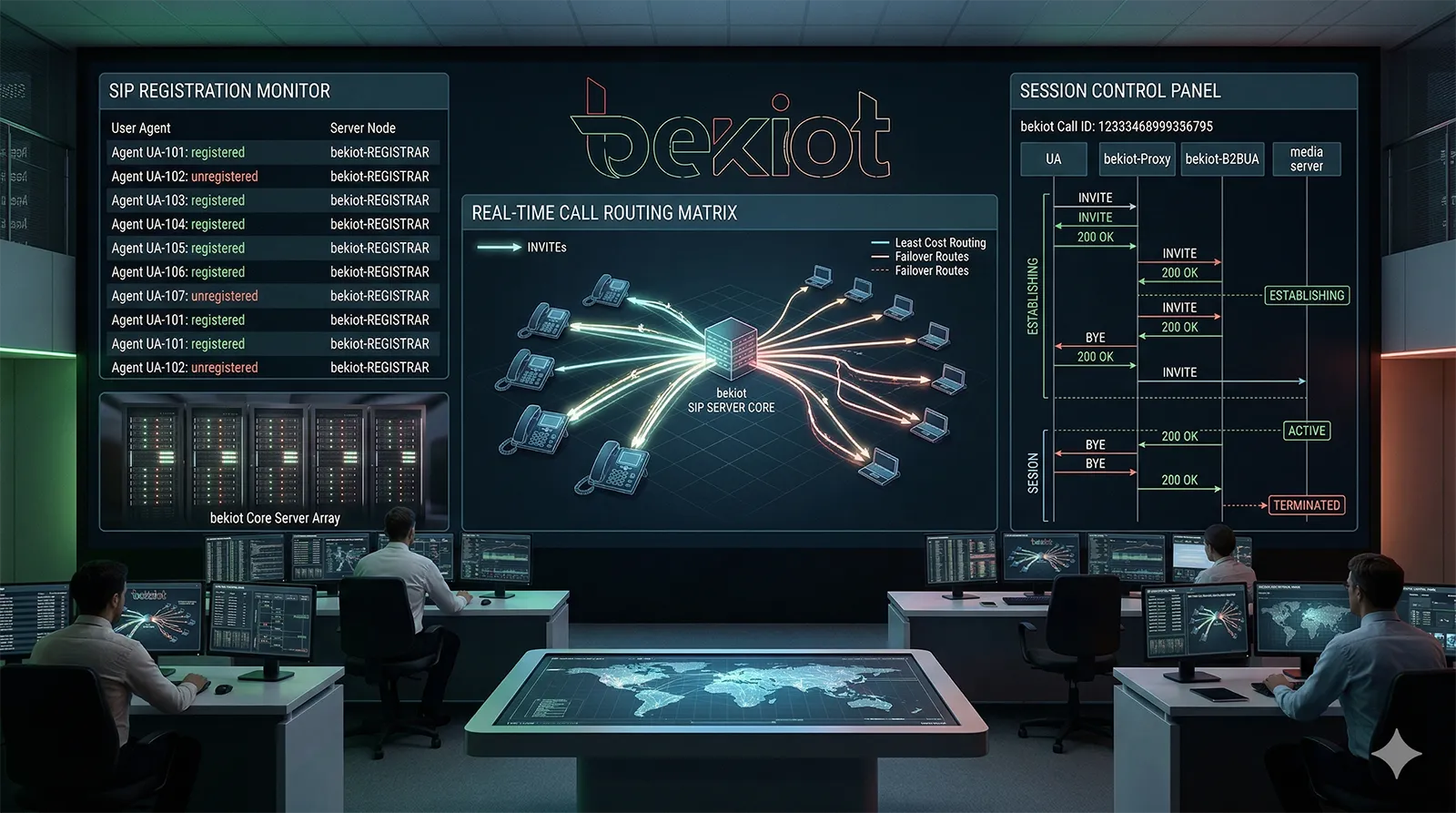
In a VoIP architecture, the SIP server manages registration, authentication, routing, and signaling decisions for connected endpoints.
How a SIP Server Works Step by Step
Step 1: Endpoints register with the server
The process usually begins when IP phones, soft clients, intercom stations, or gateways boot up and send SIP REGISTER messages to the server. The server challenges the device if authentication is required. Once the credentials are verified, the server stores the endpoint’s contact information and marks the user or device as reachable.
This registration may be refreshed periodically so the server always has current location information. If a device goes offline or fails to renew its registration, the server can stop routing new requests to that contact. This registration model is one of the key reasons SIP systems are flexible in changing IP environments.
In hosted and multi-site deployments, registration may also cross NAT boundaries with the help of SBCs, NAT traversal tools, or relay functions that keep the device reachable from outside its local network.
Step 2: A caller sends a SIP invitation
When a user places a call, the originating endpoint sends a SIP INVITE request toward the SIP server. This request contains session information, typically including the caller identity, destination identity, and media capabilities described in SDP, such as supported codecs, IP addresses, and ports.
The SIP server examines the request and determines how it should be handled. It may normalize the number, authenticate the caller again if needed, apply class-of-service rules, check whether the destination is local or external, and then route the INVITE to the next hop.
If the destination is an internal user, the server may look up current registrations and send the request to one or more active devices. If the destination is external, the request may be forwarded to a SIP trunk, gateway, or SBC for onward processing.
Step 3: The destination is located and alerted
Once the SIP server identifies the correct target, it forwards the signaling request to the destination endpoint or to another server in the routing chain. The receiving endpoint can respond with provisional messages such as 100 Trying, 180 Ringing, or 183 Session Progress, which inform the originating side about the call state.
At this stage, the SIP server continues to coordinate the signaling exchange. It does not necessarily pass the actual audio yet, but it ensures both sides know what is happening. This signaling visibility is valuable because it allows the system to represent ringing, busy status, forwarding conditions, and other session states consistently across devices and applications.
In some designs, the SIP server can fork one request to multiple devices at once, allowing several terminals associated with the same user to ring in parallel until one answers.
Step 4: Media parameters are negotiated
When the called party accepts the session, a SIP 200 OK response is returned with the media details that the destination supports. The caller then sends an ACK, confirming the session setup. At that point, the communication session is established.
The media path itself is commonly negotiated through SDP exchange. This tells both sides which codec to use, where media packets should be sent, and whether additional handling such as encryption is required. In many cases, the audio or video stream then flows directly between endpoints using RTP or SRTP. In other cases, media may pass through a relay, SBC, conference bridge, recording server, or media gateway.
This is a critical distinction: the SIP server often remains in the signaling path, but the voice stream may not need to traverse it. That separation improves scalability and allows specialized media components to be inserted when needed.
Step 5: The session is maintained, modified, or ended
During the session, the SIP server may continue to support signaling events such as hold, transfer, re-INVITE, session refresh, REFER, or feature invocation. If a call must be redirected, transferred to another endpoint, escalated into a conference, or linked to an application service, the SIP server helps coordinate those state changes.
When either party hangs up, a SIP BYE message is sent and acknowledged, formally terminating the session. The SIP server can then release session resources, update status, record call detail information, and prepare for the next request.
Because SIP is a general session control protocol, the same signaling logic can support more than ordinary person-to-person calls. It also enables conference management, group paging logic, intercom control, voicemail routing, and integration with alerting workflows.
The most practical way to understand a SIP server is to see it as a signaling coordinator: devices register first, session requests are evaluated next, media capabilities are negotiated, and the session is then maintained until it ends.
Main Types of SIP Server Roles
Registrar server
A registrar server accepts registration requests from SIP endpoints and stores their current contact information. It is responsible for learning where users or devices can be reached at a given time. Without this registration function, dynamic endpoint mobility would be difficult to support.
In many practical systems, the registrar function is part of a larger SIP server platform rather than a separate standalone device. Even so, the role remains conceptually important because registration is the foundation of reachability.
Proxy server
A proxy server receives SIP requests and forwards them toward the appropriate destination. It can apply policies, route logic, security controls, and feature decisions along the way. In enterprise and service-provider environments, the proxy role is central because it allows the system to control signaling flows without requiring endpoints to understand the full network topology.
Proxy servers can be stateful or stateless, depending on whether they maintain transaction and dialog awareness. Stateful operation is more common in feature-rich deployments because it provides better control and visibility for advanced services.
Redirect server
A redirect server does not forward the request directly. Instead, it tells the calling endpoint where the request should be sent next. This can reduce signaling load in some architectures and is useful where the endpoint is expected to communicate with a different target after learning the correct destination.
Although redirect behavior is less visible to end users, it is part of the broader SIP design philosophy in which session control can be distributed intelligently across network elements.
Application and feature server
Many SIP platforms also act as application servers that provide PBX features, voicemail access, IVR, auto attendant, conference control, ring groups, presence-related behavior, paging integration, or vertical solutions such as hospital call workflows or industrial emergency response logic.
In real deployments, people often refer to the entire platform simply as a “SIP server,” even though it may combine registrar, proxy, routing, policy, and application functions within the same software architecture.
Key Benefits of Using a SIP Server
Scalability and flexibility
A SIP server allows communication systems to expand without the rigid physical constraints associated with legacy telephony. New users, new sites, soft clients, video devices, and specialized SIP endpoints can be added through configuration rather than through fixed line-based switching models.
This flexibility is especially valuable for distributed organizations, remote work models, multi-branch operations, and industrial communication environments where devices such as help points, paging stations, gateways, and dispatch consoles must be managed across a common IP framework.
Centralized control
Because registration, policy, routing, and service logic can be concentrated within the SIP server platform, administrators gain a centralized point for user management, dial planning, permissions, service policies, and session visibility. This simplifies both routine operations and large-scale system governance.
Centralized signaling control also helps standardize communication behavior across mixed endpoint types. A desk phone, softphone, intercom, or paging terminal can all participate in one consistent session control model.
Interoperability across SIP-based devices
SIP is widely used across IP telephony, video communication, gateways, and intercom products. A SIP server therefore creates a practical interoperability framework for connecting devices from different categories and, in many cases, from different vendors. This is one of the main reasons SIP remains important in modern communication architecture.
Interoperability does not guarantee that every advanced feature will behave identically across all endpoints, but it provides a strong common layer for registration, call setup, routing, and session management.
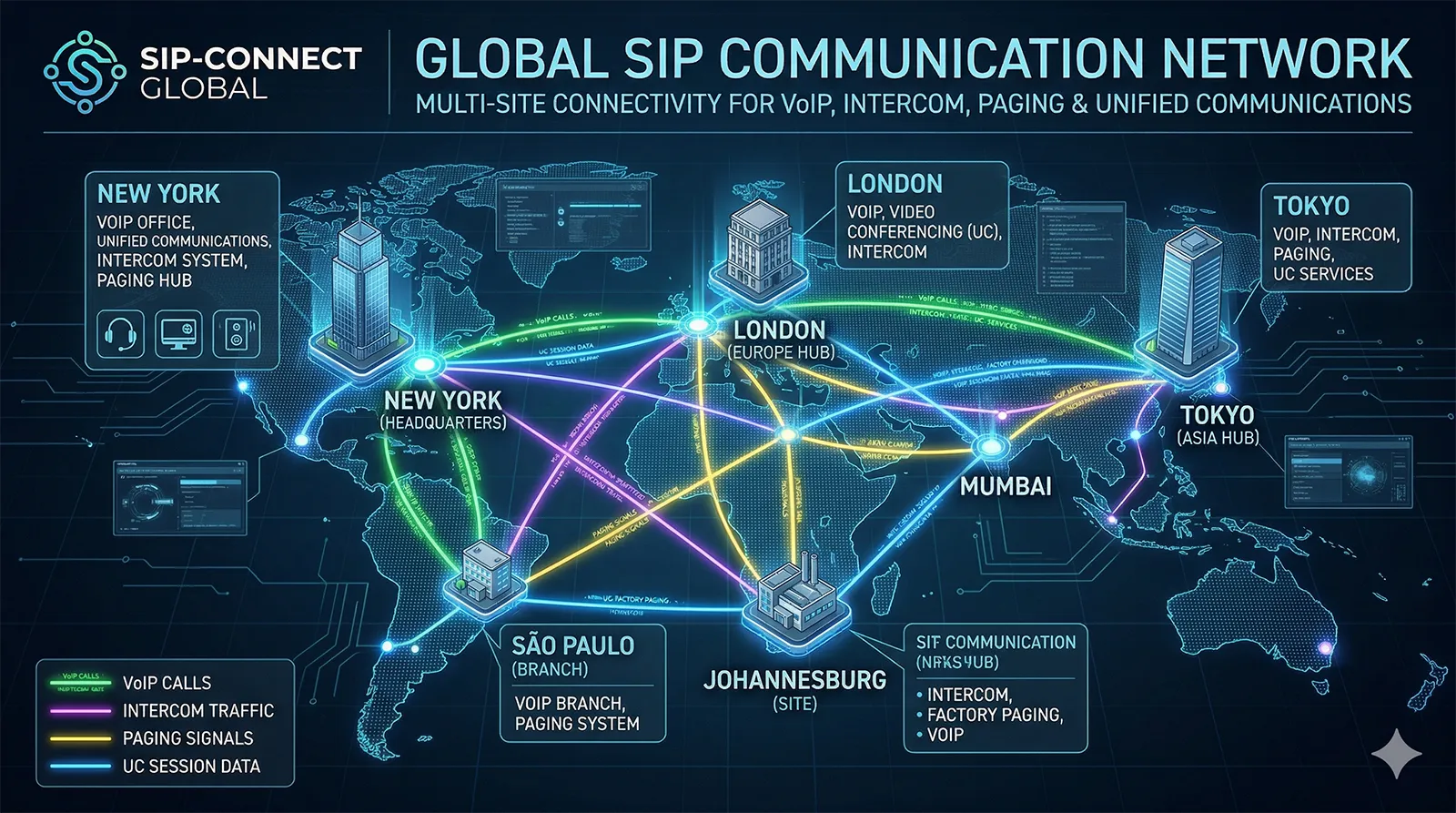
A SIP server can unify multi-site voice, intercom, paging, and application endpoints within one signaling architecture.
Where SIP Servers Are Commonly Used
IP PBX and enterprise telephony
One of the most common uses of a SIP server is inside an IP PBX. In this role, it supports extension registration, internal calling, call transfer, voicemail integration, ring groups, conference features, and external calling through SIP trunks or gateways.
For enterprises, this model replaces or modernizes legacy PBX functions with software-centric, network-based control. It also makes it easier to connect remote branches and mobile users into the same communication environment.
SIP trunking and external connectivity
A SIP server often works with SIP trunk services to connect internal users to the public telephone network or carrier infrastructure. The server manages routing between internal numbering plans and external dial patterns, while SBCs or gateways may handle border security, normalization, or protocol adaptation.
This architecture helps organizations consolidate voice access and reduce dependence on legacy trunk interfaces, especially in all-IP or cloud-oriented migration paths.
Intercom, paging, and emergency communication
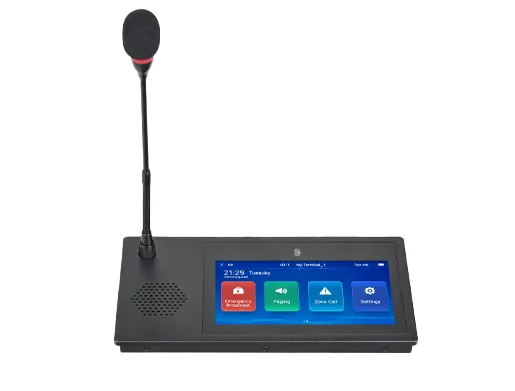
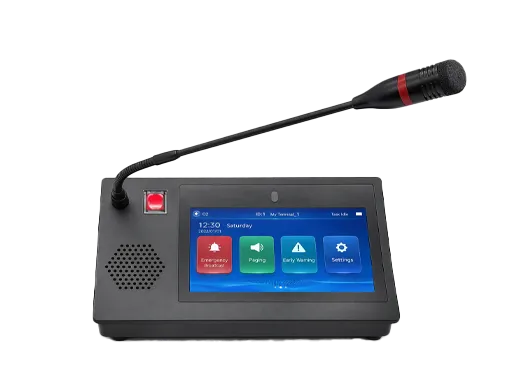
SIP servers are also widely used beyond conventional office telephony. In campuses, hospitals, transport hubs, industrial sites, tunnels, public safety projects, and smart buildings, SIP servers coordinate communication between help points, wall stations, paging microphones, broadcast terminals, IP speakers, and dispatch consoles.
In these scenarios, the SIP server becomes part of a broader operational communication framework. It may support emergency call prioritization, one-touch help requests, zoned paging workflows, multicast triggers, audio distribution logic, and integration with video, alarm, or control systems.
Unified communications and application integration
Modern communication platforms often combine voice, video, messaging-related signaling interactions, conference services, presence-aware behavior, and business application workflows. A SIP server can provide the signaling layer that helps these services interact predictably.
Because SIP is extensible and widely understood, it is often chosen as a practical control protocol in systems that need both real-time communication and integration with enterprise or industrial software environments.
In simple office systems, a SIP server enables extensions and trunks. In larger operational systems, it can also become the signaling foundation for intercom, paging, emergency response, dispatch, conferencing, and service integration.
SIP Server vs. SIP Proxy vs. IP PBX
Why these terms are often confused
These terms are related, and in some products they overlap. A SIP proxy is a specific signaling role that forwards requests. A SIP server is a broader term that may include proxy, registrar, redirect, and application functions. An IP PBX is a business communication system that commonly includes a SIP server as one of its core technologies.
In other words, not every SIP server is a full IP PBX, but nearly every SIP-based IP PBX depends on SIP server functionality. That is why these terms are frequently used interchangeably in everyday discussion even though they are not identical from a technical perspective.
How to think about the difference in practice
If the platform mainly handles SIP signaling transactions and routing logic, describing it as a SIP server is appropriate. If it also provides enterprise telephony services such as extension plans, operator features, voicemail, IVR, and business call management, then calling it an IP PBX is often more meaningful in a deployment context.
For system planners, the practical question is not just what the platform is called, but what functions it actually includes: registration, routing, security, trunking, applications, failover, device management, and integration capability.
Important Design Considerations
Security and border protection
Because SIP servers handle signaling identities and session requests, they must be protected carefully. Common concerns include registration abuse, toll fraud, unauthorized access, spoofing, scanning, and exposure of services to public networks. Secure deployment usually involves authentication, TLS, SRTP, role-based policy, segmentation, and SBC protection at the network edge.
In environments with remote devices or internet-based connectivity, NAT traversal and secure border design become especially important. The SIP server may work alongside SBCs, VPNs, relay services, and firewall-aware configurations to maintain both reachability and security.
Reliability and redundancy
In business-critical or operational communication environments, SIP server availability matters directly to service continuity. Redundant deployment, database synchronization, failover logic, and backup routing strategies are often used so communication services remain available during faults or maintenance events.
This is particularly important in healthcare, transport, public safety, industrial operations, and emergency assistance networks where the communication platform supports safety-related or time-sensitive workflows.
Codec, media, and application compatibility
Even though SIP provides a common signaling framework, successful deployment still depends on compatible codecs, DTMF handling, media encryption support, NAT behavior, and endpoint feature interoperability. Good SIP server planning therefore includes not only signaling design, but also media-path analysis and application-level testing.
For complex systems that involve gateways, video devices, paging endpoints, and third-party applications, staged interoperability validation is often the best way to achieve stable operation.
Conclusion
A SIP server is the signaling control platform that makes modern IP communication systems possible. It registers users and devices, authenticates access, routes session requests, negotiates communication parameters, and supports the policies and applications that shape how real-time communication works across an organization or operational environment.
From enterprise telephony and SIP trunking to intercom, paging, conferencing, and emergency communication, the SIP server provides the session logic that binds distributed endpoints into one coordinated system. Understanding how it works is essential for anyone designing, deploying, or evaluating VoIP and SIP-based communication infrastructure.
FAQ
Is a SIP server the same as a PBX?
Not exactly. A SIP server refers to the signaling server functions used for registration, routing, and session control. An IP PBX usually includes SIP server capabilities, but also adds broader business telephony features such as extension management, voicemail, call handling policies, and user services.
Does a SIP server carry the voice audio?
Usually not as its main role. A SIP server primarily manages signaling. The actual voice or video media often flows directly between endpoints or through another component such as a media relay, SBC, conference bridge, or gateway.
Can a SIP server support devices other than desk phones?
Yes. SIP servers commonly support softphones, video phones, SIP intercoms, paging microphones, IP speakers, gateways, help points, and other SIP-based terminals or applications, depending on the platform design.
Why is registration important in a SIP system?
Registration tells the SIP server where a user or device is currently reachable. This allows incoming calls or session requests to be routed to the correct endpoint, even when devices move, reboot, or operate across changing IP networks.
When should a deployment use a dedicated SIP server?
A dedicated SIP server becomes especially valuable when the system needs centralized routing, multi-user management, SIP trunking, remote registration, application integration, intercom or paging coordination, or multi-site communication control across a common IP architecture.
We use cookie to improve your online experience. By continuing to browse this website, you agree to our use of cookie.
Cookies
This Cookie Policy explains how we use cookies and similar technologies when you access or use our website and related services. Please read this Policy together with our Terms and Conditions and Privacy Policy so that you understand how we collect, use, and protect information.
By continuing to access or use our Services, you acknowledge that cookies and similar technologies may be used as described in this Policy, subject to applicable law and your available choices.
Updates to This Cookie Policy
We may revise this Cookie Policy from time to time to reflect changes in legal requirements, technology, or our business practices. When we make updates, the revised version will be posted on this page and will become effective from the date of publication unless otherwise required by law.
Where required, we will provide additional notice or request your consent before applying material changes that affect your rights or choices.
What Are Cookies?
Cookies are small text files placed on your device when you visit a website or interact with certain online content. They help websites recognize your browser or device, remember your preferences, support essential functionality, and improve the overall user experience.
In this Cookie Policy, the term “cookies” also includes similar technologies such as pixels, tags, web beacons, and other tracking tools that perform comparable functions.
Why We Use Cookies
We use cookies to help our website function properly, remember user preferences, enhance website performance, understand how visitors interact with our pages, and support security, analytics, and marketing activities where permitted by law.
We use cookies to keep our website functional, secure, efficient, and more relevant to your browsing experience.
Categories of Cookies We Use
Strictly Necessary Cookies
These cookies are essential for the operation of the website and cannot be disabled in our systems where they are required to provide the service you request. They are typically set in response to actions such as setting privacy preferences, signing in, or submitting forms.
Without these cookies, certain parts of the website may not function correctly.
Functional Cookies
Functional cookies enable enhanced features and personalization, such as remembering your preferences, language settings, or previously selected options. These cookies may be set by us or by third-party providers whose services are integrated into our website.
If you disable these cookies, some services or features may not work as intended.
Performance and Analytics Cookies
These cookies help us understand how visitors use our website by collecting information such as traffic sources, page visits, navigation behavior, and general interaction patterns. In many cases, this information is aggregated and does not directly identify individual users.
We use this information to improve website performance, usability, and content relevance.
Targeting and Advertising Cookies
These cookies may be placed by our advertising or marketing partners to help deliver more relevant ads and measure the effectiveness of campaigns. They may use information about your browsing activity across different websites and services to build a profile of your interests.
These cookies generally do not store directly identifying personal information, but they may identify your browser or device.
First-Party and Third-Party Cookies
Some cookies are set directly by our website and are referred to as first-party cookies. Other cookies are set by third-party services, such as analytics providers, embedded content providers, or advertising partners, and are referred to as third-party cookies.
Third-party providers may use their own cookies in accordance with their own privacy and cookie policies.
Information Collected Through Cookies
Depending on the type of cookie used, the information collected may include browser type, device type, IP address, referring website, pages viewed, time spent on pages, clickstream behavior, and general usage patterns.
This information helps us maintain the website, improve performance, enhance security, and provide a better user experience.
Your Cookie Choices
You can control or disable cookies through your browser settings and, where available, through our cookie consent or preference management tools. Depending on your location, you may also have the right to accept or reject certain categories of cookies, especially those used for analytics, personalization, or advertising purposes.
Please note that blocking or deleting certain cookies may affect the availability, functionality, or performance of some parts of the website.
Restricting cookies may limit certain features and reduce the quality of your experience on the website.
Cookies in Mobile Applications
Where our mobile applications use cookie-like technologies, they are generally limited to those required for core functionality, security, and service delivery. Disabling these essential technologies may affect the normal operation of the application.
We do not use essential mobile application cookies to store unnecessary personal information.
How to Manage Cookies
Most web browsers allow you to manage cookies through browser settings. You can usually choose to block, delete, or receive alerts before cookies are stored. Because browser controls vary, please refer to your browser provider’s support documentation for details on how to manage cookie settings.
Contact Us
If you have any questions about this Cookie Policy or our use of cookies and similar technologies, please contact us at support@becke.cc .