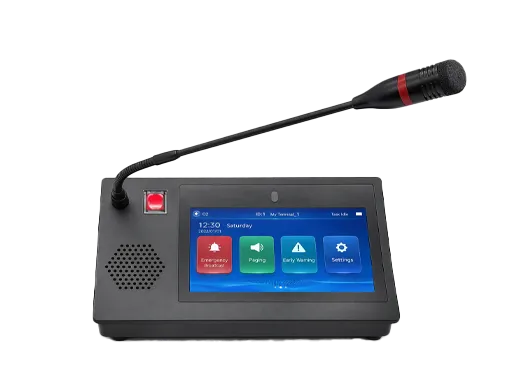
Priority paging is a paging function that allows certain voice announcements to be delivered ahead of ordinary pages based on a defined level of urgency. In practical terms, it means the paging system does not treat every announcement equally. A routine page may wait, be blocked, or remain lower in the queue, while a higher-priority page can interrupt a lower-priority announcement, reach more devices, or play under stricter auto-answer rules. In some systems, the highest priority level can even override existing pages, active calls, or Do Not Disturb settings.
This feature is common in business telephony, IP paging, SIP multicast paging, overhead paging, and emergency communication systems. It is especially useful in environments where different types of announcements do not have the same operational importance. For example, a normal staff announcement, a supervisor page, and an emergency evacuation instruction should not all be delivered with identical treatment. Priority paging creates a structured hierarchy so the system can respond differently depending on the importance of the message.
In modern deployments, priority paging is often associated with IP phones, paging gateways, SIP servers, intercom systems, multicast-enabled endpoints, and centralized communication platforms. It may be configured through paging groups, emergency page profiles, call permissions, and device auto-answer behavior. Because of this, priority paging is not simply a louder page. It is a controlled paging model that combines audio delivery with policy, interruption logic, and endpoint behavior.
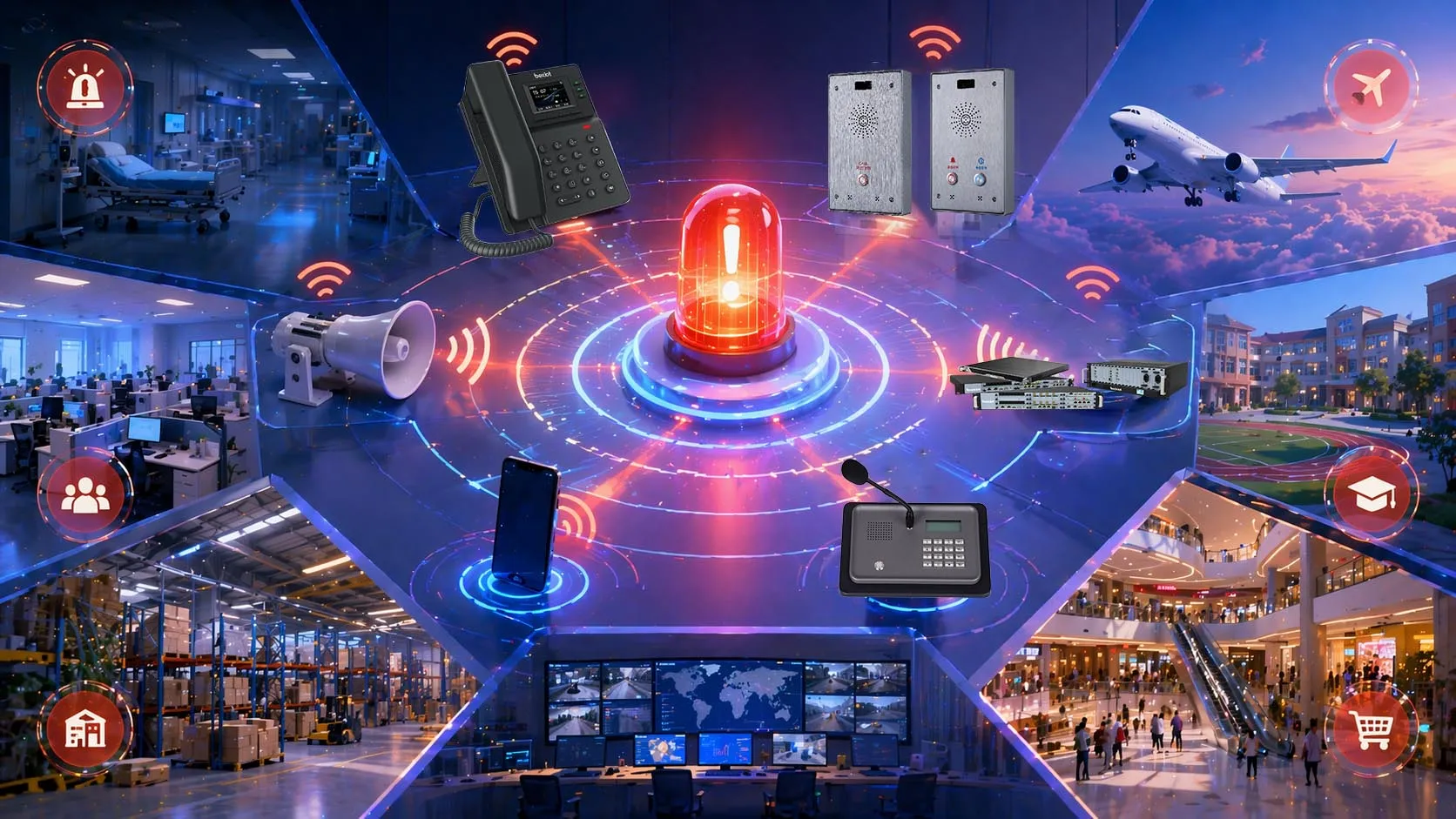
Priority paging allows more urgent voice announcements to take precedence over ordinary paging traffic across shared communication endpoints.
What Priority Paging Means
A Paging Model Based on Urgency Levels
At its core, priority paging means that the paging system uses priority levels to decide how a page should be delivered. Instead of handling all pages in the same way, the platform classifies them by importance. A lower-level page may behave like an ordinary group announcement, while a higher-level page may interrupt other audio or force a faster, broader, or more noticeable delivery path.
This layered behavior is one of the most important characteristics of priority paging. It makes paging useful not only for general communication but also for operational control. In a busy site, ordinary staff messages should not interfere with urgent instructions. At the same time, urgent instructions should not be delayed behind routine paging traffic. Priority paging solves that problem by giving the system a defined hierarchy.
Depending on the platform, these levels may be labeled in different ways, such as low, normal, high, and emergency, or as vendor-specific categories. What matters is the functional outcome: the system knows that some pages should take precedence over others.
Different from Standard Paging
Standard paging usually provides one-way or limited group voice distribution without a strong urgency model. A user selects a paging group, speaks, and the page is delivered to subscribed endpoints or speakers. That is useful for general staff communication, but it does not guarantee that urgent pages will interrupt routine ones or that emergency announcements will reach devices already occupied by other audio sessions.
Priority paging extends the idea of normal paging by adding policy and interruption logic. In some systems, a priority page can interrupt a normal page or an active call. In others, only an emergency page has that ability. Certain devices may also treat priority pages differently in relation to DND, local volume, speaker output, or handset state. That makes priority paging more appropriate for environments where paging is linked to operations, safety, or time-sensitive coordination rather than only convenience.
Priority paging is not just paging with a higher label. It is a controlled delivery model in which the system changes behavior according to the urgency of the announcement.
How Priority Paging Works
Priority Levels and Paging Policies
The first operating principle of priority paging is the use of predefined priority levels. When a page is initiated, the system tags it with a level such as normal, priority, or emergency. The receiving platform or endpoint then checks that level against its local policy and current activity. If the page is ordinary, the device may play it only when idle. If it is more urgent, the system may allow it to interrupt lower-priority pages or active audio sessions.
This is why priority paging often depends on both server-side configuration and endpoint-side configuration. The paging server, PBX, or communication platform defines the group and the urgency level, while the receiving device decides how that urgency affects local playback behavior. In many phone systems, the device settings define whether it listens to the paging group at all, how many groups it monitors, and which page levels are allowed to auto-answer or override current state.
In practical deployments, this means priority paging is not just about transmitting audio. It is about how the system interprets that audio in context. A page with a high-priority flag may be accepted immediately on one device, queued on another, and blocked on a third depending on policy and device type.
Interruption Logic and Call Handling
One of the most important technical behaviors in priority paging is interruption logic. The system must determine what happens if a device is already receiving another page, is on an active call, or is in a quiet mode. In some enterprise telephony and IP paging systems, a priority page interrupts normal pages or active calls, while an emergency page can interrupt normal pages, priority pages, and active calls and may also play at near maximum volume even when DND is active.
This behavior is what gives priority paging real operational value. Without interruption logic, urgent pages could still be delayed by routine conversations or by lower-level announcements that happen to be in progress at the same time. With properly designed priority rules, the system knows when urgent communication should take over the audio path.
Different vendors implement this differently. Some systems allow only emergency-level override. Others support multiple priority levels with graduated effects, such as blocking, mixing, queuing, or full interruption. That is why the deployment design must be verified against the specific phones, speakers, and control platform in use.
Multicast, SIP, and Server-Based Delivery
Priority paging can be delivered through several technical methods. In multicast paging environments, phones or intercom stations listen to multicast groups and apply the configured priority to incoming audio. In SIP-based paging or PBX-hosted paging, the call controller initiates paging sessions to endpoints or groups and uses the platform’s paging rules to determine how those sessions are handled. In external overhead paging systems, priority behavior may be controlled by the audio paging controller, gateway, or amplifier logic.
Multicast implementations are common when many listening devices are on the same managed LAN and the system wants efficient one-to-many delivery. SIP or PBX-based implementations are often preferred when call control, permissions, and centralized policy are more important. Some deployments use both methods together, such as a PBX controlling the paging workflow while endpoints receive multicast audio streams for efficiency.
Regardless of the transport method, the core principle remains the same: the system uses a priority-aware rule set to decide how audio should be delivered when multiple communication events compete for attention.
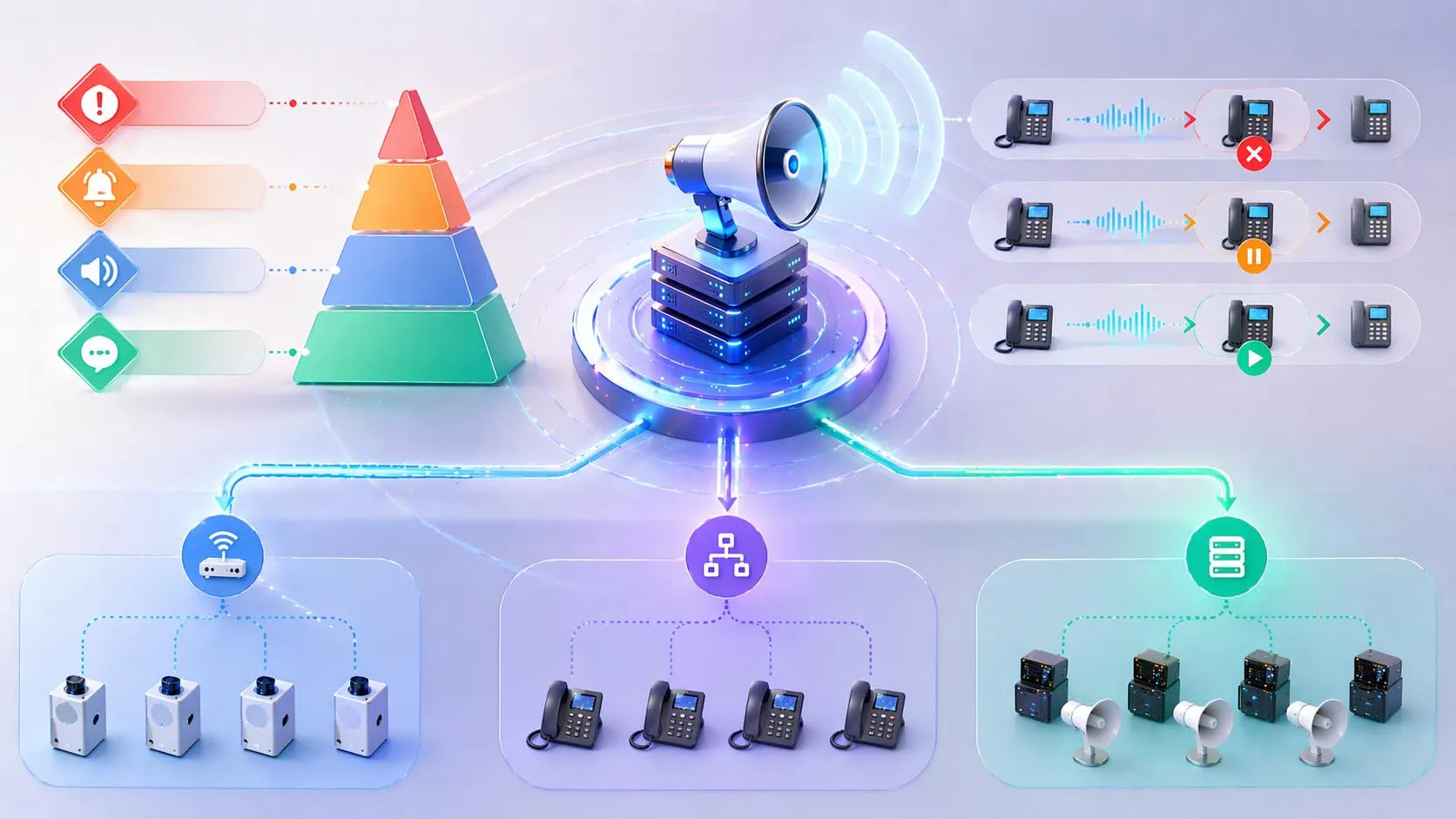
Priority paging works by combining paging groups, urgency levels, and endpoint rules that determine whether a page is blocked, queued, mixed, or allowed to interrupt.
Main Features of Priority Paging
Hierarchical Paging Levels
The most recognizable feature of priority paging is its hierarchical structure. Instead of one flat paging class, the system supports multiple urgency levels. This makes the paging platform suitable for mixed-use environments where routine announcements and urgent instructions must coexist without creating confusion.
This hierarchy also improves operational discipline. Staff can reserve high-priority pages for important events and keep ordinary daily communication on normal paging levels. When the rules are used correctly, recipients learn that different page tones or behaviors correspond to different levels of urgency, which improves response quality.
Interruption and Override Capability
Another major feature is the ability to interrupt lower-level audio events. In many systems, higher-priority pages can terminate or suppress lower-priority pages. Some platforms also let emergency pages interrupt active calls and play through the loudspeaker even if the endpoint is engaged with another session.
This is one of the reasons priority paging is used in critical environments. It gives urgent voice instructions a defined path to cut through noncritical audio activity, reducing delay when time matters most.
Auto-Answer and Device Control
Priority paging often works together with auto-answer behavior. A normal page may require the phone or paging speaker to be in a listening mode or idle state, while a higher-priority page may auto-answer automatically on subscribed endpoints. Some devices also link emergency pages to local volume override or speaker activation behavior so the page is harder to miss.
These features make priority paging much more than a group call. The system is actively managing how endpoints behave when they receive pages of different urgency.
Group-Based Delivery and Zone Control
Most priority paging systems are built around paging groups or zones. Users can target an entire group, a department, a floor, a building zone, or an all-call group. The same priority logic then applies within that scope. A normal warehouse page, a high-priority production page, and an emergency all-call can therefore coexist in one system while still reaching the right audiences in the right way.
This is especially important in campuses, plants, hospitals, and multi-building environments where location and urgency both matter. Priority without zone control is often too broad; zone control without priority is often too flat. Together, they make paging more useful and manageable.
The strongest paging systems do not rely on volume alone. They combine urgency level, delivery scope, and endpoint behavior to make the right message reach the right people at the right time.
Implementation Methods
PBX or UC Platform Paging
In business telephony and UC environments, priority paging is often implemented at the PBX or hosted platform layer. Administrators create paging groups, assign permissions, and define which phones can send or receive pages. Some platforms then associate different paging types with ordinary, priority, or emergency handling rules.
This model is especially useful when the organization wants centralized administration, user-level control, and clear integration with desk phones and extension-based communication workflows. It is common in offices, schools, healthcare administration, and branch communication systems.
Multicast IP Paging
In multicast paging environments, the system sends one audio stream to a multicast address and subscribed endpoints listen to that address on the local network. Priority is often configured per multicast group or stream profile. Many phone and intercom systems allow priority settings such as low, normal, high, and emergency, and define what should happen when multiple pages arrive or when the station is already in another audio state.
This model is efficient when many devices need to hear the same announcement and the network is properly designed for multicast traffic. It is especially effective in plants, campuses, industrial sites, transport facilities, and intercom-heavy environments.
External Paging and Overhead Paging Integration
Another implementation method uses the phone system together with external paging equipment such as overhead speakers, amplifiers, gateways, and audio controllers. In these designs, the call platform may originate the page, but the final priority handling can involve the external paging controller. Different zones, tones, override inputs, or emergency triggers may be mapped to different priority behaviors.
This method is common where loudspeaker coverage matters more than desk-phone playback alone, such as warehouses, factory floors, retail stores, transport terminals, parking facilities, and public-address environments.
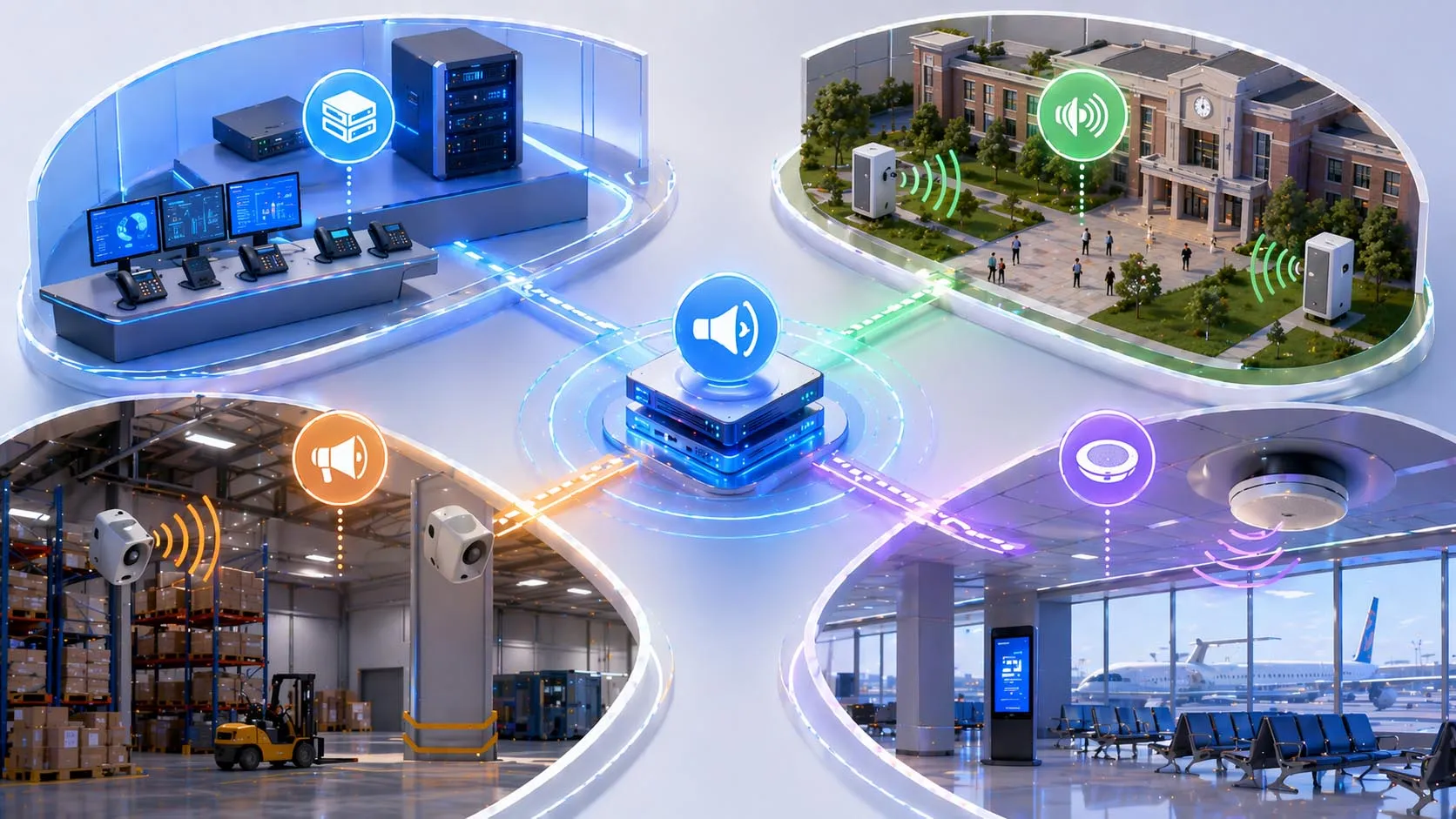
Priority paging can be implemented through PBX paging, multicast IP paging, or external paging systems depending on the operational environment.
Applications of Priority Paging
Healthcare and Clinical Environments
Hospitals, clinics, and care facilities often need to distinguish between routine staff communication and urgent operational paging. A normal page may be used to locate a staff member or request support from a department, while a higher-priority page may be reserved for time-sensitive assistance, security response, or emergency instructions. Priority paging helps maintain that distinction.
Because clinical environments are busy and acoustically complex, the ability to override lower-level communication can be especially valuable. At the same time, administrators can still limit which departments or stations are included in each paging scope.
Industrial Plants and Warehouses
Industrial sites use priority paging for production coordination, maintenance escalation, safety announcements, and urgent site-wide messaging. A routine page to the maintenance team should not behave the same way as a process alarm announcement or a plant emergency page. Priority paging gives industrial operations the ability to separate those use cases clearly.
This is particularly useful where the same phones or speakers are used for both daily communication and emergency response messaging. The system can treat urgent pages differently without requiring a completely separate voice infrastructure for every scenario.
Campuses, Schools, and Public Facilities
Campuses and public facilities often need layered communication: ordinary staff pages, supervisory announcements, and emergency instructions. Priority paging supports this model well because it allows everyday announcements to remain non-intrusive while still ensuring that a higher-priority message can override routine activity when necessary.
In these environments, zone control is also important. An urgent page may target one building, one area, or the entire site depending on the event. Priority paging works best when it is combined with thoughtful paging group design.
Business Telephony and Operations Centers
In enterprise offices, reception areas, service counters, and operations centers, priority paging can support urgent operational coordination without overwhelming normal communication. A regular group page may be suitable for locating staff, while a higher-priority page can be used for security incidents, critical service requests, or fast-response escalation.
This is especially relevant in environments where staff already use IP phones or SIP endpoints and want the paging feature to do more than simple auto-answer announcements.
Emergency and Public Address Systems
Priority paging is closely related to emergency communication and public address workflows. In these applications, the highest page level is often treated as an emergency broadcast with stronger override behavior, wider delivery scope, and maximum noticeability. This can include loudspeaker playback, call interruption, volume forcing, or other attention-grabbing behavior depending on the system design.
Because emergency communication is sensitive, these deployments usually require clearer policy, tighter permissions, and more deliberate testing than ordinary business paging groups.
Priority paging becomes most valuable where one communication system must handle both routine coordination and genuinely urgent instruction without treating them as the same kind of event.
Best Practices for Deployment
Define Clear Paging Classes
One of the most important design steps is deciding what each priority level actually means in the organization. If users are not clear about when to use normal paging, when to use high-priority paging, and when to reserve emergency paging, the system can quickly lose its value. Priority levels should reflect real operational categories, not just arbitrary labels.
Clear definitions also help reduce misuse. If too many messages are sent at high urgency, staff may begin to ignore the difference between routine and truly critical announcements.
Match Device Behavior to Operational Risk
Endpoints should be configured according to the environment they serve. In an office, it may be enough for urgent pages to interrupt normal pages. In a plant or safety-related area, emergency pages may need to override local volume and active call state. In a hospital, certain areas may need stronger paging behavior than others. The point is not to apply the same rule everywhere, but to align the rule with the operational risk of the space.
Test Interruption Rules Carefully
Priority paging should always be tested under realistic conditions. Administrators should verify what happens when a page arrives during another page, during an active call, during DND, and during endpoint idle state. These details matter because the practical value of priority paging depends on what the devices actually do at the moment of urgency.
Testing should also include user experience. Staff should understand how urgent pages sound, which devices receive them, and what local behavior to expect when a page overrides other audio.
FAQ
What is priority paging in simple terms?
Priority paging is a paging feature that lets more urgent announcements take precedence over ordinary pages. Depending on the system, it can interrupt lower-level pages, active calls, or certain local device states.
How is priority paging different from normal paging?
Normal paging usually delivers an announcement without strong urgency rules. Priority paging adds defined urgency levels so the system can change delivery behavior for more important messages.
Can priority paging interrupt active calls?
Yes, in some systems it can. Whether this happens depends on the platform, the configured priority level, and the behavior supported by the receiving device. Emergency pages are the most likely to have this capability.
Is priority paging only for emergency systems?
No. It is also used in business telephony, industrial paging, hospitals, schools, and operations environments where some messages are more urgent than others but not every announcement is an emergency.
What devices can receive priority pages?
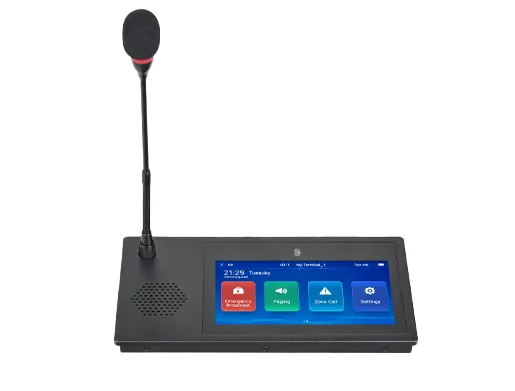
Depending on the system design, priority pages can be received by IP phones, SIP intercom stations, paging speakers, multicast-capable endpoints, PBX-connected devices, and overhead paging systems integrated through gateways or controllers.