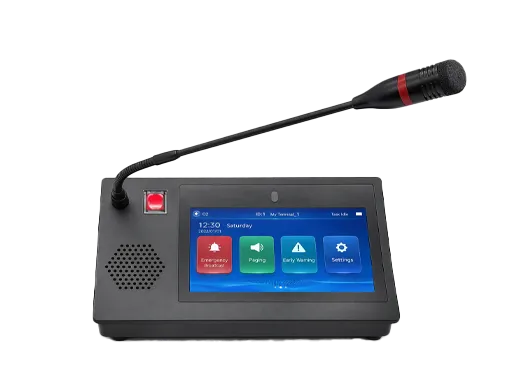
What Is SIP Phone? Definition, How It Works, Features, and Applications
What is a SIP phone? Learn how SIP phones work with IP PBX and SIP servers, their core features such as SIP accounts, HD audio, PoE, and BLF, and their applications in offices, call centers, remote work, and industry.
Becke Telcom
A SIP phone is a voice communication device that uses the Session Initiation Protocol to establish, manage, and terminate calls over an IP network. In practical terms, it is one of the most common endpoint types in modern VoIP systems. A SIP phone can register to an IP PBX, SIP server, hosted voice platform, or cloud communications service, then place and receive calls using SIP signaling rather than relying on traditional analog telephone lines.
For many users, a SIP phone looks like a normal office desk phone. It has a handset, keypad, display, programmable keys, and speakerphone functions. The important difference is that it operates as a networked SIP endpoint inside an IP communications environment. Instead of plugging into a legacy phone line, it usually connects to Ethernet, obtains network access, and exchanges call signaling with a SIP platform that controls how calls are routed.
SIP phones are now used across small offices, large enterprises, contact centers, campuses, industrial sites, remote work environments, and hybrid cloud voice systems. They are valued because they fit naturally into modern IP communications architecture while still providing the familiar calling experience that users expect from a desk phone. In many deployments, they also support additional capabilities such as multiple SIP accounts, HD voice, BLF, shared line functions, PoE, headset integration, security options, and interoperability with a wide range of SIP-capable systems.
SIP phones are standard IP voice endpoints in modern PBX, hosted calling, and unified communications systems.
What Is a SIP Phone?
Basic definition
A SIP phone is an IP voice endpoint that uses SIP signaling to communicate with a call-control platform such as an IP PBX, SIP proxy, hosted PBX, or cloud voice service. SIP itself is defined in RFC 3261 as an application-layer signaling protocol for creating, modifying, and terminating sessions, including Internet telephone calls and multimedia sessions. In a SIP phone deployment, that signaling role is what allows the device to register, initiate calls, receive calls, and participate in the larger voice system.
In simpler terms, a SIP phone is a desk phone or similar endpoint that speaks SIP instead of depending on old circuit-based telephone signaling. It uses the data network as part of the communication system, which is why it is often described as a VoIP phone, IP phone, or SIP desk phone depending on the context.
SIP phone, IP phone, and VoIP phone
In real-world language, the terms SIP phone, IP phone, and VoIP phone are often used interchangeably, but they are not always identical in meaning. A VoIP phone is the broadest concept, referring to a phone that carries voice over IP networks. An IP phone is also a broad category for phones that use IP networking. A SIP phone is more specific because it emphasizes the signaling protocol used for call control.
That said, the market overlaps heavily. Many products sold as IP phones are in fact SIP phones, and many products described as SIP phones are also described as VoIP phones. In practical business usage, the terms often point to the same family of desk endpoints, but SIP phone is the most protocol-specific label.
A SIP phone is best understood as a network voice endpoint that uses SIP signaling to work with an IP-based telephony or unified communications platform.
How a SIP Phone Works
Network connection and startup
When a SIP phone is powered on, it typically connects to the local area network through Ethernet and begins its startup process. In many business deployments, the phone receives network settings automatically and then contacts its configured call-control environment. Modern business SIP phone product pages and administration materials commonly show support for Ethernet connectivity, and many also support PoE so that the same network cable carries both data and power.
This network-first behavior is one of the reasons SIP phones fit so naturally into enterprise infrastructure. The phone is treated as a managed IP endpoint rather than as a passive line terminal.
Registration to a SIP server or IP PBX
After network access is available, the SIP phone usually registers to a SIP server, IP PBX, or hosted communications platform using its configured account credentials. RFC 3261 describes SIP registration as a function that allows users to upload their current locations for use by proxy servers. In practical telephony terms, registration tells the call-control platform where the phone is and which account or extension is associated with it.
Official product and user documentation reflects this clearly. Yealink product pages for business SIP phones list support for multiple SIP accounts, and vendor guides from Fanvil and others describe how SIP accounts are configured and used on the phone. This is one of the core behaviors that makes a SIP phone an addressable endpoint within the voice system.
Call setup and signaling
When the user places a call, the SIP phone sends a request through the SIP signaling environment to the PBX, SIP proxy, or hosted service. The call-control platform decides how to route the call based on dial plan logic, user permissions, numbering policy, and the destination that was dialed. If another endpoint calls the SIP phone, the signaling works in the opposite direction and the phone is alerted to the incoming call.
The key point is that SIP handles the signaling logic of the call: who is calling whom, how the session is established, and how it is modified or ended. This signaling layer is separate from the media layer that carries the actual voice audio.
SIP phones connect to the network, register to a SIP platform, and use SIP signaling for call control.
Voice media after the call is established
Once the session is established, the voice audio is carried over the IP network using the negotiated media path. The phone and the far end agree on compatible media parameters as part of the SIP session setup process. RFC 3261 notes that SIP invitations carry session descriptions allowing participants to agree on a set of compatible media types.
From the user perspective, this feels like an ordinary phone call. But technically, the phone is participating in a negotiated IP session rather than in a fixed legacy voice circuit. That is one of the defining characteristics of SIP telephony.
Main Features of a SIP Phone
Multiple SIP accounts and lines
Many SIP phones support multiple SIP accounts or line appearances, allowing the same device to handle several extensions, identities, or hosted accounts. Official Yealink product pages for models such as the T42U and T44W explicitly list support for up to 12 SIP accounts, and many business SIP phone families in the market offer similar multi-account capability.
This feature is valuable in offices where one user handles more than one line, where reception staff need several identities, or where a device must support different call roles at the same time. It also makes the SIP phone more flexible in hosted or hybrid environments.
HD voice and modern audio functions
Another major feature is enhanced audio quality. Business SIP phone product pages frequently advertise HD voice and related audio enhancement features. Yealink, for example, highlights HD voice and acoustic filtering on several of its SIP phone models. While the exact audio experience depends on codecs, network conditions, and the far-end path, SIP phones are generally built to support high-quality IP voice communication rather than simple legacy handset audio.
This matters in everyday use because clearer voice quality improves both user comfort and business efficiency, especially in customer-facing environments or high-volume calling roles.
PoE and simple network deployment
Power over Ethernet is another common business feature. Official product pages from Yealink list PoE support on popular SIP desk phones, and PoE deployment has become a standard expectation in many enterprise voice designs. By allowing power and data to travel over the same Ethernet connection, PoE simplifies installation and reduces the need for separate local power adapters at every desk.
This is particularly useful in structured office deployments, campus rollouts, and projects where centralized power and simpler cable management are important.
Programmable keys, BLF, and shared line behavior
Many SIP phones include programmable line or feature keys that can be assigned to extensions, speed dials, BLF, shared lines, or call handling features. Official Cisco and Fanvil materials show support for shared line behavior, programmable line keys, and BLF-related functions. Cisco documentation for desk phones and Cisco IP phone data sheets reference line keys, shared line behavior, and multicall-per-line features, while Fanvil manuals show BLF configuration and pickup-related use on SIP phones.
These features matter because a SIP phone is not only for basic dialing. In business environments, users often need to monitor other extensions, pick up calls, transfer calls efficiently, or manage more than one active line condition from a single device.
Headset, speakerphone, and accessory support
Business SIP phones commonly support speakerphone operation, wired or wireless headsets, expansion modules, and other desk productivity accessories. Official Yealink pages highlight headset and EHS support as well as expansion options on some SIP phone models. These features are particularly important for executives, operators, reception staff, and contact center users who handle calls frequently throughout the day.
Accessory support is one of the reasons SIP phones remain relevant even in softphone and mobile-client environments. Many users still prefer a dedicated desk endpoint with more ergonomic calling controls.
Security and network control features
Modern SIP phones also increasingly include security-related capabilities such as TLS support, device authentication options, and network access control features. Official Cisco security documentation notes that Cisco IP Phones include an 802.1X supplicant for network authentication, while Yealink product pages for some models reference enhanced TLS support. This reflects the fact that the SIP phone is an IP endpoint on the enterprise network and should be treated as part of the broader security design.
In professional deployments, the phone is not just a convenient appliance. It is a managed network node that should fit into authentication, encryption, and device management policies.
The feature value of a SIP phone is not just that it can make calls. It is that it combines telephony, network integration, multi-line productivity, and enterprise management in one endpoint.
SIP Phone Architecture and System Relationship
Relationship with the IP PBX or hosted platform
A SIP phone usually depends on a call-control platform that manages user accounts, extensions, routing logic, and external connectivity. This may be an on-premises IP PBX, a hosted PBX, a cloud voice platform, or a SIP server environment. The phone itself is the user-facing endpoint, but it relies on the platform to apply the larger system logic behind registration and call routing.
This relationship is why a SIP phone should be understood as part of a broader voice architecture rather than as a completely independent device. Without the call-control environment, many of its business functions would not be meaningful.
Relationship with the network
Because the phone is an IP endpoint, it also sits inside the broader LAN and switching environment. Features such as PoE, dual-port Ethernet on many desktop models, VLAN behavior, and network authentication all connect the SIP phone to the wider data infrastructure of the organization. Official product pages from vendors such as Yealink show dual-port Gigabit Ethernet on common business SIP phones, which reflects the practical need to fit into desktop network layouts.
This network relationship is part of what makes SIP phones operationally different from legacy telephone sets. They live inside the enterprise network, not outside it.
Relationship with users and workflows
At the user level, the SIP phone provides the familiar calling interface through which people place, answer, transfer, hold, and manage calls. But beyond simple call handling, it also supports workflow logic such as line monitoring, shared calls, pickup groups, and high-volume communication roles. Cisco and other enterprise phone documentation repeatedly shows these telephony features as a major part of the business desk phone experience.
This means the SIP phone should be evaluated not only as a technical protocol endpoint, but also as a productivity device within the organization’s daily communication workflow.
A SIP phone operates within a wider architecture that includes the network, call-control platform, and external voice connectivity.
SIP Phone vs Traditional Analog Phone
A SIP phone and a traditional analog phone may look similar from the user’s perspective, but they operate very differently. An analog phone depends on a conventional line interface and legacy signaling model, while a SIP phone participates in an IP-based voice environment using SIP signaling and negotiated media sessions. This difference affects installation, features, scalability, and integration potential.
Item
SIP Phone
Traditional Analog Phone
Signaling model
SIP-based call signaling over IP
Legacy analog signaling over telephone lines
Network relationship
IP endpoint on the LAN or voice network
Line terminal on a phone circuit
Feature scope
Often supports multiple accounts, BLF, shared line, PoE, and advanced call handling
Usually more limited without external system support
Deployment style
Ethernet and often PoE based
Telephone pair wiring and separate analog interfaces
Modern fit
Aligned with IP PBX, hosted voice, and UC systems
Best suited to legacy or analog environments
This does not mean analog phones have disappeared. In some environments they are still useful. But where organizations want unified communications, cloud voice, modern routing features, and network-based management, SIP phones are usually the more natural endpoint choice.
Typical Applications of SIP Phone
Office desk telephony
The most common application is everyday office telephony. SIP phones are widely used on employee desks, reception counters, executive offices, meeting areas, and shared workspaces where users need a dependable, familiar, and feature-rich desk calling experience. They fit naturally into enterprise IP PBX and hosted voice environments and remain one of the most widely recognized forms of business VoIP endpoint.
In these environments, the SIP phone is often the default user device for business calling, especially where people still prefer a dedicated desk handset over a purely software-based client.
Reception and operator positions
Receptionists, front desks, and operator roles often benefit from SIP phones with multiple accounts, line monitoring, BLF, DSS keys, and expansion modules. These positions need to see call activity clearly, manage several lines, and handle transfers or pickups efficiently. Official product pages and manuals from major vendors repeatedly emphasize these kinds of business productivity features in SIP desk phone design.
This is why SIP phones continue to play a central role in front-desk and operator workflows even as collaboration platforms evolve.
Contact centers and frequent calling roles
SIP phones are also used in contact centers, service desks, support teams, and sales environments where users spend much of the day on calls. In such cases, audio quality, headset integration, fast key access, and reliable registration behavior matter a great deal. A dedicated SIP phone can still provide ergonomic and operational advantages in these high-call-volume roles.
Even where software clients exist, many businesses still keep SIP phones for users whose work depends on constant call handling.
SIP phones are widely used in business calling roles that need reliable voice access and productivity features.
Remote work and hybrid voice environments
SIP phones are also used in remote and hybrid work environments, especially where the organization wants users to have a business-grade desk endpoint at home or in a distributed office location. With the correct hosted platform, VPN design, SBC support, or remote provisioning model, the SIP phone can function as part of the same broader enterprise voice environment as headquarters users.
This application became increasingly important as businesses looked for ways to give remote workers a stable and familiar enterprise calling experience outside the main office.
Industrial, campus, and specialized deployments
In some cases, SIP phones are also used in specialized environments such as industrial offices, dispatch desks, campus facilities, warehouse service points, or operation rooms. In these settings, the phone may form part of a wider solution that also includes SIP intercoms, gateways, paging systems, or unified communications services. The SIP phone becomes a standard voice endpoint within the larger IP communication ecosystem of the site.
This broader application shows that SIP phones are not limited to ordinary desk use. They are part of the infrastructure of many integrated voice systems.
Main Benefits of SIP Phone
Strong fit for modern IP telephony
The biggest benefit of a SIP phone is that it aligns naturally with modern IP-based calling systems. It fits into on-premises IP PBX platforms, hosted PBX services, unified communications environments, and hybrid voice architectures without forcing the organization to depend on legacy line models.
For many businesses, this architectural fit is more important than any single phone feature because it keeps the endpoint aligned with the long-term direction of communications infrastructure.
Rich business telephony features
SIP phones also provide feature depth that goes well beyond simple calling. Multi-account support, BLF, shared line behavior, line keys, hold, transfer, speakerphone use, headset integration, and advanced audio options make them well suited to business communication needs. Official Cisco, Yealink, and Fanvil materials all reflect this feature-rich desk phone role.
This gives organizations a dedicated endpoint that remains productive even in complex call environments.
Easy integration into managed networks
Because SIP phones are IP devices, they can be deployed, managed, and secured as part of the wider network environment. PoE, Ethernet switching integration, 802.1X support on some models, and centralized provisioning workflows all help the phone fit into managed IT and communications environments more smoothly than a standalone analog endpoint.
This operational integration can be especially valuable in larger enterprise rollouts.
Supports both traditional calling habits and modern platforms
Many users still want the tactile familiarity of a desk handset, dedicated line keys, and speakerphone controls. SIP phones preserve that familiar calling model while still working with modern IP-based backend systems. In this sense, the SIP phone helps bridge the comfort of traditional telephony with the flexibility of modern communications platforms.
This balance is one reason SIP phones remain important even when softphones and mobile clients are also available.
The continuing relevance of the SIP phone comes from the way it combines a familiar desk-phone experience with the protocol logic and flexibility of modern IP communications.
Things to Consider When Choosing a SIP Phone
How many accounts and lines are needed
One of the first questions is how many SIP accounts or line appearances the user actually needs. Some users need only one extension, while others need several lines, shared lines, or monitored extensions. Product pages from business SIP phone vendors show that line capacity varies significantly across models, so the device should match the real workflow.
Choosing too simple a model can limit productivity, while choosing an unnecessarily complex one can add cost without much benefit.
Audio, accessories, and work style
It is also important to think about how the phone will be used. A basic office phone may be enough for occasional calling, but receptionists, executives, and contact center users may need better audio, headset support, expansion modules, or more programmable keys. The work style of the user should influence the device choice just as much as the protocol compatibility.
This is especially true in roles where the phone is a constant work tool rather than an occasional convenience.
Network and platform compatibility
Another key consideration is compatibility with the organization’s IP PBX, hosted provider, SBC design, security policy, and provisioning method. SIP provides a common foundation, but real interoperability still depends on codec support, authentication behavior, network policy, and platform expectations. The best SIP phone is one that fits the actual communications architecture already in use or planned for the business.
In professional deployments, endpoint selection should always be connected to the broader system design.
Conclusion
A SIP phone is an IP voice endpoint that uses Session Initiation Protocol to register to a voice platform and participate in network-based calling sessions. It combines the familiar form of a business desk phone with the flexibility of modern IP telephony, making it one of the most important user endpoints in today’s PBX, hosted voice, and unified communications environments.
Its value lies in more than simple call handling. A SIP phone can support multiple accounts, HD voice, PoE, BLF, programmable keys, headset integration, and enterprise security or network features, all while fitting naturally into the broader IP communications architecture of the organization.
In short, a SIP phone is not just a modern desk handset. It is a communication endpoint designed for the realities of today’s networked voice systems, bridging the familiar calling experience users want with the scalable and standards-based infrastructure businesses increasingly rely on.
FAQ
What is a SIP phone?
A SIP phone is a network voice endpoint that uses SIP signaling to register to and communicate with an IP PBX, SIP server, or hosted voice platform over an IP network.
How does a SIP phone work?
It connects to the network, registers to a SIP-based voice platform with account credentials, and then uses SIP signaling to place, receive, and manage calls.
Is a SIP phone the same as an IP phone?
Often the terms overlap in practice, but SIP phone is the more protocol-specific term. Many IP phones used in business environments are SIP phones.
Can a SIP phone support multiple accounts?
Yes. Many business SIP phones support multiple SIP accounts or lines, which is useful for reception, shared line use, and multi-role communication workflows.
Do SIP phones need PoE?
Not always, but many business deployments prefer PoE because it allows both power and network connectivity over one Ethernet cable and simplifies installation.
Where are SIP phones commonly used?
They are commonly used in offices, reception desks, contact centers, campuses, remote work environments, and other IP-based business communication systems.
What is the main advantage of a SIP phone?
The main advantage is that it combines a familiar business phone experience with the flexibility, feature depth, and network integration of modern IP telephony.
We use cookie to improve your online experience. By continuing to browse this website, you agree to our use of cookie.
Cookies
This Cookie Policy explains how we use cookies and similar technologies when you access or use our website and related services. Please read this Policy together with our Terms and Conditions and Privacy Policy so that you understand how we collect, use, and protect information.
By continuing to access or use our Services, you acknowledge that cookies and similar technologies may be used as described in this Policy, subject to applicable law and your available choices.
Updates to This Cookie Policy
We may revise this Cookie Policy from time to time to reflect changes in legal requirements, technology, or our business practices. When we make updates, the revised version will be posted on this page and will become effective from the date of publication unless otherwise required by law.
Where required, we will provide additional notice or request your consent before applying material changes that affect your rights or choices.
What Are Cookies?
Cookies are small text files placed on your device when you visit a website or interact with certain online content. They help websites recognize your browser or device, remember your preferences, support essential functionality, and improve the overall user experience.
In this Cookie Policy, the term “cookies” also includes similar technologies such as pixels, tags, web beacons, and other tracking tools that perform comparable functions.
Why We Use Cookies
We use cookies to help our website function properly, remember user preferences, enhance website performance, understand how visitors interact with our pages, and support security, analytics, and marketing activities where permitted by law.
We use cookies to keep our website functional, secure, efficient, and more relevant to your browsing experience.
Categories of Cookies We Use
Strictly Necessary Cookies
These cookies are essential for the operation of the website and cannot be disabled in our systems where they are required to provide the service you request. They are typically set in response to actions such as setting privacy preferences, signing in, or submitting forms.
Without these cookies, certain parts of the website may not function correctly.
Functional Cookies
Functional cookies enable enhanced features and personalization, such as remembering your preferences, language settings, or previously selected options. These cookies may be set by us or by third-party providers whose services are integrated into our website.
If you disable these cookies, some services or features may not work as intended.
Performance and Analytics Cookies
These cookies help us understand how visitors use our website by collecting information such as traffic sources, page visits, navigation behavior, and general interaction patterns. In many cases, this information is aggregated and does not directly identify individual users.
We use this information to improve website performance, usability, and content relevance.
Targeting and Advertising Cookies
These cookies may be placed by our advertising or marketing partners to help deliver more relevant ads and measure the effectiveness of campaigns. They may use information about your browsing activity across different websites and services to build a profile of your interests.
These cookies generally do not store directly identifying personal information, but they may identify your browser or device.
First-Party and Third-Party Cookies
Some cookies are set directly by our website and are referred to as first-party cookies. Other cookies are set by third-party services, such as analytics providers, embedded content providers, or advertising partners, and are referred to as third-party cookies.
Third-party providers may use their own cookies in accordance with their own privacy and cookie policies.
Information Collected Through Cookies
Depending on the type of cookie used, the information collected may include browser type, device type, IP address, referring website, pages viewed, time spent on pages, clickstream behavior, and general usage patterns.
This information helps us maintain the website, improve performance, enhance security, and provide a better user experience.
Your Cookie Choices
You can control or disable cookies through your browser settings and, where available, through our cookie consent or preference management tools. Depending on your location, you may also have the right to accept or reject certain categories of cookies, especially those used for analytics, personalization, or advertising purposes.
Please note that blocking or deleting certain cookies may affect the availability, functionality, or performance of some parts of the website.
Restricting cookies may limit certain features and reduce the quality of your experience on the website.
Cookies in Mobile Applications
Where our mobile applications use cookie-like technologies, they are generally limited to those required for core functionality, security, and service delivery. Disabling these essential technologies may affect the normal operation of the application.
We do not use essential mobile application cookies to store unnecessary personal information.
How to Manage Cookies
Most web browsers allow you to manage cookies through browser settings. You can usually choose to block, delete, or receive alerts before cookies are stored. Because browser controls vary, please refer to your browser provider’s support documentation for details on how to manage cookie settings.
Contact Us
If you have any questions about this Cookie Policy or our use of cookies and similar technologies, please contact us at support@becke.cc .