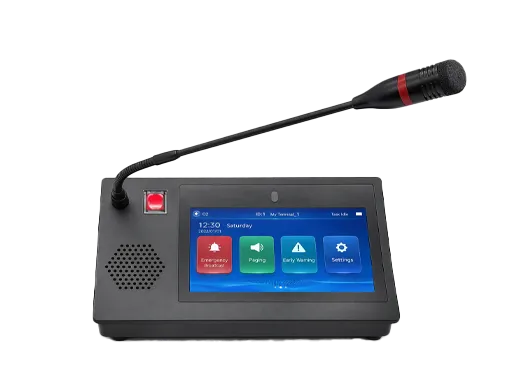
What Is SIP Paging? Definition, How It Works, Features, and Applications
What is SIP paging? Learn how SIP paging uses SIP-based call control to deliver one-way or group announcements, how it works with IP PBX, multicast, speakers, gateways, and its applications in offices, campuses, industry, and public safety.
Becke Telcom
SIP paging is an IP-based paging method that uses Session Initiation Protocol call control to deliver voice announcements across networked communication endpoints. In practical terms, it allows a user, operator, or system platform to initiate a paging session that is then played through IP speakers, paging gateways, SIP phones, amplifiers, intercom devices, or other compatible endpoints on an IP network.
This makes SIP paging an important part of modern IP communication architecture. Instead of depending entirely on traditional analog overhead paging circuits or closed proprietary systems, SIP paging allows announcements to become part of a broader VoIP and unified communications environment. It can work with IP PBXs, SIP servers, multicast-capable endpoints, paging adapters, gateways, and network speakers, which makes it much more flexible for modern buildings, campuses, industrial sites, and distributed business environments.
SIP paging is commonly used for general announcements, emergency alerts, zone-based broadcasting, service notifications, operational coordination, and facility-wide communication. Depending on the design, it may be implemented as a direct SIP page to a device or group, or as a hybrid model where a SIP-triggered paging device forwards audio to multicast endpoints or analog speaker infrastructure. This is one reason SIP paging is so valuable in real deployments: it can bridge modern IP communication with existing paging infrastructure while still supporting more scalable, network-based operation.
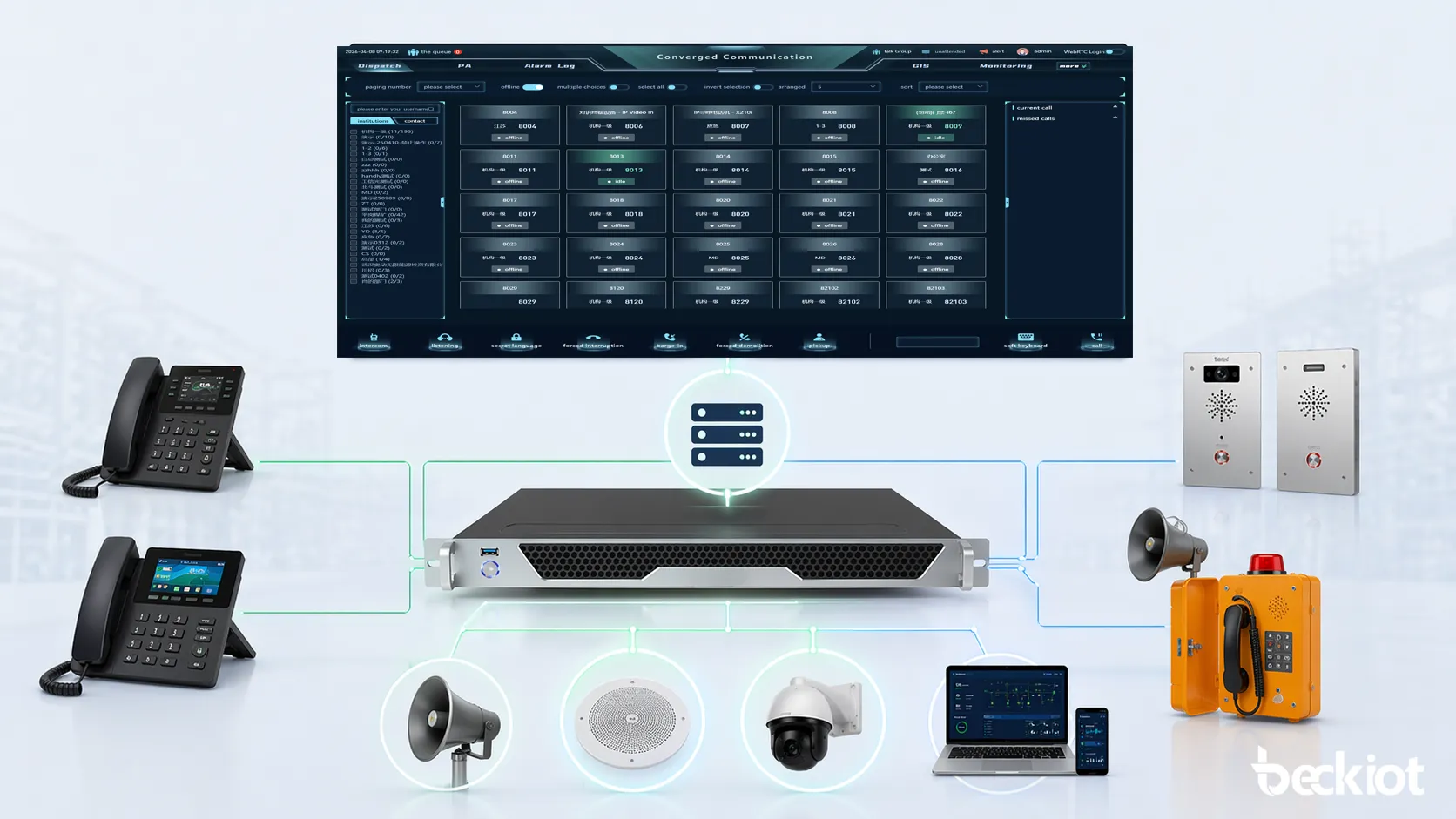
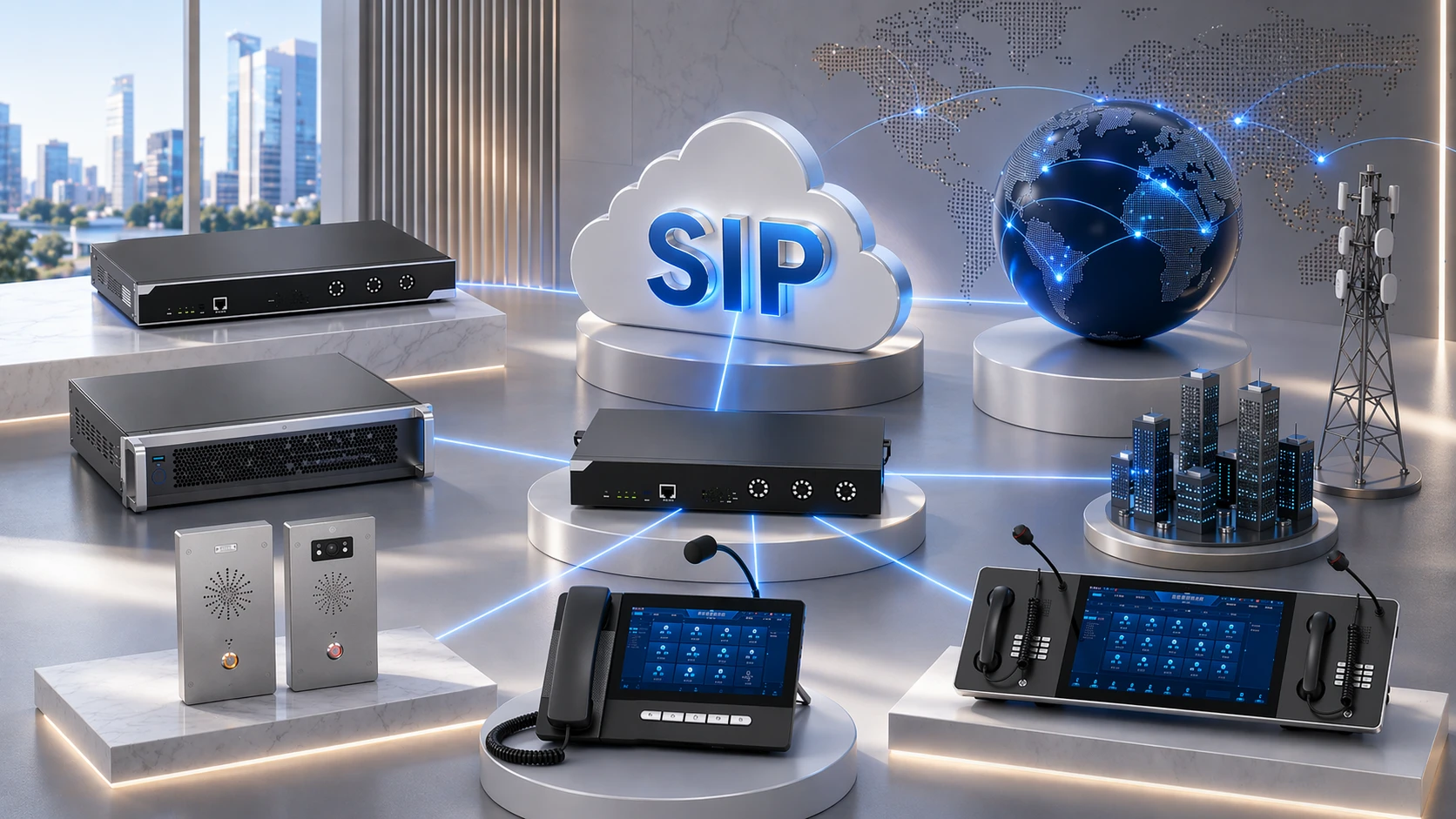
SIP paging brings paging and announcement functions into the standard IP communications environment.
What Is SIP Paging?
Basic definition
SIP paging is a paging or announcement method in which SIP signaling is used to establish the communication session that delivers the page. SIP itself is defined in RFC 3261 as an application-layer signaling protocol for creating, modifying, and terminating multimedia sessions. In a paging context, that session is used to carry an announcement from a source endpoint or platform to one or more destinations in the network.
In simple terms, SIP paging is the IP communications version of making an announcement over a paging system. But unlike a traditional closed overhead paging circuit, SIP paging is usually tied to a broader SIP-capable environment. The page may begin as a SIP call, then reach a speaker, amplifier, paging gateway, IP phone, or multicast-enabled endpoint depending on the system design.
Why SIP paging is different from traditional paging
Traditional paging systems often rely on analog amplifiers, zone controllers, legacy PBX interfaces, or separate public address wiring. They can still work very well, but they are often more isolated from the rest of the site’s IP communications architecture. SIP paging changes that by allowing paging sessions to be controlled through standard SIP-based call logic.
This does not always mean replacing all legacy paging hardware. In many real deployments, SIP paging adapters and gateways are used specifically to connect older speaker infrastructure into an IP paging environment. That is one of the main reasons SIP paging is attractive: it can modernize the control and routing layer without forcing every speaker and amplifier to be replaced immediately.
SIP paging is best understood as paging delivered through SIP-controlled IP communication rather than as a completely separate standalone paging universe.
How SIP Paging Works
Paging is initiated by a SIP endpoint or platform
A SIP page can begin from different sources depending on the deployment. It may start from a desk phone with a paging key, a SIP intercom, a control room console, an IP PBX feature code, a software client, a paging server, or an automation system. Once the page is initiated, the SIP platform or originating endpoint establishes the session toward the destination device or paging group.
In this sense, SIP paging behaves like a specialized communication session. The system uses SIP signaling to tell the far end that an announcement session should begin, and then the audio is delivered according to the configured paging path.
The call is routed through the SIP environment
In many systems, the page request is handled by an IP PBX or SIP server. That call-control layer determines where the page should go. Depending on the configuration, the destination may be a single paging speaker, a gateway connected to an amplifier, a paging group of phones, a multicast forwarder, or a combination of these. The routing logic can also support zones, groups, and priority-based communication workflows.
This is one of the key strengths of SIP paging. Because it uses SIP-oriented call control, paging can be integrated into the same type of dial plan and communication logic used elsewhere in the organization’s voice system.
Audio is delivered to speakers, gateways, or multicast endpoints
After the session is established, the announcement audio is delivered to the destination path. In some deployments, the page is played directly on SIP endpoints such as phones or speakers. In other deployments, a SIP paging adapter or paging gateway receives the SIP audio and then outputs it to connected amplifiers, analog speakers, or multicast destinations. Algo documentation for its IP paging adapters describes this kind of hybrid voice paging model, where a device can operate as a SIP extension or multicast endpoint for voice paging, emergency alerting, and loud ringing. Fanvil documentation also describes SIP-to-multicast forwarding behavior in which devices forward audio from a SIP call toward multicast terminals.
This means SIP paging can support several architectures at once. It can stay fully IP-native, it can bridge to analog paging infrastructure, or it can combine SIP call initiation with multicast distribution for wider endpoint reach.
SIP paging can deliver announcements directly to SIP endpoints or through gateways and multicast distribution paths.
One-way or group announcement behavior
Many paging sessions are one-way announcements rather than conversational two-way calls. The goal is to broadcast a message clearly to a group, zone, or facility rather than to create a back-and-forth voice session between two users. However, the exact behavior depends on the product and configuration. Some environments support talkback, intercom interaction, or mixed paging and intercom workflows, while others are designed strictly for one-way announcement distribution.
This is why SIP paging often overlaps with intercom, PA, and notification systems in practical deployment discussions. The session control may be similar, but the workflow goal is usually broader voice distribution rather than person-to-person conversation.
Main Features of SIP Paging
Standard SIP-based call control
The most important feature of SIP paging is that it uses standard SIP logic for session control. Since SIP is already widely used in IP telephony and unified communications, this gives paging systems a strong foundation for integration. RFC 3261 defines SIP as the core signaling method for creating and managing sessions, and SIP paging leverages that same framework for paging use cases.
This makes it easier for paging to work with IP PBXs, SIP phones, gateways, and other standard voice components rather than existing only as a special-purpose isolated subsystem.
Support for paging groups and zones
Another major feature is support for groups and zones. A paging system often needs to target one area, several areas, or the whole site. In a SIP-based design, this can be handled through paging groups, dial plan logic, gateway zones, or multicast group design depending on the architecture. This makes SIP paging suitable not only for simple reception announcements, but also for larger and more structured voice broadcasting.
Zone flexibility is particularly valuable in campuses, warehouses, offices, transport sites, and industrial facilities where different spaces may require different paging behavior.
Integration with multicast and hybrid audio distribution
A very practical feature of SIP paging is its ability in many products to work alongside multicast distribution. Algo documentation explicitly describes paging adapters that can operate as SIP extensions or multicast endpoints, while Fanvil documents SIP-to-multicast behavior that forwards SIP call audio to other multicast-capable terminals. This makes SIP paging highly scalable in systems where one originating session needs to reach multiple downstream audio endpoints efficiently.
That hybrid design is one of the reasons SIP paging is attractive for real projects. It lets the system use SIP where call control is needed while using multicast where broader endpoint distribution is useful.
Compatibility with legacy amplifiers and speakers
Many organizations do not want to discard all existing paging amplifiers and speakers simply because they are modernizing the control layer. SIP paging adapters and amplifiers are designed precisely for this migration path. Algo product information describes adapters that connect existing paging amplifiers to a UC environment, while CyberData describes SIP paging amplifiers as a method for implementing IP-based overhead paging using existing or new VoIP systems.
This means SIP paging can add new IP control and routing capability while preserving earlier investment in analog speaker infrastructure where that still makes practical sense.
Support for emergency alerting and loud notification
SIP paging is often used not only for routine announcements but also for emergency alerting, loud ringing, night bell, and urgent communication scenarios. Official product documentation from Algo and CyberData highlights these use cases directly, showing that the market sees SIP paging as part of the wider emergency and notification environment, not just as a convenience feature for reception desks.
This gives SIP paging strong relevance in schools, healthcare sites, public facilities, factories, campuses, and any environment where one-to-many audio notification matters.
One of the biggest strengths of SIP paging is that it can connect IP voice control, multicast distribution, and even legacy speaker infrastructure inside one practical paging architecture.
SIP Paging Architecture
Originating endpoint layer
At the beginning of the paging path is the source of the announcement. This may be an IP phone, a SIP intercom, a console, a mobile client, a software interface, an emergency application, or a server-based paging service. This layer is responsible for initiating the page or generating the audio source that will be distributed.
The originating endpoint does not necessarily need to know every downstream device. In many designs, it simply triggers the page to a target extension, paging group, or gateway address.
Call control layer
The next layer is the SIP call-control environment, often an IP PBX, SIP proxy, SIP server, or other session management platform. This layer determines how the paging request is routed, which destinations are involved, and how permissions or priorities are handled. It may also control which zones or groups can be paged by which users.
This layer is what gives SIP paging its system logic. Instead of a fixed analog chain, the organization can use software-defined call handling for announcement delivery.
Distribution layer
After the session is routed, the distribution layer carries the audio to the appropriate endpoints. This may happen directly to SIP speakers or phones, through a paging amplifier, through an IP paging adapter connected to legacy amplifiers, or through multicast distribution. Fanvil’s SIP-to-multicast materials and Algo’s paging adapter documentation both illustrate this type of architecture clearly.
The distribution layer is where the system achieves scale. It determines whether the announcement reaches one endpoint, many endpoints, one zone, or an entire site.
Endpoint playback layer
At the final layer are the devices that actually reproduce the announcement. These may include IP speakers, overhead paging amplifiers, analog speakers connected through gateways, multicast endpoints, desk phones configured for paging, or hybrid notification devices. CyberData’s SIP paging amplifiers and Algo’s paging adapters are examples of products built specifically for this playback and infrastructure interface role.
This playback layer is where the user or public hears the result of the SIP paging session, but by that point the announcement has already been shaped by the routing, policy, and distribution logic of the upper layers.
A typical SIP paging architecture includes an originating endpoint, call control, audio distribution, and endpoint playback layers.
SIP Paging vs Traditional Paging
SIP paging and traditional paging both serve the purpose of delivering announcements to people across a facility or system, but they differ significantly in how they are built and managed. Traditional paging often depends on analog amplifiers, dedicated paging interfaces, and separate wiring models. SIP paging brings the paging function into the IP network and allows call control, routing, and integration to happen in a more software-driven and network-oriented way.
Item
SIP Paging
Traditional Paging
Control model
SIP-based IP call control
Often analog or dedicated local control
Integration
Strong fit with IP PBX, VoIP, and UC systems
Often more isolated from modern IP voice environments
Distribution
Can use SIP endpoints, gateways, multicast, or hybrid methods
Often tied to analog amplifiers and speaker circuits
Scalability
Generally more flexible in networked environments
Often more rigid in expansion and cross-site design
Migration path
Can preserve legacy speakers through SIP adapters and gateways
Usually less integrated with modern IP systems
This does not mean older paging systems are obsolete. In many sites they still operate effectively. But SIP paging offers a more adaptable path for organizations that want paging to fit into their long-term IP communications strategy.
Typical Applications of SIP Paging
Office and commercial buildings
SIP paging is widely used in offices, reception areas, retail spaces, and commercial buildings for general announcements, service calls, staff notifications, and emergency communication. Because it can integrate with IP PBXs and SIP phones, it fits naturally into environments where voice communications are already IP-based.
In these sites, paging may be used for staff calls, customer assistance, building notifications, or localized announcements to selected zones.
Campuses, schools, and healthcare facilities
Campuses, schools, and healthcare environments often need site-wide or zone-based communication for routine notices, schedule changes, urgent messages, or emergency alerts. SIP paging is valuable here because it can support both normal announcements and higher-priority communication workflows through IP-based control and distribution.
This is also where paging’s connection to emergency alerting becomes especially important. The paging system is not only for convenience. It can be part of the broader safety communication architecture of the site.
Industrial sites and warehouses
Factories, warehouses, workshops, logistics centers, and industrial plants often need loud and clearly routed announcements for operations, maintenance, safety coordination, and service communication. SIP paging works well in these environments because it can use rugged or hybrid infrastructure, connect with existing speaker systems, and still be integrated into the site’s IP communication backbone.
Many real deployments in these environments benefit from the ability to combine modern SIP control with existing amplifiers and overhead speakers through gateways or paging amplifiers.
SIP paging is widely used for announcements, emergency alerts, and operational communication across many site types.
Public safety and emergency notification
SIP paging is also relevant in public safety and emergency notification scenarios. Product documentation from Algo and CyberData explicitly references emergency alerting, loud ringing, and similar urgent communication use cases. In these environments, the paging system may be used to warn occupants, deliver urgent instructions, or coordinate rapid response.
This application is one of the reasons SIP paging is often discussed alongside public address, emergency communication, and mass notification system design.
Hybrid VoIP and legacy paging modernization
Another major application is modernization of older paging environments. Instead of replacing all legacy speakers and amplifiers, organizations can deploy SIP paging adapters, SIP paging amplifiers, or gateways that bridge VoIP and existing infrastructure. Algo and CyberData product materials illustrate exactly this use case, where SIP-based control is added to older paging systems.
This allows organizations to move toward IP communications without discarding all installed paging assets at once.
Main Benefits of SIP Paging
Better alignment with IP communications
One of the biggest benefits of SIP paging is architectural alignment. Since the organization may already use SIP for phones, PBXs, and communication servers, SIP paging allows paging to fit into that same environment rather than existing as a completely separate system. This makes management, integration, and long-term planning more coherent.
For many sites, that system alignment is more valuable than any one individual endpoint feature.
Flexible routing and zone control
SIP paging makes it easier to route announcements to the right places. With the right design, organizations can create paging groups, site zones, escalation models, and targeted distribution logic. This is much more flexible than a simple all-or-nothing analog paging path and supports more intelligent use of facility-wide communication.
That flexibility is especially important in larger or multi-building environments where not every announcement should go everywhere.
Migration-friendly modernization
Another strong benefit is that SIP paging can modernize the control layer without always requiring the speaker layer to be replaced. SIP paging adapters and amplifiers are designed specifically for hybrid use, allowing older paging infrastructure to coexist with newer IP communication logic.
This can reduce disruption and protect earlier investment while still giving the organization a path toward more modern network-based communication.
Stronger fit for emergency and operational communication
Because SIP paging can connect to IP communications platforms and support broad or targeted voice distribution, it is often better suited to structured emergency and operational communication than isolated older systems. It can be made part of the wider workflow for alerts, service calls, help points, dispatch actions, or centralized operator control depending on the system design.
This gives it system value far beyond simple convenience announcements.
SIP paging is often chosen because it makes announcements part of the site’s larger IP communication and response architecture rather than leaving them as a disconnected legacy function.
Things to Consider When Choosing a SIP Paging Solution
Direct SIP paging or SIP-to-multicast design
One of the first decisions is whether the project should use direct SIP paging to endpoints, a SIP-to-multicast model, or a hybrid architecture. Direct SIP paging can be suitable for smaller groups or endpoint-based designs, while multicast distribution is often more attractive when many endpoints need to hear the same page efficiently. Vendor materials from Algo and Fanvil make clear that both models exist in the market.
The best choice depends on the scale of the environment, the endpoint mix, and how the announcement distribution should be managed.
Legacy infrastructure integration
If the site already has amplifiers and speakers, it is important to decide whether those components will remain in service. SIP paging adapters and amplifiers can make that possible, but the design needs to match the existing infrastructure correctly. The migration path should be considered early, especially in schools, hospitals, warehouses, and industrial sites with established overhead paging assets.
This can have a major effect on project cost, rollout speed, and long-term operational continuity.
Paging zones and operational workflow
It is also important to define how paging should work in real operational use. Who can page which zones? Will there be all-call, area-call, and emergency-only modes? Will the paging system be tied to phones, consoles, automation systems, or building control events? A technically capable paging system is only truly effective if the workflow logic is designed clearly.
This is especially important in environments where paging plays both a daily operational role and a safety role.
Conclusion
SIP paging is an IP-based paging method that uses SIP signaling to establish and manage announcement sessions across networked communication systems. It brings paging into the same broad architectural world as IP PBXs, SIP servers, VoIP phones, paging gateways, multicast endpoints, and other IP-capable audio devices.
Its real strength lies in flexibility and system integration. A SIP paging solution can deliver one-way announcements, support groups and zones, integrate with multicast distribution, preserve legacy speakers through adapters or amplifiers, and become part of larger operational and emergency communication workflows. That is why it is used not only in ordinary office announcements, but also in campuses, healthcare facilities, industrial sites, public safety environments, and modernization projects.
In short, SIP paging is not just a network version of an overhead speaker. It is a system-oriented paging approach that helps organizations align announcements, alerts, and mass voice communication with the wider logic of modern IP communications.
FAQ
What is SIP paging?
SIP paging is a paging method that uses SIP-based call control to deliver announcements over an IP communication network to speakers, gateways, phones, or other paging endpoints.
How does SIP paging work?
A page is initiated by a SIP endpoint or platform, routed through the SIP call-control environment, and then delivered directly to endpoints or through gateways, amplifiers, or multicast distribution depending on the design.
Is SIP paging the same as multicast paging?
Not exactly. SIP paging uses SIP for session control, while multicast paging uses multicast distribution for one-to-many audio delivery. Many real systems combine both.
Can SIP paging work with existing analog speakers?
Yes. Many SIP paging adapters and amplifiers are designed to connect existing analog speaker infrastructure to an IP paging environment.
Where is SIP paging commonly used?
It is commonly used in offices, schools, campuses, hospitals, warehouses, industrial sites, public safety environments, and other facilities that need announcements or alerts.
What is the main benefit of SIP paging?
The main benefit is that it makes paging part of the wider IP communications system, improving integration, flexibility, and long-term scalability.
What should be considered before choosing a SIP paging system?
Key considerations include direct SIP versus SIP-to-multicast architecture, legacy infrastructure integration, paging zones, user workflow, and how the solution fits into the site’s overall communications design.
We use cookie to improve your online experience. By continuing to browse this website, you agree to our use of cookie.
Cookies
This Cookie Policy explains how we use cookies and similar technologies when you access or use our website and related services. Please read this Policy together with our Terms and Conditions and Privacy Policy so that you understand how we collect, use, and protect information.
By continuing to access or use our Services, you acknowledge that cookies and similar technologies may be used as described in this Policy, subject to applicable law and your available choices.
Updates to This Cookie Policy
We may revise this Cookie Policy from time to time to reflect changes in legal requirements, technology, or our business practices. When we make updates, the revised version will be posted on this page and will become effective from the date of publication unless otherwise required by law.
Where required, we will provide additional notice or request your consent before applying material changes that affect your rights or choices.
What Are Cookies?
Cookies are small text files placed on your device when you visit a website or interact with certain online content. They help websites recognize your browser or device, remember your preferences, support essential functionality, and improve the overall user experience.
In this Cookie Policy, the term “cookies” also includes similar technologies such as pixels, tags, web beacons, and other tracking tools that perform comparable functions.
Why We Use Cookies
We use cookies to help our website function properly, remember user preferences, enhance website performance, understand how visitors interact with our pages, and support security, analytics, and marketing activities where permitted by law.
We use cookies to keep our website functional, secure, efficient, and more relevant to your browsing experience.
Categories of Cookies We Use
Strictly Necessary Cookies
These cookies are essential for the operation of the website and cannot be disabled in our systems where they are required to provide the service you request. They are typically set in response to actions such as setting privacy preferences, signing in, or submitting forms.
Without these cookies, certain parts of the website may not function correctly.
Functional Cookies
Functional cookies enable enhanced features and personalization, such as remembering your preferences, language settings, or previously selected options. These cookies may be set by us or by third-party providers whose services are integrated into our website.
If you disable these cookies, some services or features may not work as intended.
Performance and Analytics Cookies
These cookies help us understand how visitors use our website by collecting information such as traffic sources, page visits, navigation behavior, and general interaction patterns. In many cases, this information is aggregated and does not directly identify individual users.
We use this information to improve website performance, usability, and content relevance.
Targeting and Advertising Cookies
These cookies may be placed by our advertising or marketing partners to help deliver more relevant ads and measure the effectiveness of campaigns. They may use information about your browsing activity across different websites and services to build a profile of your interests.
These cookies generally do not store directly identifying personal information, but they may identify your browser or device.
First-Party and Third-Party Cookies
Some cookies are set directly by our website and are referred to as first-party cookies. Other cookies are set by third-party services, such as analytics providers, embedded content providers, or advertising partners, and are referred to as third-party cookies.
Third-party providers may use their own cookies in accordance with their own privacy and cookie policies.
Information Collected Through Cookies
Depending on the type of cookie used, the information collected may include browser type, device type, IP address, referring website, pages viewed, time spent on pages, clickstream behavior, and general usage patterns.
This information helps us maintain the website, improve performance, enhance security, and provide a better user experience.
Your Cookie Choices
You can control or disable cookies through your browser settings and, where available, through our cookie consent or preference management tools. Depending on your location, you may also have the right to accept or reject certain categories of cookies, especially those used for analytics, personalization, or advertising purposes.
Please note that blocking or deleting certain cookies may affect the availability, functionality, or performance of some parts of the website.
Restricting cookies may limit certain features and reduce the quality of your experience on the website.
Cookies in Mobile Applications
Where our mobile applications use cookie-like technologies, they are generally limited to those required for core functionality, security, and service delivery. Disabling these essential technologies may affect the normal operation of the application.
We do not use essential mobile application cookies to store unnecessary personal information.
How to Manage Cookies
Most web browsers allow you to manage cookies through browser settings. You can usually choose to block, delete, or receive alerts before cookies are stored. Because browser controls vary, please refer to your browser provider’s support documentation for details on how to manage cookie settings.
Contact Us
If you have any questions about this Cookie Policy or our use of cookies and similar technologies, please contact us at support@becke.cc .