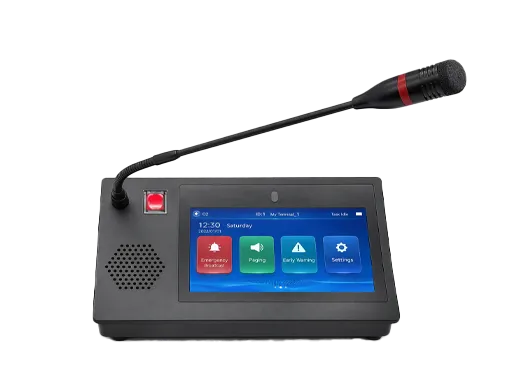
What Is SIP Multicast Paging? Principles, Benefits, and Deployment Methods
What is SIP multicast paging? Learn how SIP controls paging sessions while multicast distributes one-to-many audio, plus the main principles, benefits, architectures, and deployment methods for offices, campuses, industry, and emergency communication.
Becke Telcom
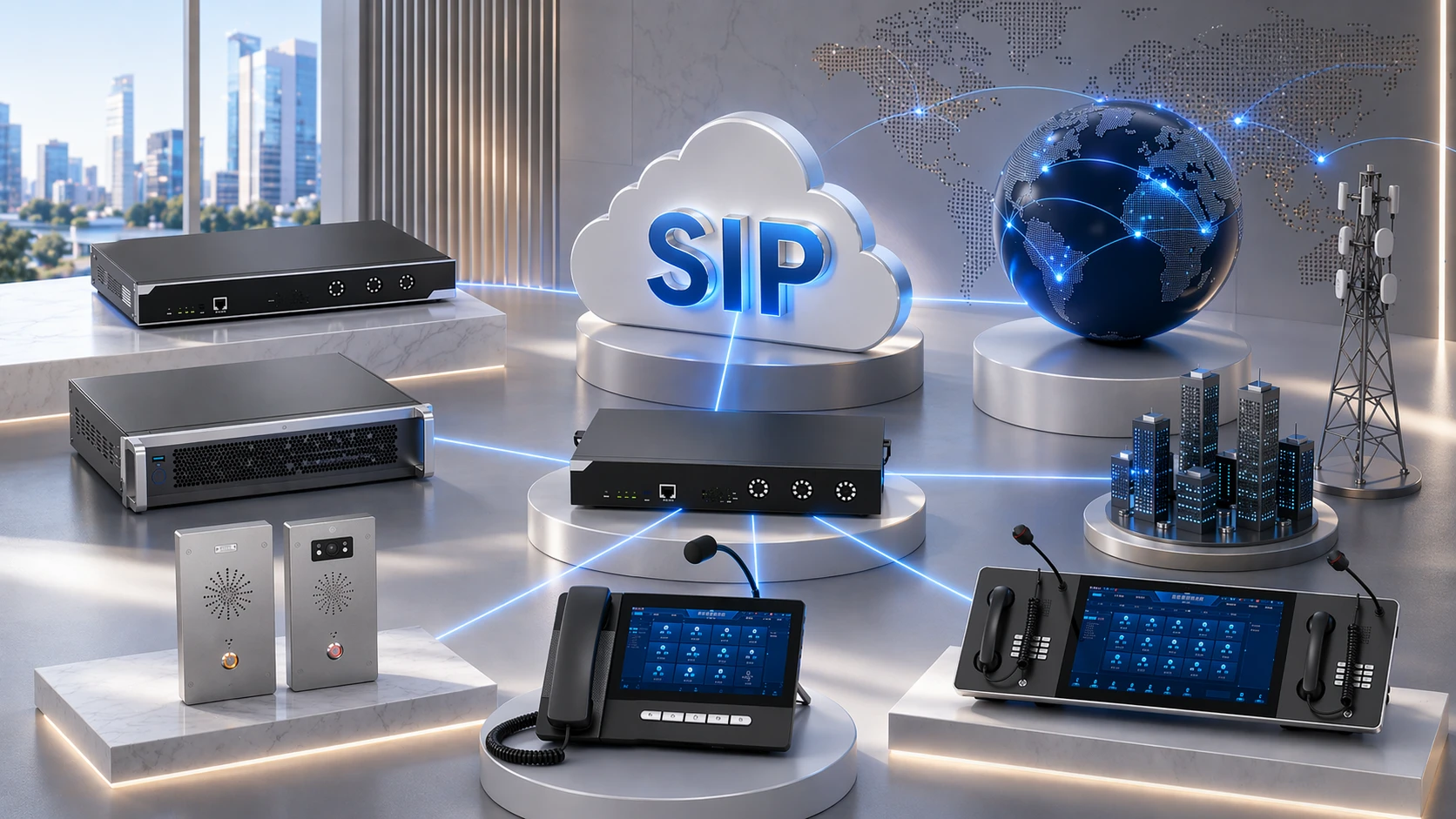
SIP multicast paging is a paging architecture that combines SIP-based call control with multicast audio distribution to deliver one-to-many announcements across an IP network. In practical terms, SIP is used to initiate or control the paging session, while multicast is used to distribute the audio stream efficiently to multiple speakers, phones, intercoms, or other network audio endpoints at the same time.
This approach has become increasingly important in modern IP communications because many organizations need paging and notification systems that are more scalable than simple point-to-point SIP calls, yet more integrated than isolated analog public address systems. In offices, schools, campuses, hospitals, warehouses, factories, and public facilities, it is common to need one announcement to reach multiple zones or many endpoints at once. SIP multicast paging provides a practical way to achieve that without treating every endpoint as a separate individual call target.
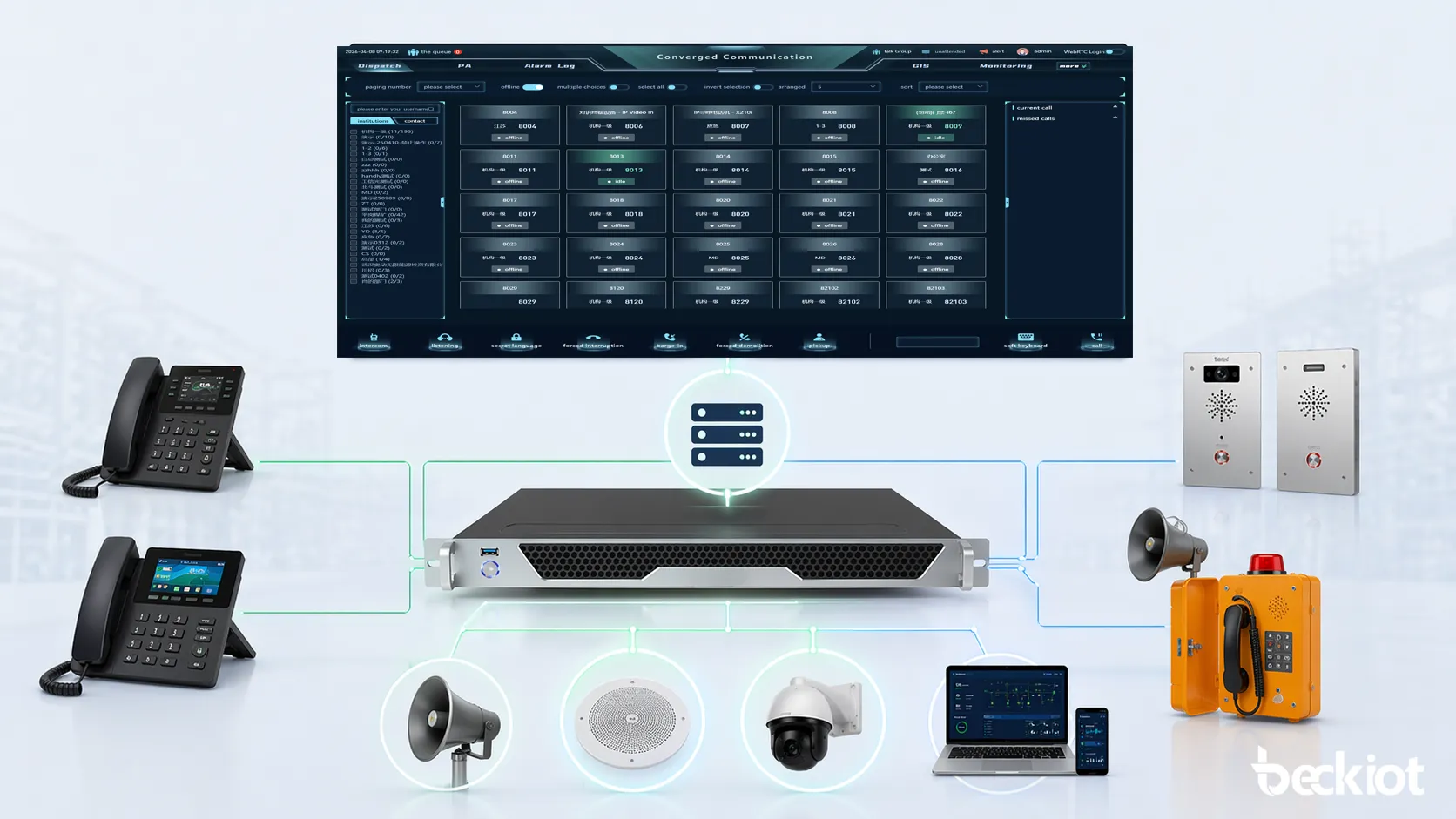
It is also a useful bridge between newer IP communications environments and older paging concepts. SIP connects naturally with IP PBXs, SIP servers, paging adapters, SIP phones, and intercoms, while multicast supports efficient one-to-many audio delivery inside the network. When combined correctly, the result is a flexible paging model that can support daily announcements, emergency alerts, loud ringing, service notifications, and large-scale audio distribution across many site types.
SIP multicast paging combines SIP-based session control with multicast-based one-to-many audio delivery.
What Is SIP Multicast Paging?
Basic definition
SIP multicast paging is not a separate protocol that replaces SIP. Instead, it is a system design approach in which SIP signaling is used to establish or trigger a paging session, and multicast is used to distribute the audio stream to many endpoints efficiently. SIP itself is defined in RFC 3261 as an application-layer signaling protocol for creating, modifying, and terminating multimedia sessions. In a paging context, SIP provides the session control framework, while the media distribution can be designed in different ways, including multicast-based delivery.
In simpler terms, SIP handles the question of how the paging session starts and how it is controlled, while multicast handles the question of how one audio source can reach many receivers on the network at once. This is the key architectural idea behind SIP multicast paging.
Why it matters
In ordinary SIP paging, one page can be delivered as a SIP-controlled announcement to a device or a paging target. But when many endpoints need to hear the same message, purely one-to-one session models can become inefficient. Multicast is valuable because it is built for one-to-many communication. Official vendor documentation explains that RTP multicast can collectively broadcast voice pages, alerts, bell events, and background audio to many devices.
This is why SIP multicast paging is so useful in real projects. It preserves the familiar SIP call-control logic that fits with PBXs and SIP devices, while gaining the distribution efficiency of multicast for larger groups, zones, or whole facilities.
SIP multicast paging is best understood as SIP for control and multicast for scale.
Core Principles of SIP Multicast Paging
SIP handles session initiation and control
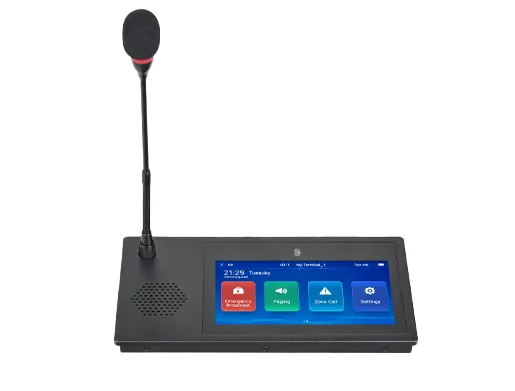
The first principle is that SIP remains the signaling method used to start and manage the paging session. A page may be triggered by a desk phone, a SIP intercom, an operator console, a paging server, or an automated event source. That source initiates a SIP-controlled session in the voice environment, and the paging device or system uses that session as the trigger for the announcement workflow.
This is important because SIP multicast paging is not “multicast without SIP.” In most business and facility deployments, SIP still provides the user-facing or system-facing control path. It aligns the paging process with the same general signaling environment used by phones, PBXs, gateways, and other communication endpoints.
Multicast handles one-to-many audio distribution
The second principle is that multicast provides the efficient media distribution path. Instead of creating a separate unicast audio path to every endpoint, the system sends the audio stream to a multicast address that many listening endpoints can receive. Official documentation shows that devices can act as forwarders that take SIP call audio and forward it to other terminals via multicast.
This allows the same audio source to reach multiple speakers, phones, or other endpoints without turning every receiving device into a separate individually signaled call.
SIP and multicast do not play the same role
The third principle is that SIP and multicast are complementary rather than interchangeable in this design. SIP is usually the control mechanism. Multicast is usually the media distribution mechanism. This distinction matters because it prevents confusion. SIP multicast paging is not simply “SIP paging with many phones” and it is not simply “multicast audio with no call logic.” It is the combination of both layers in one system design.
This architectural distinction is reflected in official product documentation across vendors. Some products can act as SIP extensions or multicast endpoints, while others support SIP-to-multicast forwarding and multicast playback independent of the SIP environment.
The core principle is simple: SIP controls the paging event, and multicast distributes the audio to many receivers.
How SIP Multicast Paging Works
A user or system starts the page
The process usually begins when a user presses a paging key on a SIP phone, activates a console function, uses a SIP intercom, dials a paging extension, or when an automation platform triggers a page. The initiating device sends the request into the SIP environment, typically through an IP PBX, SIP server, or paging controller.
This initiating step looks familiar to anyone who already understands SIP-based calling. The difference is that the destination logic is not necessarily just one endpoint. Instead, the page may be aimed at a paging adapter, gateway, multicast forwarder, or paging server that acts as the bridge between SIP control and multicast distribution.
The SIP side routes the session
Once the page is initiated, the SIP call-control environment routes it according to the dial plan or paging configuration. It may target a paging device, a group, a gateway, or a SIP-capable endpoint that is configured to forward the audio onward via multicast.
This allows SIP multicast paging to stay integrated with standard voice system logic while still preparing for one-to-many endpoint playback.
The audio is sent to the multicast address
After the paging session is established, the audio is sent to the relevant multicast address and port. Endpoints that are listening to that multicast stream receive and play the audio. Official speaker and paging adapter documentation explains that multicast messages can be played independently of the SIP environment on certain products.
This is where multicast creates scale. Instead of the source needing separate media sessions to every speaker, the network distributes the same stream to all listeners that are configured to receive it.
Zones and groups can be controlled logically
Different multicast addresses, ports, or device monitoring groups can be used to represent different paging zones or endpoint groups. Official manuals describe multicast monitoring addresses and support for monitoring multiple multicast addresses in some products, which shows how multicast-based listening can be mapped to real deployment zones.
This makes SIP multicast paging useful not only for all-call paging, but also for targeted area paging, layered notifications, or priority-specific audio workflows.
Main Benefits of SIP Multicast Paging
Scalable one-to-many delivery
The biggest benefit is scalability. Multicast is fundamentally suited to one-to-many communication, which makes it efficient for paging large numbers of endpoints. Official vendor guides explicitly describe multicast as scalable and suitable for paging systems covering rooms, buildings, or outdoor environments.
This is especially valuable in projects where dozens or hundreds of speakers or endpoints may need to receive the same announcement at the same time.
Better alignment with SIP communications
Another key benefit is that the paging function still fits naturally into the SIP communications environment. Since many organizations already use SIP for phones, intercoms, PBXs, and gateways, using SIP as the control path for paging makes operational sense. It avoids turning paging into an isolated legacy island and instead integrates it with the broader voice architecture.
This can simplify administration, user workflows, and long-term communications planning.
Efficient zone-based audio distribution
SIP multicast paging is also valuable because it supports logical zone design very well. Different multicast groups can represent different speaker sets or coverage areas. This means the same system can support all-call, building-call, floor-call, corridor-call, emergency-only groups, or other structured announcement policies depending on the site design.
That flexibility is one of the reasons multicast-based paging is widely used in schools, healthcare sites, campuses, warehouses, and industrial facilities.
Useful for emergency alerting and operational messaging
Official vendor materials consistently show multicast-capable paging products being used for emergency alerts, loud ringing, voice announcements, scheduled bells, and operational notifications. This means SIP multicast paging is not only useful for convenience announcements. It can also be an important part of the site’s safety and response communication model.
In these environments, scalability and clarity of delivery are particularly important.
The real value of SIP multicast paging is that it combines the manageability of SIP with the efficiency of multicast in one deployment approach.
SIP Multicast Paging vs Ordinary SIP Paging
Ordinary SIP paging and SIP multicast paging both use SIP-based control, but they differ in how the audio reaches the receivers. Ordinary SIP paging may use direct SIP sessions to the target endpoint or target group, while SIP multicast paging uses multicast distribution so many endpoints can receive the same audio more efficiently.
Item
Ordinary SIP Paging
SIP Multicast Paging
Control method
SIP-based call control
SIP-based call control
Audio delivery
Often direct to one endpoint or set of endpoints
One-to-many multicast audio distribution
Scalability
Good for simpler or smaller groups
Better for larger endpoint groups and zones
Typical architecture
PBX to speaker, phone, or gateway directly
PBX or SIP source to multicast forwarder or multicast-capable endpoints
Zone efficiency
More dependent on direct call targeting
Well suited to one-to-many group listening
In real deployments, the two models are often combined rather than treated as mutually exclusive. The user may still initiate paging through a familiar SIP call action, but the downstream audio distribution may be multicast-based for scale.
Common Deployment Methods
Direct SIP source with multicast-capable endpoints
One deployment method is to use endpoints that can receive multicast directly. In this model, a SIP-triggered page or configured multicast transmission causes the audio to be distributed to endpoints that are already listening on the correct multicast address and port.
This method is attractive when the endpoint estate already supports multicast and the site wants simple, scalable one-to-many playback.
SIP-to-multicast forwarding device
Another common deployment method is to use a forwarding device that receives the SIP call and then retransmits the audio as multicast. Official documentation describes this model and notes that intercoms, PA gateways, door phones, IP phones, and indoor units can act as forwarder devices that send SIP call audio to multicast terminals.
This is especially useful when the source side of the system is strongly SIP-oriented but the playback side is best served by multicast endpoint distribution.
Paging server or PBX with multicast group design
Some deployments use a paging server or IP PBX that supports multicast-oriented paging groups. Official support documentation shows paging server multicast configurations and multicast transmission modes that broadcast a call to configured multicast addresses and ports.
This approach can be useful when administrators want more centralized control over zones, permissions, and paging logic.
Hybrid modernization with gateways and legacy speakers
SIP multicast paging can also be used in hybrid modernization. A SIP paging adapter or gateway can be the control bridge between the SIP environment and existing speaker infrastructure, while multicast may be used for IP-native endpoints in newer areas.
This allows organizations to modernize gradually instead of replacing all speaker infrastructure at once.
Common deployments include direct multicast-capable endpoints, SIP-to-multicast forwarding devices, and paging servers with zone logic.
Typical Applications
Offices and commercial buildings
SIP multicast paging is commonly used for office announcements, staff calls, reception paging, and area notifications. In these environments, the system often needs to support multiple rooms, floors, or departments while remaining easy to initiate from phones or operator points.
This makes the combination of SIP control and multicast distribution especially practical.
Schools, campuses, and healthcare sites
Schools, campuses, dormitories, and healthcare facilities often require structured zone-based communication for both routine and urgent purposes. Multicast-based paging helps these sites reach many endpoints quickly, while SIP keeps the system integrated with voice platforms and user workflows.
That makes SIP multicast paging a natural fit where many users and many spaces must be covered reliably.
Warehouses, factories, and industrial sites
Industrial sites benefit from SIP multicast paging because announcements often need to reach broad areas, noisy zones, or multiple work sections at the same time. Multicast distribution is especially useful here because one-to-many audio delivery is often more important than conversational call behavior.
This is one reason horn speakers, paging adapters, and multicast-capable IP audio devices are common in industrial paging design.
Emergency and mass notification environments
Another important application is emergency and mass notification. Because SIP multicast paging can distribute one message to many endpoints efficiently, it is well suited to urgent alerts, evacuation instructions, site-wide warnings, and rapid notification workflows. Official vendor documentation repeatedly highlights emergency alerting as a major multicast-capable paging use case.
In these environments, scalability and clarity of delivery are particularly important.
Things to Consider Before Deployment
Network support for multicast
One of the first considerations is whether the network is designed to handle multicast correctly. Since multicast depends on network behavior rather than only on endpoint features, switching and routing policies need to support the intended design. A SIP multicast paging project is not only an endpoint choice. It is also a network design choice.
This is especially important in larger or multi-building environments where traffic behavior must remain predictable.
Endpoint compatibility and zone planning
Another consideration is endpoint compatibility. Not every SIP endpoint supports multicast in the same way, so it is important to verify which speakers, phones, intercoms, or gateways can receive multicast, forward SIP audio to multicast, or operate in the intended group logic.
Zone design should also be planned carefully so that the right endpoints receive the right messages.
User workflow and system control
It is also important to decide how users will initiate the page. Will it start from a desk phone key, an intercom, a paging extension, a console, or an emergency application? Will users have permission for all-call or only selected zones? Will the system support both routine paging and higher-priority alerts? These workflow decisions strongly influence the final system design.
A technically capable paging system only becomes operationally effective when the human workflow is planned clearly.
Successful SIP multicast paging depends on three things at once: correct SIP control logic, correct multicast network behavior, and correct zone and workflow design.
Conclusion
SIP multicast paging is a paging architecture that combines SIP-based control with multicast-based one-to-many audio distribution. SIP provides the signaling framework that starts and manages the paging event, while multicast provides the efficient transport path that allows many endpoints to hear the same message at the same time.
This combination makes SIP multicast paging especially valuable in modern IP communications environments where organizations need scalable announcements, structured zones, and stronger alignment with PBXs, SIP servers, paging gateways, speakers, and intercom systems. It works well in offices, schools, healthcare sites, industrial facilities, warehouses, and emergency communication environments because it balances control, scale, and integration.
In short, SIP multicast paging is not just a technical variation of paging. It is a practical deployment method that helps organizations build larger, more efficient, and better integrated IP paging systems.
FAQ
What is SIP multicast paging?
SIP multicast paging is a paging method that uses SIP signaling to control the paging session and multicast to distribute the audio stream to many endpoints at once.
Is SIP multicast paging the same as normal SIP paging?
No. Both use SIP control, but SIP multicast paging adds multicast audio distribution for more efficient one-to-many delivery.
Why is multicast useful in paging systems?
Because multicast is designed for one-to-many communication, which makes it well suited to delivering the same announcement to many receivers efficiently.
Can SIP multicast paging work with speakers and phones?
Yes. Depending on the product and system design, it can work with multicast-capable speakers, phones, intercoms, gateways, and paging servers.
Where is SIP multicast paging commonly used?
It is commonly used in offices, schools, campuses, hospitals, warehouses, factories, and emergency notification environments where many endpoints need to hear the same message.
What is the main benefit of SIP multicast paging?
The main benefit is that it combines SIP-based manageability with multicast-based scalability for efficient one-to-many audio distribution.
What should be checked before deployment?
Key factors include network multicast support, endpoint compatibility, zone planning, user workflow, and how the paging control logic fits into the broader SIP communications environment.
We use cookie to improve your online experience. By continuing to browse this website, you agree to our use of cookie.
Cookies
This Cookie Policy explains how we use cookies and similar technologies when you access or use our website and related services. Please read this Policy together with our Terms and Conditions and Privacy Policy so that you understand how we collect, use, and protect information.
By continuing to access or use our Services, you acknowledge that cookies and similar technologies may be used as described in this Policy, subject to applicable law and your available choices.
Updates to This Cookie Policy
We may revise this Cookie Policy from time to time to reflect changes in legal requirements, technology, or our business practices. When we make updates, the revised version will be posted on this page and will become effective from the date of publication unless otherwise required by law.
Where required, we will provide additional notice or request your consent before applying material changes that affect your rights or choices.
What Are Cookies?
Cookies are small text files placed on your device when you visit a website or interact with certain online content. They help websites recognize your browser or device, remember your preferences, support essential functionality, and improve the overall user experience.
In this Cookie Policy, the term “cookies” also includes similar technologies such as pixels, tags, web beacons, and other tracking tools that perform comparable functions.
Why We Use Cookies
We use cookies to help our website function properly, remember user preferences, enhance website performance, understand how visitors interact with our pages, and support security, analytics, and marketing activities where permitted by law.
We use cookies to keep our website functional, secure, efficient, and more relevant to your browsing experience.
Categories of Cookies We Use
Strictly Necessary Cookies
These cookies are essential for the operation of the website and cannot be disabled in our systems where they are required to provide the service you request. They are typically set in response to actions such as setting privacy preferences, signing in, or submitting forms.
Without these cookies, certain parts of the website may not function correctly.
Functional Cookies
Functional cookies enable enhanced features and personalization, such as remembering your preferences, language settings, or previously selected options. These cookies may be set by us or by third-party providers whose services are integrated into our website.
If you disable these cookies, some services or features may not work as intended.
Performance and Analytics Cookies
These cookies help us understand how visitors use our website by collecting information such as traffic sources, page visits, navigation behavior, and general interaction patterns. In many cases, this information is aggregated and does not directly identify individual users.
We use this information to improve website performance, usability, and content relevance.
Targeting and Advertising Cookies
These cookies may be placed by our advertising or marketing partners to help deliver more relevant ads and measure the effectiveness of campaigns. They may use information about your browsing activity across different websites and services to build a profile of your interests.
These cookies generally do not store directly identifying personal information, but they may identify your browser or device.
First-Party and Third-Party Cookies
Some cookies are set directly by our website and are referred to as first-party cookies. Other cookies are set by third-party services, such as analytics providers, embedded content providers, or advertising partners, and are referred to as third-party cookies.
Third-party providers may use their own cookies in accordance with their own privacy and cookie policies.
Information Collected Through Cookies
Depending on the type of cookie used, the information collected may include browser type, device type, IP address, referring website, pages viewed, time spent on pages, clickstream behavior, and general usage patterns.
This information helps us maintain the website, improve performance, enhance security, and provide a better user experience.
Your Cookie Choices
You can control or disable cookies through your browser settings and, where available, through our cookie consent or preference management tools. Depending on your location, you may also have the right to accept or reject certain categories of cookies, especially those used for analytics, personalization, or advertising purposes.
Please note that blocking or deleting certain cookies may affect the availability, functionality, or performance of some parts of the website.
Restricting cookies may limit certain features and reduce the quality of your experience on the website.
Cookies in Mobile Applications
Where our mobile applications use cookie-like technologies, they are generally limited to those required for core functionality, security, and service delivery. Disabling these essential technologies may affect the normal operation of the application.
We do not use essential mobile application cookies to store unnecessary personal information.
How to Manage Cookies
Most web browsers allow you to manage cookies through browser settings. You can usually choose to block, delete, or receive alerts before cookies are stored. Because browser controls vary, please refer to your browser provider’s support documentation for details on how to manage cookie settings.
Contact Us
If you have any questions about this Cookie Policy or our use of cookies and similar technologies, please contact us at support@becke.cc .