IP PA System for Paging, Broadcasting, and Emergency Alerts
Discover how an IP PA system supports live paging, scheduled broadcasting, zone announcements, and emergency alerts through a SIP-based architecture for safer, smarter, and more efficient operations.
Becke Telcom
Introduction
As sites become more digital, connected, and operationally complex, voice communication can no longer be treated as a standalone function. Many facilities still rely on separate systems for public address, paging, emergency notification, intercom, and monitoring coordination. That fragmented approach often creates delayed responses, inconsistent management, and higher maintenance pressure, especially when staff need to broadcast instructions quickly across multiple areas.
An IP PA system provides a more unified way to deliver live announcements, routine broadcasting, and urgent alerts. Built on an IP network and typically based on standard SIP architecture, it can connect paging consoles, IP speakers, SIP horns, intercom terminals, gateways, and software platforms into one manageable solution. In practice, this means an organization can handle daily communication and emergency notification through the same communications framework, while also improving scalability, audio clarity, and control flexibility.
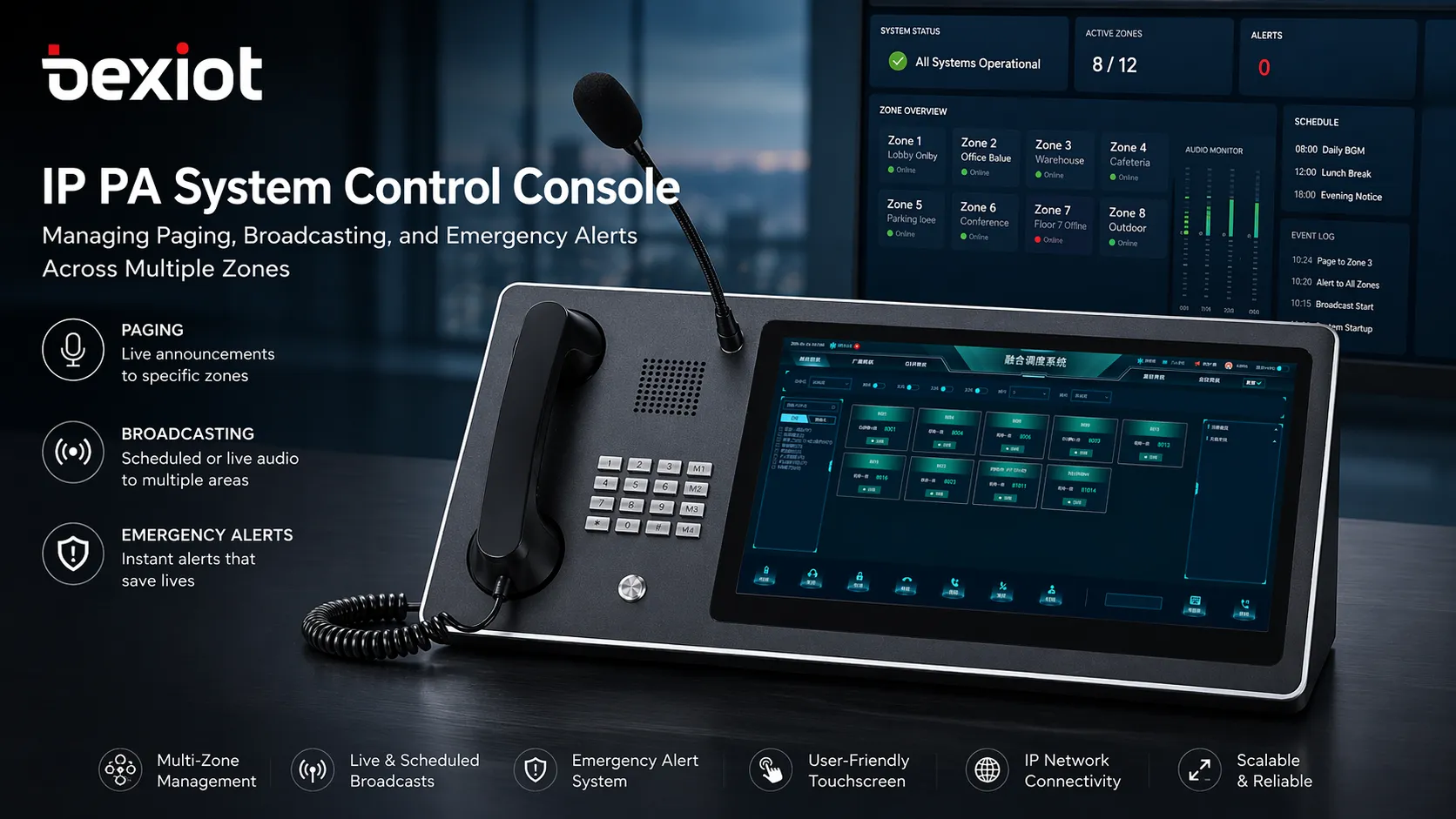
Modern IP PA systems unify live paging, scheduled broadcasts, and emergency alert handling on one networked platform.
Why Traditional PA Systems Are No Longer Enough
Fragmented subsystems create management gaps
In many projects, broadcasting, telephony, intercom, alarm handling, and monitoring are deployed as isolated subsystems. This makes day-to-day operation more complicated because users have to switch between different devices and platforms to complete what is actually one response workflow. In an emergency, that separation can slow coordination and reduce visibility.
A modern IP PA system is often selected because it helps bring these communication elements together. Instead of treating paging as an independent function, it becomes part of a broader operational platform that can work with intercom, telephony, recording, monitoring, and management tools.
Analog expansion is often rigid and costly
Traditional broadcast systems may work well for simple one-way audio, but they are usually less flexible when an organization needs zone-based control, remote management, multi-site expansion, or integration with software platforms. As facilities expand, the cost and complexity of physical rewiring, controller replacement, and subsystem coordination also increase.
By comparison, an IP-based approach can use existing network infrastructure more efficiently. This makes cross-building, cross-area, and even cross-site deployment much easier, especially for organizations planning staged upgrades rather than full replacement in a single phase.
Emergency response needs more than one-way audio
Modern safety workflows usually require more than simply pushing audio to loudspeakers. Operators may need to verify an incident, trigger priority announcements, link broadcasts to alarms, notify field teams, and record the full handling process. A broadcast-only design cannot fully support that kind of coordinated response.
That is why many IP PA deployments now emphasize convergence. In practical solution design, paging, broadcasting, alarm linkage, intercom, and centralized dispatch are increasingly treated as one integrated capability rather than five separate systems.
A well-designed IP PA system is no longer just a loudspeaker network. It becomes part of an operational communications layer for daily coordination and emergency response.
What Is an IP PA System
Definition and core purpose
An IP PA system is a network-based public address platform used for live paging, scheduled broadcasting, zone announcements, and emergency alerts. It distributes audio over an IP network instead of depending only on conventional analog signal paths. In many deployments, the system also uses SIP as a standard signaling method so that speakers, intercom devices, consoles, and servers can work within a unified communications environment.
Its core purpose is straightforward: deliver the right voice message to the right area at the right time. But in actual projects, the value goes further. The same platform can also support routine announcements, security communications, public safety notifications, operational dispatch, and event-based alert handling.
More than broadcasting
Although the name highlights public address, an IP PA system is not limited to one-way background announcements. In many solution architectures, it works together with SIP intercom terminals, IP phones, wireless handsets, gateways, monitoring software, and emergency management tools. This enables voice communication to move from simple broadcasting toward coordinated incident handling.
That broader role is especially useful in campuses, industrial sites, parks, highways, scenic areas, and public facilities where operators must combine announcements, staff coordination, and rapid response inside one workflow.
Core Functions of an IP PA System
Live paging and public announcements
The most basic function is real-time paging. An operator can speak from a paging console, desk phone, dispatch terminal, or management client and send the message to one device, one group, one zone, or the entire site. This is used for operational notices, visitor guidance, shift coordination, safety reminders, and incident instructions.
Compared with legacy broadcast systems, IP PA platforms usually offer more flexible control logic. Users can launch announcements based on zone, role, event, or priority, instead of depending on a fixed wiring-based grouping model.
Scheduled and zone-based broadcasting
Routine information delivery is another major function. The platform can schedule time-based broadcasts such as opening messages, class bells, shift reminders, work instructions, routine safety notices, and background music. Different content can be delivered to different areas without disturbing the rest of the site.
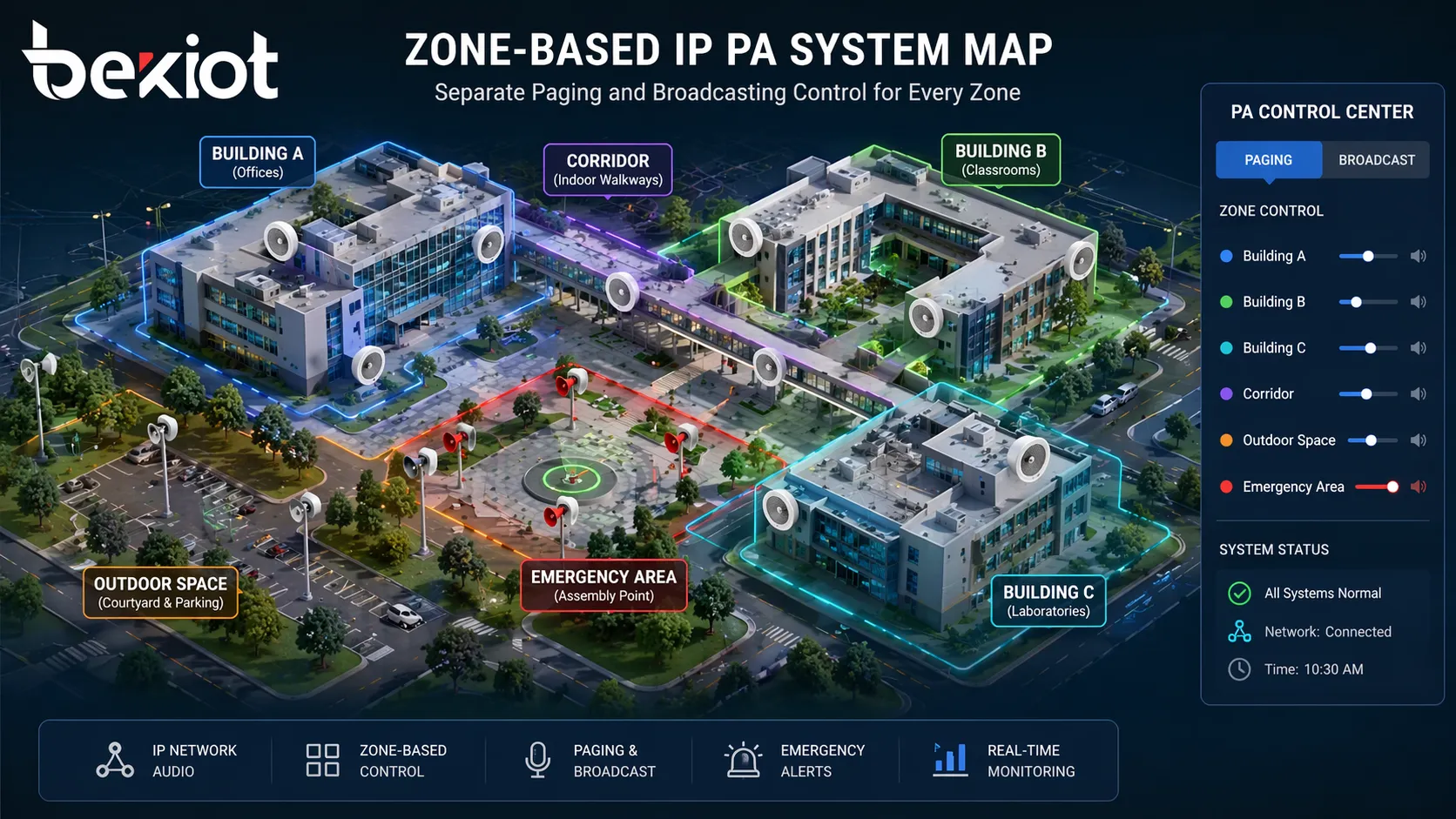
Zone control is especially important in larger environments. A site may require separate paging policies for offices, corridors, outdoor spaces, parking areas, production zones, dormitories, tunnels, stations, or visitor areas. IP PA systems make these groupings easier to define, adjust, and expand in software.
Zone-based broadcasting helps operators send the right message to the right area without affecting the whole site.
Emergency alerts and priority broadcasting
Emergency notification is one of the strongest reasons to deploy an IP PA system. When an abnormal event occurs, the system can push high-priority messages to selected zones or the full site. These alerts may relate to fire evacuation, security incidents, weather warnings, equipment hazards, traffic events, or public safety instructions.
Priority control matters here. A higher-priority emergency broadcast should be able to interrupt routine audio tasks, while allowing normal services to resume afterward when appropriate. This helps ensure that critical instructions are delivered clearly and without delay.
Intercom and two-way communication support
Many IP PA solutions also work alongside SIP intercom terminals and emergency help points. That means users are not limited to passive listening. A person in the field can trigger a help call, speak with the control room, and receive follow-up instructions while broadcast and dispatch functions continue to operate within the same platform.
This combination is particularly valuable in unattended sites, public spaces, corridors, tunnels, parking areas, industrial facilities, and large campuses where one-way announcements alone are not enough.
Alarm and video linkage
Advanced deployments often link the PA platform with alarms, sensors, and video systems. When an event is triggered, the system can automatically start a predefined response, such as opening a live audio channel, launching an emergency broadcast, popping up the relevant camera feed, notifying the operator, or recording the incident process.
That kind of linkage helps reduce the gap between detection and action. Instead of manually coordinating separate platforms, operators can verify events and initiate response measures from a more centralized interface.
Recording, logs, and remote management
For daily operations and post-event review, many IP PA systems support broadcast records, event logs, configuration management, and remote maintenance. Administrators can deploy devices in batches, update parameters, check terminal status, and troubleshoot issues without visiting every endpoint on site.
This is especially valuable in distributed projects where speakers, intercoms, and paging devices are installed across many buildings or wide outdoor areas. Centralized management reduces operational workload and improves lifecycle efficiency.
How an IP PA System Works
Standard SIP and IP architecture
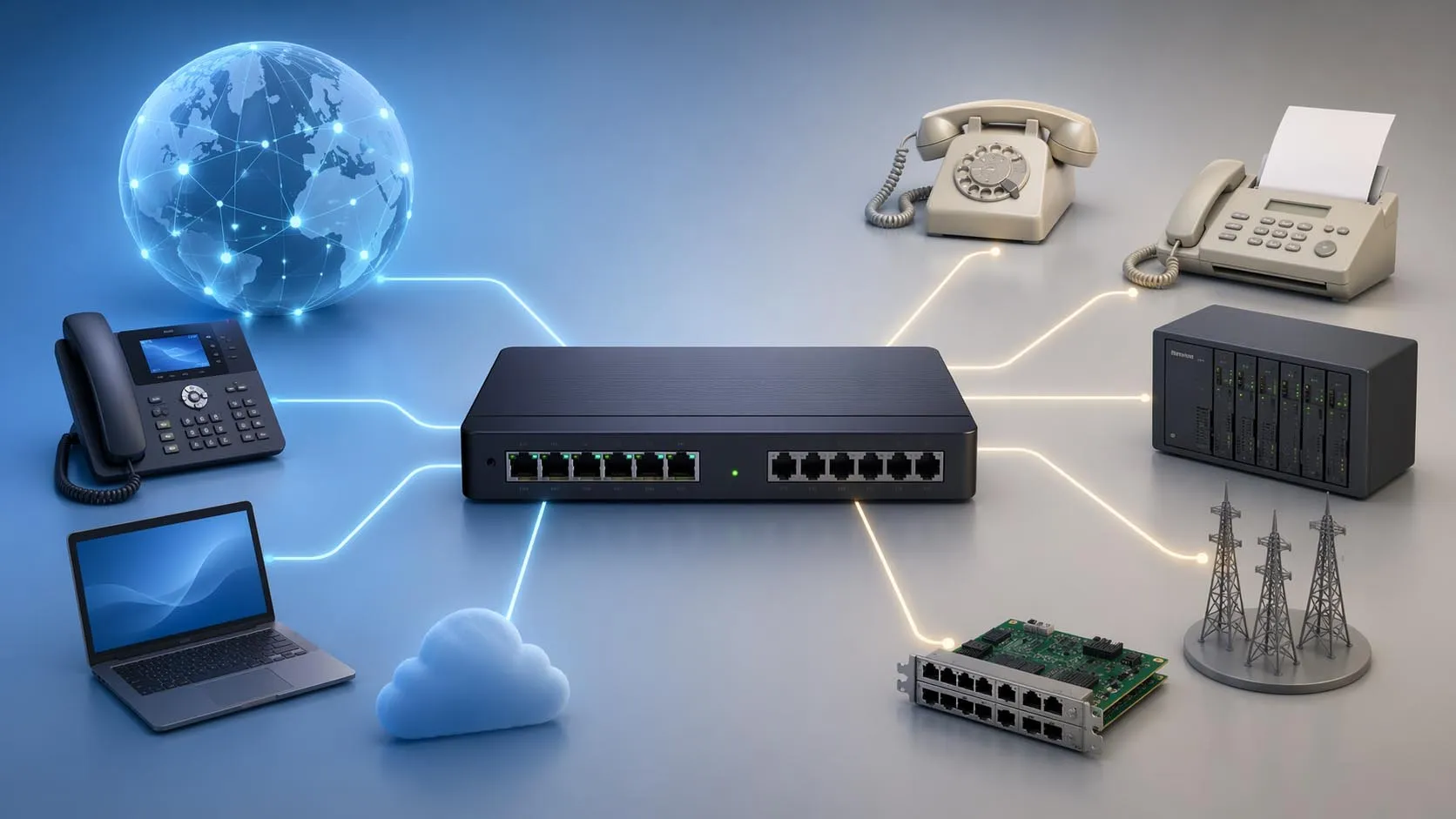
In many modern solutions, the system is built on an IP network and uses standard SIP as the communication protocol for signaling and interoperability. This makes it easier to connect third-party devices and integrate the PA layer with existing IPPBX or unified communication systems.
Because the system is network-based, deployment is more flexible than conventional broadcast-only designs. As long as suitable IP connectivity is available, devices can be placed across local networks, routed networks, or geographically separated sites according to the project design.
Typical system components
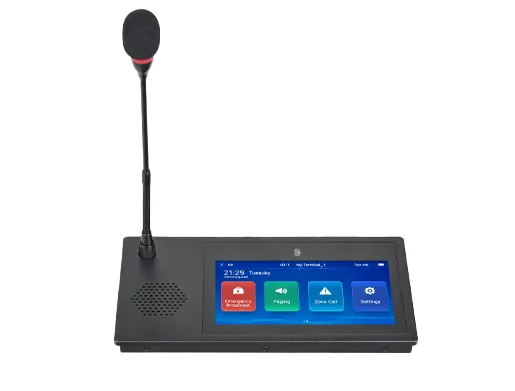
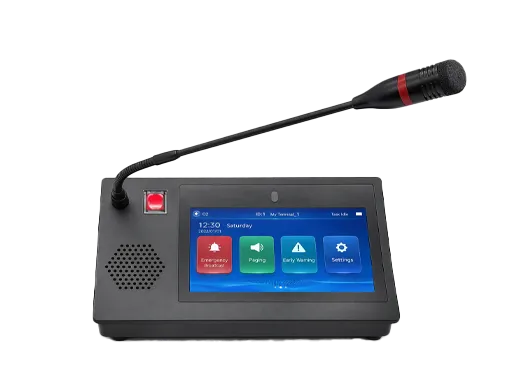
A typical architecture may include a broadcast or communication server, a visual paging console, desk phones or dispatch clients, IP speakers or SIP horns, intercom terminals, alarm interfaces, management software, and optional gateways for compatibility with existing systems. Together, these components form a coordinated platform for announcement, alerting, and control.
In some projects, the same environment also includes recording, monitoring, meetings, remote control, and wireless communication resources. This supports a more complete communications workflow rather than a single isolated PA function.
Operational workflow
During routine operation, users can launch live pages, scheduled broadcasts, or zone announcements from the console or assigned terminals. During incidents, alarms or field devices may trigger predefined workflows, allowing the operator to broadcast instructions, communicate with the field, and verify the event through linked video or status information.
This process improves both speed and consistency. Instead of improvising during a time-sensitive situation, staff can work from a structured communications framework that supports repeatable response procedures.
When paging, broadcasting, alarms, and intercom are designed together, the system supports both operational efficiency and incident readiness.
Key Benefits of an IP PA System
Unified communication and centralized control
One of the biggest advantages is that the platform can reduce subsystem fragmentation. Paging, routine broadcasting, emergency alerts, and related voice functions can be managed from a centralized interface, which improves coordination and reduces operator complexity.
This unified approach is particularly useful for sites that already manage security, operations, facilities, and safety through a common control room or command process.
Flexible deployment and simpler expansion
Because the architecture is IP-based, deployment is generally more adaptable. Organizations can add new speakers, intercom devices, or broadcast zones without rebuilding the whole platform. This supports phased growth and site-by-site rollout strategies.
It also helps when projects need to connect remote buildings, outdoor zones, branch facilities, or newly added spaces under a shared management framework.
Better audio performance in demanding environments
Audio quality remains critical for both routine messaging and emergency instruction. Many modern platforms emphasize HD voice support, echo cancellation, and background noise control so that announcements remain intelligible in noisy or acoustically difficult environments.
That is important in places such as highways, plant areas, wind farms, public corridors, stations, and outdoor sites, where voice messages must remain clear under challenging conditions.
Improved emergency readiness
Emergency communication depends on speed, message reach, and operational clarity. An IP PA system helps by enabling rapid zone-based alerts, priority interruption, linked workflows, and centralized supervision. It gives operators more structured tools to deliver instructions during safety incidents.
For organizations responsible for public safety or large-scale facility management, that can translate into faster coordination, clearer evacuation guidance, and better incident documentation.
Typical Application Scenarios
Campuses and education facilities
Schools and campuses often use IP PA systems for routine announcements, class schedules, emergency instructions, and public area broadcasting. They may also integrate classroom communication, help points, monitoring, and security workflows to improve overall response capability.
Zone-based operation is especially useful in education environments because different buildings and public areas often need different schedules and communication priorities.
Industrial parks and enterprise sites
Industrial and enterprise sites use PA platforms for production notices, safety reminders, emergency evacuation, perimeter communication, and distributed area management. Integration with intercom, alarms, and monitoring helps operators respond more effectively to abnormal events.
Where facilities include workshops, warehouses, machine rooms, entrances, public paths, and outdoor work areas, centralized paging and alerting can significantly improve operational consistency.
Highways, tunnels, and transport environments
Transport scenarios often require long-distance zone control, emergency notice delivery, roadside help communication, and control-room coordination. In these environments, an IP PA system can work with intercoms, horns, monitoring, and dispatch tools to support both routine operations and incident response.
Clear priority broadcasting is especially important where traffic events, tunnel incidents, or sudden safety instructions must be delivered quickly to selected areas.
Scenic areas, public venues, and open environments
Tourist sites, parks, public venues, and large open spaces benefit from a combination of public guidance, background broadcasting, help-point support, and emergency alert capability. Operators can manage public information and incident communication from the same platform.
This supports both service quality and safety management, which is why such environments increasingly favor integrated IP-based communication designs.
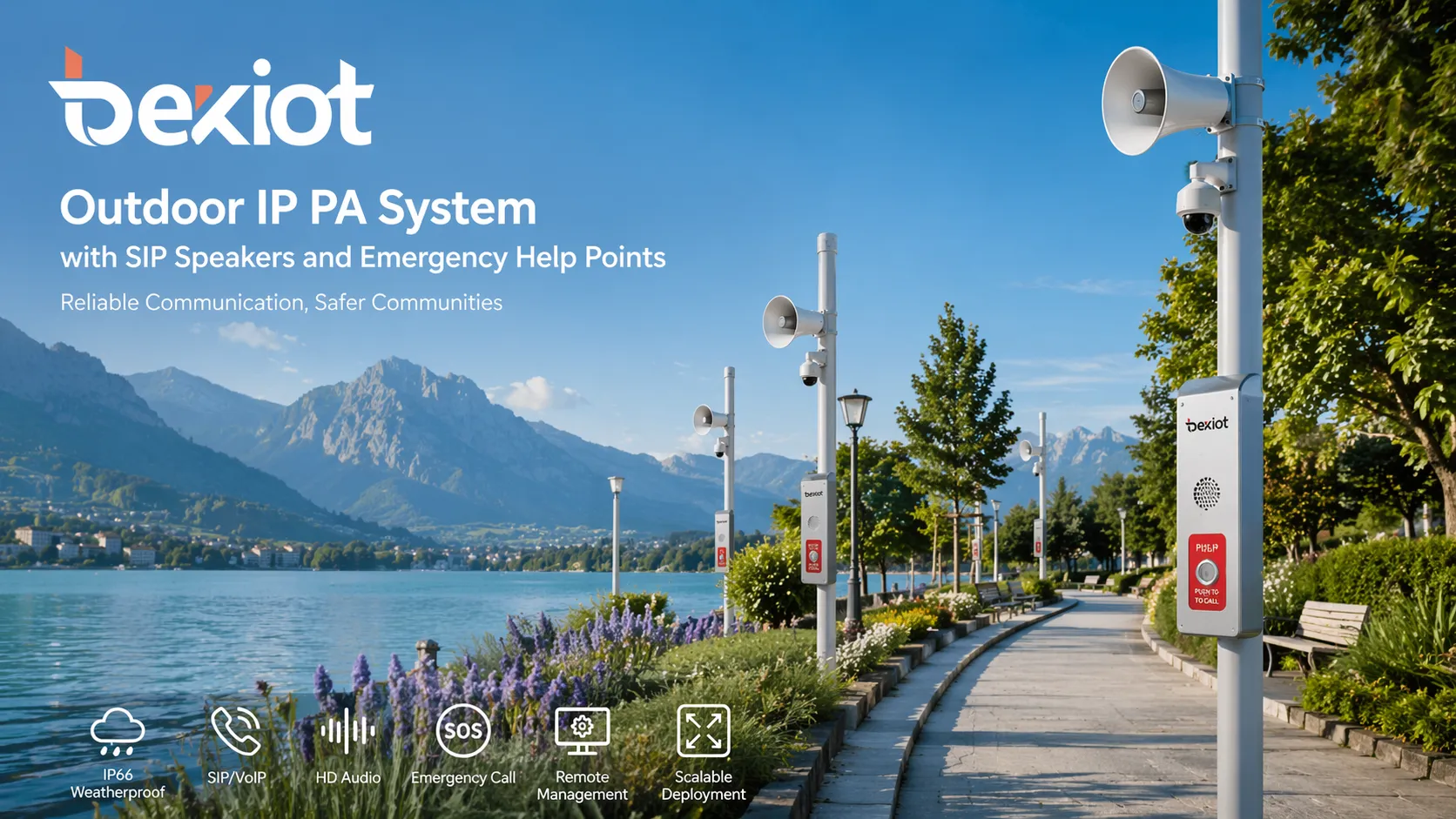
Outdoor deployments benefit from centralized paging, zone announcements, and emergency communication across distributed areas.
What to Look for When Choosing an IP PA System
Standard protocol compatibility
Choose a system built on standard SIP and open architecture whenever possible. This provides better interoperability with third-party devices, IPPBX platforms, intercom terminals, and future expansion requirements. Closed systems may seem simple at first but often become restrictive later.
Protocol openness also matters when the project includes gradual modernization or mixed device environments.
Zone control and priority management
A practical platform should support flexible grouping, zone-based control, and clear broadcast priority policies. Daily music or routine notices should not interfere with emergency messaging, and critical broadcasts should be able to interrupt lower-priority tasks when required.
This capability is central to safe and orderly operation in multi-area projects.
Integration with alarms, intercom, and video
Modern projects often expect the PA platform to connect with more than speakers. Look for a solution that can integrate alarms, emergency help points, monitoring systems, and control interfaces so that operators can verify and handle events more efficiently.
The more tightly communication and event handling are linked, the stronger the overall operational value of the deployment.
Audio performance and management tools
Pay attention to voice quality, echo control, noise handling, recording capability, and remote maintenance features. A good system should not only sound clear, but also remain manageable over time.
For large or distributed projects, centralized deployment tools and status monitoring can save substantial maintenance effort.
Conclusion
An IP PA system is no longer just a tool for making announcements. It is a practical communications platform for live paging, routine broadcasting, zone control, and emergency alerts across modern facilities. By using SIP-based architecture and IP networking, it becomes easier to connect speakers, consoles, intercoms, gateways, and software into one coordinated environment.
For organizations that need both operational efficiency and safety readiness, the real value lies in convergence. When paging, broadcasting, emergency notification, and event linkage work together, communication becomes faster, clearer, and easier to manage. That is what makes an IP PA system a strong choice for today’s digital campuses, industrial sites, transport networks, and public environments.
A strong IP PA solution helps organizations speak clearly in routine operations and respond decisively when emergencies happen.
FAQ
What is the difference between an IP PA system and a traditional PA system?
A traditional PA system is usually more hardware-bound and focused on one-way audio distribution. An IP PA system uses network architecture to support live paging, scheduled broadcasting, zone management, remote deployment, and broader integration with other communication and safety systems.
Can an IP PA system support emergency alerts?
Yes. One of its main advantages is the ability to deliver priority emergency announcements to selected zones or the full site. Many systems can also work with alarms, intercom devices, and linked workflows to improve emergency response.
Does an IP PA system only work for indoor buildings?
No. It can also be used in outdoor and distributed environments such as campuses, industrial parks, highways, scenic areas, logistics zones, and public infrastructure projects, provided the project includes suitable network and endpoint design.
Why is SIP important in an IP PA system?
SIP helps standardize signaling and improves interoperability. A SIP-based system is generally easier to integrate with IP phones, intercom terminals, paging consoles, and IPPBX platforms, which supports future flexibility and system convergence.
We use cookie to improve your online experience. By continuing to browse this website, you agree to our use of cookie.
Cookies
This Cookie Policy explains how we use cookies and similar technologies when you access or use our website and related services. Please read this Policy together with our Terms and Conditions and Privacy Policy so that you understand how we collect, use, and protect information.
By continuing to access or use our Services, you acknowledge that cookies and similar technologies may be used as described in this Policy, subject to applicable law and your available choices.
Updates to This Cookie Policy
We may revise this Cookie Policy from time to time to reflect changes in legal requirements, technology, or our business practices. When we make updates, the revised version will be posted on this page and will become effective from the date of publication unless otherwise required by law.
Where required, we will provide additional notice or request your consent before applying material changes that affect your rights or choices.
What Are Cookies?
Cookies are small text files placed on your device when you visit a website or interact with certain online content. They help websites recognize your browser or device, remember your preferences, support essential functionality, and improve the overall user experience.
In this Cookie Policy, the term “cookies” also includes similar technologies such as pixels, tags, web beacons, and other tracking tools that perform comparable functions.
Why We Use Cookies
We use cookies to help our website function properly, remember user preferences, enhance website performance, understand how visitors interact with our pages, and support security, analytics, and marketing activities where permitted by law.
We use cookies to keep our website functional, secure, efficient, and more relevant to your browsing experience.
Categories of Cookies We Use
Strictly Necessary Cookies
These cookies are essential for the operation of the website and cannot be disabled in our systems where they are required to provide the service you request. They are typically set in response to actions such as setting privacy preferences, signing in, or submitting forms.
Without these cookies, certain parts of the website may not function correctly.
Functional Cookies
Functional cookies enable enhanced features and personalization, such as remembering your preferences, language settings, or previously selected options. These cookies may be set by us or by third-party providers whose services are integrated into our website.
If you disable these cookies, some services or features may not work as intended.
Performance and Analytics Cookies
These cookies help us understand how visitors use our website by collecting information such as traffic sources, page visits, navigation behavior, and general interaction patterns. In many cases, this information is aggregated and does not directly identify individual users.
We use this information to improve website performance, usability, and content relevance.
Targeting and Advertising Cookies
These cookies may be placed by our advertising or marketing partners to help deliver more relevant ads and measure the effectiveness of campaigns. They may use information about your browsing activity across different websites and services to build a profile of your interests.
These cookies generally do not store directly identifying personal information, but they may identify your browser or device.
First-Party and Third-Party Cookies
Some cookies are set directly by our website and are referred to as first-party cookies. Other cookies are set by third-party services, such as analytics providers, embedded content providers, or advertising partners, and are referred to as third-party cookies.
Third-party providers may use their own cookies in accordance with their own privacy and cookie policies.
Information Collected Through Cookies
Depending on the type of cookie used, the information collected may include browser type, device type, IP address, referring website, pages viewed, time spent on pages, clickstream behavior, and general usage patterns.
This information helps us maintain the website, improve performance, enhance security, and provide a better user experience.
Your Cookie Choices
You can control or disable cookies through your browser settings and, where available, through our cookie consent or preference management tools. Depending on your location, you may also have the right to accept or reject certain categories of cookies, especially those used for analytics, personalization, or advertising purposes.
Please note that blocking or deleting certain cookies may affect the availability, functionality, or performance of some parts of the website.
Restricting cookies may limit certain features and reduce the quality of your experience on the website.
Cookies in Mobile Applications
Where our mobile applications use cookie-like technologies, they are generally limited to those required for core functionality, security, and service delivery. Disabling these essential technologies may affect the normal operation of the application.
We do not use essential mobile application cookies to store unnecessary personal information.
How to Manage Cookies
Most web browsers allow you to manage cookies through browser settings. You can usually choose to block, delete, or receive alerts before cookies are stored. Because browser controls vary, please refer to your browser provider’s support documentation for details on how to manage cookie settings.
Contact Us
If you have any questions about this Cookie Policy or our use of cookies and similar technologies, please contact us at support@becke.cc .