School PA System for Paging, Bell Scheduling, and Emergency Notification
A school PA system solution for paging, bell scheduling, and emergency notification, designed for modern campuses to unify classroom broadcasting, daily announcements, scheduled bells, emergency alerts, and campus-wide audio management on one IP-based platform.
Becke Telcom
Project Background
Why Schools Need a Unified Audio Communication Platform
Modern schools no longer use campus audio systems only for morning announcements. Today, a school PA system is expected to support daily paging, automated bell scheduling, exam tone playback, background music, classroom notifications, zone-based announcements, and emergency alerts. In many campuses, however, these functions are still split across separate devices or disconnected systems, which makes daily operation more complicated and emergency response slower.
A well-designed school PA system should therefore do more than broadcast sound. It should become a centralized communication platform that connects administrative offices, classrooms, public areas, entrances, security posts, and control centers, so that routine management and emergency notification can both be handled in a consistent and reliable way.
Common Challenges in Traditional Campus Broadcasting
Many schools still rely on aging analog broadcast equipment, isolated classroom audio devices, or independent bell controllers. While these systems may still perform basic playback, they often lack flexibility, unified scheduling, and integration with intercom, telephony, security, and visual management tools. As campuses expand, this fragmented approach creates repeated investment, uneven user experience, and a higher maintenance burden.
Another major issue is emergency readiness. A traditional bell system may be suitable for routine schedules, but it is usually not enough for campus-wide emergency communication. In urgent situations, schools need immediate full-zone or multi-zone voice notification, priority override, rapid operator control, and integration with security workflows. That is why more schools are moving toward IP-based PA and emergency notification architecture.
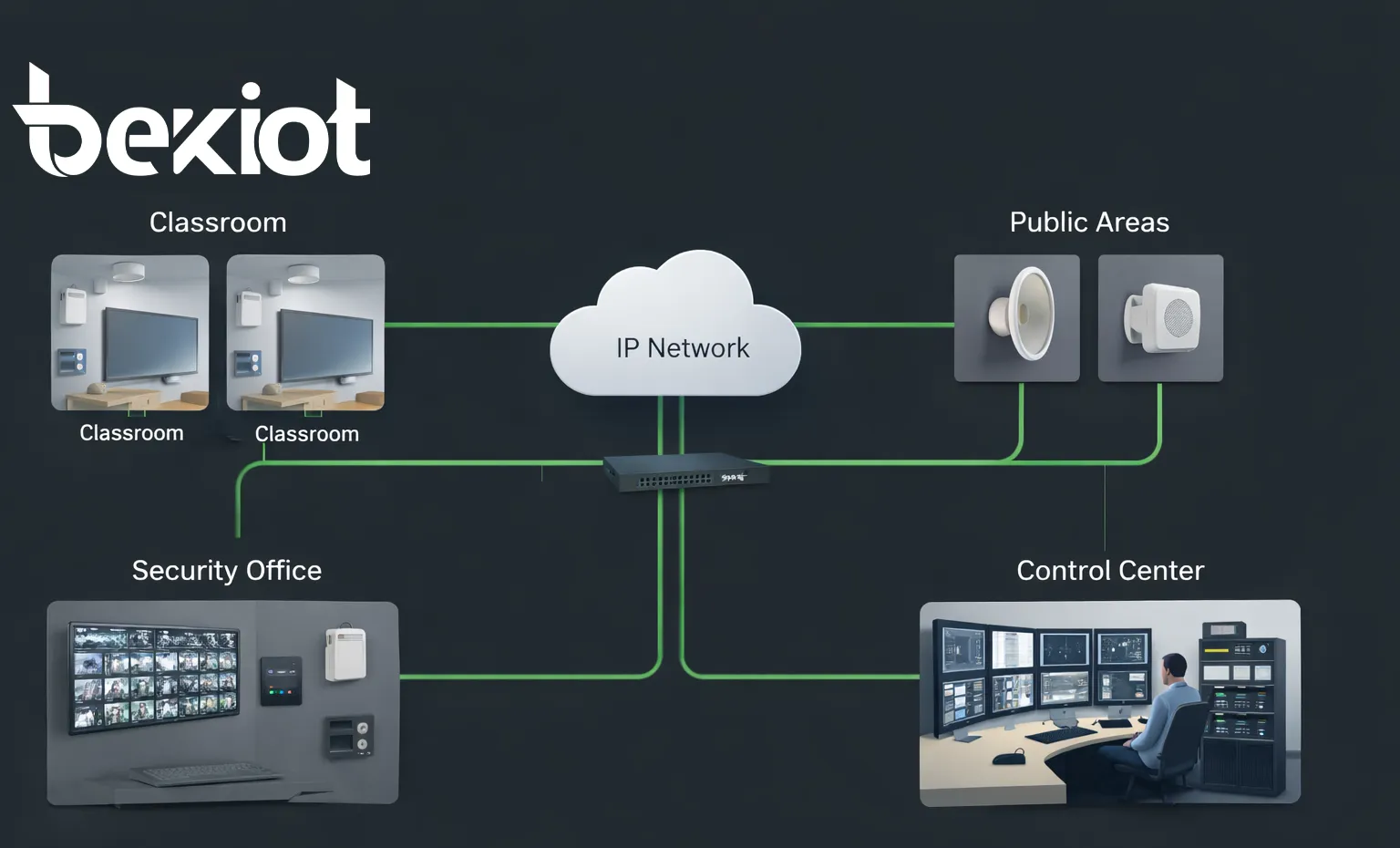
Unified school PA system architecture for classroom paging, bell scheduling, and emergency notification.
Solution Objectives
Support Daily Teaching and Campus Operations
The first objective of the system is to support routine campus communication in a structured and efficient manner. This includes general paging, teacher or office announcements, classroom notices, public-area information broadcasting, and scheduled playback for school routines. By moving these functions to a unified management platform, operators can reduce manual work and keep communication consistent across the campus.
The solution is especially valuable for campuses with multiple buildings, different grade levels, and varied daily schedules. Different zones can receive different messages at different times, allowing the school to maintain order without unnecessary disruption.
Automate Bell Scheduling with Flexible Timetables
Bell scheduling is one of the most important practical functions in a school PA system. The solution should support automatic playback for class start bells, class end bells, break reminders, morning exercises, lunch breaks, exam periods, dismissal, and other campus events. Schedules should be configurable by weekday, building, floor, classroom group, or academic calendar so that the system can adapt to the actual operation of the school.
Flexible scheduling also means the school can create different profiles for normal teaching days, holiday periods, examination weeks, summer or winter sessions, and temporary timetable adjustments. This improves operational efficiency and reduces the risk of human error in daily bell control.
Enable Fast and Clear Emergency Notification
The third objective is to ensure that emergency communication is immediate, intelligible, and easy to control. When a safety incident, fire alarm, security issue, severe weather event, or evacuation situation occurs, the system should allow administrators or security staff to issue priority announcements to the whole campus or selected zones without delay.
Emergency notification should also be able to interrupt lower-priority background music, routine playback, or scheduled bells. This guarantees that emergency instructions are heard clearly and delivered to the right areas at the right time.
A school PA system should work smoothly on an ordinary day, but it must perform flawlessly on the day the school needs it most.
System Architecture
Central Management Layer
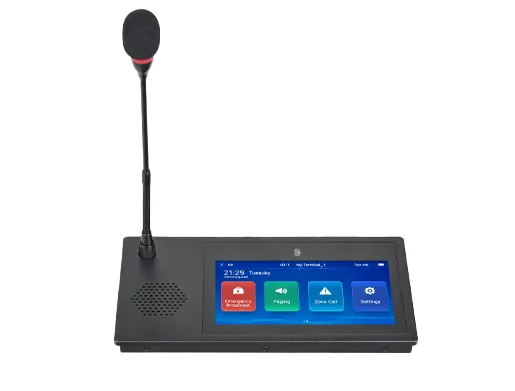
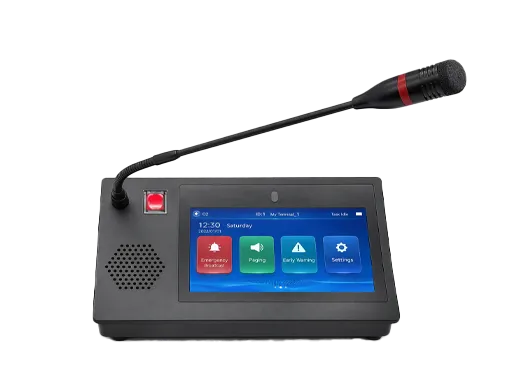
At the center of the solution is a unified management platform that handles audio scheduling, paging control, zone management, bell logic, device monitoring, and emergency broadcast execution. This layer typically includes a broadcast management server, paging software, audio resource management, and one or more operator terminals such as a paging console or visual control phone.
From this management layer, authorized users can create timetables, assign audio content, launch live announcements, trigger emergency messages, and monitor device status. This approach gives the school a single operational interface rather than multiple disconnected tools.
Network Transmission Layer
The transmission layer uses the campus IP network to deliver audio streams, control commands, and status information. Depending on the school environment, the system can operate over local area networks, private campus networks, or segmented network architecture. Because the solution is IP-based, it can scale more easily than traditional point-to-point analog wiring and can support phased deployment building by building.
In many upgrade projects, the network layer also makes it possible to keep part of the existing infrastructure while modernizing the control method. This is especially useful for schools that want to protect earlier investment and complete the upgrade in stages rather than replacing the entire system at once.
Terminal and Coverage Layer
The terminal layer covers classrooms, corridors, playgrounds, libraries, cafeterias, dormitory areas, gates, security rooms, and administrative offices. Front-end devices may include SIP speakers, horn speakers, IP power amplifiers, classroom broadcast terminals, wall-mounted speakers, alarm posts, and intercom-enabled devices where two-way communication is required.
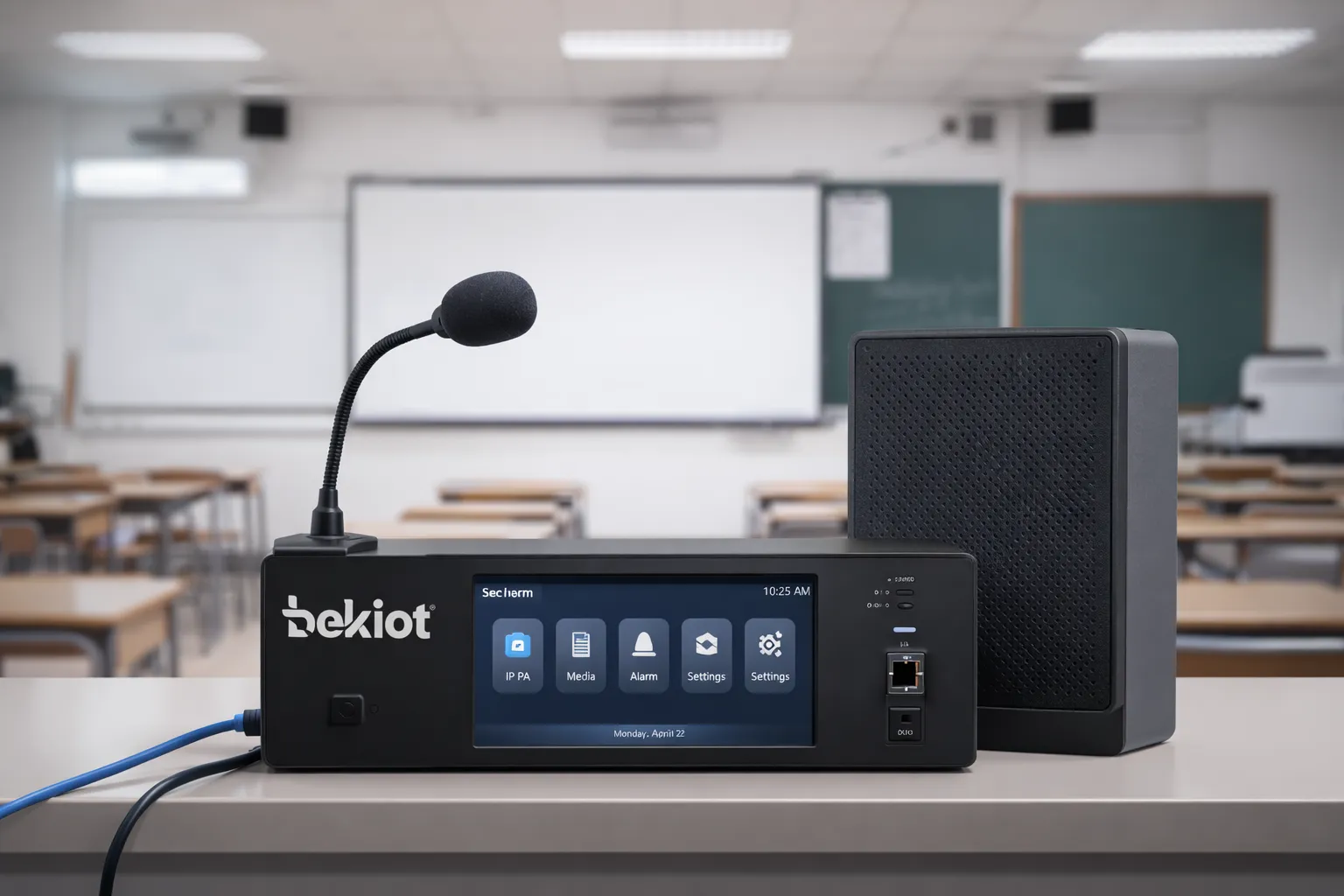
Because different parts of a school have different acoustic and operational requirements, the system should support multiple endpoint types. A classroom may need clear indoor voice playback for bells and announcements, while a playground may require powerful outdoor speakers for public notices and evacuation instructions.
Classroom endpoint design for daily bells, announcements, and controlled audio playback.
Core Functions
Paging and Daily Announcements
The system supports live paging from the principal's office, administration office, security room, or campus control center. Users can broadcast to a single classroom, one building, one floor, a selected group of zones, or the entire campus. This is ideal for general announcements, teacher notifications, student guidance, visitor instructions, and temporary operational notices.
Because all paging actions are performed through a centralized platform, schools can standardize operator permissions and avoid confusion during busy periods. In larger deployments, multiple operator positions can also be configured to support distributed management.
Bell Scheduling and Timed Playback
The bell scheduling engine enables automated playback of predefined tones, voice prompts, and audio files according to the school timetable. Administrators can assign different schedules for teaching buildings, grades, or school divisions, allowing junior and senior sections or different campuses to follow separate routines under one system.
In addition to standard bells, the system can also schedule morning exercise music, exam listening material, lunch reminders, after-school prompts, and ceremonial playback. This turns the PA system into a daily operational tool rather than a single-purpose emergency device.
Emergency Notification and Priority Override
Emergency notification is designed for high-priority communication. Once activated, the system can interrupt current playback and immediately deliver voice instructions or prerecorded emergency messages to the designated zones. Operators can choose campus-wide broadcast for full evacuation or targeted area broadcast for localized incidents.
This priority logic is critical in real campus environments. A fire alarm in one building may require urgent instructions to a single block, while a weather emergency may require broader coverage. The system should give the school both options without delay.
Zone-Based Broadcasting
Zone management allows the campus to be divided into practical broadcast areas such as classrooms, teaching buildings, public corridors, sports grounds, cafeteria blocks, dormitory areas, and outdoor gathering spaces. Each zone can receive its own playback content, volume plan, and schedule logic.
This not only improves usability, but also prevents unnecessary audio disturbance. For example, the school may send routine notices to staff offices without affecting classrooms, or play exercise audio only in playground areas while keeping the library quiet.
Integration with Intercom, Telephony, and Security
A modern school PA system should not be isolated. It should be able to connect with school intercom terminals, SIP communication devices, security stations, and selected monitoring workflows. This creates a more coordinated campus communication framework in which paging, intercom calls, control center communication, and emergency response can work together.
In practical terms, this means a school can link classroom assistance points, security room devices, gate communication terminals, or emergency help points into the same overall platform. The result is better visibility, more efficient response, and stronger daily operational control.
When paging, bell scheduling, and emergency notification run on one platform, the school gains both simplicity in daily management and speed in crisis response.
Application Scenarios Across the Campus
Classrooms and Teaching Buildings
In classrooms, the system provides automatic class bells, exam audio playback, teaching notices, and emergency instructions. Because classroom communication must be clear and not overly complicated, the endpoint design should focus on reliable voice playback, easy centralized control, and stable daily scheduling.
For teaching buildings, zone control becomes especially useful. A school may broadcast to one teaching block only, a certain floor only, or a group of classrooms for special activities, testing arrangements, or temporary operational adjustments.
Corridors, Playgrounds, Cafeterias, and Libraries
Public campus areas require broader information coverage and often different speaker types. Corridors and gathering areas are suitable for routine notices, supervision reminders, and emergency guidance. Playgrounds may need higher-output outdoor audio devices for assemblies or evacuation instructions. Cafeterias can use the system for service announcements, while libraries may only require low-volume or event-based audio.
By treating each space as a managed zone rather than a fixed broadcast line, the school gains much greater control over how sound is distributed across the campus.
School Gates, Security Rooms, and Control Centers
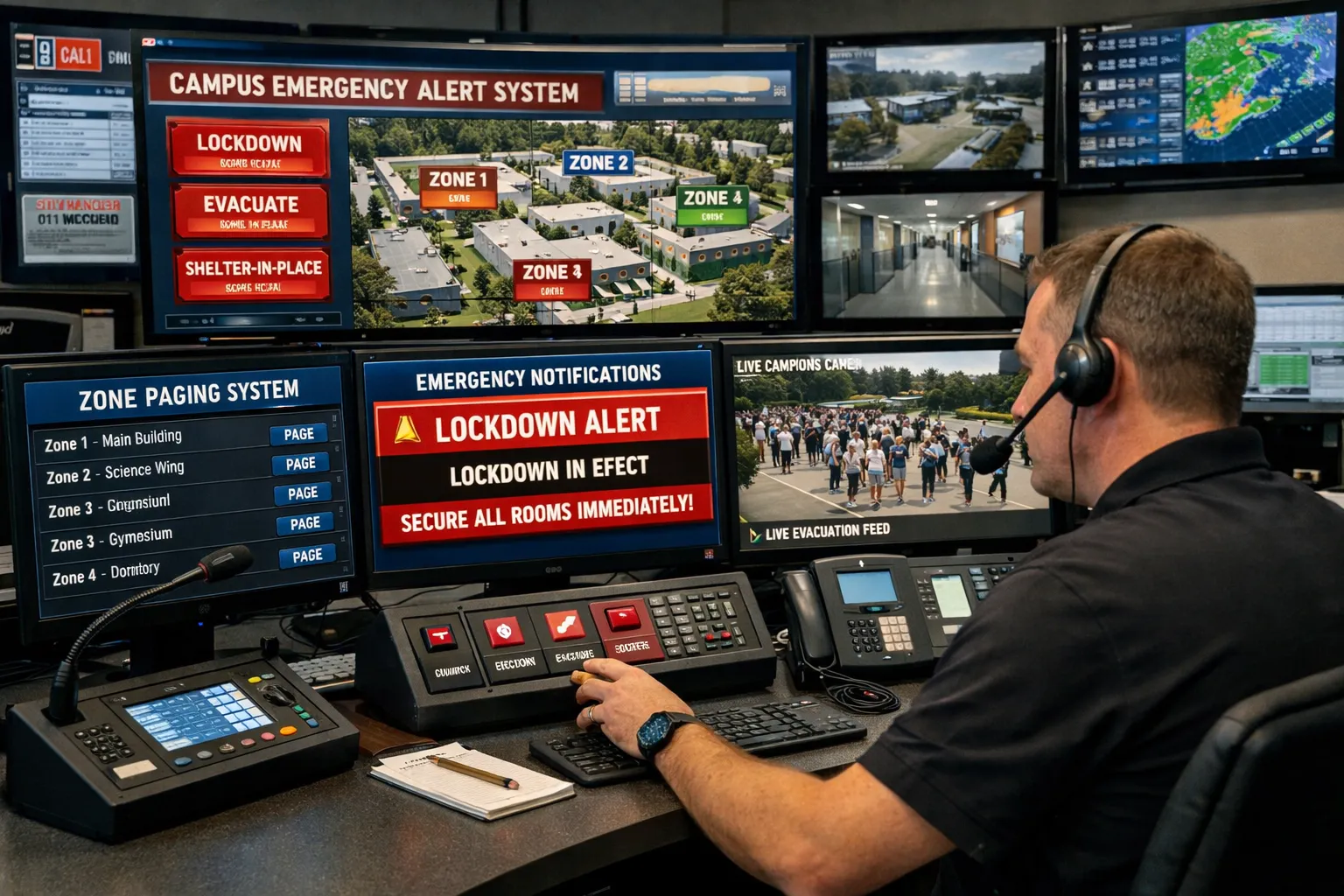
At entrances and security posts, the PA platform supports coordination between security staff, visitor management, and emergency handling. The control center or security room acts as the operational hub for live paging, event-driven announcements, and response coordination.
In a more advanced deployment, the control center can combine paging with communication endpoints, intercom devices, and status monitoring so that one operator can manage routine notices and urgent events from the same interface.
Centralized control for routine paging, scheduled bells, and emergency voice notification.
Deployment Strategy
New Campus Deployment
For new school construction projects, the recommended approach is to plan the PA system as part of the overall campus communication and safety framework from the beginning. This allows the broadcast network, classroom audio endpoints, public-area speakers, control terminals, and emergency notification workflows to be designed together, which improves long-term scalability and simplifies future maintenance.
New deployments can also benefit from standardized zoning, clearly defined control authority, and a more consistent user experience across all buildings and departments.
Upgrade and Retrofit of Existing Schools
For existing schools, a phased migration approach is usually more practical. The school can begin with high-priority areas such as the control center, key teaching buildings, and public areas, then extend the platform to additional zones over time. Where appropriate, legacy speakers or analog infrastructure can be reused through suitable network audio interfaces or IP amplifier solutions.
This staged approach helps control cost while still delivering immediate operational improvement. It also reduces disruption to teaching activities during the transition period.
System Value and Key Advantages
Unified Management and Lower Operational Complexity
The biggest advantage of the solution is centralization. Instead of maintaining separate systems for bells, paging, and emergency audio, the school operates one coordinated platform. This reduces training complexity, simplifies maintenance, and makes day-to-day administration more efficient.
It also creates a more professional management structure. Audio schedules, operator permissions, device status, and broadcast records can all be handled in a more organized way than with scattered standalone equipment.
Better Daily Efficiency and Better Emergency Readiness
Daily teaching operations become smoother when bells, scheduled playback, and live announcements are handled automatically and consistently. Teachers and administrators spend less time managing routine audio tasks, while students experience clearer and more predictable campus communication.
At the same time, the school gains a faster and more reliable emergency notification path. This improves preparedness for fire incidents, severe weather, security events, evacuation guidance, and other urgent scenarios where every second matters.
Open Architecture and Scalable Expansion
Because the solution is based on modern IP networking and open integration concepts, it is easier to expand over time. A school can add more zones, more buildings, more operator terminals, and more communication endpoints without redesigning the entire system from scratch.
This makes the platform suitable not only for small schools, but also for larger campuses, education groups, multi-building schools, and institutions planning gradual digital upgrades.
A strong school PA system is not only about sound coverage. It is about operational control, communication clarity, and confidence in every routine and emergency scenario.
Recommended System Components
Typical Front-End and Core Devices
A complete school PA system may include a broadcast management server, paging console or visual paging terminal, IP network amplifiers, indoor and outdoor speakers, classroom broadcast terminals, zone controllers, emergency intercom points, and network switches. Additional components can be selected based on campus size, acoustic environment, and management style.
For campuses that require broader communication integration, the system can also be combined with intercom terminals, SIP communication devices, security room phones, and operator consoles to create a more unified communications environment.
Software and Management Tools
Beyond hardware, management software is a key part of the deployment. It should support schedule editing, audio file management, zone grouping, priority policy settings, permission control, device monitoring, and event handling. The better the software interface, the easier it is for school staff to manage the system confidently and efficiently.
In larger projects, centralized device management is also useful for remote maintenance, batch configuration, and long-term operations support.
Conclusion
A Practical Campus Communication Platform for Daily Use and Critical Moments
School PA System for Paging, Bell Scheduling, and Emergency Notification is more than a conventional broadcast project. It is a practical, campus-wide communication solution that supports daily teaching order, routine administration, and fast emergency response on one platform.
By combining automated bell control, live paging, zone-based audio distribution, and emergency voice notification, schools can improve operational efficiency, reduce management complexity, and build a safer and more organized campus environment.
Plan Your School Deployment
If you are planning a new campus audio system or upgrading an existing school broadcast network, it is worth evaluating the project from the perspective of unified management rather than standalone devices. A well-structured solution can support everyday operations immediately while also giving the school a stronger communication foundation for future expansion.
Whether the requirement is classroom bell scheduling, campus-wide paging, public-area broadcasting, or emergency voice notification, the right system architecture will help the school achieve better reliability, flexibility, and long-term value.
FAQ
What is the difference between a school PA system and a traditional school bell system?
A traditional bell system mainly handles scheduled tone playback, while a modern school PA system covers a much wider range of functions. It supports live paging, multi-zone announcements, automated schedules, audio file playback, emergency override, and often integration with communication or security workflows.
In other words, the bell function becomes one part of a broader campus communication platform rather than the whole system.
Can the system use different bell schedules for different buildings or grade levels?
Yes. A properly designed school PA system can assign different schedules to different zones, teaching blocks, grades, or operational groups. This is useful for campuses with separate middle school and high school schedules, different exam arrangements, or staggered dismissal times.
It also allows temporary schedule changes without reconfiguring the entire campus.
Can emergency announcements interrupt normal bells or background music?
Yes. Emergency notification should always have higher priority than routine audio playback. When an emergency event is triggered, the system can pause or override regular bells, music, and standard announcements so that urgent voice instructions are heard clearly.
This priority mechanism is one of the most important requirements for campus safety communication.
Is it possible to upgrade an existing analog school broadcast system instead of replacing everything?
In many projects, yes. Schools can often retain selected legacy speakers or audio lines and upgrade the control method through IP amplifiers, network audio interfaces, or phased migration. The exact method depends on the condition of the existing infrastructure and the school's desired level of modernization.
A phased retrofit approach is often the most practical way to improve capability while controlling cost and minimizing disruption.
Which campus areas should be included in the system?
At a minimum, most schools should consider classrooms, teaching buildings, corridors, playgrounds, cafeterias, libraries, entrances, security posts, and the main control or monitoring center. The final zoning plan should reflect the school's operational patterns and emergency management requirements.
The goal is to ensure that both routine notices and urgent voice instructions can reach the right people in the right places without unnecessary overlap.
We use cookie to improve your online experience. By continuing to browse this website, you agree to our use of cookie.
Cookies
This Cookie Policy explains how we use cookies and similar technologies when you access or use our website and related services. Please read this Policy together with our Terms and Conditions and Privacy Policy so that you understand how we collect, use, and protect information.
By continuing to access or use our Services, you acknowledge that cookies and similar technologies may be used as described in this Policy, subject to applicable law and your available choices.
Updates to This Cookie Policy
We may revise this Cookie Policy from time to time to reflect changes in legal requirements, technology, or our business practices. When we make updates, the revised version will be posted on this page and will become effective from the date of publication unless otherwise required by law.
Where required, we will provide additional notice or request your consent before applying material changes that affect your rights or choices.
What Are Cookies?
Cookies are small text files placed on your device when you visit a website or interact with certain online content. They help websites recognize your browser or device, remember your preferences, support essential functionality, and improve the overall user experience.
In this Cookie Policy, the term “cookies” also includes similar technologies such as pixels, tags, web beacons, and other tracking tools that perform comparable functions.
Why We Use Cookies
We use cookies to help our website function properly, remember user preferences, enhance website performance, understand how visitors interact with our pages, and support security, analytics, and marketing activities where permitted by law.
We use cookies to keep our website functional, secure, efficient, and more relevant to your browsing experience.
Categories of Cookies We Use
Strictly Necessary Cookies
These cookies are essential for the operation of the website and cannot be disabled in our systems where they are required to provide the service you request. They are typically set in response to actions such as setting privacy preferences, signing in, or submitting forms.
Without these cookies, certain parts of the website may not function correctly.
Functional Cookies
Functional cookies enable enhanced features and personalization, such as remembering your preferences, language settings, or previously selected options. These cookies may be set by us or by third-party providers whose services are integrated into our website.
If you disable these cookies, some services or features may not work as intended.
Performance and Analytics Cookies
These cookies help us understand how visitors use our website by collecting information such as traffic sources, page visits, navigation behavior, and general interaction patterns. In many cases, this information is aggregated and does not directly identify individual users.
We use this information to improve website performance, usability, and content relevance.
Targeting and Advertising Cookies
These cookies may be placed by our advertising or marketing partners to help deliver more relevant ads and measure the effectiveness of campaigns. They may use information about your browsing activity across different websites and services to build a profile of your interests.
These cookies generally do not store directly identifying personal information, but they may identify your browser or device.
First-Party and Third-Party Cookies
Some cookies are set directly by our website and are referred to as first-party cookies. Other cookies are set by third-party services, such as analytics providers, embedded content providers, or advertising partners, and are referred to as third-party cookies.
Third-party providers may use their own cookies in accordance with their own privacy and cookie policies.
Information Collected Through Cookies
Depending on the type of cookie used, the information collected may include browser type, device type, IP address, referring website, pages viewed, time spent on pages, clickstream behavior, and general usage patterns.
This information helps us maintain the website, improve performance, enhance security, and provide a better user experience.
Your Cookie Choices
You can control or disable cookies through your browser settings and, where available, through our cookie consent or preference management tools. Depending on your location, you may also have the right to accept or reject certain categories of cookies, especially those used for analytics, personalization, or advertising purposes.
Please note that blocking or deleting certain cookies may affect the availability, functionality, or performance of some parts of the website.
Restricting cookies may limit certain features and reduce the quality of your experience on the website.
Cookies in Mobile Applications
Where our mobile applications use cookie-like technologies, they are generally limited to those required for core functionality, security, and service delivery. Disabling these essential technologies may affect the normal operation of the application.
We do not use essential mobile application cookies to store unnecessary personal information.
How to Manage Cookies
Most web browsers allow you to manage cookies through browser settings. You can usually choose to block, delete, or receive alerts before cookies are stored. Because browser controls vary, please refer to your browser provider’s support documentation for details on how to manage cookie settings.
Contact Us
If you have any questions about this Cookie Policy or our use of cookies and similar technologies, please contact us at support@becke.cc .