Becke IPPBX Software Overview: Key Functions, Features, and Uses
Explore Becke industrial IPPBX software with traditional PBX calling features plus advanced intercom, paging, video linkage, alarm response, GIS dispatch, and multi-system integration for demanding industrial applications.
Becke Telcom
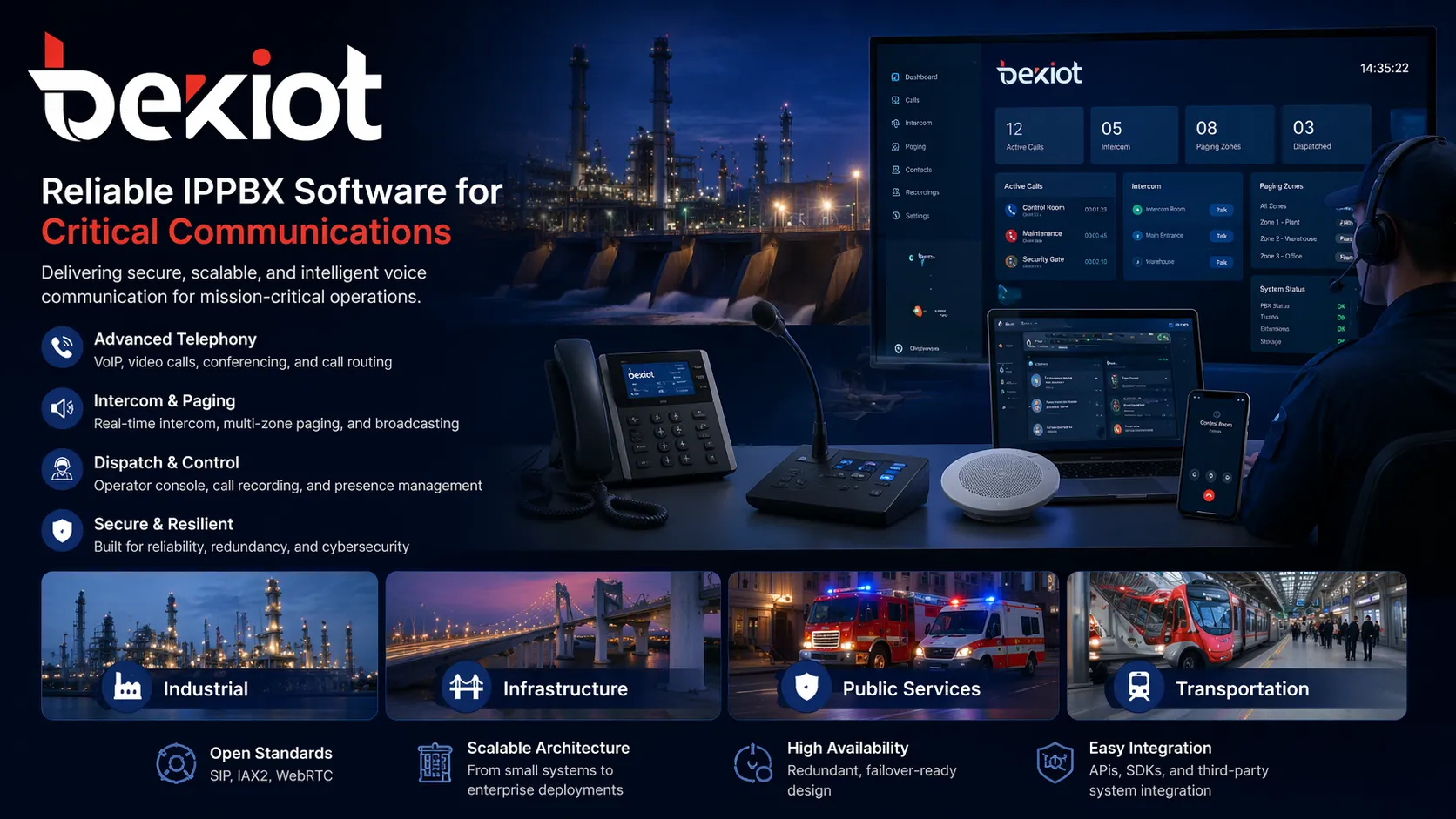
Becke IPPBX software is not just a standard office phone system moved onto an IP network. It starts with the core capabilities of a traditional PBX, such as internal calling, external line access, extension management, call transfer, call routing, group communication, and conference coordination, then expands that foundation with practical industrial communication functions for intercom, paging, video linkage, alarm response, dispatch control, and field device integration.
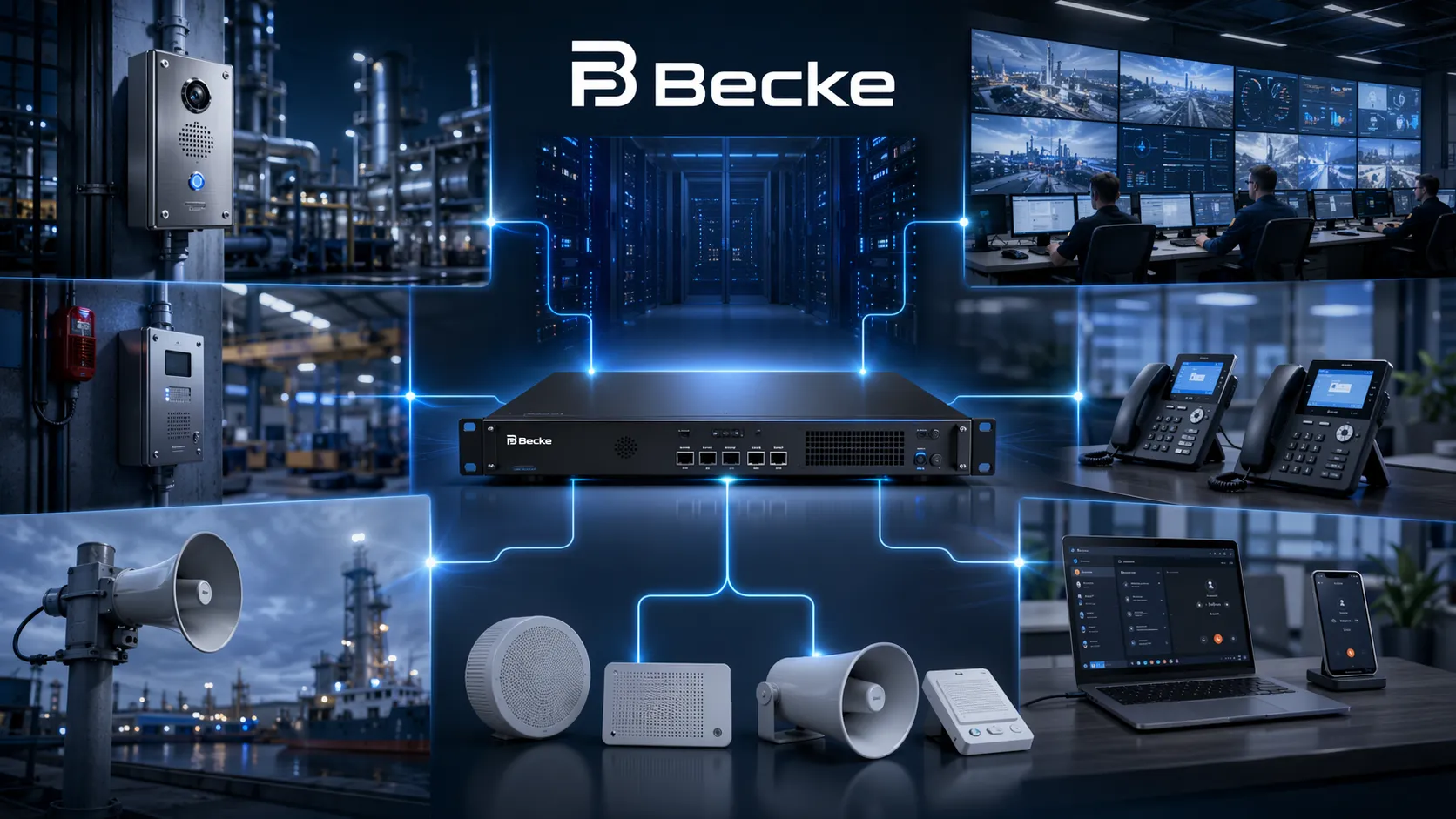
That is the key difference. Many market IP PBX platforms are designed mainly for office telephony. Becke is built for environments where communication must serve not only desk users, but also control rooms, industrial telephones, emergency help points, SIP intercoms, paging devices, wireless patrol users, radio-linked teams, cameras, and distributed field personnel. In these projects, the PBX is not only a telephone switch. It becomes the communication core for daily operations and emergency handling.
Becke IPPBX combines traditional PBX functions with industrial communication and dispatch capabilities.
What Is Becke IPPBX Software?
A PBX Core Expanded for Industrial Applications
Becke IPPBX software can be understood as an industrial IP PBX platform built on standard telephony logic, then extended into a broader communication and dispatch architecture. It keeps the essential PBX role of connecting users, managing calls, and controlling extension behavior, but it also supports communication workflows that ordinary office PBX platforms typically do not handle well.
In practice, this means the system can support not only office telephony, but also intercom terminals, industrial call points, paging gateways, wireless handsets, radio interoperability gateways, video-linked endpoints, and central dispatch positions. Instead of separating phones, intercoms, alarms, and control-room coordination into isolated systems, Becke brings them together under one platform.
Designed for Operations, Not Only for Offices
Traditional PBX products usually perform well in office buildings where the main tasks are extension calling, outside-line access, and front-desk call handling. Becke goes further because many of its target sites are not simple office environments. They include tunnels, highways, industrial parks, utility corridors, wind farms, campuses, scenic sites, machine rooms, gatehouses, and other operational spaces where communication has to reach people, devices, and incident points across a wide area.
That is why Becke IPPBX software is better introduced as a communication platform with PBX capability at its core, rather than as a basic PBX with only office features.
Becke IPPBX software keeps the core logic of a PBX, but extends it into a practical industrial communication platform for telephony, intercom, paging, dispatch, and emergency response.
Traditional PBX Functions Built into Becke IPPBX Software
Extension Management and Internal Calling
At the most basic level, Becke IPPBX software supports the traditional PBX function of managing extensions and internal calls. Organizations can connect office phones, operator terminals, video phones, and other endpoints into one numbering and communication environment, allowing staff to reach each other quickly inside the system.
This remains important even in industrial projects. A plant office, control room, duty room, security post, supervisor station, and service desk still need the same reliable internal calling structure that businesses expect from a PBX.
External Calling, Mobile Reach, and Legacy Telephony Interworking
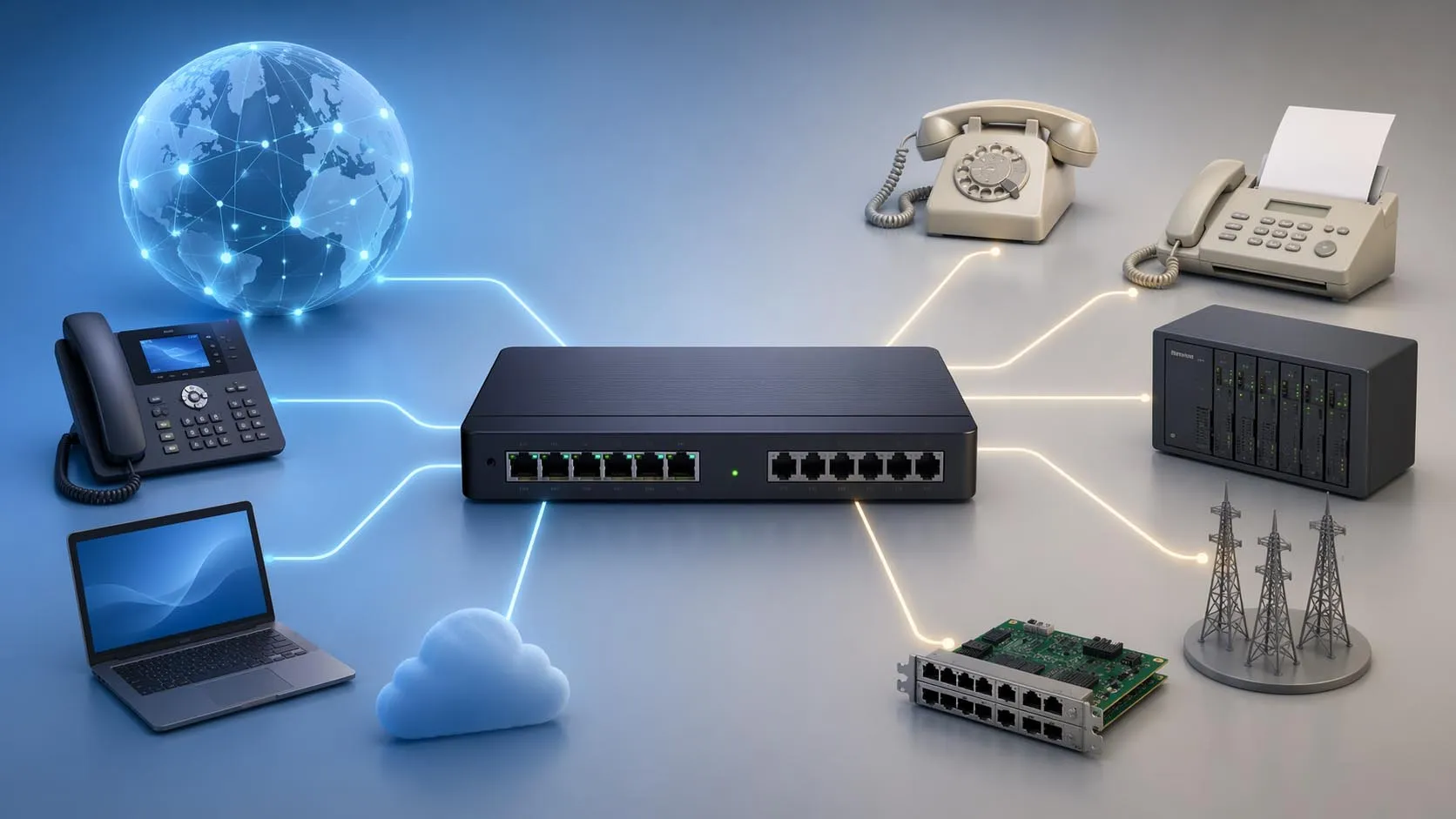
Becke IPPBX software also supports classic PBX-style external communication. It can connect internal users to outside calling resources and, depending on deployment, link office phones with mobile phones, fixed lines, and other external telephony paths. This is essential because industrial users still need the same outward communication ability as traditional enterprises.
In real use, that means a control room or operator can call out, transfer a call to a mobile user, or connect field communication with traditional telephony resources instead of leaving the PBX isolated from the rest of the organization.
Call Transfer, Call Queueing, and Multi-User Call Handling
Traditional PBX value also comes from call control. Becke IPPBX software supports practical call handling functions such as internal call transfer, queue-style call processing, group communication, and multi-user coordination. These are not only office conveniences. In industrial scenarios, they help ensure that help requests, service calls, and event-related communication can reach the right person without delay.
When a field endpoint calls in and the first operator is busy or unavailable, the system can shift the call flow to other designated users or dispatch positions. This improves continuity and reduces the risk of missed communication.
Conference, Recording, and Daily Communication Management
Another part of the traditional PBX foundation is coordination and record keeping. Becke IPPBX software supports conference-style communication and recording-related workflows that are useful for daily operations, service tracing, incident review, and management supervision.
For many industrial and infrastructure operators, recording is not just an optional office feature. It becomes part of the operating process because communication records can help with post-event review, training, compliance, and accountability.
How Becke Goes Beyond a Standard PBX
Intercom and One-Touch Help Communication
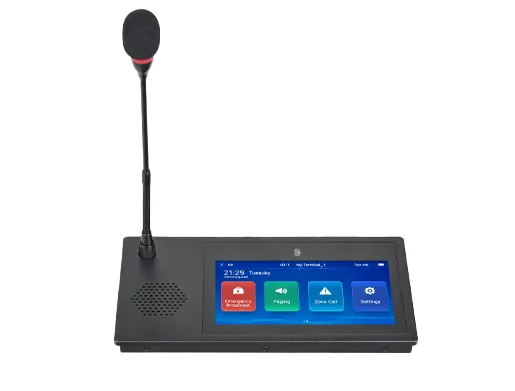
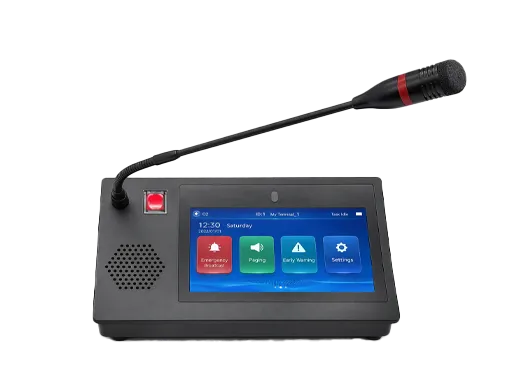
This is where the platform starts to move beyond conventional PBX expectations. Becke IPPBX software can work with SIP intercoms, emergency help points, industrial telephones, and hands-free communication terminals. Instead of expecting every user to place a normal office-style phone call, the system can support one-touch calling from field endpoints to a control room, service center, or duty operator.
That makes it far more useful in real industrial settings. A worker in a tunnel, a driver on a highway, a visitor in a public area, or a technician in a machine room does not need a complicated call flow. They need immediate, reliable communication with the right control point.
Paging, Public Address, and Zone Broadcasting
Becke IPPBX software also extends into audio distribution and paging. Through related SIP terminals and gateways, it can support live paging, zone-based broadcasting, scheduled announcements, routine audio notices, and emergency broadcast scenarios. This is a major difference from an ordinary office PBX, which usually treats paging as a minor feature rather than a core function.
In industrial projects, broadcast capability is often operationally important. It may be used for area notifications, work coordination, warning messages, evacuation guidance, or regular public announcements across distributed zones.
Video Linkage and Visual Verification
A standard PBX mainly processes audio calls. Becke expands this by integrating video-related workflows. In many deployments, the platform can work with video intercom devices, cameras, and dispatch consoles so that a voice request can be verified visually, associated video can be displayed, and operators can respond with better situational awareness.
This matters in environments where a control room needs to see what is happening rather than relying only on audio description. Visual linkage improves decision speed and reduces uncertainty during help requests, security events, and abnormal site conditions.
Alarm Linkage and Event Handling
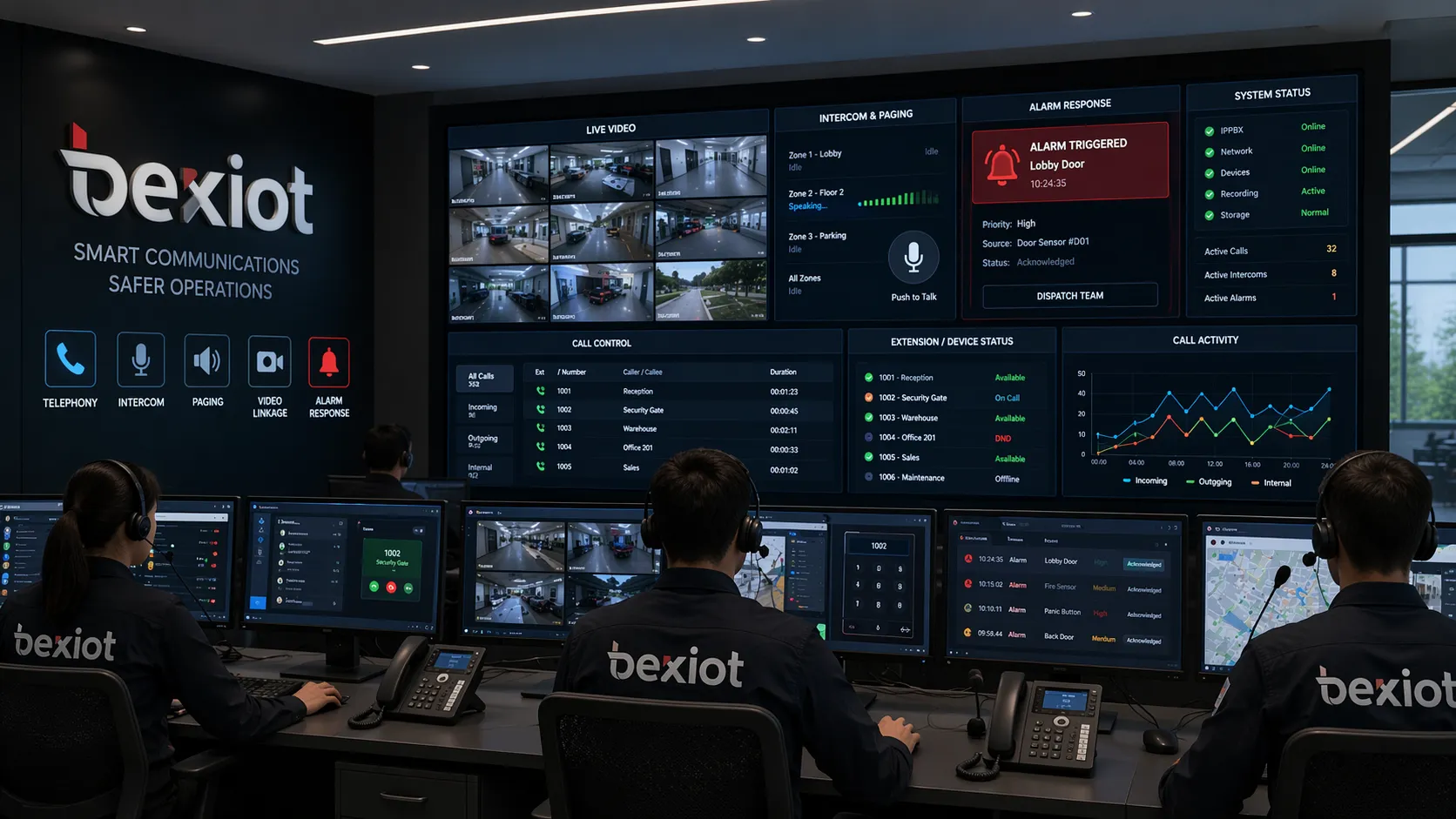
Another important difference is alarm capability. Becke IPPBX software can participate in systems where help calls, sensor alarms, intrusion events, fire alarms, or abnormal triggers are linked to operator action. The response can include call handling, video review, paging, staff notification, and preconfigured event processes.
That means the platform is not only carrying communication. It is helping manage incident response. In industrial and infrastructure environments, this turns the PBX layer into part of the operational workflow rather than just a phone service.
GIS Dispatch and Map-Based Response
Becke also extends beyond normal PBX logic through GIS and map-based dispatch functions. In larger deployments, events and field endpoints can be associated with location information so that operators can see where the calling point is, identify nearby resources, and coordinate response more effectively.
This is especially valuable in tunnels, highways, parks, campuses, and large industrial sites where physical geography matters just as much as extension numbers.
Becke extends the role of IP PBX from voice switching to unified communication and field response.
Key Functional Modules in Becke Industrial IPPBX Software
Telephony, Intercom, Broadcast, and Dispatch in One Platform
One of the strongest points of Becke IPPBX software is function convergence. Instead of forcing customers to maintain a phone system, an intercom system, a broadcast platform, and a separate dispatch environment, Becke can combine these roles into one integrated architecture. This reduces system fragmentation and improves everyday usability for operators.
For customers, the result is a single communication platform that can support internal office telephony and external operational communication at the same time.
Audio and Video Conference Coordination
Beyond ordinary call handling, Becke IPPBX software supports audio and video conferencing workflows that help control centers coordinate multiple departments and field users. This is important in industrial projects where communication often requires more than one-to-one calling.
A supervisor may need to bring together operators, maintenance staff, patrol users, managers, or field responders in one coordinated communication session, especially during service interruptions or emergency handling.
Wireless Handset and Radio Interworking Support
Another practical extension is its ability to work with wireless handsets and radio-related gateways. That allows the communication platform to reach mobile personnel who are not sitting at desks and may be moving across large sites. In many industrial environments, that mobility is essential.
This also helps bridge the gap between conventional telephony and field communications. Instead of leaving mobile patrol teams outside the PBX environment, Becke can help bring them into a unified communication workflow.
Monitoring Integration and Multi-System Access
Becke IPPBX software is also built for integration. It can be deployed in environments where telephony, video monitoring, gateways, intercoms, broadcast devices, mobile terminals, and related systems need to operate together. This open integration approach is one reason it is better suited to industrial applications than many office-only PBX products.
The practical benefit is that customers do not need to treat every subsystem as a separate island. The communication core can be expanded as the project grows.
Key Features of Becke IPPBX Software
Open SIP Architecture
Becke uses a SIP-based architecture that supports third-party device access and broader system interconnection. This makes expansion easier and gives customers more flexibility when combining PBX functions with intercom, paging, monitoring, and dispatch applications.
For industrial buyers, this is important because projects often evolve over time. A closed office PBX may work for phones, but not for the larger communication ecosystem around the site.
Flexible Deployment Across Different Networks
Becke IPPBX software is intended for deployment across LAN, WAN, private networks, and wider IP environments. This is especially useful when a project covers distributed facilities, long corridors, outdoor areas, or remote operational zones where endpoints are not all located inside one building.
The ability to deploy across different network conditions makes it practical for industries that need both central control and distributed communications.
High-Quality Audio for Noisy Environments
Industrial voice quality cannot be evaluated the same way as office call quality. Many target environments have echo, background noise, distance, reverberation, or public-space interference. Becke places strong emphasis on wideband voice quality, echo handling, and practical audio clarity because its endpoints are often used in much harsher conditions than ordinary office phones.
This makes the platform more suitable for hands-free call points, corridors, outdoor terminals, machine spaces, and other acoustically difficult locations.
Centralized Management and Practical Expansion
In addition to communication features, Becke also emphasizes centralized deployment, management, and expansion. A platform that serves many terminals, zones, and subsystems must be manageable from the control side. Becke is designed to support that operational requirement, not only the user-side calling experience.
As the project grows, the platform can expand from basic telephony into broader communication and dispatch roles without forcing the customer to rebuild the architecture from scratch.
Typical Uses of Becke IPPBX Software
Industrial Parks and Utility Sites
In industrial parks and utility projects, Becke IPPBX software can connect offices, security rooms, machine rooms, field terminals, emergency points, paging devices, and mobile staff into one communication structure. This supports both routine operation and incident response.
That is a very different use case from a normal office PBX, which typically stops at employee telephony.
Highways, Tunnels, and Distributed Infrastructure
For highways, tunnels, and corridor-style infrastructure, the communication platform needs to support industrial call points, emergency help, control-room communication, area broadcasting, video linkage, and fast coordination between multiple positions. Becke IPPBX software fits those requirements because it was designed with operational communication in mind.
In these projects, the PBX is part of a safety and response system rather than just a phone service.
Energy, Mining, and Remote Industrial Operations
Remote and heavy-duty sites need communication systems that work across multiple roles and environments. Becke IPPBX software can support office users, field technicians, patrol teams, control rooms, industrial phones, wireless terminals, and event-driven workflows on the same platform.
That makes it a better fit for energy, mining, and remote industrial applications where communication is tightly tied to operations and safety.
Campuses, Scenic Areas, and Public Service Environments
Becke IPPBX software is also suitable for sites where communication must support both service and safety. In campuses, scenic areas, and public service facilities, the platform can combine office telephony, help points, paging, visual confirmation, and operator coordination in one deployment.
This creates a more unified experience for both staff and users in the field.
Becke IPPBX is suited to environments where telephony must work together with intercom, paging, video, and dispatch.
Conclusion
Becke IPPBX software should not be described as only a replacement for a traditional PBX. It certainly includes the core functions people expect from a PBX, such as extension calling, outside-line communication, call transfer, queue handling, group communication, conferencing, and recording. But its real value comes from what it adds on top of those fundamentals.
By combining PBX capability with intercom, paging, video linkage, alarm response, GIS dispatch, wireless communication access, and multi-system integration, Becke turns the IP PBX from a voice platform into a practical industrial communication hub. That is what sets it apart from many standard office IP PBX products on the market.
For customers that need both traditional PBX features and field-ready industrial communication functions, Becke offers a more application-oriented solution than a conventional office-focused IP PBX.
FAQ
Does Becke IPPBX software include normal PBX functions?
Yes. Becke IPPBX software includes core PBX capabilities such as internal calling, external communication, extension management, call transfer, queue handling, group communication, conferencing, and recording-related functions.
What makes Becke different from a standard office IP PBX?
The main difference is that Becke goes beyond telephony. It also supports industrial intercom, one-touch help calling, paging, emergency broadcasting, video linkage, alarm handling, dispatch coordination, GIS-based response, and multi-system integration.
Is Becke IPPBX software suitable for industrial projects?
Yes. It is particularly suitable for industrial parks, tunnels, highways, utility sites, energy projects, campuses, scenic areas, and other environments where communication must connect offices, control rooms, field devices, and emergency workflows.
Can Becke IPPBX software connect phones, intercoms, and broadcast devices together?
Yes. One of its strengths is unified communication architecture. It can be used to bring together telephony, intercom, paging, video-related endpoints, and dispatch resources under one platform.
Should Becke IPPBX be described as a PBX or as a dispatch system?
It is best described as an industrial IPPBX platform with dispatch and field-communication extensions. It keeps PBX fundamentals, but expands them into a broader operational communication system.
We use cookie to improve your online experience. By continuing to browse this website, you agree to our use of cookie.
Cookies
This Cookie Policy explains how we use cookies and similar technologies when you access or use our website and related services. Please read this Policy together with our Terms and Conditions and Privacy Policy so that you understand how we collect, use, and protect information.
By continuing to access or use our Services, you acknowledge that cookies and similar technologies may be used as described in this Policy, subject to applicable law and your available choices.
Updates to This Cookie Policy
We may revise this Cookie Policy from time to time to reflect changes in legal requirements, technology, or our business practices. When we make updates, the revised version will be posted on this page and will become effective from the date of publication unless otherwise required by law.
Where required, we will provide additional notice or request your consent before applying material changes that affect your rights or choices.
What Are Cookies?
Cookies are small text files placed on your device when you visit a website or interact with certain online content. They help websites recognize your browser or device, remember your preferences, support essential functionality, and improve the overall user experience.
In this Cookie Policy, the term “cookies” also includes similar technologies such as pixels, tags, web beacons, and other tracking tools that perform comparable functions.
Why We Use Cookies
We use cookies to help our website function properly, remember user preferences, enhance website performance, understand how visitors interact with our pages, and support security, analytics, and marketing activities where permitted by law.
We use cookies to keep our website functional, secure, efficient, and more relevant to your browsing experience.
Categories of Cookies We Use
Strictly Necessary Cookies
These cookies are essential for the operation of the website and cannot be disabled in our systems where they are required to provide the service you request. They are typically set in response to actions such as setting privacy preferences, signing in, or submitting forms.
Without these cookies, certain parts of the website may not function correctly.
Functional Cookies
Functional cookies enable enhanced features and personalization, such as remembering your preferences, language settings, or previously selected options. These cookies may be set by us or by third-party providers whose services are integrated into our website.
If you disable these cookies, some services or features may not work as intended.
Performance and Analytics Cookies
These cookies help us understand how visitors use our website by collecting information such as traffic sources, page visits, navigation behavior, and general interaction patterns. In many cases, this information is aggregated and does not directly identify individual users.
We use this information to improve website performance, usability, and content relevance.
Targeting and Advertising Cookies
These cookies may be placed by our advertising or marketing partners to help deliver more relevant ads and measure the effectiveness of campaigns. They may use information about your browsing activity across different websites and services to build a profile of your interests.
These cookies generally do not store directly identifying personal information, but they may identify your browser or device.
First-Party and Third-Party Cookies
Some cookies are set directly by our website and are referred to as first-party cookies. Other cookies are set by third-party services, such as analytics providers, embedded content providers, or advertising partners, and are referred to as third-party cookies.
Third-party providers may use their own cookies in accordance with their own privacy and cookie policies.
Information Collected Through Cookies
Depending on the type of cookie used, the information collected may include browser type, device type, IP address, referring website, pages viewed, time spent on pages, clickstream behavior, and general usage patterns.
This information helps us maintain the website, improve performance, enhance security, and provide a better user experience.
Your Cookie Choices
You can control or disable cookies through your browser settings and, where available, through our cookie consent or preference management tools. Depending on your location, you may also have the right to accept or reject certain categories of cookies, especially those used for analytics, personalization, or advertising purposes.
Please note that blocking or deleting certain cookies may affect the availability, functionality, or performance of some parts of the website.
Restricting cookies may limit certain features and reduce the quality of your experience on the website.
Cookies in Mobile Applications
Where our mobile applications use cookie-like technologies, they are generally limited to those required for core functionality, security, and service delivery. Disabling these essential technologies may affect the normal operation of the application.
We do not use essential mobile application cookies to store unnecessary personal information.
How to Manage Cookies
Most web browsers allow you to manage cookies through browser settings. You can usually choose to block, delete, or receive alerts before cookies are stored. Because browser controls vary, please refer to your browser provider’s support documentation for details on how to manage cookie settings.
Contact Us
If you have any questions about this Cookie Policy or our use of cookies and similar technologies, please contact us at support@becke.cc .