VoIP Systems Explained: How They Work and Why They Matter
Learn what a VoIP system is, how VoIP calling works, and why VoIP matters for modern business communications. Explore architecture, key components, benefits, and real-world applications.
Becke Telcom
Voice communication has moved far beyond the limits of traditional phone lines. A modern VoIP system allows businesses to place and receive calls over IP networks, while also supporting softphones, IP desk phones, mobile extensions, conferencing, routing, and integration with broader communication tools. Instead of treating voice as a separate utility, organizations can make it part of a more flexible digital infrastructure.
That shift matters because communication is no longer confined to one office, one wiring closet, or one carrier connection. Teams work across headquarters, branch offices, warehouses, campuses, control rooms, and remote locations. In that environment, a VoIP platform gives businesses a more scalable way to manage calls, users, and services without being tied to the limitations of legacy telephony.
A VoIP system is not just a replacement for old phone lines. It is the communication layer that connects people, devices, and business workflows across an IP network.
What Is a VoIP System?
VoIP stands for Voice over Internet Protocol. A VoIP system converts voice into digital data packets and transmits them through an IP network rather than through the circuit-switched public telephone network used by traditional phone systems. In practical terms, this means your business calls can travel over the same network foundation that already supports data, video, and cloud applications.
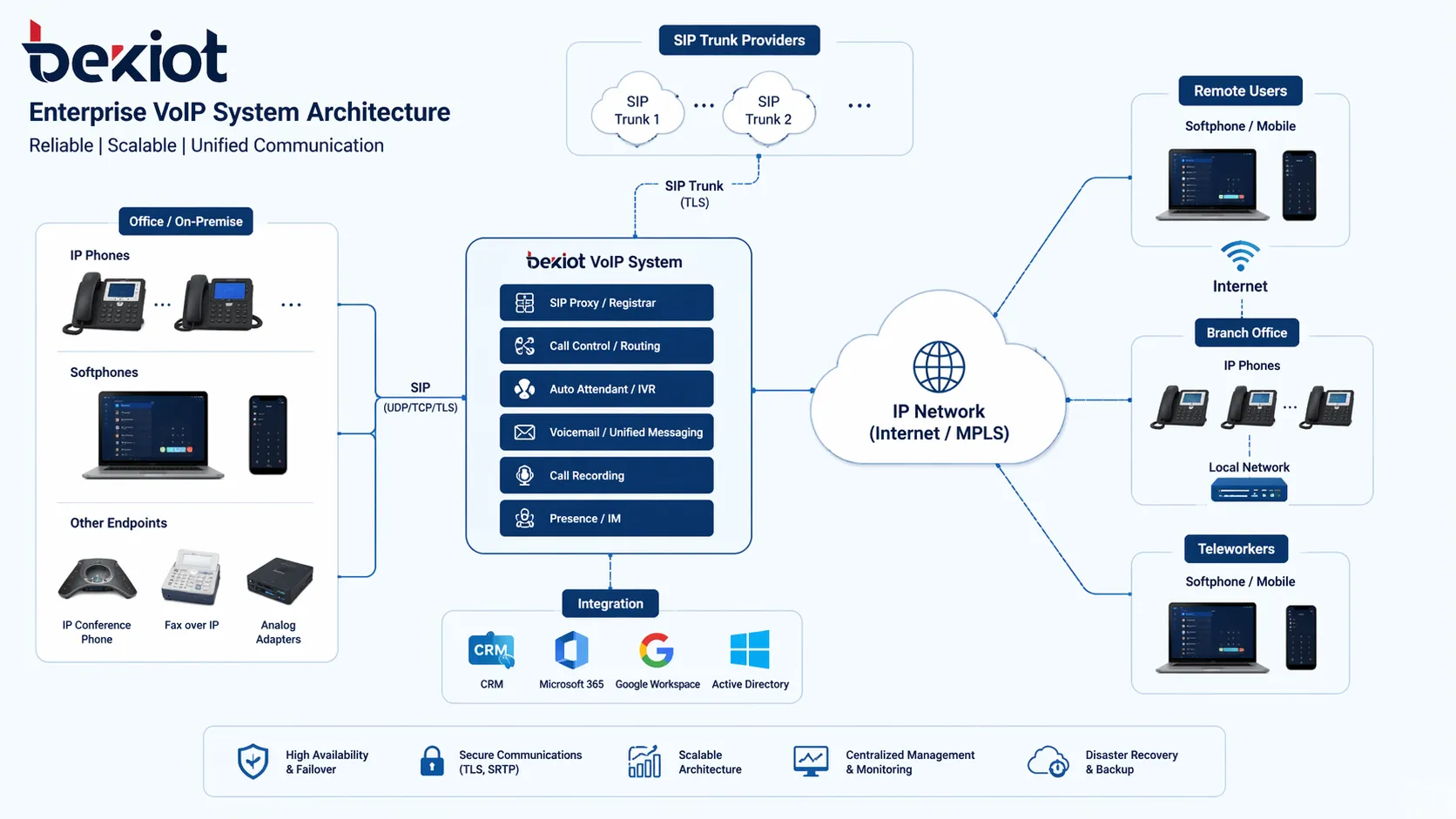
In a small deployment, that may simply mean a few IP phones connected to a broadband connection. In a more advanced environment, a VoIP system can include a call control platform, SIP trunks, remote users, mobile clients, gateways, conferencing, voicemail, call recording, paging, intercom, and integration with monitoring or dispatch tools. This broader architecture is one reason VoIP has become central to modern business communication design.
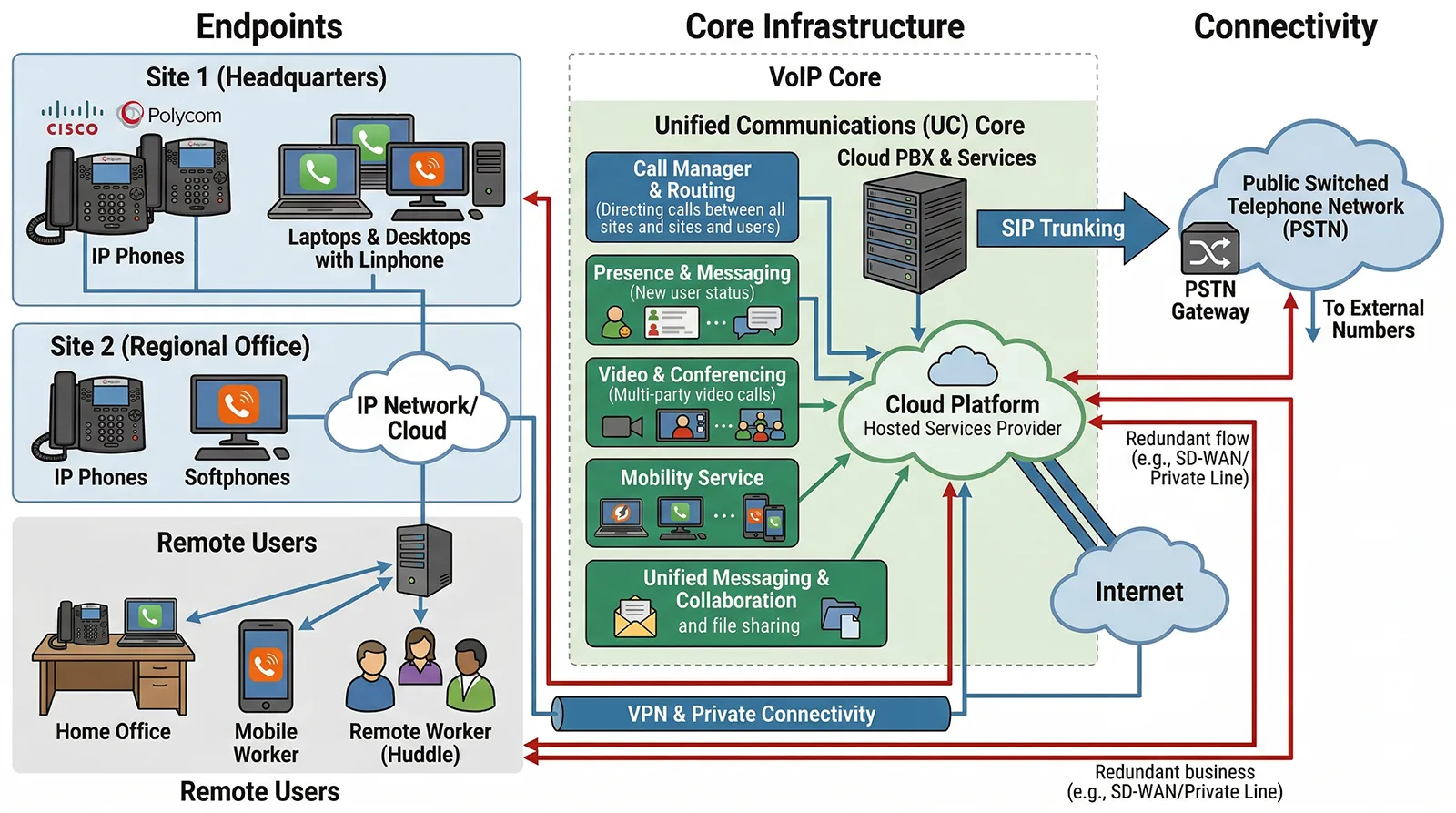
Example of a VoIP architecture linking endpoints, core call control, and external network connections.
How Does a VoIP System Work?
At a high level, a VoIP system takes a person’s voice, digitizes it, sends it through an IP network, and reconstructs it at the receiving end. The process sounds simple, but it depends on several coordinated functions working together in real time.
Voice Capture and Digital Conversion
When a user speaks into an IP phone, headset, video phone, or softphone, the device captures the analog sound and converts it into digital audio. Audio codecs then compress the stream so that it can be transported efficiently while preserving usable call quality. Better codec selection can improve clarity and reduce bandwidth usage, especially in busy business environments.
Signaling and Session Setup
Before a conversation can begin, the system has to register endpoints and establish the call path. In most business deployments, this is handled by SIP, the Session Initiation Protocol. SIP manages registration, call setup, ringing, answering, transfer behavior, and session teardown. Because SIP is widely supported, it also makes interoperability easier between phones, platforms, trunks, and integrated systems.
Packet Transmission Across the Network
Once the session is established, the audio stream is broken into packets and sent across the IP network. Those packets may travel through a local office LAN, a private WAN, the internet, or a hybrid network design. The system does not need a dedicated physical line for each call in the way legacy telephony often did. Instead, it uses network resources dynamically.
Decoding and Audio Playback
At the other end, the receiving device collects the packets, places them in the right sequence, decodes the audio, and plays the sound back to the listener. To keep conversation natural, the system must manage jitter, delay, packet loss, and echo. This is why network quality and endpoint design still matter even though VoIP is software-driven.
Call Control, Routing, and Features
Behind the conversation, a VoIP server or IP PBX controls the logic of the call. It decides which extension should ring, applies call rules, handles voicemail, manages call forwarding, and can support queues, conferencing, ring groups, and other features. In more advanced deployments, the same platform may also coordinate recording, paging, intercom, video, or external integrations.
VoIP works because voice becomes data, and once voice becomes data, it can be routed, managed, secured, and integrated much more flexibly than in a traditional phone environment.
Main Components of a VoIP System
IP Phones and Softphones
IP desk phones remain common in offices, reception areas, control rooms, and shared workspaces. Softphones extend the same calling experience to laptops, tablets, and smartphones. Together, they let businesses support both fixed and mobile users under one communication model.
VoIP Server or IP PBX
The VoIP server or IP PBX is the control core of the system. It manages user registrations, extension logic, call routing, feature policies, and service continuity. Depending on the design, it may be deployed on-premises, in a private cloud, or in a hosted environment.
SIP Trunks
SIP trunking connects the VoIP system to external calling networks. Instead of relying on legacy telephone lines, businesses can use SIP trunks to reach outside numbers, support inbound and outbound calling, and scale capacity more efficiently.
Gateways and Integration Devices
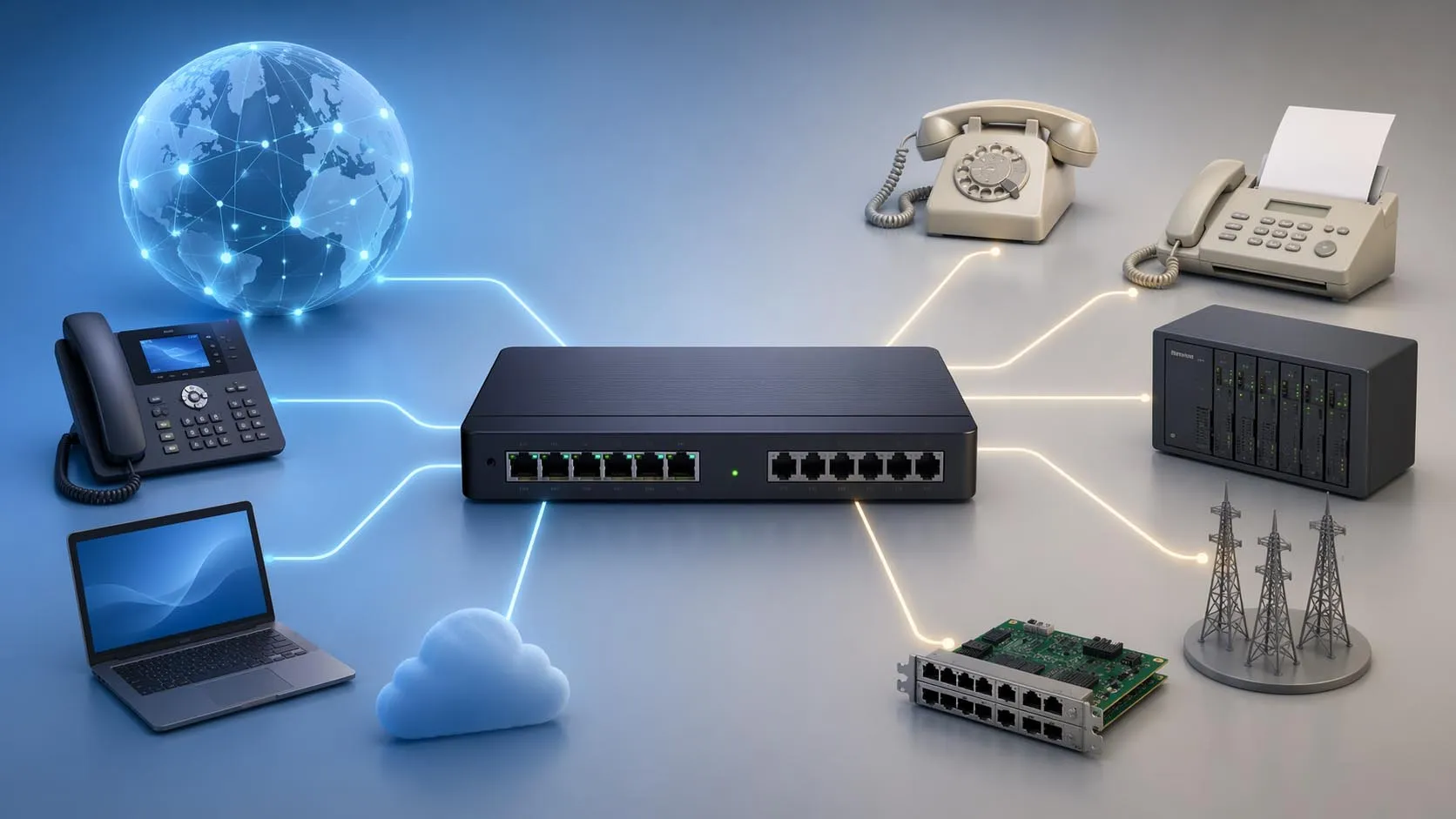
Many organizations still need to connect older systems, analog devices, or specialized communication platforms. Gateways make that possible. They can bridge VoIP platforms to PSTN lines, analog endpoints, radio systems, paging devices, or other infrastructure that still plays a role in daily operations.
The IP Network Itself
No VoIP system performs well without a stable underlying network. Switches, routers, wireless coverage, bandwidth planning, and QoS policies all influence call performance. VoIP is flexible, but it is only as dependable as the network carrying the traffic.
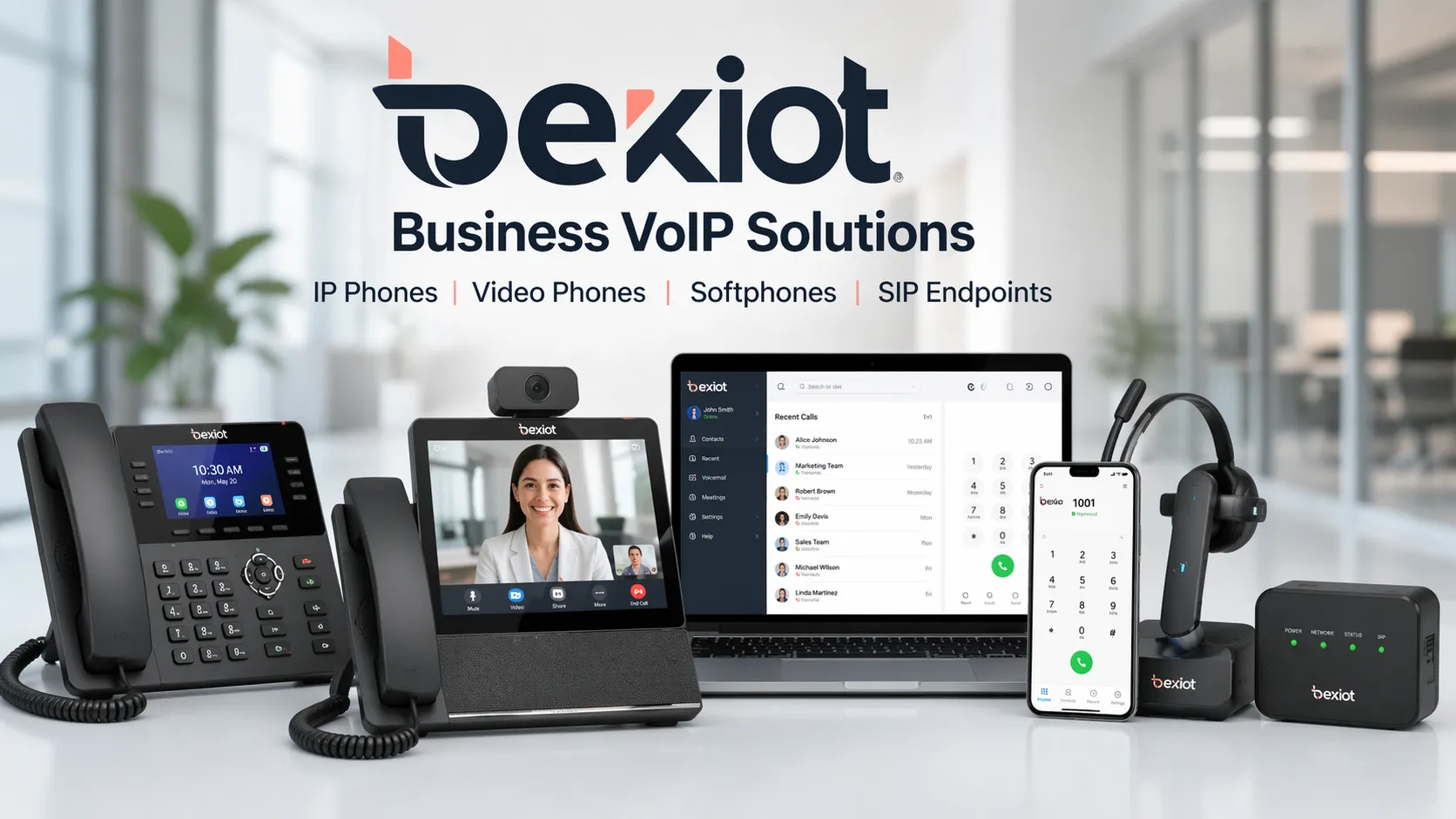
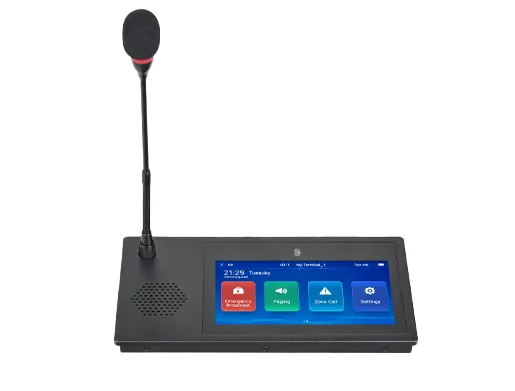
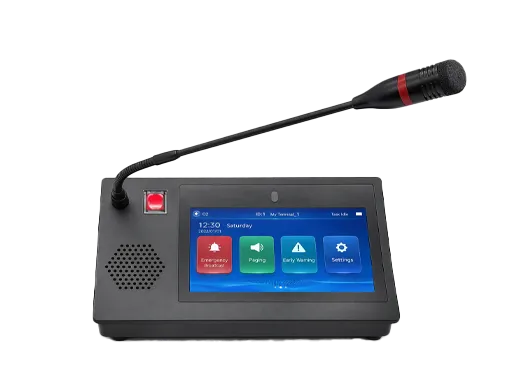
VoIP systems can support desk phones, software clients, video endpoints, and integrated communication devices.
Why VoIP Systems Matter
They Reduce Dependence on Legacy Telephony
Traditional phone systems often require dedicated circuits, specialized maintenance, and more rigid expansion planning. VoIP replaces that model with a network-based architecture that is easier to adapt as business needs change. For many organizations, that means simpler scaling and a cleaner migration path from older voice infrastructure.
They Support Modern Work Patterns
Employees no longer all sit in one building. Some work at headquarters, some in branch offices, some in industrial or field environments, and some remotely. A VoIP system can keep those users on the same extension plan and communication framework, which improves reachability and business continuity.
They Make Expansion Easier
Adding users to a legacy phone environment could require significant hardware changes or additional line provisioning. In a VoIP environment, businesses can usually add extensions, devices, or remote sites more quickly. That flexibility becomes especially important for growing organizations or multi-site operations.
They Improve Integration Possibilities
Modern communication is not just about voice. Businesses increasingly want phone systems to interact with video, intercom, paging, CRM tools, contact center platforms, alarm workflows, or control applications. Because VoIP is based on IP and often on open SIP-based interoperability, it is better positioned to support these integrations than older isolated systems.
They Enable More Centralized Management
Administrators can often manage users, extensions, permissions, firmware, and service policies from a centralized interface. That reduces operational friction and helps IT teams maintain consistency across devices and locations. For larger businesses, centralized visibility is one of the strongest long-term advantages of VoIP.
VoIP vs Traditional Phone Systems
The difference between VoIP and traditional telephony is not only about cost. It is also about architecture. Traditional systems are built around dedicated voice lines and tightly bound hardware models. VoIP systems are built around IP connectivity, software control, and flexible endpoint access.
In a traditional environment, adding capacity often means adding physical lines or dedicated cards. In a VoIP environment, expansion can be more software-led and network-led. Traditional systems can still make sense in some legacy scenarios, but for businesses that need mobility, multi-site communication, integration, or future scalability, VoIP is usually the more adaptable foundation.
Common Business Uses for VoIP Systems
Office Communications
For standard business office use, VoIP supports extension dialing, auto attendants, voicemail, conferencing, and day-to-day external calling. It is the most familiar use case and still one of the most important.
Multi-Site Organizations
Companies with branch offices, regional teams, warehouses, or satellite locations often use VoIP to bring users into one dialing plan and one administrative framework. That creates a more unified experience across the business.
Remote and Hybrid Workforces
Softphones and mobile clients make it possible for staff to stay reachable without being tied to a desk phone. This helps remote employees maintain a professional business presence while remaining part of the company’s overall communication system.
Integrated Operational Environments
In more advanced deployments, VoIP can also support communication beyond the typical office. It can work alongside SIP intercom, IP paging, emergency help points, dispatch consoles, or integrated video communication. That makes it relevant not only to offices, but also to campuses, industrial facilities, transport sites, and service environments.
VoIP matters because it supports modern business communication across offices, remote teams, and distributed operations.
What to Look for When Choosing a VoIP System
Standards-Based Compatibility
A SIP-based design makes it easier to connect phones, trunks, and third-party platforms. Businesses should pay close attention to whether a system is built on open standards or whether it creates unnecessary lock-in.
Audio Quality and Reliability
Call clarity remains essential. Look for support for wideband audio, echo cancellation, and noise reduction, especially in environments where background noise or hands-free calling are common.
Flexible Deployment Options
Some businesses want an on-premises IP PBX. Others prefer private cloud or hosted deployment. Many need a hybrid design. A strong VoIP solution should fit the business model rather than force a one-size-fits-all architecture.
Integration Readiness
If the business expects to connect paging, intercom, video, mobile apps, gateways, or external software, the VoIP platform should support that direction from the start. Integration is often what separates a short-term phone replacement from a long-term communication platform.
Management and Growth Capacity
The right system should be easy to maintain today and still capable of handling future expansion. That includes user growth, site growth, feature growth, and evolving workflow requirements.
The best VoIP system is not simply the one that makes calls. It is the one that fits how your business communicates now and how it expects to communicate next.
Conclusion
VoIP systems matter because they turn business telephony into a flexible, network-based service that can grow with the organization. They improve scalability, support remote work, simplify multi-site communication, and create better integration opportunities than traditional line-based phone systems.
For businesses evaluating communication infrastructure, understanding how VoIP works is the first step toward choosing a system that supports both present operations and future expansion. Whether the requirement is simple office calling or a broader unified communication environment, VoIP has become the foundation that many modern organizations build on.
FAQ
What is the difference between VoIP and a traditional phone system?
A traditional phone system relies on dedicated telephone lines and circuit-switched infrastructure. A VoIP system sends voice as digital packets over an IP network, which makes it easier to scale, manage, and integrate with other communication tools.
Does a VoIP system require the internet to work?
Not always. A VoIP system requires an IP network, but that can be a local business network, a private WAN, or an internet-connected environment. External calling and remote connectivity often depend on internet or service-provider access, while internal calls can work within a local network design.
What devices can be used with a VoIP system?
Common devices include IP desk phones, video phones, softphones on computers, mobile clients, and SIP-based communication endpoints. Some systems can also connect to analog devices or older telephony infrastructure through gateways.
Is VoIP only suitable for offices?
No. VoIP is widely used in offices, but it can also support campuses, hospitality sites, industrial operations, transport environments, and other locations where network-based voice communication and system integration are important.
Why is SIP important in VoIP?
SIP is the signaling protocol used by many VoIP deployments to register devices, establish calls, and connect different systems. Because it is widely adopted, it helps improve interoperability and gives businesses more flexibility in system design.
We use cookie to improve your online experience. By continuing to browse this website, you agree to our use of cookie.
Cookies
This Cookie Policy explains how we use cookies and similar technologies when you access or use our website and related services. Please read this Policy together with our Terms and Conditions and Privacy Policy so that you understand how we collect, use, and protect information.
By continuing to access or use our Services, you acknowledge that cookies and similar technologies may be used as described in this Policy, subject to applicable law and your available choices.
Updates to This Cookie Policy
We may revise this Cookie Policy from time to time to reflect changes in legal requirements, technology, or our business practices. When we make updates, the revised version will be posted on this page and will become effective from the date of publication unless otherwise required by law.
Where required, we will provide additional notice or request your consent before applying material changes that affect your rights or choices.
What Are Cookies?
Cookies are small text files placed on your device when you visit a website or interact with certain online content. They help websites recognize your browser or device, remember your preferences, support essential functionality, and improve the overall user experience.
In this Cookie Policy, the term “cookies” also includes similar technologies such as pixels, tags, web beacons, and other tracking tools that perform comparable functions.
Why We Use Cookies
We use cookies to help our website function properly, remember user preferences, enhance website performance, understand how visitors interact with our pages, and support security, analytics, and marketing activities where permitted by law.
We use cookies to keep our website functional, secure, efficient, and more relevant to your browsing experience.
Categories of Cookies We Use
Strictly Necessary Cookies
These cookies are essential for the operation of the website and cannot be disabled in our systems where they are required to provide the service you request. They are typically set in response to actions such as setting privacy preferences, signing in, or submitting forms.
Without these cookies, certain parts of the website may not function correctly.
Functional Cookies
Functional cookies enable enhanced features and personalization, such as remembering your preferences, language settings, or previously selected options. These cookies may be set by us or by third-party providers whose services are integrated into our website.
If you disable these cookies, some services or features may not work as intended.
Performance and Analytics Cookies
These cookies help us understand how visitors use our website by collecting information such as traffic sources, page visits, navigation behavior, and general interaction patterns. In many cases, this information is aggregated and does not directly identify individual users.
We use this information to improve website performance, usability, and content relevance.
Targeting and Advertising Cookies
These cookies may be placed by our advertising or marketing partners to help deliver more relevant ads and measure the effectiveness of campaigns. They may use information about your browsing activity across different websites and services to build a profile of your interests.
These cookies generally do not store directly identifying personal information, but they may identify your browser or device.
First-Party and Third-Party Cookies
Some cookies are set directly by our website and are referred to as first-party cookies. Other cookies are set by third-party services, such as analytics providers, embedded content providers, or advertising partners, and are referred to as third-party cookies.
Third-party providers may use their own cookies in accordance with their own privacy and cookie policies.
Information Collected Through Cookies
Depending on the type of cookie used, the information collected may include browser type, device type, IP address, referring website, pages viewed, time spent on pages, clickstream behavior, and general usage patterns.
This information helps us maintain the website, improve performance, enhance security, and provide a better user experience.
Your Cookie Choices
You can control or disable cookies through your browser settings and, where available, through our cookie consent or preference management tools. Depending on your location, you may also have the right to accept or reject certain categories of cookies, especially those used for analytics, personalization, or advertising purposes.
Please note that blocking or deleting certain cookies may affect the availability, functionality, or performance of some parts of the website.
Restricting cookies may limit certain features and reduce the quality of your experience on the website.
Cookies in Mobile Applications
Where our mobile applications use cookie-like technologies, they are generally limited to those required for core functionality, security, and service delivery. Disabling these essential technologies may affect the normal operation of the application.
We do not use essential mobile application cookies to store unnecessary personal information.
How to Manage Cookies
Most web browsers allow you to manage cookies through browser settings. You can usually choose to block, delete, or receive alerts before cookies are stored. Because browser controls vary, please refer to your browser provider’s support documentation for details on how to manage cookie settings.
Contact Us
If you have any questions about this Cookie Policy or our use of cookies and similar technologies, please contact us at support@becke.cc .